1
English
Controls/Power Supply
Congratulations on your purchase and
welcome to Philips!
To fully benefit from the support that Philips
offers, register your product at
www.philips.com/welcome.
Supplied Accessories
– AC power cord
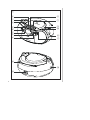
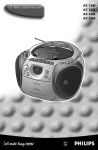
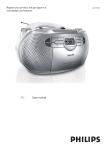
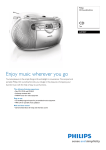
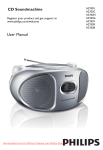
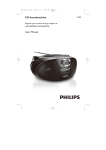
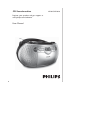
Top/Front panels (See 1)
1 VOLUME – adjusts volume level
2 DBB – turns the bass enhancement on/off
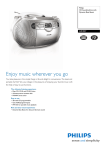
Back/Bottom panels
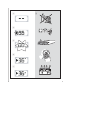
(See 1 and 2)
@ Telescopic antenna
– improves FM reception
# AC MAINS~ – inlet for power cord
$ Source selector: CD,TUNER, LINE-IN,
TAPE/OFF
– selects CD, radio, AUX or tape source of
sound
– powers off switch
% Battery door – open to insert 6 x 1.5V
R-14/UM-2/C-cells batteries
3 CASSETTE RECORDER keys:
CAUTION
PAUSE ; – pauses playback or recording
Visible and invisible laser radiation. If
the cover is open, do not look at the
beam.
High voltage! Do not open.You run
the risk of getting an electric shock.
The machine does not contain any
user-serviceable parts.
Modification of the product could
result in hazardous radiation of
EMC or other unsafe operation.
STOP•OPEN 9/
– stops the tape or recording;
– opens the cassette holder
F.FWD 5/REW 6 – fast
forwards/rewinds tape
PLAY 1 – starts playback
REC 0 – starts recording
4 Display – shows the CD functions
5 9 – stops CD playback;
– erases a CD program
Power Supply
2; – starts or pauses CD playback
Whenever convenient, use the power supply
cord if you want to conserve battery life.
Make sure you remove the plug from the set
and wall outlet before inserting batteries.
§ ∞
– selects the next/previous track
– fast searches forwards/backwards (press and
hold the button) within the current track
6 PROG – programs tracks and reviews the
program
7 LIFT TO OPEN – opens/closes the CD
door
8 MODE – selects different play modes:
REPEAT or SHUFFLE (random order)
9 TUNING +/- – tunes to radio stations
0 LINE-IN – 3.5mm audio input jack
! BAND – selects waveband: FM or MW
Batteries (not included)
1
Open the battery door and insert 6 batteries,
type R-14, UM-2 or C-cells with the
correct polarity as indicated by the "+" and
"–" symbols inside the compartment. (See 2)