1
CD Player
Playing a CD
•
•
Finding a passage within a
track
This CD player plays Audio Discs including
CD-Recordables (CD-R) and CD-Rewritables
(CD-RW).
1
MP3, CD-ROM, CD-I, CDV,VCD, DVD or
computer CDs are not possible for playback.
2
IMPORTANT!
CDs encoded with copyright protection
technologies by some record companies may
be unplayable by this product.
1
Adjust the Source selector to CD.
2
Open the CD door, and insert a CD with
the printed side facing up, then press the CD
door gently to close.
Helpful hints:
– When your searching reaches the end of the
last track, the CD goes to stop mode.
Programming track
numbers
You may store up to 20 tracks in the desired
sequence. If you like, store any track more
than once.
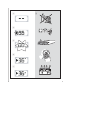
➜ Display shows --, and later the total
number of tracks. (See 3)
3
Press 2; to start playback.
4
To pause playback, press 2;.
5
To resume, press 2; again.
6
To stop CD playback, press 9.
1
In the stop position, press PROG to activate
programming.
➜ Display: PROG and 00 flash. (See 5)
2
Press ∞ or § to select your desired track
number.
3
Press PROG to store the desired track
number.
➜ Display: PROG and 00 flash for you to
program the next track.
4
Repeat steps 2 to 3 to select and store all
desired tracks in this way.
➜ If you attempt to store more than 20
tracks, no track can be selected and the
display shows --.
5
To play your program, press 2;.
➜ Display: 2 flashes. (See 4)
Helpful hints:
CD play will also stop when:
–
you open the CD door;
– you select TUNER or TAPE/OFF sound
source;
– the CD has reached the end.
Selecting a different track
• Press ∞/§ once or repeatedly until the
desired track number appears in the display.
• In the pause/stop position, press 2; to start
playback.
During playback, press and hold ∞ or §.
➜ The CD is played at high speed and with
reduced volume.
When you recognize the passage you want,
release ∞ or § to resume normal playback.
Helpful hints :
– When playback of your program comes
to the stop position, your set will return
to normal playback.To re-enter program
mode, press PROG in the stop position.