1
1
Windows Hardware and
Driver Installation
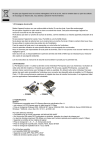
1. Before opening the casing of your computer, make sure that all
power is off.
2. Locate an unused PCIe slot and insert the Parallel-PCIe/LP card into
it. Ensure that the card is well seated.
3. Screw the metal bracket of the Parallel-PCIe/LP card to your PC’s
casing and replace the machine’s cover.
4. Connect your parallel cable to the port on the Parallel-PCIe/LP card
and turn the PC on.
5. When Windows starts, it will find a Parallel-PCIe/LP Controller and
will ask you for a driver for this device. When prompted, insert the
installation CD into your computer. After copying the necessary files
from the CD, Windows may restart your PC in order to complete the
installation of the Parallel-PCIe/LP card. Windows XP/Vista may
display a message to the effect that the drivers are not digitally
signed.This warning can be ignored.
6. The Parallel-PCIe/LP card will appear in Control Panel|System|Device
Manager under Ports, as a listing similar to the one below. If
required, settings may be customized by clicking on the ParallelPCIe listing and then clicking Properties.