1
Installation Guide
5
1.2 Warnings
•
•
•
•
•
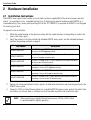
Read all installation instructions and site survey reports, and verify correct equipment installation before
connecting the access point.
Remove jewelry and watches before installing this equipment.
Verify the unit is grounded before connecting it to the power source.
Verify any device connected to this unit is properly wired and grounded.
Verify there is adequate ventilation around the device, and that ambient temperatures meet equipment
operation specifications.
1.3 Site Preparation
• Consult your site survey and network analysis reports to determine specific equipment placement, power
drops, and so on.
• Assign installation responsibility to the appropriate personnel.
• Identify and document where all installed components are located.
• Ensure adequate, dust-free ventilation to all installed equipment.
• Identify and prepare Ethernet and console port connections.
• Verify cable lengths are within the maximum allowable distances for optimal signal transmission.
1.4 Package Contents
An AP6522 access point is available in integrated antenna and external antenna models. Contents differ
depending on the model ordered.
1.4.1 External Antenna Model Package Contents
•
•
•
•
AP6522 access point with external antenna connectors (Plenum Rated)
2 customer installed mounting lugs
4 mounting lug retaining screws
AP6522 Installation Guide (This Guide)
1.4.2 Internal Antenna Model Package Contents
•
•
AP6522 access point with internal antennas
AP6522 Installation Guide (This Guide)