1
Preface
Using Macros .............................................................................. 27
Creating a New Macro .................................................... 28
Deleting a Macro .............................................................. 30
Viewing a Macro ............................................................... 31
Setting QUICK CHs..................................................................... 32
Setting a QUICK CH........................................................... 32
Deleting a QUICK CH ........................................................ 33
Relabeling a QUICK CH .................................................... 34
Using the Transmission Feature ................................................ 35
Miscellaneous Menus................................................................ 36
Setting the Date and Time ............................................... 37
Setting the Power Down Time.......................................... 38
Setting the Backlight On Time.......................................... 38
Setting the Beep Signal..................................................... 39
Checking the Version Number ........................................ 40
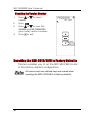
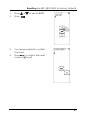
Resetting the SRC-3810/3815 to Factory Defaults ................ 40
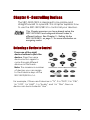
Chapter 4 - Controlling Devices....................................................42
Selecting a Device to Control ................................................. 42
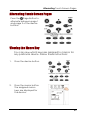
Alternating Touch Screen Pages............................................. 43
Viewing the Macro Key ............................................................ 43
Using the QUICK CH Buttons .................................................... 44
Controlling Devices ................................................................... 45
Using the AUX Key ..................................................................... 45
Appendix A - Specifications..........................................................46
Appendix B - Accessories..............................................................47
Appendix C – Troubleshooting ......................................................49
Troubleshooting Tables ............................................................. 49
iii