1
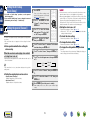
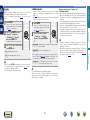
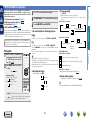
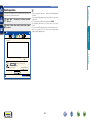
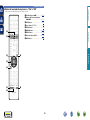
This section provides information on operations of playback
procedures.
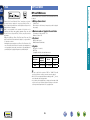
Preparations
Selecting the input source
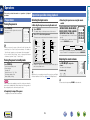
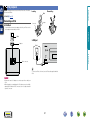
Turning the power on
Press POWER X.
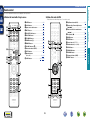
nnSelecting the input source using the main unit
SLEEP
CLOCK
DIMMER
POWER
1
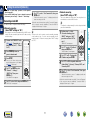
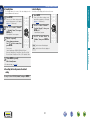
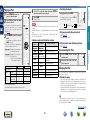
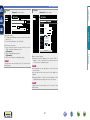
2 Press ui to select the input source.
Press SOURCE.
The display changes to the input source selection screen.
INTERNET
RADIO
ONLINE
MUSIC
MUSIC
SERVER
TUNER
ANALOG IN
DIGITAL IN
iPod
USB
CD
CH -
CH +
TUNE -
TUNE +
The input source is switched each time the button is pressed.
Favorite
MUTE
Internet Radio
CD
Analog In 2
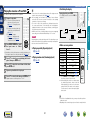
Press the input source select button
(INTERNET RADIO, ONLINE MUSIC,
MUSIC SERVER, TUNER, ANALOG
IN, DIGITAL IN, iPod, USB, CD).
•The desired input source can be selected
directly.
•The input source is switched as follows
each time ANALOG IN is pressed.
Analog In 1
Portable Inz
FAVORITE
VOLUME
SDB
TONE
CALL
TOP MENU
INFO
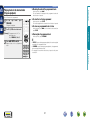
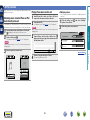
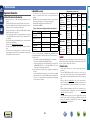
Turning the power to standby mode
The unit enters standby mode.
•Power indicator
Standby : Off
Network Control – “On” : Red
iPod charge standby : Red
Alarm standby : Orange
NOTE
SLEEP
1
./
4
GHI
INTERNET
RADIO
7 PQRS
TUNER
+10a/A
iPod
FM
Last.fm
Analog In 1
SETUP
CLOCK
DIMMER
POWER
2 ABC
3
5
6 MNO
JKL
ONLINE
MUSIC
8 TUV
ANALOG IN
0
USB
*
DEF
MUSIC
SERVER
9 WXYZ
CLEAR
CD
ONLINE
MUSIC
MUSIC
SERVER
DIGITAL IN
iPod
USB
With the unit, you can play back music files stored on your iPhone/
iPod touch and music from iTunes (vpage 43 “AirPlay function”).
CD
CH -
CH +
TUNE -
TUNE +
MUTE
CLOCK
DIMMER
FAVORITE
INTERNET
CALL
RADIO
POWER
VOLUME
SDB
ONLINE
TONE
MUSIC
MUSIC
SERVER
ANALOG IN
INFO
DIGITAL IN
•When there is no portable audio player connected to the portable
in jack, “Portable In” is not displayed when you press ANALOG IN.
iPod
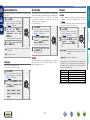
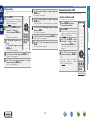
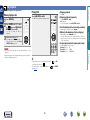
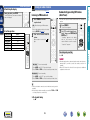
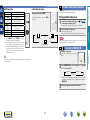
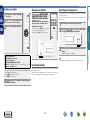
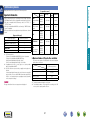
Adjusting the master volume
Use VOLUME df to adjust the
volume.
The volume level is displayed.
GVariable rangeH
DIGITAL IN
RANDOM REPEAT PROGRAM MODE
CH +
CH -
TUNE -
zz“Portable In” appears only when the portable audio player is
connected to portable in jack.
POWER
ANALOG IN
SLEEP
ADD
Digital In
0
–
60
USB
CD
CH -
CH +
ENTER
TUNE SEARCH
TUNE +
SETUP
MUTE
ADD
FAVORITE
1
2 ABC
4CALL
GHI
5TONE
JKL
SDB
6 MNO
7 PQRS
8 TUV
9 WXYZ
+10a/A
0
CLEAR
./
TOP MENU
*
3
DEF
VOLUME
INFO
RANDOM REPEAT PROGRAM MODE
ENTER
SEARCH
SETUP
TUNE +
RC-1174
1 unit.
2
You can also do this by turning VOLUME on the main
RC-1174
MUTE
./
Power continues to be supplied to some of the circuitry even when the
power is in the standby mode. When leaving home for long periods of
time, unplug the power cord from the power outlet.
ADD
FAVORITE
CALL
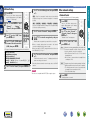
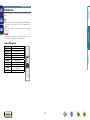
nnCompletely turning off the power
Setup
DIMMER
TUNER
TOP MENU
TUNER
iPod
ENTER
SEARCH
Press POWER X.
Music Server
CLOCK
INTERNET
RADIO
Analog In 2
(Portable In)
ADD
SLEEP
4
VOLUME
SDB
TONE
TOP MENU
INFO
3
DEF
JKL
6 MNO
7 PQRS
8 TUV
9 WXYZ
+10a/A
0
CLEAR
GHI
5
ABC
*
RANDOM REPEAT PROGRAM MODE
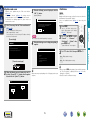
Unplug the power cord from the wall outlet.
ENTER
SEARCH
1
./
4
GHI
SETUP
2 ABC
3
5
DEF
JKL
6 MNO
7 PQRS
8 TUV
9 WXYZ
+10a/A
0
CLEAR
*
RANDOM REPEAT PROGRAM MODE
RC-1174
RC-1174
23
Information
•When you turn on the power of this unit for the first time after
purchasing it, the “Quick Setup” menu starts up. For details on
“Quick Setup” operations, see the separate “Quick setup guide”.
•If you cancelled “Quick Setup” menu or changed the network
environment, perform “Setup” – “Quick Setup”.
USB
nnSelecting the input source using the remote
control
Operations
The power indicator lights white and the
power turns on.
Operations possible during playback
Preparations
Operations