1
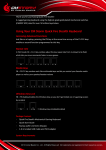
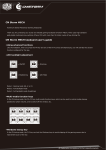
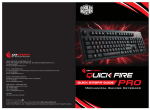
Windows Key Lock In FN-Lock mode F12 key lets you disable the Windows keys so you don’t get kicked out of a gaming session by accident. Switching between full N key and 6 key rollover In FN-Lock mode pressing the ESC and N key at the same time switches the Keyboard to NKRO mode. Pressing the ESC and 6 key switches the Keyboard to 6KRO mode. + 6KRO + Full NKRO Note: NKRO mode is not supported on MACs and prevents some PCs from booting Package Content: - Quick Fire TK Mechanical Gaming Keyboard - User Guide - Keycap puller - 1.8 m braided USB Cable System Requirements PC or PC compatible device with a USB port Windows® XP/Vista/7/8 Warranty 2 years limited manufacturer warranty Damages as a result of removing keycaps improperly are not covered by the warranty Technical Support Free technical support and FAQs can be found on www.cmstorm.com For free live-chat support visit www.coolermaster.com/livehelp