1
Chapter 3: Configuration
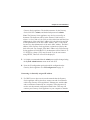
Internet connection, it may take a few minutes to complete downloading.
The software update will take about 5 minutes to complete.
If the Gateway Series appliance is not connected to the Internet, the latest
software can be obtained at
http://downloads.digium.com/pub/telephony/gateway/firmware/. Save the
firmware file to your desktop. Then manually install it from the Software
Updates section.
Note: While many software versions may be available on Digium’s
website, it is recommended to install only the latest version of the
software.
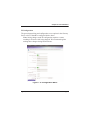
System Clock
This section provides the ability to set the system clock on the Gateway
Series appliance.
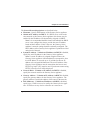
System Reset
This section provides the ability to perform a system reboot, system
shutdown, or factory reset of the Gateway Series appliance.
Note: The system shutdown feature should be used only to
temporarily shut down a Gateway Series appliance before physically
removing power. Power needs to be physically removed from the
Gateway Series appliance within 2 minutes. Otherwise, the Gateway
Series appliance will automatically reboot. A system shutdown will
drop all current calls and cause the Gateway Series appliance to
become unreachable by any method except physical access.
Digium, Inc.
Page 51