1
Basic version
Advanced version
AV Surround Receiver
Owner’s Manual
Information
NR1602
nSAFETY PRECAUTIONS
CAUTION:
TO REDUCE THE RISK OF ELECTRIC SHOCK, DO NOT REMOVE
COVER (OR BACK). NO USER-SERVICEABLE PARTS INSIDE.
REFER SERVICING TO QUALIFIED SERVICE PERSONNEL.
The exclamation point within an equilateral triangle is intended
to alert the user to the presence of important operating
and maintenance (servicing) instructions in the literature
accompanying the appliance.
WARNING:
TO REDUCE THE RISK OF FIRE OR ELECTRIC SHOCK, DO NOT
EXPOSE THIS APPLIANCE TO RAIN OR MOISTURE.
Read these instructions.
Keep these instructions.
Heed all warnings.
Follow all instructions.
Do not use this apparatus near water.
Clean only with dry cloth.
Do not block any ventilation openings.
Install in accordance with the manufacturer’s instructions.
Do not install near any heat sources such as radiators, heat registers,
stoves, or other apparatus (including amplifiers) that produce heat.
9. Protect the power cord from being walked on or pinched particularly at
plugs, convenience receptacles, and the point where they exit from the
apparatus.
10. Only use attachments/accessories specified by the manufacturer.
11. Use only with the cart, stand, tripod, bracket, or table
specified by the manufacturer, or sold with the apparatus.
When a cart is used, use caution when moving the cart/
apparatus combination to avoid injury from tip-over.
12. Unplug this apparatus during lightning storms or when
unused for long periods of time.
CAUTION:
To completely disconnect this product from the mains, disconnect the plug
from the wall socket outlet.
The mains plug is used to completely interrupt the power supply to the unit
and must be within easy access by the user.
I
marantz Europe
A division of D&M Europe B.V.
Beemdstraat 11, 5653 MA Eindhoven,
The Netherlands
A NOTE ABOUT RECYCLING:
This product’s packaging materials are recyclable and can
be reused. Please dispose of any materials in accordance
with the local recycling regulations.
When discarding the unit, comply with local rules or
regulations.
Batteries should never be thrown away or incinerated
but disposed of in accordance with the local regulations
concerning battery disposal.
This product and the supplied accessories, excluding the
batteries, constitute the applicable product according to
the WEEE directive.
Information
13.Refer all servicing to qualified service personnel.
Servicing is required when the apparatus has been damaged in any way,
such as power-supply cord or plug is damaged, liquid has been spilled or
objects have fallen into the apparatus, the apparatus has been exposed to
rain or moisture, does not operate normally, or has been dropped.
14.Batteries shall not be exposed to excessive heat such as sunshine, fire or
the like.
We declare under our sole responsibility that this product, to which this
declaration relates, is in conformity with the following standards:
EN60065, EN55013, EN55020, EN61000-3-2 and EN61000-3-3.
Following the provisions of Low Voltage Directive 2006/95/EC and EMC
Directive 2004/108/EC, the EC regulation 1275/2008 and its frame work
Directive 2009/125/EC for Energy-related Products (ErP).
Advanced version
The lightning flash with arrowhead symbol, within an equilateral
triangle, is intended to alert the user to the presence of
uninsulated “dangerous voltage” within the product’s enclosure
that may be of sufficient magnitude to constitute a risk of
electric shock to persons.
1.
2.
3.
4.
5.
6.
7.
8.
• DECLARATION OF CONFORMITY
Basic version
CAUTION
RISK OF ELECTRIC SHOCK
DO NOT OPEN
IMPORTANT SAFETY
INSTRUCTIONS
nCAUTIONS ON INSTALLATION
nNOTES ON USE
z
z
z
z
Wall
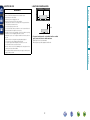
zzFor proper heat dispersal, do not install this unit in a confined
space, such as a bookcase or similar enclosure.
•More than 0.3 m is recommended.
•Do not place any other equipment on this unit.
Advanced version
•Avoid high temperatures.
Allow for sufficient heat dispersion when installed in a rack.
•Handle the power cord carefully.
Hold the plug when unplugging the cord.
•Keep the unit free from moisture, water, and dust.
•Unplug the power cord when not using the unit for long periods of time.
•Do not obstruct the ventilation holes.
•Do not let foreign objects into the unit.
•Do not let insecticides, benzene, and thinner come in contact with the unit.
•Never disassemble or modify the unit in any way.
•Ventilation should not be impeded by covering the ventilation openings
with items, such as newspapers, tablecloths or curtains.
•Naked flame sources such as lighted candles should not be placed on
the unit.
•Observe and follow local regulations regarding battery disposal.
•Do not expose the unit to dripping or splashing fluids.
•Do not place objects filled with liquids, such as vases, on the unit.
•Do not handle the mains cord with wet hands.
•When the switch is in the OFF (STANDBY) position, the equipment is not
completely switched off from MAINS.
•The equipment shall be installed near the power supply so that the power
supply is easily accessible.
Basic version
WARNINGS
Information
II
Thank you for purchasing this marantz product. To ensure proper operation, please read this owner’s manual carefully before using the product.
After reading them, be sure to keep them for future reference.
Contents
Getting started···············································································1
Accessories···················································································2
Features·························································································2
Cautions on handling·····································································3
Speaker installation/connection (Advanced)····························51
Install···························································································51
Connect·······················································································53
Set up speakers···········································································59
Connections (Advanced connection)·········································61
Connecting the remote control connectors·································61
Playback (Advanced operation)··················································62
Convenient functions···································································62
Playback in ZONE2 (Separate room) ·········································73
Audio output················································································73
Playback·······················································································73
Sleep timer function····································································74
How to make detailed settings···················································75
Menu map···················································································75
Examples of menu screen displays·············································76
Examples of menu and front display···········································77
Inputting characters ····································································78
Audio Adjust················································································80
Information··················································································85
System Setup··············································································86
Input Setup··················································································99
Other settings·············································································105
Remote control settings····························································105
Operating the connected devices by remote control unit·····106
Operating AV devices································································106
Registering preset codes···························································107
Operating devices······································································109
Operating learn function····························································111
Part names and functions·························································114
Front panel·················································································114
Display·······················································································115
Rear panel··················································································116
Remote control unit···································································117
Other information······································································119
Trademark information·······························································119
Surround····················································································120
Relationship between video signals and monitor output···········124
Explanation of terms··································································125
Troubleshooting·········································································128
Resetting the microprocessor···················································132
Specifications·············································································133
1
Information
Connections····················································································5
Important information····································································5
Connecting an HDMI-compatible device·······································7
Connecting a TV············································································9
Connecting a Blu-ray Disc player···················································9
Connecting a DVD player·····························································10
Connecting a set-top box (Satellite tuner/Cable TV)····················10
Connecting an iPod or USB memory device to the USB port······11
Connecting a CD player·······························································12
Connecting an antenna································································12
Connecting a wireless receiver (RX101)······································13
Connecting to a home network (LAN)·········································14
Settings·························································································15
Set up speakers (Audyssey® Auto Setup)··································15
Making the network settings (Network Setup)····························21
Playback (Basic operation)··························································22
Important information··································································22
Playing a Blu-ray Disc player/DVD player·····································24
Playing a CD player······································································24
Playing an iPod············································································25
Playing a USB memory device·····················································27
Tuning in radio stations································································29
Playing a network audio·······························································33
Selecting a listening mode (Surround mode)···························46
Selecting a listening mode··························································46
Information············································································113
Advanced version
Basic version·············································································4
Advanced version ·······························································50
Basic version
Getting started
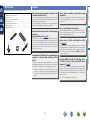
Accessories
Features
qGetting Started......................................................................... 1
wCD-ROM (Owner’s manual)..................................................... 1
ePower cord............................................................................... 1
rRemote control unit (RC014SR)............................................... 1
tR03/AAA batteries.................................................................... 2
ySetup microphone (ACM1H).................................................... 1
uAM loop antenna...................................................................... 1
iFM indoor antenna................................................................... 1
y
r
u
The unit is equipped with a power amplifier that reproduces highfidelity sound in surround mode with equal quality and power for all
channels, true to the original sound.
The power amplifier circuit adopts a discrete-circuit configuration
that achieves high-quality surround sound reproduction.
First select the language when prompted. Then simply follow the
instructions displayed on the TV screen to set up the speakers,
network, etc.
Easy to use, Graphical User Interface
Supports internet radio, music, and photograph
streaming
Supports AirPlay® (vpage 65)
i
Setup wizard, providing easy-to-follow setup
instructions
When connected to a network, this unit can play audio files and still
images such as photographs that are stored on your computer. You
can also listen to internet radio and a host of other online music
sources that use network technology. This unit also supports
AirPlay that lets you stream your music library from an iPhone,
iPad, iPod touch or iTunes.
“Wizz App” is application software that allows you to perform
basic operations with an iPhone or iPod touch such as turning the
unit ON/OFF, controlling the volume, and switching the source.
z1 Download “Wizz App” from iTunes® App Store. The unit
needs to be connected to a LAN and the iPhone/iPod touch
needs to be connected to the same network by Wi-Fi (wireless
LAN).
Direct play for iPod® and iPhone® via USB
(vpage 11)
Music data from an iPod can be played back if you connect the USB
cable supplied with the iPod via the USB port of this unit, and also
an iPod can be controlled with the remote control unit for this unit.
When an iPod is connected, merely pressing 21 starts playback
of music from the iPod.
Supports HDMI 1.4a with 3D, ARC, Deep Color,
“x.v.Color”, Auto Lip Sync and HDMI control
function (vpage 7)
This unit can output 3D video signals input from a Blu-ray Disc
player to a TV that supports a 3D system. This unit also supports
the ARC (Audio Return Channel) function, which reproduces TV
sound with this unit via an HDMI cable used for connecting the
unit and a TVz2.
z2 The TV should support the ARC function.
2
Information
Compatible with “Wizz App” for performing basic
operations of the unit with an iPhone or iPod
touchz1
This unit is equipped with an easy to see “Graphical User Interface”
that uses menu displays and levels. The use of level displays
increases operability of the this unit.
Advanced version
e
Fully discrete, identical quality and power for all
7 channels (50 W x 7ch, 8 Ω)
Basic version
Check that the following parts are supplied with the product.
Important information
The unit is equipped with 4 HDMI input connectors for connecting
devices with HDMI connectors, such as a Blu-ray Disc player,
game machine, HD video camera, etc.
High definition audio support
M-XPort (marantz-eXtension Port) (vpage 13)
This unit is equipped with the M-XPort, a marantz original innovation
that provides outstanding expandability. You can connect the
Wireless Receiver RX101 (sold separately) to this port.
•Before turning the power on
Check once again that all connections are correct and that there are
no problems with the connection cables.
•Power is supplied to some of the circuitry even when the unit is
set to the standby mode. When going on vacation or leaving home
for long periods of time, be sure to unplug the power cord from the
power outlet.
•About condensation
If there is a major difference in temperature between the inside of
the unit and the surroundings, condensation (dew) may form on
the operating parts inside the unit, causing the unit not to operate
properly.
If this happens, let the unit sit for an hour or two with the power
turned off and wait until there is little difference in temperature
before using the unit.
•Cautions on using mobile phones
Using a mobile phone near this unit may result in noise. If that
occurs, move the mobile phone away from this unit when it is in use.
•About care
•Wipe the cabinet and control panel clean with a soft cloth.
•Follow the instructions when using a chemical cleaner.
•Benzene, paint thinner or other organic solvents as well as
insecticide may cause material changes and discoloration if brought
into contact with the unit, and should therefore not be used.
3
Information
•Moving the unit
Turn off the power and unplug the power cord from the power
outlet. Next, disconnect the connection cables to other system units
before moving the unit.
Advanced version
The unit is equipped with a decoder which supports high-quality
digital audio format for Blu-ray Disc players such as Dolby TrueHD,
DTS-HD Master Audio, etc.
Cautions on handling
Basic version
4-HDMI inputs and 1-output
Basic version
Here, we explain the connections and basic operation methods for this unit.
Advanced version
F Connections vpage 5
F Settings vpage 15
F Playback (Basic operation) vpage 22
F Selecting a listening mode (Surround mode) vpage 46
–
Playback
vpage 8, 10
Connection
vpage 24
Playback
vpage 8, 10
Connection
–
Playback
Connection
Playback
vpage 24
Connection
vpage 12
Playback
vpage 24
Connection
vpage 11
Playback
vpage 25
Connection
vpage 11
Connection
Playback
vpage 27
Playback
Connection
vpage 12
Connection
Playback
vpage 29
Playback
Connection
vpage 14
Playback
vpage 33
For speaker connections, see page 53, C page 6 “Connecting the speakers”.
4
vpage 8, 9
vpage 8
–
vpage 13
–
Information
vpage 8, 9
Connection
Basic version
Basic
version
Basic version
Connections
Important information
Converting input video signals for output (Video conversion function)
This unit is equipped with three types of video input connectors (HDMI, Component video and video) and three types of video output connectors
(HDMI, Component video and video).
Use the connectors corresponding to the devices to be connected.
This function automatically converts various formats of video signals input to this unit into the formats used to output the video signals from
this unit to a monitor.
GFlow of video signals for MAIN ZONEH
NOTE
Video device
Monitor (TV)
This unit
Output
Input
(IN)
Output
(MONITOR OUT)
HDMI connector
HDMI connector
HDMI
connector
HDMI connector
Component video
connectors
Component video
connectors
Component video
connectors
Component video
connectors
Video connector
Video connector
Video connector
Input
Information
•Do not plug in the power cord until all connections have been
completed. (When the Setup wizard is running, follow the instructions
in the Setup wizard screen for making connections.)
•When running the Setup wizard, turn off the power supply of
connected devices.
•When making connections, also refer to the operating instructions of
the other devices being connected.
•Be sure to connect the left and right channels properly (left with left,
right with right).
•Do not bundle power cords together with connection cables. Doing
so can result in noise.
Video connector
•The video conversion function supports the NTSC, PAL, SECAM, NTSC 4.43, PAL-N, PAL-M and PAL-60 formats.
•Resolutions of HDMI-compatible TVs can be checked at “Monitor Info.” (vpage 85).
NOTE
•HDMI signals cannot be converted into analog signals.
•Component video input signals cannot be converted into Video format.
•When a non-standard video signal from a game machine or some other source is input, the video conversion function might not operate.
vSee overleaf
5
Advanced version
•Make connections as follows before using this unit. Select an
appropriate connection type according to the devices to be
connected.
•You may need to make some settings on this unit depending
on the connection method. Refer to each description for more
information.
•Select the cables (sold separately) according to the devices
being connected.
Important information
•Menu screen
•Status display screen
When the input source is
switched.
Basic version
Examples of screen display
When the volume is adjusted.
Menu
Audio Adjust
Information
Setup Wizard
System Setup
Input Setup
[Auto]
SOURCE :BD
MODE :STEREO
Master Volume
Advanced version
Surr.Parameter
Tone
AudysseySettings
Manual EQ
M-DAX
Audio Delay
-55.5dB
Status display: The operating status appears briefly on the screen
when the input source is switched or the volume is
changed.
NOTE
Information
•If you operate the menu while playing back 3D video content or computer’s resolution (e.g. VGA), the
playback video is replaced by the menu screen. The playback video is not displayed behind the menu
screen.
•This unit does not show the status display while playing back 3D video content or computer’s resolution
(e.g. VGA).
•The menu screen and status display are displayed when this unit and a TV are connected by HDMI.
Furthermore, the menu screen and status display are not displayed when this unit and a TV are connected
by VIDEO and COMPONENT VIDEO.
6
Connecting an HDMI-compatible device
About 3D function
HDMI function
This unit supports input and output of 3D (3 dimensional) video signals of HDMI 1.4a.
To play back 3D video, you need a TV and player that provide support for the HDMI 1.4a 3D function and
a pair of 3D glasses.
This unit supports the following HDMI functions:
•3D
•Deep Color (vpage 125)
•Auto Lip Sync (vpage 90, 125)
•“x.v.Color”, sYCC601 color, Adobe RGB color, Adobe YCC601 color (vpage 125, 126, 127)
•High definition digital audio format
•ARC (Audio Return Channel)
•Content Type
•CEC (HDMI control)
Basic version
You can connect up to five HDMI-compatible devices (4-inputs/1-output) to the unit.
NOTE
Copyright protection system
In order to play back digital video and audio such as BD-Video or DVD-Video via HDMI connection, both
this unit and TV or the player need to support the copyright protection system known as HDCP (Highbandwidth Digital Content Protection System). HDCP is copyright protection technology comprised of
data encryption and authentication of the connected AV devices. This unit supports HDCP.
•If a device that does not support HDCP is connected, video and audio are not output correctly. Read
the owner’s manual of your television or player for more information.
Advanced version
•When playing back 3D video, refer to the instructions provided in the manual of your playback device
together with this manual.
•If you operate the menu while playing back 3D video content, the playback video is replaced by the menu
screen. The playback video is not displayed behind the menu screen.
•This unit does not show the status display while playing back 3D video content.
•If 3D video with no 3D information is input, the menu screen and status display on this unit are displayed
over the playback video.
•If 2D video is converted to 3D video on the television, the menu screen and status display on this unit
are not displayed correctly. To view the menu screen and status display on this unit correctly, turn the
television setting that converts 2D video to 3D video off.
About ARC (Audio Return Channel) function
The Audio Return Channel in HDMI 1.4a enables a TV, via a single HDMI cable, to send audio data “upstream”
to this unit.
NOTE
•To enable the ARC function, set “HDMI Control” to “ON” (vpage 90).
•When connecting a TV that does not support the ARC function, a separate connection using an audio
cable is required. In this case, refer to “Connecting a TV” (vpage 9) for the connection method.
About Content Type
HDMI control function (vpage 62)
HDMI 1.4a enables simple, automated picture setting selection with no user intervention.
This function allows you to operate external devices from the unit and operate the unit from external
devices.
NOTE
NOTE
To enable the Content Type, set “Video Mode” to “Auto” (vpage 102).
•The HDMI control function may not work depending on the device it is connected to and its settings.
•You cannot operate a TV or Blu-ray Disc player/DVD player that is not compatible with the HDMI control
function.
vSee overleaf
7
Information
About HDMI cables
•When a device supporting Deep Color is connected, use a cable compatible with “High Speed HDMI
cable” or “High Speed HDMI cable with Ethernet”.
•When the ARC function is used, connect a device with a ”Standard HDMI cable with Ethernet” or “High
Speed HDMI cable with Ethernet” for HDMI 1.4a.
Connecting an HDMI-compatible device
Audio and video cable (sold separately)
•When this unit is connected to other devices with HDMI cables, connect this unit and TV also with an
HDMI cable.
•When connecting a device that supports Deep Color, please use a “High Speed HDMI cable” or “High
Speed HDMI cable with Ethernet”.
•Video signals are not output if the input video signals do not match the monitor’s resolution. In this case,
switch the Blu-ray Disc/DVD player’s resolution to a resolution with which the monitor is compatible.
•When this unit and monitor are connected with an HDMI cable, if the monitor is not compatible with
HDMI audio signal playback, only the video signals are output to the monitor.
HDMI cable
•This interface allows transfer of digital video signals and digital audio signals over a single HDMI cable.
DVD
player
Set-top
box
Game
console
TV
HDMI
OUT
HDMI
OUT
HDMI
OUT
HDMI
OUT
HDMI
IN
NOTE
The audio signal from the HDMI output connector (sampling frequency, number of channels, etc.) may be
limited by the HDMI audio specifications of the connected device regarding permissible inputs.
Connecting to a device equipped with a DVI-D connector
When an HDMI/DVI conversion cable (sold separately) is used, the HDMI video signals are converted to
DVI signals, allowing connection to a device equipped with a DVI-D connector.
Advanced version
Blu-ray
Disc
player
Basic version
Cables used for connections
NOTE
nnSettings related to HDMI connections
Set as necessary. For details, see the respective reference pages.
Input Assign (vpage 101)
Set this to change the HDMI input connector to which the input source is assigned.
HDMI Setup (vpage 90)
Make settings for HDMI video/audio output.
•Auto Lip Sync
•HDMI Audio Out
•Standby Source
•P.Off Control
•HDMI Control
NOTE
The audio signal input from the HDMI input connector can be output as an output signal from the HDMI
output connector by setting the HDMI audio output destination to TV.
Audio signals input via the Analog/Coaxial/Optical input connectors cannot be output from the HDMI
output connector.
8
Information
•No sound is output when connected to a device equipped with a DVI-D connector. Make separate audio
connections.
•Signals cannot be output to DVI-D devices that do not support HDCP.
•Depending on the combination of devices, the video signals may not be output.
Connecting a TV
Connecting a Blu-ray Disc player
•You can enjoy video and audio from a Blu-ray Disc.
•Select the connector to use and connect the device.
•For instructions on HDMI connections, see “Connecting an HDMI-compatible device” (vpage 7).
Cables used for connections
Video cable (sold separately)
To listen to TV audio through this device, use the optical digital connection.
Video cable
NOTE
Component
video cable
Y
Y
PB
PB
PR
PR
Audio cable (sold separately)
Cables used for connections
Audio cable
Video cable (sold separately)
L
L
R
R
Video cable
Y
PB
PB
PR
PR
Blu-ray Disc player
AUDIO
VIDEO
COMPONENT VIDEO
OUT
Y
PB PR
VIDEO
OUT
TV
VIDEO
COMPONENT VIDEO
IN
Y
PB PR
AUDIO
OUT
L
R
L
R
L
R
VIDEO
IN
in Set as Necessary
Set this to change the digital input connector or component video input connector to which the input
source is assigned.
“Input Assign” (vpage 101)
in Set as Necessary
At the time of purchase, the OPTICAL input connector is assigned to “CD”. To use the OPTICAL input
connector for the TV audio input, change the settings of “Input Assign” (vpage 101) in the menu.
When you want to play back HD Audio (Dolby TrueHD, DTS-HD, Dolby Digital Plus, DTS Express) and Multichannel PCM with this unit, use an HDMI connection (vpage 7 “Connecting an HDMI-compatible
device”).
9
Information
Y
Advanced version
The optical connection is not required when a TV compatible with the ARC function (Audio Return Channel
HDMI 1.4a standard function) is connected to this unit via an HDMI connection.
For details, see “About ARC (Audio Return Channel) function” (vpage 7) or refer to the instruction
manual for your TV.
Component video
cable
Basic version
•Select the connector to use and connect the device.
•For video connections, see “Converting input video signals for output (Video conversion function)”
(vpage 5).
•For instructions on HDMI connections, see “Connecting an HDMI-compatible device” (vpage 7).
Connecting a DVD player
Connecting a set-top box (Satellite tuner/Cable TV)
•You can watch satellite or cable TV.
•Select the connector to use and connect the device.
•For instructions on HDMI connections, see “Connecting an HDMI-compatible device” (vpage 7).
Cables used for connections
Cables used for connections
Video cable (sold separately)
Video cable (sold separately)
Video cable
Basic version
•You can enjoy video and audio from a DVD.
•Select the connector to use and connect the device.
•For instructions on HDMI connections, see “Connecting an HDMI-compatible device” (vpage 7).
Video cable
Y
Y
PB
PB
PR
Audio cable (sold separately)
Audio cable
PR
Audio cable (sold separately)
DVD player
VIDEO
L
R
Satellite tuner/
Cable TV
Coaxial
digital cable
COMPONENT VIDEO
OUT
Y
PB PR
L
R
VIDEO
AUDIO
VIDEO
OUT
AUDIO
OUT
L
R
Advanced version
Component
video cable
AUDIO
VIDEO
OUT
COAXIAL
OUT
R
L
R
in Set as Necessary
Set this to change the digital input connector or component video input connector to which the input
source is assigned.
“Input Assign” (vpage 101)
in Set as Necessary
Set this to change the digital input connector or component video input connector to which the input
source is assigned.
“Input Assign” (vpage 101)
10
Information
L
Connecting an iPod or USB memory device to the USB port
Supported iPod models
Cables used for connections
To connect an iPod to this unit, use the USB cable supplied with the iPod.
•iPod / iPod classic
iPod
Basic version
You can enjoy music stored on an iPod or USB memory device.
USB memory
device
•iPod nano
Information
marantz does not guarantee that all USB memory devices will operate or receive power. When using a
portable USB connection type HDD of the kind to which an AC adapter can be connected to supply power,
use the AC adapter.
Advanced version
or
NOTE
•USB memory devices will not work via a USB hub.
•Do not use an extension cable when connecting a USB memory device. This may cause radio interference
with other devices.
•This unit does not support playback on an iPad. Do not connect an iPad to the unit.
•When connecting an iPhone to this unit, keep the iPhone at least 20 cm away from this unit. If the iPhone
is kept closer to this unit and a telephone call is received by the iPhone, noise may be output from this
device.
•iPod touch
•iPhone
11
Connecting an antenna
Connecting a CD player
Cables used for connections
Audio cable (sold separately)
Audio cable
L
L
R
R
FM outdoor
antenna
AM loop antenna
(supplied)
the stand section
1 Put
through the bottom of the
loop antenna from the
rear and bend it forward.
the projecting part
2 Insert
into the square hole in
Stand
Square
hole
Loop
antenna
Projecting
part
the stand.
Advanced version
Optical cable
Direction of broadcasting station
nnAM loop antenna assembly
CD player
AUDIO
AUDIO
OUT
L
R
R
L
R
q
w
e
75 Ω coaxial
cable
nnUsing the AM loop antenna
Suspending on a wall
Suspend directly on a wall without assembling.
Black
FM indoor
antenna
(supplied)
White
Nail, tack, etc.
Standing alone
Use the procedure shown above to assemble.
in Set as Necessary
Set this to change the digital input connector to which the input
source is assigned.
“Input Assign” (vpage 101)
NOTE
AM outdoor
antenna
Ground
12
•Do not connect two FM antennas simultaneously.
•Even if an external AM antenna is used, do not disconnect the AM
loop antenna.
•Make sure the AM loop antenna lead terminals do not touch metal
parts of the panel.
•If the signal has noise interference, connect the ground terminal
(GND) to reduce noise.
•If you are unable to receive a good broadcast signal, we recommend
installing an outdoor antenna. For details, inquire at the retail store
where you purchased the unit.
Information
L
OPTICAL
OUT
Basic version
•Connect the FM antenna or AM loop antenna supplied with the unit
to enjoy listening to radio broadcasts.
•After connecting the antenna and receiving a broadcast signal
(vpage 29 “Listening to FM/AM broadcasts”), fix the antenna
with tape in a position where the noise level becomes minimal.
•You can enjoy CD sound.
•Select the connector to use and connect the device.
Connecting a wireless receiver (RX101)
Basic version
By connecting a wireless receiver RX101 (sold separately) to this unit, you can receive and playback audio
signals from other devices using the Bluetooth Communication Function.
•Use a Bluetooth device that is A2DP compatible (vpage 125 “A2DP”).
•You can also use wireless receiver RX101 as an external IR receiver.
•For instructions on the wireless receiver settings, refer to the RX101’s operating instructions.
Wireless receiver RX101
Advanced version
Information
Bluetooth device
(A2DP Compatibility)
Remote control unit
You can enjoy listening to music by connecting a wireless receiver via the M-XPort input connector. In this
case, set the input source to “M-XPort”.
NOTE
To use wireless receiver RX101 as external IR receiver, set the remote sensor function of this unit to
disable (vpage 105 “Remote control settings”).
13
Connecting to a home network (LAN)
Cable (sold separately)
Ethernet
cable
Computer
nnBroadband internet connection
nnModem
Device that connects to the broadband circuit and conducts
communications on the Internet.
A type that is integrated with a router is also available.
nnRouter
When using this unit, we recommend you use a router equipped
with the following functions:
•Built-in DHCP server
This function automatically assigns IP addresses on the LAN.
•Built-in 100BASE-TX switch
When connecting multiple devices, we recommend a switching
hub with a speed of 100 Mbps or greater.
nnEthernet cable (CAT-5 or greater recommended)
Internet
To WAN side
To LAN port
LAN port/
Ethernet
connector
Router
•If you have an Internet provider contract for a line on which network
settings are made manually, make the settings at “Network Setup”
(vpage 92).
•With this unit, it is possible to use the DHCP and Auto IP functions
to make the network settings automatically.
•When using this unit with the broadband router’s DHCP function
enabled, this unit automatically performs the IP address setting and
other settings.
When using this unit connected to a network with no DHCP
function, make the settings for the IP address, etc., at “Network
Setup” (vpage 92).
•When setting manually, check the setting contents with the network
administrator.
For connections to the Internet, contact an ISP (Internet
Service Provider) or a computer shop.
14
•A contract with an ISP is required to connect to the Internet.
No additional contract is needed if you already have a broadband
connection to the Internet.
•The types of routers that can be used depend on the ISP. Contact an
ISP or a computer shop for details.
•marantz assumes no responsibility whatsoever for any
communication errors or troubles resulting from customer’s
network environment or connected devices.
•This unit is not compatible with PPPoE. A PPPoE-compatible router
is required if you have a contract for a type of line set by PPPoE.
•Do not connect an NETWORK connector directly to the LAN port/
Ethernet connector on your computer.
•To listen to audio streaming, use a router that supports audio
streaming.
Information
•Use only a shielded STP or ScTP LAN cable which is available at
retailer.
•Some flat type Ethernet cables are easily affected by noise.
We recommend using a normal type cable.
Modem
To LAN port
NOTE
Advanced version
Cables used for connections
Required system
Basic version
•This unit lets you play via your home network (LAN) music files
stored on a computer and music content such as that from Internet
radio.
You can also operate this unit from a computer using the Web
control function.
•You can update by downloading the latest firmware from the
marantz website.
For more information, on the menu, select “Firmware Update”
(vpage 97).
•See “Network Setup” on the menu (vpage 92) for more
information on network setting.
Here, we explain “Audyssey® Auto Setup”, which allows you to
automatically make the optimal settings for your speakers, and
“Network Setup”, which allows you to connect this unit to a home
network (LAN).
This unit lets you play via your home network (LAN) music files stored
on a computer and music content such as that from Internet radio.
Playback (Basic operation) (vpage 22)
Selecting a listening mode (Surround mode)
(vpage 46)
The acoustic characteristics of the connected speakers and
listening room are measured and the optimum settings are made
automatically. This is called “Audyssey® Auto Setup”.
To perform measurement, place the setup microphone in
multiple locations all around the listening area. For best results,
we recommend you measure in six positions, as shown in the
illustration (up to six positions).
•When performing Audyssey® Auto Setup, Audyssey MultEQ®/
Audyssey Dynamic EQ®/Audyssey Dynamic Volume® functions
become active (vpage 82, 83).
•To set up the speakers manually, use “Speaker Setup”
(vpage 87) on the menu.
About setup microphone placement
•Measurements are performed by placing the setup microphone
successively at multiple positions throughout the entire listening
area, as shown in GExample qH. For best results, we recommend
you measure in six positions, as shown in the illustration (up to six
positions).
•Even if the listening environment is small as shown in GExample wH,
measuring at multiple points throughout the listening environment
results in more effective correction.
NOTE
•Make the room as quiet as possible. Background noise can disrupt
the room measurements. Close windows, silence cell phones,
televisions, radios, air conditioners, fluorescent lights, home
appliances, light dimmers, or other devices as measurements may
be affected by these sounds.
•Cell phones should be placed away from all audio electronics during
the measurement process as Radio Frequency Interference (RFI)
may cause measurement disruptions (even if the cell phone is not
in use).
•Do not unplug the setup microphone from the main unit until
Audyssey® Auto Setup is completed.
•Do not stand between the speakers and setup microphone or allow
obstacles in the path while the measurements are being made. This
will cause inaccurate readings.
•Loud test sounds may be played during Audyssey® Auto Setup. This
is part of normal operation. If there is background noise in room,
these test signals will increase in volume.
•Operating VOLUME +, – during
the measurements will cancel the
measurements.
•Measurement cannot be performed when
headphones are connected.
GExample qH
GExample wH
FL SW C
FL SW C
FR
( : Measuring positions)
*M
SL
SBL
FL
FR
C
SW
Front speaker (L)
Front speaker (R)
Center speaker
Subwoofer
FR
( : Measuring positions)
SR
*M
SL
SBR
SBL
SL
SR
SBL
SBR
Information
Playback (Advanced operation) (vpage 62)
Set up speakers (Audyssey® Auto Setup)
SR
SBR
Surround speaker (L)
Surround speaker (R)
Surround back speaker (L)
Surround back speaker (R)
About the main listening position (*M)
The main listening position is the position where listeners would
normally sit or where one would normally sit alone within the listening
environment. Before starting Audyssey® Auto Setup, place the setup
microphone in the main listening position. Audyssey MultEQ® uses
the measurements from this position to calculate speaker distance,
level, polarity, and the optimum crossover value for the subwoofer.
vSee overleaf
15
Advanced version
nn Set up speakers (Audyssey® Auto Setup)
(vpage 15)
nn Making the network settings (Network Setup)
(vpage 21)
Basic version
Settings
Set up speakers (Audyssey® Auto Setup)
Set up the microphone
Mount the setup microphone on a tripod or stand
and place it in the main listening position.
When placing the setup microphone, adjust the height of the
sound receptor to the level of the listener’s ear.
Sound receptor
Set up the subwoofer
If using a subwoofer capable of the following
adjustments, set up the subwoofer as shown below.
nn When using a subwoofer with a direct mode
3
Set up the remote control unit
nn Set up the operation mode
Press AMP to set the remote control unit to AMPoperation mode.
Set the direct mode to “On” and disable the volume adjustment
and crossover frequency setting.
nn When using a subwoofer without a direct mode
Make the following settings:
•Volume : “12 o’clock position”
•Crossover frequency : “Maximum/Highest Frequency”
•Low pass filter : “Off”
•Standby mode : “Off”
Advanced version
Setup
microphone
2
Basic version
1
Press AMP
vSee overleaf
Information
If you do not have a tripod or stand, set up the microphone on, for
example, a seat without a back.
NOTE
•Do not hold the setup microphone in your hand during
measurements.
•Avoid placing the setup microphone close to a seat back or wall as
sound reflections may give inaccurate results.
16
Set up speakers (Audyssey® Auto Setup)
Detect & Measure (Main)
Preparation
4
Connect the setup microphone to the SETUP MIC
jack of this unit.
6
Use ui to select “Auto Setup Start” and then press
ENTER.
Audyssey Auto Setup
MultEQ
When the setup microphone is
connected, the following screen is
displayed.
MultEQ
Audyssey Auto Setup
Preparation
Next
[ENTER] Enter
When measuring begins, a test tone is output from each
speaker.
Amp Assign
Channel Select
•Measurement requires several minutes.
Auto Setup Start
[ENTER] Enter
[RETURN] Cancel
Here, we explain setup using the example of 7.1-channel speaker
playback using surround back speakers.
For setup of surround speaker systems other than 7.1-channels,
follows steps 4 and 5 in “Set up “Amp Assign”” (vpage 59). .
If unused channels are set with “Channel Select”, measuring time
can be shortened. For setting, perform steps 7 to 10 of “Set up
“Channel Select”” (vpage 60).
8 The detected speakers are displayed.
•The illustration below shows an example of when the front
speakers, center speaker, subwoofer, and surround speakers have
been detected.
Audyssey Auto Setup
Detect Check
Front
Center
Subwoofer
Surround
S.Back
[RETURN] Cancel
“Next” and then press
5 Select
ENTER.
Retry
Next
MultEQ
Yes
Yes
Yes
Yes
Yes
2spkrs
Measure
[ENTER] Enter
[RETURN] Cancel
NOTE
If a connected speaker is not displayed, the speaker may not be
connected correctly. Check the speaker connection.
ui to select “Next → Measure” and then press
9 Use
ENTER.
vSee overleaf
17
Information
Connect the speakers and place then according
to the recommendations in the manual.
7 Select “Measure” and then press ENTER.
Advanced version
Preparation
Set the following items
if necessary.
•In STEP 2, you will perform measurements at the main listening
position.
•This step automatically checks the speaker configuration and speaker
size, and calculates the channel level, distance, and crossover
frequency.
It also corrects distortion in the listening area.
Basic version
STEP 2
STEP 1
Set up speakers (Audyssey® Auto Setup)
STEP 4
STEP 3
Detect & Measure (Main)
•In STEP 3, you will perform measurements at multiple positions (two
to six positions) other than the main listening position.
•Just one position can be measured but measuring multiple positions
increases the accuracy of the correction of acoustic distortion within
the listening area.
NOTE
When performing Audyssey® Auto Setup over
again
Press ui to select “Retry”, and then press ENTER.
When measuring has stopped
the setup microphone to position 2, use ui
10 toMove
select “Measure”, and then press ENTER.
MultEQ
Setting up the speakers again
Next
•Analysis takes several minutes to complete. The time required for
this analysis depends on the number of speakers connected.
The more connected speakers there are, the longer it takes to
perform analysis.
Calculate
[ENTER] Enter
.
MultEQ
Calculate
Now calculating
Please wait
[RETURN] Cancel
vSee overleaf
If you want to omit measurements from the next position onward,
select “Next
Calculate”.
(Go to STEP4 Calculate
)
11 Repeat step 10, measuring positions 3 to 6.
When measurement of position 6 is completed,
“Measurements finished.” message is displayed.
Audyssey Auto Setup
MultEQ
Measure (Finish)
Measurements finished.
Retry
Next
Calculate
[ENTER] Enter
18
[RETURN] Cancel
a
Information
Measure
Measuring results are analyzed, and the frequency response of
each speaker in the listening room is determined.
0%
Measure (2nd)
Please place the
microphone at ear
height at 2nd
listening position.
qPress RETURN, to the “Cancel Auto Setup?” prompt is displayed.
wPress o to select “Yes”, then press ENTER.
STEP 3
Audyssey Auto Setup
The measurement of the second position starts. Measurements
can be made in up to six positions.
Audyssey Auto Setup
On the
screen, use ui to select “Next →
12 Calculate”,
and then press ENTER.
Advanced version
If “Caution!” is displayed:
Go to “Error messages” (vpage 20),
check any related items, and perform the
necessary procedures.
If the problem is resolved, return and restart
“Audyssey® Auto Setup”.
Repeat the operation from step 4 of STEP 1 Preparation
Calculate
Measure (2nd – 6th)
Basic version
STEP 2 (Continued)
Set up speakers (Audyssey® Auto Setup)
STEP 6
Check
Finish
Store
15 Select “Store” and then press ENTER.
ui to select the item you
13 Use
want to check, and then press
Save the measurement results.
ENTER.
Audyssey Auto Setup
MultEQ
Audyssey Auto Setup
MultEQ
Check
Check processing resuit.
To proceed, press
“Next”.
[ENTER] Enter
Yes
No
[ENTER] Exit
[RETURN] Cancel
Store
Now storing
Please wait
•If the result differs from the actual connection status, or if “Caution!”
is displayed, see “Error messages” (vpage 20). Then carry out
Audyssey® Auto Setup again.
•If you change speaker positions or orientation, perform Audyssey®
Auto Setup again to find the optimal equalizer settings.
•This feature adjusts the output volume to the optimal level while
constantly monitoring the level of the audio input to the unit.
Optimal volume control is performed automatically without any
loss in the dynamism and clarity of the sound when, for example,
the volume suddenly increases for commercials shown during
television programs.
nn When turning Dynamic Volume® on
0%
Use ui to select “Next → Store” and then press
ENTER.
NOTE
MultEQ
•Use u to select “Yes”, and then press ENTER.
The unit automatically enters “Medium” mode.
•Saving the results requires about 10 seconds.
•If the measuring results are not to be saved, press RETURN. A
message “Cancel Auto Setup?” will be displayed. Press o then
select “Yes”. All the measured Audyssey® Auto Setup data will
be erased.
•During saving of measurements results, “Now storing Please
wait” is displayed. When saving is completed, “Storing complete.
Auto Setup is now finished.” is displayed.
NOTE
During saving of measurement results, be sure not to turn off the
power.
19
nn When turning Dynamic Volume® off
•Use i to select “No”, and then press ENTER.
NOTE
After performing Audyssey® Auto Setup, do not change the speaker
connections or subwoofer volume. In event of a change, perform
Audyssey® Auto Setup again.
Information
Audyssey Auto Setup
•Subwoofers may measure a greater reported distance than
the actual distance due to added electrical delay common in
subwoofers.
•If you want to check another item, press RETURN.
14
Turn on Dynamic Volume?
[RETURN] Cancel
Store
[ENTER] Enter
MultEQ
Store
Sp.Config. Check
Distance Check
Ch.Level Check
Crossover Check
Next
Audyssey Auto Setup
Finish
Storing complete.
Auto Setup is now finished.
Please unplug microphone.
Advanced version
Store
Press “Store” to
store calculation
result.
the setup microphone from the unit’s SETUP
16 Unplug
MIC jack.
®
17 Set Audyssey Dynamic Volume .
Basic version
STEP 5
Set up speakers (Audyssey® Auto Setup)
NOTE
•An error message is displayed if Audyssey® Auto Setup could not be completed due to speaker placement, the measurement environment, etc. If this happens, check the relevant items, be sure to take the necessary
measures, then perform Audyssey® Auto Setup over again.
•If the result still differs from the actual connection status after remeasurement or the error message still appears, it is possible that the speakers are not connected properly. Turn this unit off, check the speaker
connections and repeat the measurement process from the beginning.
•Be sure to turn off the power before checking speaker connections.
MultEQ
Audyssey Auto Setup
Caution!
Microphone or Speaker is none
Measures
•The connected setup microphone is broken, or a device other than the
supplied setup microphone is connected.
•Not all speakers could be detected.
•The front L speaker was not properly detected.
•Connect the included setup microphone to the SETUP MIC jack of this unit.
•There is too much noise in the room for accurate measurements to be
made.
•Speaker or subwoofer sound is too low for accurate measurements to be
made.
•Either turn off any device generating noise or move it away.
•Perform again when the surroundings are quieter.
•Check the speaker installation and the direction in which the speakers are
facing.
•Adjust the subwoofer’s volume.
•The displayed speaker could not be detected.
(The screen on the left indicates that the front right speaker cannot be
detected.)
•Check the connections of the displayed speaker.
•The displayed speaker is connected with the polarity reversed.
(The screen on the left indicates that the polarity phases of the front right
speakers are reversed.)
•Check the polarity of the displayed speaker.
•For some speakers, this error message may be
displayed even if the speaker is properly connected.
If you are sure the connection is correct, press ui
to select “Skip”, then press ENTER.
•Check the speaker connections.
Retry
Audyssey Auto Setup
[
] Cancel
MultEQ
Caution!
Ambient noise is too high or level is too low
Retry
Audyssey Auto Setup
[
] Cancel
[
] Cancel
MultEQ
Caution! Speaker:None
Front R
Retry
MultEQ
Audyssey Auto Setup
Caution! Speaker:Phase
Front R
Skip
Retry
[
] Cancel
20
Information
Error details
Advanced version
Examples
Basic version
Error messages
Set up speakers (Audyssey® Auto Setup)
Parameter Check
This function enables you to check the measurement results and equalizer characteristics after Audyssey®
Auto Setup.
This unit can be connected to a home network (LAN) to listen to Internet radio or play back music files and
still image (JPEG) files stored on a computer.
1 Use ui to select “Parameter Check” and then press ENTER.
Auto Setup
Parameter Check
Sp. Config. Check
Distance Check
Ch. Level Check
Crossover Check
EQ Check
This unit performs automatic network setup due to the DHCP function.
When connecting to a network that has no DHCP function, perform the setting in “Network
Connect.” (vpage 92).
Sp. Config. Check
Distance Check
Ch. Level Check
Crossover Check
EQ Check
Restore
Advanced version
Auto Setup
Parameter Check
1 Connect the Ethernet cable (vpage 14 “Connecting to a home network (LAN)”).
2 Turn on this unit (C page 5 “Getting Started”).
Basic version
Making the network settings
(Network Setup)
to select the item you want to check, then press ENTER
2 orUsepui
.
Measurement results for each speaker are displayed.
Check the speaker configuration.
Distance Check
Check the distance.
Ch. Level Check
Check the channel level.
Crossover Check
Check the crossover frequency.
EQ Check
Information
Sp.Config. Check
Check the equalizer.
•If “EQ Check” is selected, press ui to select equalizing curve (“Audyssey” or “Audyssey Flat”) to
be checked.
Use o p to switch the display between the different speakers.
3 Press RETURN.
The confirmation screen reappears. Repeat step 2.
Retrieving Audyssey® Auto Setup settings
If you set “Restore” to “Yes”, you can return to Audyssey® Auto Setup measurement result (value
calculated at the start by MultEQ®) even when you have changed each setting manually.
21
Important information
Settings (vpage 15)
nn Selecting the input source (vpage 22)
nn Adjusting the master volume (vpage 23)
nn Turning off the sound temporarily (vpage 23)
Playback (Advanced operation) (vpage 62)
Source Select
NOTE
Also refer to the operating instructions of the connected devices
when playing them.
Player
BD
DVD
CD
M-XPort
USB/iPod
Selecting the input source
Press the input source select button
(BD, DVD, SAT, TV, NET/USB, CD,
TUNER or M-XP) twice to be played
back.
When an input source select button (BD,
DVD, SAT, TV, CD, NET/USB, TUNER or
M-XP) is pressed once, the unit switches
to device selected by the operating mode of
the remote control. If the input source select
button is then pressed again twice, the input
source for the unit is switched.
•When 21 is pressed, the input source of this unit is switched
to “NET/USB” and the connected iPod is automatically played
(vpage 26 “iPod play function”).
The input source “GAME” is selected to playback from a game device
connected to GAME connector of HDMI IN.
Select the input source “GAME” using one of the following methods.
•“Source Select” menu
(“Using the “Source Select” menu” provided on the right)
•SOURCE df button on the remote control unit
(“Using the SOURCE df button on the remote control unit”
(vpage 23))
•INPUT SELECTOR knob on the main unit
(“Using the knob on the main unit” (vpage 23))
[
Video
SAT
TV
GAME
] Move
The currently selected input
source is highlighted.
Tuner
TUNER
Network
Favorites
Internet Radio
Media Server
Flickr
Last.fm
Napster
[ENTER] Enter
qPress 3.
Display the “Source Select” menu.
The input source is set and the source
selection menu is turned off.
wUse uio p to select the input source,
then press ENTER.
Information
Selecting a listening mode (Surround mode)
(vpage 46)
nnUsing the “Source Select” menu
•When using with an iPod connected directly to the USB port of this
unit, select “USB/iPod” for the input source.
•Input sources that are not going to be used can be set ahead of time.
Make this setting at “Source Delete” (vpage 96).
•To turn off the source selection menu without selecting an input
source, press 3 again.
•When 3 is pressed, the AMP-operation mode starts automatically
(vpage 106).
vSee overleaf
BD
22
Advanced version
nn Playing a Blu-ray Disc player/DVD player
(vpage 24)
nn Playing a CD player (vpage 24)
nn Playing an iPod (vpage 25)
nn Playing a USB memory device (vpage 27)
nn Tuning in radio stations (vpage 29)
nn Playing a network audio (vpage 33)
Before starting playback, make the connections between the different
devices and the settings on the unit.
You can also use the following operation to select an input
source.
Basic version
Playback (Basic operation)
Important information
Press SOURCE d or SOURCE f.
•Every time you press SOURCE d or
SOURCE f, the input source switches in
the following order.
Adjusting the master volume
Set the front speakers to be used
Use VOLUME +, – to adjust the
volume.
Press SPEAKER A/B.
nn When the “Volume Display” setting
(vpage 96) is “Relative”
GAdjustable rangeH
–––
–80.5dB – 18.0dB
DVD
M-XPort
SAT
GAME
TUNER
CD
NET/USB
TV
nnUsing the knob on the main unit
Turn INPUT SELECTOR.
•Every time you turn INPUT SELECTOR, the input source switches
in the following order.
BD
DVD
M-XPort
SAT
GAME
TUNER
CD
NET/USB
TV
Front Sp B
Front Sp A+B
nn When the “Volume Display” setting (vpage 96) is
“Absolute”
GAdjustable rangeH 0.0 – 99.0
•The variable range differs according to the input signal and channel
level setting.
If you use front speakers A and B, set “Amp Assign” to “Front B”
(vpage 87) in advance.
You can also operate via the main unit. In this case, perform the
following operations.
Turn VOLUME to adjust the volume.
Press MUTE.
•“MUTE” indicator on the display lights.
appears on a TV screen.
•
•The sound is reduced to the level set at “Mute Level” (vpage 96).
•To cancel, press MUTE again. Muting can also be canceled by
adjusting the master volume.
23
Information
Turning off the sound temporarily
BD
Front Sp A
Advanced version
BD
•Each time you press SPEAKER A/B,
the front speaker setting will change as
follows.
Basic version
nnUsing the SOURCE d f button on the remote
control unit
The following describes the procedure for playing Blu-ray Disc player/
DVD player.
1
Prepare for playback.
Playing a CD player
The following describes the procedure for playing CD player.
1 Prepare for playback.
qTurn on the power of the subwoofer
and player.
wLoad the disc in the player.
qTurn on the power of the TV,
subwoofer and player.
wChange the TV input to the input of
this unit.
Press ON to turn on power to the
2 unit.
BD or DVD twice to switch an input source for
3 Press
a player used for playback.
4 Play the device connected to this unit.
Advanced version
eLoad the disc in the player.
ON to turn on power to the
2 Press
unit.
CD twice to switch the input
3 Press
source to the CD player.
4 Play the device connected to this unit.
Basic version
Playing a Blu-ray Disc player/DVD
player
Make the necessary settings on the player (language setting,
subtitles setting, etc.) beforehand.
Information
BD
24
Playing an iPod
SEARCH/INFO and hold it down for 2 seconds
Connect the iPod to the USB port (vpage 11
5 Press
or more to select the display mode.
an iPod or USB memory device to the
1 “Connecting
USB port”).
[1/7]
Remote mode
Display iPod information on the TV screen.
•The unit display shows single-byte
alphanumeric characters and some
symbols only. “.” is displayed in place
of incompatible characters.
•In ”Remote mode”, the iPod display is
OK to disconnect.
as shown at right.
Favorites
Internet Radio
Media Server
iPod
Direct mode
Display iPod information on the iPod screen.
•“Direct iPod” is displayed on the display of this unit.
Flickr
Last.fm
Napster
CH+/-
Display mode
Preset
iPod
[1/8]
Playable Music file
files
Video file
Active
buttons
P
Remote
control unit
(This unit)
P
P
P
zzOnly the sound is played.
Artists
Albums
Songs
Podcasts
Genres
Composers
SEARCH
P/Search
ui to select the item, then press ENTER or p
6 toUseselect
the file to be played.
7 Press ENTER, p or 1.
Playback starts.
NOTE
If the “iPod” is not displayed, the iPod may not be properly
connected. Reconnect it.
BD
25
vSee overleaf
P
z
iPod
Playlists
Direct mode
Information
ui to select “iPod”, then
4 Use
press ENTER or p.
Remote mode
NOTE
•Depending on the type of iPod and the software version, some
functions may not operate.
•Note that marantz will accept no responsibility whatsoever for any
problems arising with the data on an iPod when using this unit in
conjunction with the iPod.
Advanced version
2 Press ON to turn on power to the unit.
NET/USB twice to switch the input source to
3 Press
“NET/USB”.
•There are two modes for displaying the contents recorded on the
iPod.
•You can specify the duration of the on-screen display to be displayed
(default: 30 sec) at menu “iPod” (vpage 97). Press uio p
to return to the original screen.
•To play back compressed audio with extended bass or treble
reproduction, we recommend playback in M-DAX mode
(vpage 84). The default setting is “OFF”.
•In Remote mode, press STATUS on the main unit during playback to
check the title name, artist name, and album name.
Basic version
You can enjoy music stored on an iPod.
Playing an iPod
Operation buttons
SEARCH/INFO
(Press and release)
SEARCH/INFO
(Press and hold)
uio p
TV INPUT
Remote / Direct mode switching
Cursor operation /
Auto search (cue, ui) /
Manual search (Press and hold, ui)
If 21 is pressed when an iPod (USB) is connected, the iPod starts
playback.
Press 21.
•This unit’s input source switches to
“NET/USB”.
•iPod playback starts.
Enter / Pause
Stop
Return
Pause
Playback / Pause
Stop
Auto search (cue)
Manual search
(fast-reverse/fast-forward)
Repeat playback
Random playback
TV power on/standby
(Default : marantz)
Switch TV input (Default : marantz)
Information
TV Z / X
Page searchz1 / Character sortz2
Advanced version
ENTER
(Press and release)
ENTER
(Press and hold)
RETURN
3
1
2
8 9
6 7
(Press and hold)
REPEAT 0
RANDOM 1
Function
•Repeat playback (vpage 104 “Repeat”)
•Random playback (vpage 104 “Random”)
z1 When the menu screen is displayed, press SEARCH/INFO, then
press o (previous page) or p (next page).
To cancel, press ui or SEARCH/INFO twice.
z2 When the menu screen is displayed, press SEARCH/INFO twice,
then press o p to select the first letter you want to search mode.
•If it is not possible to search the list, “unsorted list.” is displayed.
To cancel, press ui or SEARCH/INFO.
If
the list is not in alphabetical order, you may not be able to perform
a character sort.
BD
Basic version
iPod play function
nniPod operation
26
Playing a USB memory device
GCompatible formatsH
USB memory devices z1
Important information
nnUSB memory devices
WMA (Windows Media Audio)
Pz2
MP3 (MPEG-1 Audio Layer-3)
P
WAV
P
MPEG-4 AAC
Pz3
FLAC (Free Lossless Audio Codec)
P
JPEG
P
z1USB
•This unit is compatible with MP3 ID3-Tag (Ver. 2) standard.
•This unit can show the artwork that was embedded by using MP3 ID3-Tag Ver. 2.3 or 2.4.
•This unit is compatible with WMA META tags.
•WAV format Quantization bit rate: 16 bits
•FLAC format Quantization bit rate: 16 or 24 bits
z2 Copyright-protected files can be played on certain portable players compatible with MTP.
z3 Only files that are not protected by copyright can be played on this unit.
Content downloaded from pay sites on the Internet are copyright protected. Also, files encoded in
WMA format when ripped from a CD, etc. on a computer may be copyright protected, depending on
the computer’s settings.
Album art function
When an MP3 music file includes album art data, the album art can be displayed while playing the file.
Slide show function
Still picture (JPEG) files stored on USB memory devices can be played as slide shows.
Also, you can set the time display that is shown during playback (vpage 104).
GCompatible formatsH
nn Function that simultaneously plays back music and image files from the network
You can playback music and image files at the same time by playing back music files, and then playing
back image files.
Also, when selecting music files after playing back image files, press SEARCH/INFO when the music
playback screen is displayed. Music files and image files can be played back simultaneously. At this
time, set “Slide Show”(vpage 104) in the menu to “ON”.
Sampling frequency
Bit rate
Extension
WMA (Windows Media Audio)
32/44.1/48 kHz
48 – 192 kbps
.wma
MP3 (MPEG-1 Audio Layer-3)
32/44.1/48 kHz
32 – 320 kbps
.mp3
WAV
32/44.1/48 kHz
–
.wav
MPEG-4 AAC
32/44.1/48 kHz
16 – 320 kbps
.aac/
.m4a/
.mp4
32/44.1/48/88.2/96 kHz
–
.flac
Internet Radio
FLAC (Free Lossless Audio Codec)
Now Playing
vSee overleaf
Title
Radio station MP3 32kbps
CH+/-
Preset
MEMORY
Memory
Select
SEARCH
Picture View
Network contents that can be played back simultaneously are as follows.
•Music files: F
avorites, Internet Radio, Media Server, USB, iPod Remote Mode (NET/USB)
•Image files: Media Server, USB, Flickr
BD
27
Information
This unit plays back image (JPEG) files in the orientation in which they are stored in the folder.
Advanced version
A USB memory device can be connected to the USB port of this unit to play music and still picture
(JPEG) files stored on the USB memory device.
Also, files stored on an iPod can be played when the iPod is connected directly to the USB port of this
unit. See “Playing an iPod” (vpage 25).
•Only USB memory devices conforming to mass storage class and MTP (Media Transfer Protocol)
standards can be played on this unit.
•This unit is compatible with USB memory devices in “FAT16” or “FAT32” format.
04:01
100%
Basic version
Playing back music or still picture (JPEG) files recorded on a USB memory device.
Playing a USB memory device
the USB memory device to the USB port
1 Connect
(vpage 11 “Connecting an iPod or USB memory
device to the USB port”).
[1/7]
NOTE
Favorites
Internet Radio
Media Server
USB
Flickr
Last.fm
Napster
CH+/-
Preset
[1/9]
nnOne touch play function
D&M1
You can play back music files and image files stored on a USB
memory device at the same time simply by pressing ONE TOUCH
PLAY on the main unit.
D&M2
D&M3
Music1.mp4
Music2.mp3
Music3.m4a
Music4.m4a
CH+/-
Preset
•Note that marantz will accept no responsibility whatsoever for any
problems arising with the data on a USB memory device when using
this unit in conjunction with the USB memory device.
•USB memory devices will not work via a USB hub.
•marantz does not guarantee that all USB memory devices will
operate or be supplied power. When using a USB portable hard disk
that can draw power from an AC adapter, we recommend using the
AC adapter.
•It is not possible to connect and use a computer via the USB port of
this unit using a USB cable.
Press ONE TOUCH PLAY.
SEARCH
P/Search
“ONE TOUCH PLAY” is shown on the display, and the music and
image files on the USB memory device are played in list order.
•Selecting “USB/iPod” in the “Source Select” menu, lets you
directly select “USB”.
4
ui to select the file, then press ENTER, p or
5 Press
1.
Press ui to select the search item or folder, then
press ENTER or p.
If there are no music files on the USB memory device, only images
are played. However, if there are no image files on the USB memory
device, only musics are played.
Playback starts.
Place music and image files that you want to play back directly onto
the USB memory device. Files inside folders cannot be played.
BD
Operation buttons
V
P1 – P3
SHIFT/TOP MENU
SEARCH/INFO
uio p
ENTER
(Press and release)
ENTER
(Press and hold)
RETURN
3
1
2
8 9
1–8
REPEAT 0
RANDOM 1
Function
Last played internet radio station
Preset channel (1 – 3) selection
Preset channel block selection
Page searchz1 / Character sortz2
Cursor operation /
Auto search (cue, ui)
Enter / Pause
Stop
Return
Pause
Playback / Pause
Stop
Auto search (cue)
Preset channel selection
Repeat playback
Random playback
TV power on/standby
TV Z / X
(Default : marantz)
TV INPUT
Switch TV input (Default : marantz)
PRESET +, –
Preset channel (A1 – G8) selection
•Repeat playback (vpage 104 “Repeat”)
•Random playback (vpage 104 “Random”)
•Slide show playback (vpage 104 “Slide Show”)
z1 When the menu screen is displayed, press SEARCH/INFO, then
press o (previous page) or p (next page).
To cancel, press ui or SEARCH/INFO twice.
z2 When the menu screen is displayed, press SEARCH/INFO twice,
then press o p to select the first letter you want to search mode.
•If it is not possible to search the list, “unsorted list.” is displayed.
To cancel, press ui or SEARCH/INFO.
NOTE
28
If the list is not in alphabetical order, you may not be able to perform
a character sort.
Information
Use ui to select “USB”, then
3 press
ENTER or p.
USB
•You can specify the duration of the on-screen display to be displayed
(default: 30 sec) at menu “NET/USB” (vpage 97). Press uio
p to return to the original screen.
•To play back compressed audio with extended bass or treble
reproduction, we recommend playback in M-DAX mode
(vpage 84). The default setting is “OFF”.
•If the USB memory device is divided into multiple partitions, only the
top partition can be selected.
•This unit is compatible with MP3 files conforming to “MPEG-1 Audio
Layer-3” standards.
Advanced version
NET/USB twice to switch
2 Press
the input source to “NET/USB”.
nnUSB operation
Basic version
Playing files stored on USB memory
devices
Tuning in radio stations
Press TUNER twice to switch the
1 input
source to “TUNER”.
Press BAND to select “FM” or
2 “AM”.
When listening to an FM broadcast.
AM
When listening to an AM broadcast.
Your favorite broadcast stations can be preset so that you can tune
them in easily. Up to 56 stations can be preset.
•Stations can be preset automatically at “Auto Preset”
(vpage 100). If “Auto Preset” is performed after performing
“Manual preset”, the “Manual preset” settings will be overwritten.
1 Tune in the broadcast station you want to preset.
TUNER
AUTO
TUNER
AUTO
FM 87.50MHz
Now Playing
Now Playing
FM 87.50MHz
Press SHIFT/TOP MENU to select the block (A to G) in
3 which
the channel (1 to 8 per a block) is to be preset,
then press PRESET +, PRESET – or 1 – 8 to select the
preset number.
4 Press MEMORY again to complete the setting.
•To preset other stations, repeat steps 1 to 4.
Default settings
Block (A – G)
and
Channel (1 – 8)
A1 – A8
A1
A1
[TUNING+/-] Tuning
[PRESET+/-] Preset
Tune in the desired broadcast station.
[BAND] Band
[T.MODE] Mode
[MEMORY] Memory [SEARCH] Search
2 Press MEMORY.
TUNER
qTo tune in automatically (Auto tuning)
Press T.MODE to light the “AUTO” indicator on the display, then
use TUNING + or TUNING – to select the station you want to
hear.
wTo tune in manually (Manual tuning)
Press T.MODE to turn off the display’s “AUTO” indicator, then
use TUNING + or TUNING – to select the station you want to
hear.
[1-8]
[MEMORY]
A1
[TUNING+/-] Tuning
[PRESET+/-] Preset
[BAND] Band
[T.MODE] Mode
[MEMORY] Memory [SEARCH] Search
•You can also operate via the main unit.
In this case, perform the following operations.
Press BAND to select “FM” or “AM”.
Press ui to select the station you want to hear.
•If the desired station cannot be tuned in with auto tuning, tune it in
manually.
•When tuning in stations manually, press and hold TUNING + or
TUNING – to change frequencies continuously.
•The time (default : 30 sec) for which the menu are displayed can be
set at menu “Tuner” (vpage 97). Press uio p to return to
the original screen.
BD
C1 – C8
D1 – D8
E1 – E8
F1 – F8
G1 – G8
Specify a name for the preset broadcast station
(Preset Name) (vpage 100)
To store preset:
Select A1-G8
[SHIFT]
B1 – B8
87.50 / 89.10 / 98.10 / 108.00 / 90.10 / 90.10 /
90.10 / 90.10 MHz
522 / 603 / 999 / 1404 / 1611 kHz,
90.10 / 90.10 / 90.10 MHz
90.10 MHz
90.10 MHz
90.10 MHz
90.10 MHz
90.10 MHz
29
vSee overleaf
Information
3
[BAND] Band
[T.MODE] Mode
[MEMORY] Memory [SEARCH] Search
[TUNING+/-] Tuning
[PRESET+/-] Preset
Default Settings
Advanced version
FM
nnPresetting radio stations (Manual preset)
Basic version
Listening to FM/AM broadcasts
Tuning in radio stations
1
Press SHIFT/TOP MENU to select
the memory block (A to G).
TUNER
Preset Channel
[TUNING+/-] Tuning
[PRESET+/-] Preset
2
AUTO
You can enter the receiving frequency directly to tune in.
1 Press SEARCH/INFO.
TUNER
AUTO
FM 90.10MHz
FM 90.10MHz
FM 90.10MHz
FM 90.10MHz
FM 108.00MHz
FM 98.10MHz
FM 89.10MHz
FM 87.50MHz
FM ---.-- MHz
Now Playing
DIRECT TUNE
[BAND] Band
[T.MODE] Mode
[MEMORY] Memory [SEARCH] Search
Press PRESET +, PRESET – or
1 – 8 to select the desired preset
channel.
[BAND] Band
[T.MODE] Mode
[MEMORY] Memory [SEARCH] Search
2 Input frequencies using the 0 – 9.
•If o is pressed, the immediately preceding input is cancelled.
Press TUNER twice to switch the
1 input
source to “TUNER”.
Press SEARCH/INFO to select
2 “RDS”.
The preset frequency is tuned in.
RDS (Radio Data System)
Note that the RDS function only works when receiving RDS compatible
stations.
RDS (works only on the FM band) is a broadcasting service which
allows a station to send additional information along with the regular
radio program signal.
NOTE
The operations described as follows using
SEARCH/INFO will not function in areas in
which there are no RDS broadcasts.
30
RDS
RDS
RDS station
PTY
Program category
TP
Traffic info
RT
Radio text
FM
90.10MHz
[SEARCH] SearchMode [PRESET+/-] Tuning
[TUNING+/-] Tuning
[PRESET+/-] Preset
[BAND] Band
[T.MODE] Mode
[MEMORY] Memory [SEARCH] Search
3 Press PRESET + or PRESET –.
The search for RDS stations begins automatically.
•If no RDS stations are found with the above operation, all the
reception bands are searched.
•When a broadcast station is found, that station’s name appears on
the display.
•If no RDS station is found when all the frequencies have been
searched, “NO RDS” is displayed.
If you press PRESET + or PRESET – within 5 seconds after the
broadcast station name is shown on the display, you can search for a
different station.
Information
3 When setting is completed, press ENTER.
BD
Use this function to automatically tune to FM stations that provide
the RDS service.
TUNER
B6
[TUNING+/-] Tuning
[PRESET+/-] Preset
nnRDS search
Advanced version
A8
A7
A6
A5
A4
A3
A2
A1
nnDirect frequency tuning
Basic version
nnListening to preset stations
Tuning in radio stations
nnPTY search
PTY identifies the type of RDS program.
The program types and their displays are as follows:
EASY M
Easy Listening
Music
LIGHT M
CLASSICS
OTHER M
Light Classical
Serious Classical
Other Music
WEATHER
FINANCE
Weather
Finance
CHILDREN
Children’s
program
SOCIAL
RELIGION
PHONE IN
TRAVEL
LEISURE
JAZZ
COUNTRY
NATION M
OLDIES
FOLK M
DOCUMENT
Social Affairs
Religion
Phone In
Travel
Leisure
Jazz Music
Country Music
National Music
Oldies Music
Folk Music
Documentary
Press TUNER twice to switch the
1 input
source to “TUNER”.
Press SEARCH/INFO to select
2 “PTY”.
TUNER
Program category
NEWS
RDS
AFFAIRS
PTY
INFO
TP
SPORT
RT
EDUCATE
Press TUNER twice to switch the
1 input
source to “TUNER”.
Press SEARCH/INFO to select
2 “TP”.
RDS
[BAND] Band
[T.MODE] Mode
[MEMORY] Memory [SEARCH] Search
the display, press ui to call out the
3 Watching
desired program type.
4 Press PRESET + or PRESET –.
PTY search begins automatically.
•If there is no station broadcasting the designated program type
with the above operation, all the reception bands are searched.
•The station name is displayed on the display after searching stops.
•If no station broadcasting the designated program type is found
when all the frequencies have been searched, “NO PROGRAMME”
is displayed.
If you press PRESET + or PRESET – within 5 seconds after the
broadcast station name is shown on the display, you can search for a
different station.
BD
Use this function to find RDS stations broadcasting traffic programs
(TP stations).
90.10MHz
[SEARCH] SearchMode
[TUNING+/-] Tuning
[PRESET+/-] Preset
nnTP search
TUNER
DRAMA
FM
TP identifies programs that carry traffic announcements.
This allows you to easily find out the latest traffic conditions in your
area before leaving home.
31
RDS
RDS station
PTY
Program category
TP
Traffic info
RT
Radio text
FM
90.10MHz
[SEARCH] SearchMode [PRESET+/-] Tuning
[TUNING+/-] Tuning
[PRESET+/-] Preset
[BAND] Band
[T.MODE] Mode
[MEMORY] Memory [SEARCH] Search
3 Press PRESET + or PRESET –.
TP search begins automatically.
•If no TP station is found with the above operation, all the reception
bands are searched.
•The station name is displayed on the display after searching stops.
•If no other TP station is found when all the frequencies have been
searched, “NO PROGRAMME” is displayed.
If you press PRESET + or PRESET – within 5 seconds after the
broadcast station name is shown on the display, you can search for a
different station.
Information
News
Current Affairs
Information
Sports
Education
Drama
Culture
Science
Varied
Pop Music
Rock Music
TP (Traffic Program)
Advanced version
NEWS
AFFAIRS
INFO
SPORT
EDUCATE
DRAMA
CULTURE
SCIENCE
VARIED
POP M
ROCK M
Use this function to find RDS stations broadcasting a designated
program type (PTY).
Basic version
PTY (Program Type)
Tuning in radio stations
RT allows RDS stations to send text messages that appear on the
display.
“RT” appears on the display when radio text data is received.
to select
0–9
TUNER
MEMORY
RDS
RDS
RDS station
PTY
Program category
TP
Traffic info
RT
ON
FM
TV Z / X
TV INPUT
TUNING +, –
PRESET +, –
90.10MHz
[SEARCH] SearchMode
[TUNING+/-] Tuning
[PRESET+/-] Preset
Function
Preset channel block selection
Direct frequency tuning / RDS search
Cursor operation
Enter
Return
Switch search modes
FM/AM switching
Preset channel selection (1 – 8) /
Direct frequency tuning (0 – 9)
Preset memory registration
TV power on/standby
(Default : marantz)
Switch TV input (Default : marantz)
Tuning (up/down)
Preset channel selection
Switching the tuning increment
The tuning increment factory settings are 9 kHz for AM, and 0.05 MHz
for FM.
ENTER
MENU BAND
ON/STANDBY
op
pressing down MENU and BAND, press ON/
1 While
STANDBY to turn on the power.
“AM9/FM50” appears on the display.
“AM10/FM200” appears on the display, and the tuning
increment is switched to AM and FM are 10 kHz and 0.2 MHz.
•While receiving an RDS broadcast station, the text data broadcast
from the station is displayed.
•To turn the display off, press o p.
•If no text data is being broadcast, “NO TEXT DATA” is displayed.
3 Press ENTER.
4 Press ON/STANDBY.
•The tuner preset memory will be cleared if this operation is
performed.
•This setting will not revert to the default values even when the
microprocessor is reset.
BD
32
Information
2 Press o p.
[BAND] Band
[T.MODE] Mode
[MEMORY] Memory [SEARCH] Search
Advanced version
1
Press SEARCH/INFO
2 “RT”.
Press TUNER twice to switch the
input source to “TUNER”.
Operation buttons
SHIFT/TOP MENU
SEARCH/INFO
uio p
ENTER
RETURN
T.MODE
BAND
Basic version
nnTuner (FM/AM) operation
RT (Radio Text)
Playing a network audio
Slide show function
You can play back image (JPEG) files that are stored in folders on a media server and photographs on Flickr
as a slideshow.
Also, you can set the time display that is shown during playback (vpage 104).
Important information
nnAbout the internet radio function
•Internet radio refers to radio broadcasts distributed over the Internet.
Internet radio stations from around the world can be received.
•This unit is equipped with the following Internet radio functions:
•Stations can be selected by genre and location.
•Up to 56 Internet radio stations can be preset.
•Internet radio stations in MP3 and WMA (Windows Media Audio) format can be listened to.
•Your favorite radio stations can be registered by accessing an exclusive marantz Internet radio URL
from a Web browser on a computer.
•The function is managed for individual users, so you must provide your MAC or e-mail address.
Exclusive URL: http://www.radiomarantz.com
•The radio station database service may be suspended without notice.
•This unit’s Internet radio station list is created using a radio station database service (vTuner). This
database service provides a list edited and created for this unit.
This unit plays back image (JPEG) files in the orientation in which they are stored in the folder.
nn Function that simultaneously plays back music and image files from the network
Internet Radio
Advanced version
You can playback music and image files at the same time by playing back music files, and then playing
back image files.
Also, when selecting music files after playing back image files, press SEARCH/INFO when the music
playback screen is displayed. Music files and image files can be played back simultaneously. At this
time, set “Slide Show”(vpage 104) in the menu to “ON”.
Now Playing
nnMedia player
04:01
100%
Title
Radio station MP3 32kbps
CH+/-
Preset
MEMORY
Memory
Select
SEARCH
Picture View
Network contents that can be played back simultaneously are as follows.
•Music files: Favorites, Internet Radio, Media Server, USB, iPod Remote Mode (NET/USB)
•Image files: Media Server, USB, Flickr
Album art function
vSee overleaf
When a WMA (Windows Media Audio), MP3 or MPEG-4 AAC file includes album art data, the album art
can be displayed while the music files are playing.
If you use Ver.11 or later of Windows Media Player, the album art for WMA files can be displayed.
33
Information
This function lets you play music files and playlists (m3u, wpl) stored on a computer (media server)
connected to this unit via a network.
With this unit’s network audio playback function, connection to the server is possible using one of the
technologies below.
•Windows Media Player Network Sharing Service
•Windows Media DRM10
BD
Basic version
Follow this procedure to play Internet radio stations or music or still picture (JPEG) files stored on a
computer.
Playing a network audio
Internet radio
Media server z1
WMA (Windows Media Audio)
P
P
MP3 (MPEG-1 Audio Layer-3)
P
P
WAV
P
MPEG-4 AAC
Pz2
FLAC (Free Lossless Audio Codec)
P
JPEG
P
Flickr is an online photograph sharing service that started in 2004. You can use the this unit to view
photographs that have been made public by Flickr users. You do not need an account to use Flickr. To
view photographs that you recorded yourself, you need an account in order to upload these photographs
to the Flickr server. For details, see the Flickr homepage.
http://www.flickr.com/
nnAbout Last.fm
nnAbout Napster
Sampling frequency
Bit rate
Extension
32/44.1/48 kHz
48 – 192 kbps
.wma
MP3 (MPEG-1 Audio Layer-3)
32/44.1/48 kHz
32 – 320 kbps
.mp3
WAV
32/44.1/48 kHz
–
.wav
MPEG-4 AAC
32/44.1/48 kHz
16 – 320 kbps
.aac/
.m4a/
.mp4
32/44.1/48/88.2/96 kHz
–
.flac
BD
34
Information
Napster is a monthly subscription music distribution service provided by Napster LLC. This service
allows users to download and play pieces of music they want to hear on this unit. Before you can use
Napster, you will need to visit the Napster website on your PC to create an account and register as a
member. For details, access the following site:
http://www.napster.com/choose/index_default.html
GCompatible formatsH
WMA (Windows Media Audio)
Advanced version
Last.fm learns what you love... and it’s a great way to discover new music.
Your new marantz AV receiver is very clever. You can create a free Last.fm profile when you start using
your marantz AV receiver and magically keep track of all the songs you hear.
When you sign in at www.last.fm, you can see your top music charts, view thousands of reviews,
biographies and artwork, and get recommendations for local performances you won’t want to miss.
With an affordable subscription you can enjoy an endless choice of personalised ad-free radio stations.
Check out www.last.fm/subscribe today for more details.
Your subscription also gives you access to Last.fm radio on a great range of music products, including
your marantz AV Receiver. This feature is not available in all countries. Visit www.last.fm/hardware to
find out more.
A server or server software compatible with distribution in the corresponding formats is required to play
music files via a network.
z1 Media server
•This unit is compatible with MP3 ID3-Tag (Ver. 2) standard.
•This unit can show the artwork that was embedded by using MP3 ID3-Tag Ver. 2.3 or 2.4.
•This unit is compatible with WMA META tags.
•WAV format Quantization bit rate: 16 bits
•FLAC format Quantization bit rate: 16 or 24 bits
z2 Only files that are not protected by copyright can be played on this unit.
Content downloaded from pay sites on the Internet are copyright protected. Also, files encoded in
WMA format when ripped from a CD, etc. on a computer may be copyright protected, depending on
the computer’s settings.
FLAC (Free Lossless Audio Codec)
Basic version
nnAbout Flickr
GCompatible formatsH
Playing a network audio
1
Prepare for playback.
q Check the network environment, then turn on this unit’s
power (vpage 14 “Connecting to a home network
(LAN)”).
w If settings are required, make the “Network Connect.”
(vpage 92).
4
Press ui to select the item you
want to play, then press ENTER
or p.
5
ui to select the station, then press ENTER or
6 Press
p.
Repeat step 4 until the station list is displayed.
The station list is displayed.
Press V.
The source switches to “Internet Radio” and
the last played radio station plays.
nnRecently played internet radio stations
Press ui to select “Recently
1 Played”,
then press ENTER or p.
ui to select the item you
2 Press
want to play, then press ENTER
Information
•Selecting “Internet Radio” in the “Source
Select” menu, lets you directly select
“Internet Radio”.
Simply press V to switch the input source to “Internet Radio”
and play the last played radio station.
Advanced version
NET/USB twice to switch
2 Press
the input source to “NET/USB”.
Press ui to select “Internet
3 Radio”,
then press ENTER or p.
•There are many Internet radio stations on the Internet, and the
quality of the programs they broadcast as well as the bit rate of the
tracks varies widely.
Generally, the higher the bit rate, the higher the sound quality, but
depending on the communication lines and server traffic, the music
or audio signals being streamed may be interrupted. Inversely, lower
bit rates mean a lower sound quality but less tendency for the sound
to be interrupted.
•“Server Full” or “Connection Down” is displayed if the station is
busy or not broadcasting.
•On this unit, folder and file names can be displayed as titles. Any
characters that cannot be displayed are replaced with “.” (period).
•To play back compressed audio with extended bass or treble
reproduction, we recommend playback in M-DAX mode
(vpage 84). The default setting is “OFF”.
•You can specify the duration of the on-screen display to be displayed
(default: 30 sec) at menu “NET/USB” (vpage 97). Press uio
p to return to the original screen.
•When STATUS on the main unit is pressed, the display can be
switched between the title name and radio station name.
When V is pressed, the NET/USB-operation mode starts
automatically (vpage 106).
Recently played internet radio stations can be selected from
“Recently Played”.
Up to 20 stations stored in “Recently Played”.
or p.
Playback starts once buffering reaches “100%”.
vSee overleaf
BD
35
Basic version
nnPlaying the last played Internet radio station
Listening to internet radio
Playing a network audio
nnPresetting internet radio stations
Preset Internet radio stations can be selected directly.
ui to select “Search by Keyword”, then press 1
1 Press
ENTER or p.
Search by Keyword
ui to select
2 Press
then press ENTER.
Station
b
o
1
/
a/A
SHIFT
Select
a/A
c
P
2
:
d
q
3
˜
e
r
4
?
f
s
5
[
SPACE
g
t
6
\
h
u
7
]
i
v
8
ˆ
j
w
9
`
k
x
.
{
l m
y z
@ | }
INSERT DELETE
SEARCH
Input
CursorMode
After pressing SHIFT/TOP MENU,
press PRESET +, PRESET – or 1 – 8 to
select the registered preset number.
This unit automatically connects to the
Internet and playback begins.
“Preset”,
Internet Radio
OK
RETURN
Now Playing
Cancel
2 Input the characters, then press OK .
•For character input, see page 78.
Favorites
00:14
100%
CASTING
Registering Internet radio stations to preset
channel buttons
Preset
WMA 63kbps
CH+/-
Select
Preset
MEMORY
Memory
Internet Radio
•Up to three Internet radio stations can be registered to the P1 – P3
buttons.
•Recommended Internet radio stations have already been registered
to the P1 – P3 buttons.
Information
SHIFT/TOP MENU, then press PRESET +,
3 Press
PRESET – or 1 – 8 to select the desired preset number.
While the internet radio station you
want to preset is playing, press and
hold P1 – P3 for at least 3 seconds.
The internet radio station is now preset.
To store preset:
00:14
100%
Select A1-G8
SHIFT
CH+/-
Now Playing
CASTING
MEMORY
WMA 63kbps
CH+/-
4
BD
Preset
Select
MEMORY
Memory
Press MEMORY again to complete the setting.
The Internet radio station is now preset.
36
Advanced version
a
n
0
_
While the Internet radio station
you want to preset is playing,
press MEMORY.
nnListening to preset internet radio stations
Basic version
nnSearching stations by keyword
(Alphabetic strings)
NOTE
If registered at a number that has already been preset, the previously
registered setting is cleared.
vSee overleaf
Playing a network audio
3
nnClearing internet radio stations from your
favorites
Press o to select “Add”.
The Internet radio station is registered.
Internet Radio
Press one of the registered P1 – P3.
Now Playing
00:14
100%
Is it registered?
Add
Cancel
to “NET/USB”.
Favorites are listed at the top of the menu screen, so when a
station is registered as a favorite it can be tuned in easily.
1
Press ui to select “Favorites”,
2 then
press ENTER.
Press MEMORY while the Internet radio station you
want to register is playing.
Favorites
Preset
MP3 32kbps
Preset
Select
MEMORY
Memory
•If you do not want to register the station, press p.
nnListening to internet radio stations registered in
your favorites
Press ui to select the Internet
3 radio
station you want to clear,
then press MEMORY.
4 Press o to select “Remove”.
The selected Internet radio station is
cleared.
Press 3 to display the “Source
1 Select”
menu, then select
Favorites
Select
MEMORY
Memory
BD
[2/3]
Radio Algerienne Chaine 1
“Favorites” (vpage 22).
R
M
Is it deleted?
Remove
Information
Now Playing
CH+/-
Preset
NET/USB to switch the
2 Press
remote control operating mode
Internet Radio
00:14
100%
CH+/-
Advanced version
MP3 32kbps
nnRegistering internet radio stations as your
favorites
Press 3 to display the “Source Select” menu, then
1 select
“Favorites” (vpage 22).
NET/USB to switch the
2 Press
remote control operating mode
Cancel
to “NET/USB”.
Press ui to select the Internet
3 radio
station, then press ENTER
or p.
This unit automatically connects to the
Internet and playback begins.
37
Basic version
Listening to an Internet radio station registered to a
preset channel button
CH+/-
Preset
MEMORY
Delete
•To cancel the operation without clearing the station, press p.
vSee overleaf
Playing a network audio
Operation buttons
V
P1 – P3
SHIFT/TOP MENU
SEARCH/INFO
uio p
ENTER
(Press and release)
ENTER
(Press and hold)
RETURN
2
1–8
Basic version
nnInternet radio operation
Function
Last played internet radio station
Preset channel (1 – 3) selection
Preset channel block selection
Page searchz1 / Character sortz2
Cursor operation
Enter
Advanced version
Stop
MEMORY
TV Z / X
TV INPUT
PRESET +, –
Information
Return
Stop
Preset channel selection
Favorites / Preset memory
registration
TV power on/standby
(Default : marantz)
Switch TV input (Default : marantz)
Preset channel (A1 – G8) selection
z1 When the menu screen is displayed, press SEARCH/INFO, then
press o (previous page) or p (next page).
To cancel, press ui or SEARCH/INFO twice.
z2 When the menu screen is displayed, press SEARCH/INFO twice,
then press o p to select the first letter you want to search mode.
•If it is not possible to search the list, “unsorted list.” is displayed.
To cancel, press ui or SEARCH/INFO.
If
the list is not in alphabetical order, you may not be able to perform
a character sort.
BD
38
Playing a network audio
Use this procedure to play music files, image files or playlists.
1
Prepare for playback.
Press 3 to display the “Source
2 Select”
menu, then select “Media
Server” (vpage 22).
NET/USB to switch the
3 Press
remote control operating mode
to “NET/USB”.
then press ENTER or p.
Press ui to select the search item or folder, then
5 press
ENTER or p.
6 Repeat step 4 until the file is displayed.
7 Press ui to select the file, then press ENTER or p.
Playback starts once buffering reaches “100%”.
BD
39
NOTE
•Presettings are erased by overwriting them.
•When the operations described below is performed, the media
server’s database is updated and it may no longer be possible to
play preset or favorite music files.
•When you quit the media server and then restart it.
•When music files are deleted or added on the media server.
vSee overleaf
Information
ui to select the server
4 Press
including the file to be played,
Files can be preset, registered in your favorites and played using
the same operations as for Internet radio stations (vpage 37).
Advanced version
q Check the network environment, then turn on this unit’s
power (vpage 14 “Connecting to a home network
(LAN)”).
w If settings are required, make the “Network Connect.”
(vpage 92).
e Prepare the computer (vComputer’s operating
instructions).
•Connections to the required system and specific settings must be
made in order to play music files (vpage 14).
•Before starting, you must launch the computer’s server software
and set the files as server contents. For details, see the operating
instructions of your server software.
•Depending on the size of the still picture (JPEG) file, some time may
be required for the file to be displayed.
•The order in which the tracks/files are displayed depends on
the server specifications. If the tracks/ files are not displayed in
alphabetical order due to the server specifications, searching by the
first letter may not work properly.
•WMA Lossless files can be played when using a server supporting
transcoding, such as Windows Media Player Ver. 11 or later.
•To play back compressed audio with extended bass or treble
reproduction, we recommend playback in M-DAX mode
(vpage 84). The default setting is “OFF”.
•You can specify the duration of the on-screen display to be displayed
(default: 30 sec) at menu “NET/USB” (vpage 97). Press uio
p to return to the original screen.
•Use STATUS on the main unit to switch between displaying the title
name, artist name or album name.
nnPlaying files that have been preset or registered
in your favorites
Basic version
Playing files stored on a computer
Playing a network audio
Operation buttons
V
P1 – P3
SHIFT/TOP MENU
SEARCH/INFO
Basic version
nnMedia server operation
Function
Last played internet radio station
Preset channel (1 – 3) selection
Preset channel block selection
Page searchz1 / Character sortz2
Cursor operation /
Auto search (cue, ui)
uio p
ENTER
(Press and release)
ENTER
(Press and hold)
RETURN
3
1
2
8 9
1–8
REPEAT 0
RANDOM 1
Advanced version
Enter / Pause
Stop
Information
Return
Pause
Playback / Pause
Stop
Auto search (cue)
Preset channel selection
Repeat playback
Random playback
Favorites / Preset memory
MEMORY
registration
TV power on/standby
TV Z / X
(Default : marantz)
TV INPUT
Switch TV input (Default : marantz)
PRESET +, –
Preset channel (A1 – G8) selection
•Repeat playback (vpage 104 “Repeat”)
•Random playback (vpage 104 “Random”)
•Slide show playback (vpage 104 “Slide Show”)
z1 When the menu screen is displayed, press SEARCH/INFO, then
press o (previous page) or p (next page).
To cancel, press ui or SEARCH/INFO twice.
z2 When the menu screen is displayed, press SEARCH/INFO twice,
then press o p to select the first letter you want to search mode.
•If it is not possible to search the list, “unsorted list.” is displayed.
To cancel, press ui or SEARCH/INFO.
If the list is not in alphabetical order, you may not be able to perform
a character sort.
BD
40
Playing a network audio
You can view photographs shared by particular users, or all of the
photographs shared on Flickr.
nnViewing photographs shared by particular users
1 Prepare for playback.
Press 3 to display the “Source
2 Select”
menu, then select “Flickr”
(vpage 22).
3
Press NET/USB to switch the
remote control operating mode
to “NET/USB”.
p.
[1/2]
Flickr
Add Flickr Contact
All Content
CH+/-
•If the Contact you typed in cannot be found, “The Flickr Contact
you entered could not be found” appears. Check and type in the
correct Contact.
7 orPressp. ui to select the folder, and then press ENTER
Favorites
Photostream
5 Enter “Contact”.
Displays the folder (photograph album) list.
Contacts
Displays Contacts registered for Flickr Contact by a
specified user.
Deletes a user from Flickr Contact.
8 orPressp. ui to select the file, and then press ENTER
The selected file is displayed.
[1/2]
Flickr
Add Flickr Contact
All Content
CH+/-
Preset
5 orPressp. ui to select the folder, and then press ENTER
Interestingness Displays photographs that are popular from the
number of user comments or number of times they
are added as favorites.
Recent
nnViewing all photographs on Flickr
1 Prepare for playback.
q Check the network environment, then turn on this unit’s
power (vpage 14 “Connecting to a home network
(LAN)”).
w If settings are required, make the “Network Connect.”
(vpage 92).
•For character input, see page 78.
BD
ui to select “All Content”,
4 Use
then press ENTER or p.
Displays a list of shared photographs.
Press 3 to display the “Source Select” menu, then
2 select
“Flickr” (vpage 22).
Preset
to “NET/USB”.
Displays the favorite photographs of the specified
user.
PhotoSets
Remove this
Contact
NET/USB to switch the
3 Press
remote control operating mode
41
Search by text
Displays the most recently added photographs.
Search for photographs by keyword.
6 orPressp. ui to select the file, and then press ENTER
The selected file is displayed.
NOTE
Depending on the file format, some photographs cannot be viewed.
vSee overleaf
Information
Use ui to select “Add Flickr
4 Contact”,
then press ENTER or
The “Contact” entered in step 4 is displayed.
Advanced version
q Check the network environment, then turn on this unit’s
power (vpage 14 “Connecting to a home network
(LAN)”).
w If settings are required, make the “Network Connect.”
(vpage 92).
6 After inputting the “Contact”, then press ENTER.
Basic version
Viewing photographs on the Flickr site
Playing a network audio
Operation buttons
V
P1 – P3
SHIFT/TOP MENU
SEARCH/INFO
Function
Last played internet radio station
Preset channel (1 – 3) selection
Preset channel block selection
Page Searchz
Cursor operation /
Auto search (cue, ui)
uio p
1 Prepare for playback.
Enter
Stop
Return
Stop
Preset channel selection
TV power on/standby
(Default : marantz)
Switch TV input (Default : marantz)
Preset channel (A1 – G8) selection
TV Z / X
TV INPUT
PRESET +, –
2
q Check the network environment, then turn on this unit’s
power (vpage 14 “Connecting to a home network
(LAN)”).
w If settings are required, make the “Network Connect.”
(vpage 92).
Username:
Press 3 to display the “Source Select” menu, then
select “Last.fm” (vpage 22).
abcdefghijklmnopqrstuvwxyz
Last.fm Account
GUpper case charactersH
ABCDEFGHIJKLMNOPQRSTUVWXYZ
GLower case charactersH
GSymbolsH - _
GNumbersH 0123456789
Password:
GUpper case charactersH
I have a Last.fm account
I am new to Last.fm
ABCDEFGHIJKLMNOPQRSTUVWXYZ
GLower case charactersH
abcdefghijklmnopqrstuvwxyz
Enter
RETURN
Cancel
GSymbolsH
! “ # $ % & ‘ ( ) z + , - . / : ; < = > ? @ [ \ ] ^ _ ` { | } ˜
•If you do not have a Last.fm account, press
i to select “I am new to Last.fm”. Then
press ENTER.
Create an account in accordance with the
instructions on the screen.
GNumbersH 0123456789 (Space)
Press NET/USB to switch the remote control
3 operating
mode to “NET/USB”.
a Last.fm account, press ui to select “I
4 Ifhaveyouahave
Last.fm account”. Then press ENTER or p.
7 Use ui to select menu and then press ENTER.
Popular Stations Play popular artists and tags in your area.
You Recent
Stations
Your stations
Last.fm Account
Username
Search Stations
Password
OK
This service is currently
available in limited countries.
RETURN
Enter Username
Cancel
5 Use ui p to enter your username and password.
•For character input, see page 78.
BD
42
Play your recent stations.
You can play tracks from the following personalised
stations (“Your Recommended Radio”, “Your
Library”, “Your Friends’ Radio”, “Your Top
Artists”).
You can search station by Artist or Tag.
vSee overleaf
Information
•Slide show playback (vpage 104 “Slide Show”)
zzWhen the menu screen is displayed, press SEARCH/INFO, then
press o (previous page) or p (next page).
To cancel, press ui or SEARCH/INFO.
If the username and password match, the top menu for Last.
fm is displayed.
•The types of characters that can be input are as shown below.
Advanced version
ENTER
(Press and release)
ENTER
(Press and hold)
RETURN
2
1–8
Last.fm radio is not available in all countries. Please check www.last.
fm/hardware for more information. You’ll also need a subscription. Get
one today at www.last.fm/subscribe.
inputting the username and password, select
6 After
“OK”, then press ENTER.
Basic version
How to listen to Last.fm on this unit
nnFlickr operation
Playing a network audio
Playback starts and the following screen appears.
NOTE
•The password should be no longer than 99 characters.
•Press RETURN to cancel the input. When “Cancel input?” is
displayed, select “Yes”, then press ENTER.
Now Playing
Song
100%
Artist
Album
Select
Menu
9 Menu items on playback screen.
•To play back compressed audio with extended bass or treble
reproduction, we recommend playback in M-DAX mode
(vpage 84). The default setting is “OFF”.
•You can specify the duration of the on-screen display to be displayed
(default: 30 sec) at menu “NET/USB” (vpage 97). Press uio
p to return to the original screen.
•Use STATUS on the main unit to switch between displaying the title
name, artist name or album name.
TV Z / X
Loving
tracks
improves
your
Last.fm
recommendations, and you can optionally share
them on popular social networks.
If you ban a track, we won’t play it again. You can
undo this on the Last.fm website.
Scrobbling
Scrobbling sends the tracks you played to your
Last.fm account. You can see charts of the music
you’ve been listening to, get recommendations for
new music and events in your area and share your
listening tastes with your friends. You can turn this
service on or off using this option. The more you
scrobble, the better your recommendations will
become.
Menu
TV INPUT
Stop
Amp menu
Return
Playback
Stop
Auto search (cue)
TV power on/standby
(Default : marantz)
Switch TV input (Default : marantz)
zzWhen the menu screen is displayed, press
SEARCH/INFO, then press o (previous page) or
p (next page).
To cancel, press ui or SEARCH/INFO.
[1/3]
Love this track
Ban this track
Scrobbling(On)
BD
Enter
43
Information
Ban this track
ENTER
(Press and release)
ENTER
(Press and hold)
AMP MENU
RETURN
1
2
9
Function
Page Searchz
Cursor operation /
Auto search (cue, i)
Advanced version
MP3 128kbps
Skip
Love this track
Operation buttons
SEARCH/INFO
uio p
rock Radio
00:03
nnLast.fm operation
Basic version
8
Use ui to select a station, and press ENTER or 1 to
start playback.
Playing a network audio
nnSearching from Napster menu
1 Prepare for playback.
ui to select search item or
p while the track you wish
1 Use
1 Press
folder, then press ENTER or p.
to register is playing.
step 1 until the track is
“Add to my library”, then
2 Repeat
2 Select
displayed.
press ENTER or p.
ui to select the track item, then press ENTER
3 Use
or p.
Listening to tracks registered in my Napster library
nnEntering a character sort for the track you want
Use ui to select “My Napster
1 Library”,
then press ENTER or
to listen to
p.
1 Press SEARCH/INFO.
2 Use ui to select the information
q Check the network environment, then turn on this unit’s
power (vpage 14 “Connecting to a home network
(LAN)”).
w If settings are required, make the “Network Connect.”
(vpage 92).
to “NET/USB”.
Use ui p to input “Username”
4 and
“Password”.
The track is entered in the Library.
My Napster Library
Napster Account
Top 100s
Search by Artist
New Releases
Search by Album
Radio
Napster Playlists
Search by Track
E
Staff Picks
Password
SEARCH
CH+/-
OK
RETURN
Cancel
•For character input, see page 78.
inputting the “Username” and “Password”,
5 After
select “OK”, then press ENTER.
If the “Username” and “Password” match, the top menu for
Napster is displayed.
NOTE
•The password should be no longer than 99 characters.
•Press RETURN to cancel the input. When “Cancel input?” is
displayed, select “Yes”, then press ENTER.
Search
Preset
•You can search by artist name, album name or track name.
2 Use ui to select the search item, then press ENTER.
3 Input the characters, then press OK .
Search by Artist
Artist Name
a
n
0
_
b
o
1
/
a/A
SHIFT
Select
a/A
c
P
2
:
d
q
3
˜
e
r
4
?
f
s
5
[
g
t
6
\
SPACE
h
u
7
]
j
w
9
`
k
x
.
{
l m
y z
@ | }
INSERT DELETE
SEARCH
Input
CursorMode
•For character input, see page 78.
BD
i
v
8
ˆ
44
RETURN
OK
Cancel
•To play back compressed audio with extended bass or treble
reproduction, we recommend playback in M-DAX mode
(vpage 84). The default setting is “OFF”.
•You can specify the duration of the on-screen display to be displayed
(default: 30 sec) at menu “NET/USB” (vpage 97). Press uio
p to return to the original screen.
•Use STATUS on the main unit to switch between displaying the title
name, artist name or album name.
vSee overleaf
Information
Username
Enter Username
or track, then press ENTER.
[1/8]
Napster
Advanced version
Press 3 to display the “Source Select” menu, then
2 select
“Napster” (vpage 22).
NET/USB to switch the
3 Press
remote control operating mode
nnRegistering tracks in my Napster library
Basic version
Listening to Napster
Playing a network audio
Operation buttons
V
P1 – P3
SHIFT/TOP MENU
SEARCH/INFO
Basic version
nnNapster operation
Function
Last played internet radio station
Preset channel (1 – 3) selection
Preset channel block selection
Search menu / Page searchz
Cursor operation /
Auto search (cue, ui)
uio p
ENTER
(Press and release)
ENTER
(Press and hold)
RETURN
1
2
8 9
1–8
REPEAT 0
RANDOM 1
Advanced version
Enter
Stop
Information
Return
Playback
Stop
Auto search (cue)
Preset channel selection
Repeat playback
Random playback
TV power on/standby
TV Z / X
(Default : marantz)
TV INPUT
Switch TV input (Default : marantz)
PRESET +, –
Preset channel (A1 – G8) selection
•Repeat playback (vpage 104 “Repeat”)
•Random playback (vpage 104 “Random”)
zzWhen the menu screen is displayed, press SEARCH/INFO twice,
then press o (previous page) or p (next page).
To cancel, press ui or SEARCH/INFO.
BD
45
Basic version
Selecting a listening mode (Surround mode)
Selecting a listening mode
This unit can play input audio signals in multi-channel surround mode or in stereo mode.
Select a listening mode suitable for the playback contents (movie, music, etc.) or according to your liking.
1 Play the selected device (vpage 24 – 27).
Press SURROUND, AUTO, STEREO or PURE DIRECT to select a
2 listening
mode.
Advanced version
•Each time SURROUND, AUTO, STEREO or PURE DIRECT is pressed, the listening
mode is switched.
Various types of surround sound can be selected to match the source being played back. Press
SURROUND until the desired surround mode is reached.
Switches the listening mode to Stereo mode.
Switches the listening mode to Direct or Pure Direct mode. In DIRECT mode, the audio is played
back exactly how it was recorded.
When PURE DIRECT mode is selected, the PURE DIRECT indicator on the unit lights.
The listening mode can also be selected in the same way for the SURROUND MODE on the
main unit.
AUTO and STEREO are effective only when the remote control unit is in AMP-operation mode.
vSee overleaf
46
Information
This mode detects the type of input digital signal, and automatically selects the corresponding
mode for playback.
Selecting a listening mode
•The following listening modes can be selected using the SURROUND, AUTO, STEREO and PURE DIRECT buttons.
•Adjust the sound field effect with the menu “Surr.Parameter” (vpage 81) to enjoy your favorite sound mode.
Operation
button
Input signal
Listening mode
Input signal
Listening mode
z1 2-channel also includes analog input.
z2 When AUTO mode is selected, the surround mode that is
compatible with the input signal is used for playback.
z3 This mode plays back 2-channel source in 5.1 or 7.1-channel
playback. It cannot be selected when headphones are used, or
when only front speakers are used.
z4 Some listening modes cannot be selected, depending on the
audio format or number of channels of the input signal. For
details, see “Types of input signals, and corresponding surround
modes” (vpage 122).
z4
DTS-HD HI RES
DTS-HD MSTR
DTS Express
DTS-HD + NEO:6
DTS-HD + PLgx Movie
DTS-HD + PLgx Music
DTS-HD + PLgz
MULTI CH IN
MULTI CH IN 7.1
MULTI IN + Dolby EX
MULTI IN + PLgx Movie
MULTI IN + PLgx Music
MULTI IN + PLgz
MULTI CH STEREO
VIRTUAL
All
AUTO z2
qShows a decoder to be used.
All
STEREO
wShows a decoder that creates sound output from the surround
All
DIRECT
PURE DIRECT
AUTO z2
DTS-HD /
DTS Express
PCM multichannel
Multi-channel
Views on the TV screen or display
q
w
back speakers.
•“+ PLgz” indicates the front height sound from front height
speakers.
Information
•A DOLBY DIGITAL Plus decoder is displayed as “DOLBY D +”.
vSee overleaf
47
Advanced version
AUTOz2
STEREO
DOLBY PLgx Movie z3
DOLBY PLg Movie z3
DOLBY PLgx Music z3
DOLBY PLg Music z3
DOLBY PLgx Game z3
2-channel z1
DOLBY PLg Game z3
DOLBY Pro Logic z3
DTS NEO:6 Cinema z3
DTS NEO:6 Music z3
DOLBY PLgz Height z3
MULTI CH STEREO
VIRTUAL
Multi-channel
AUTOz2
z4
STEREO
DOLBY DIGITAL
DOLBY DIGITAL EX
Dolby Digital DOLBY DIGITAL + PLgx Movie
DOLBY DIGITAL + PLgx Music
DOLBY DIGITAL + PLgz
DOLBY TrueHD
DOLBY TrueHD + EX
Dolby TrueHD DOLBY TrueHD + PLgx Movie
DOLBY TrueHD + PLgx Music
DOLBY TrueHD + PLgz
DOLBY DIGITAL Plus
DOLBY DIGITAL Plus + EX
Dolby Digital
DOLBY DIGITAL Plus + PLgx Movie
Plus
DOLBY DIGITAL Plus + PLgx Music
DOLBY DIGITAL Plus + PLgz
DTS SURROUND
DTS ES DSCRT 6.1
DTS ES MTRX 6.1
DTS 96/24
DTS 96 ES MTRX
DTS
DTS ES DSCRT
DTS + NEO:6
DTS + PLgx Movie
DTS + PLgx Music
DTS + PLgz
Operation
button
Basic version
nnListening mode
Selecting a listening mode
Dolby listening mode
Listening mode type
DOLBY PLgxz1
DOLBY Pro Logic
DOLBY PLgzz2
DOLBY DIGITAL EXz1
DOLBY TrueHD
DOLBY DIGITAL Plus
Listening mode type
DTS NEO:6
DTS SURROUND
DTS ES DSCRT6.1z
DTS ES MTRX6.1z
DTS 96/24
DTS-HD
DTS Express
Description
This mode can be selected when a DTS NEO:6 decoder is used to play back
2-channel source in 6.1/7.1-channel surround sound including the surround
back channel.
There is a “Cinema” mode optimized for movie playback, and a “Music” mode
optimized for music playback.
This mode can be selected when playing sources recorded in DTS.
This mode can be selected when playing sources recorded in DTS-ES.
Provides optimum playback of DTS-ES Discrete signals using surround back.
This mode can be selected when playing sources recorded in DTS-ES.
Surround back channel data encoded in DTS-ES Matrix recording software is
played from the surround back channel.
This mode can be selected when playing sources recorded in DTS 96/24.
This mode can be selected when playing sources recorded in DTS-HD.
This mode can be selected when playing sources recorded in DTS Express.
zzThis can be selected when “Speaker Config.” – “S.Back” is not set to “None”.
PCM multi-channel listening mode
Listening mode type
MULTI CH IN
This mode improves the depth, dimension, and expressiveness of the sound
stage by sound field playback including surround back channels.
This mode can be selected when playing sources recorded in Dolby TrueHD.
This mode can be selected when playing sources recorded with Dolby Digital
Plus.
Description
This mode can be selected when playing multi-channel PCM sources .
vSee overleaf
z1 This can be selected when “Speaker Config.” – “S.Back” is not set to “None”.
z2 This can be selected when “Speaker Config.” – “F.Height” is not set to “None”.
48
Information
DOLBY DIGITAL
Description
This mode can be selected when a Dolby Pro Logic gx decoder is used to
play back 2-channel source in 6.1/7.1-channel surround sound including the
surround back channel.
By adding the surround back channel, a stronger surround feeling is obtained
compared to Dolby Pro Logic g.
There are three playback modes: “Movie” mode that is optimized for movie
playback, “Music” mode that is optimized for music playback, and “Game”
mode that is optimized for game play.
This mode can be selected when a Dolby Pro Logic g decoder is used to play
back 2-channel source in 5.1-channel surround sound with a natural, realistic
feel.
This mode can be selected when a DOLBY Pro Logic decoder is used to play
2-channel source in 4.1-channel surround sound (Left/Center/Right/Surround
Mono).
This mode can be selected when a Dolby Pro Logic gz decoder is used to play
back 2-channel source in 7.1-channel surround sound with added front height
channel.
By adding a front height channel, the vertical expression is emphasized,
improving the three-dimensionality of the sound.
This mode can be selected when playing sources recorded with Dolby Digital.
Advanced version
DOLBY PLg
DTS listening mode
Basic version
nnDescription of listening mode types
Selecting a listening mode
Listening mode type
MULTI CH STEREO
VIRTUAL
AUTO
Direct listening mode
Description
Listening mode type
DIRECT
PURE DIRECT
In Direct listening mode, the following items cannot be adjusted.
•Tone (vpage 82)
•MultEQ® (vpage 82)
•Dynamic Volume® (vpage 83) •M-DAX (vpage 84)
STEREO listening mode
Listening mode type
STEREO
Description
This mode plays back tracks at high sound quality without passing through the
sound quality adjustment circuits.
•Surround back signals or front height signals are not created.
This mode plays back tracks at the closest to the original sound quality.
Turn the display of the amplifier off to stop the analogue video circuit. This
suppresses the source of noise that affects sound quality.
•Surround back signals or front height signals are not created.
•Dynamic EQ® (vpage 83)
NOTE
Description
•Video signals are only output when HDMI signals are played in the PURE DIRECT mode.
•When in the PURE DIRECT mode, the menu screen is not displayed.
This is the mode for playing in stereo. The tone can be adjusted.
•Sound is output from the front left and right speakers and subwoofer.
•If multichannel signals are input, they are mixed down to 2-channel audio and
are played.
Advanced version
This mode is for enjoying stereo sound from all speakers.
The same sound as that from the front speakers (L/R) is played back at the
same level from the surround speakers (L/R) and surround back speakers (L/R).
This mode is for enjoying surround effects using only the front speakers or
headphones.
In this mode, the type of digital signal input, such as Dolby Digital, Dolby
TrueHD, Dolby Digital Plus, Dolby Digital EX, DTS, DTS-HD, DTS-ES, PCM
(multi-channel) is detected, and the playback mode switches automatically to
the corresponding mode.
If the input signal is analog or PCM (2-channel), stereo playback is used.
Basic version
marantz original listening mode
Information
49
Advanced version
Here, we explain functions and operations that let you make better use of this unit.
F Connections (Advanced connection) vpage 61
F Playback (Advanced operation) vpage 62
F Playback in ZONE2 (Separate room) vpage 73
Advanced version
F Speaker installation/connection (Advanced) vpage 51
Basic version
Advanced
version
F How to make detailed settings vpage 75
F Operating the connected devices by remote control unit vpage 106
50
Information
F Other settings vpage 105
Procedure for speaker settings
Install
Install
This unit is compatible with Dolby Pro Logic gz (vpage 125),
which offers an even wider and deeper surround sensation.
When using Dolby Pro Logic gz, install front height speakers.
When 7.1ch (Front height speaker) installed
FHL
FR
FL SW
Install the surround back speakers in a position 60 to 90 cm higher
than ear level.
At least
1m
C
z2
Surround
speaker
Front height
speaker
•Point slightly
downwards
z1
z3
SL
z
SR
60 – 90 cm
Listening position
z1 22˚ – 30˚
GViewed from the sideH
zzRecommended for Dolby Pro Logic gz
NOTE
It is not possible to use the surround back speakers and front height
speakers simultaneously.
z2 22˚ – 45˚
z3 90˚ – 110˚
GSpeaker abbreviationsH
FL
FR
C
SW
Front speaker (L)
Front speaker (R)
Center speaker
Subwoofer
SL
SR
FHL
FHR
Surround speaker (L)
Surround speaker (R)
Front height speaker (L)
Front height speaker (R)
vSee overleaf
51
Information
Surround back
speaker
•Point slightly
downwards
Front
speaker
Connect (vpage 53)
Set up speakers (vpage 59)
FHR
Advanced version
This section provides the installation, connection,
and setup methods of speaker systems other than
the 7.1-channel system with surround back speakers.
For the speaker installation, connection, and setup
methods of the 7.1-channel system with surround
back speakers, see C page 4 “Setup Wizard”.
Use Audyssey® Auto Setup function of this unit
to automatically detect the number of connected
speakers and perform optimal settings for the
speakers to be used.
Basic version
Speaker installation/connection (Advanced)
Install
When 5.1ch installed
FL
FL
FR
SW
When Front A/B speakers installed
FR
SW
FL(B) FL(A)
SW
C
C
Basic version
When 6.1ch (Surround back speaker) installed
FR(A) FR(B)
z1
z2
SL
SR
SL
Listening
position
Listening position
SB
z1 22˚ – 30˚
z1 22˚ – 30˚
z2 90˚ – 110˚
SL
SR
SB
Information
Front speaker (L)
Front speaker (R)
Center speaker
Subwoofer
Listening position
z2120˚
GSpeaker abbreviationsH
FL
FR
C
SW
SR
Advanced version
z2
z1
Surround speaker (L)
Surround speaker (R)
Surround back speaker
52
Connect
Basic version
•For the method of connecting 7.1-channel system with surround back speakers, see C page 6
“Connecting the speakers”.
•For the method of connecting the TV, see C page 3 “Connect this unit to the television using an HDMI
cable (sold separately)”.
7.1-channel (Front height speaker) connection
Advanced version
The illustration on the right shows a connection example for performing 7.1-channel playback using the
front height speakers.
If you connect the surround back and front height speakers before you start playback, the audio is played
back by automatically switching the speakers in accordance with the surround mode or input signals.
To perform 7.1-channel playback using the front height speaker, set “Amp Assign” to “F.HEIGHT” in steps
3 and 4 for “Set up “Amp Assign”” (vpage 59).
NOTE
Speaker terminals
FRONT
CENTER
SURROUND
SURR. BACK / AMP ASSIGN
Information
•For speaker cable connections, see C page 6 “Connecting the speakers”.
•Connect so that the speaker cable core wires do not protrude from the speaker terminal. The
protection circuit may be activated if the core wires touch the rear panel or if the + and – sides
touch each other (vpage 126 “Protection Circuit”).
•Never touch the speaker terminals while the power supply is connected. Doing so could result
in electric shock (When the Setup wizard is running, follow the instructions in the Setup wizard
screen for making connections.).
•Use speakers with the speaker impedances shown below.
Speaker impedance
6–8Ω
FHL
FL
FR
SW
FHR
C
SL
53
SR
Connect
Basic version
6.1-channel (Surround back speaker) connection
If using only one surround back speaker (with a 6.1-channel connection), connect to the “L” side of the
SURR. BACK/AMP ASSIGN terminal.
For speaker settings in this case, see “When 6.1ch (Surround back speaker) installed” (vpage 52).
To perform 6.1-channel playback using the surround back speaker, set “Amp Assign” to “NORMAL” in
steps 3 and 4 for “Set up “Amp Assign”” (vpage 59).
Also use the “Speaker Config.” setting (vpage 87) to set “S.Back” to “1spkr”.
NOTE
Advanced version
•For speaker cable connections, see C page 6 “Connecting the speakers”.
•For speaker impedance, see page 53.
Information
FL
FR
SW
C
SL
SR
SB
54
Connect
Basic version
5.1-channel connection
To perform 5.1-channel playback, set “Amp Assign” to “NORMAL” in steps 3 and 4 for “Set up “Amp
Assign”” (vpage 59).
NOTE
•For speaker cable connections, see C page 6 “Connecting the speakers”.
•For speaker impedance, see page 53.
Advanced version
Information
FL
FR
SW
C
SL
55
SR
Connect
Basic version
Front A/B connection
You can connect a second set of speakers to this unit and use them for playback.
In this case, perform the settings using the SPEAKER A/B (vpage 23 “Set
the front speakers to be used”).
Advanced version
For surround playback of a multichannel source, if you connect the center speaker, surround speakers and
subwoofers, 5.1-channel playback is available.
Front speakers can be used separately, depending on the speaker’s specifications or playback source such
as front speakers (A) for multichannel playback and front speakers (B) for 2-channel playback.
NOTE
•For speaker cable connections, see C page 6 “Connecting the speakers”.
•For speaker impedance, see page 53.
•When using the A front speakers and B front speakers simultaneously, make sure you check the
impedance of the connected speakers (vpage 53).
Information
SW
FL(B) FL(A)
56
FR(A) FR(B)
Connect
Basic version
2.1-channel connection
The PRE OUT connectors can be used to connect front speakers.
Advanced version
Power amplifier
L
R
IN
R
Information
FL SW
L
FR
FL SW
NOTE
•For speaker cable connections, see C page 6 “Connecting the speakers”.
•For speaker impedance, see page 53.
57
FR
Connect
Basic version
Bi-Amp connection
You can use the front speakers via the bi-amp connection.
A bi-amp connection is to connect separate amplifiers to the tweeter terminals and woofer terminals of
speakers compatible with the bi-amp function. This prevents the back electromotive force (returned force
without output) of the woofer sent to the tweeter, which affects the sound quality of the tweeter, and you
can enjoy playback with higher-quality sound.
In this case, set “Amp Assign” to “SPKR-C” in steps 3 and 4 for “Set up “Amp Assign”” (vpage 59).
Advanced version
For surround playback of a multichannel source, if you connect the center speaker, surround speakers and
subwoofers, 5.1-channel playback is available.
NOTE
•For speaker cable connections, see C page 6 “Connecting the speakers”.
•For speaker impedance, see page 53.
•Use speakers compatible with bi-amp connections.
•When making bi-amp connections, be sure to remove the short-circuiting plate or wire between the
speaker’s woofer and tweeter terminals.
q
w
q
(L)
58
w
FR
(R)
Information
FL SW
Set up speakers
around items indicate the settings.
First install and connect the speakers to this unit.
1
Set up the
remote control unit
4
2 Connect the setup microphone.
nn Set up the operation mode
Press AMP to set the remote control unit to AMPoperation mode.
Set up “Amp Assign”
Use ui to select “Amp Assign”, and then press
ENTER.
Audyssey Auto Setup
MultEQ
Preparation
Set the following items
if necessary.
MultEQ
Audyssey Auto Setup
Amp Assign
Channel Select
Auto Setup Start
[ENTER] Enter
[RETURN] Cancel
Preparation
Connect the speakers and place then according
to the recommendations in the manual.
Next
Amp Assign
[ENTER] Enter
[RETURN] Cancel
Amp Assign
MultEQ
NORMAL
“Next”, and then press
3 Select
ENTER.
[RETURN] Return
vSee overleaf
59
Information
When the setup microphone is
connected, the following screen is
displayed.
Press AMP
Advanced version
Before Auto Setup measurement, the settings shown below can be made.
•Changing the amplifier assignment (Amp Assign)
The signal output from the SURR.BACK/AMP ASSIGN speaker terminal of this unit can be switched to match your speaker environment (vpage 59 “Set up “Amp Assign””).
•Setting the channels to be used (Channel Select)
If channels that are not to be used are set in advance, measurement for the set channels is skipped, and measuring time can be reduced. You can also change the number of surround back speakers (vpage 60
“Set up “Channel Select””).
Basic version
This section provides the setup methods of speaker systems other than the 7.1-channel system (with surround back speakers).
For the setup methods of the 7.1-channel system with surround back speakers, see C page 4 “Setup Wizard”.
Set up speakers
speakers.
7
Set up “Channel Select”
Use ui to select “Channel Select”, and then press
ENTER.
Audyssey Auto Setup
NORMAL
Preparation
Set the following items
if necessary.
Select the “NORMAL” setting to perform
7.1-channel playback using the surround back
speakers.
Select the “SPKR-C” setting to connect the front
speakers via the bi-amp connection.
Front B
Select the “Front B” setting to use the second set
of front speakers for playback.
F.HEIGHT
Select the “F.HEIGHT” setting to use the front
height speaker for playback.
Set for no measuring of a surround back speaker.
o p to set whether or not a subwoofer channel
10 Use
is measured.
Auto Setup Start
[ENTER] Enter
[RETURN] Cancel
Measure Set for measuring a subwoofer.
Skip
Set for no measuring of a subwoofer.
11 Press RETURN.
Proceed to page 17 STEP1 Preparation
Channel Select
6 Press RETURN to exit the “Amp Assign” setting.
Surround Back
Subwoofer
step 6.
NOTE
Measure(2sp)
Measure
[RETURN] Return
8 Use ui to select a channel.
Surround
Back
Select the number of surround back speakers to be
used. In this case, go to step 9.
•“Surround Back” can be set when “Amp Assign” is
set to “NORMAL”.
Subwoofer
Select for no subwoofer to be used. In this case, go
to step 10.
60
After performing Audyssey® Auto Setup, do not change the speaker
connections or subwoofer volume. In event of a change, perform
Audyssey® Auto Setup again.
Information
SPKR-C
Measure Set for measuring a surround back speaker.
(1 sp)
Skip
Amp Assign
Channel Select
Select the “ZONE2” setting to assign the unit’s
built-in power amplifier for ZONE2 and output the
audio in stereo.
Measure Set for measuring two surround back speakers.
(2 sp)
Advanced version
ZONE2
MultEQ
o p to set whether or not a surround back
9 Use
channel is measured.
Basic version
Use o p to select the
5 configuration
of the connected
qYou can control other marantz products through this unit with the remote control unit by connecting the
Basic version
REMOTE CONTROL connectors on each unit.
•The signal transmitted from the remote control unit is received by the remote sensor on this unit.
Then the signal is sent to the connected device through REMOTE CONTROL connector. Therefore
you need to aim the remote control only at the this unit.
•Set the remote control switch located on the rear panel of the connected audio component to
“EXTERNAL” or “EXT.” to use this feature.
•If a marantz power amplifier (excluding certain models) is connected to any of these connectors, the
power of the power amplifier switches to on/standby in conjunction with the ON/STANDBY button
of the this unit.
wWhenever external infrared sensors or similar devices are connected to REMOTE CONTROL IN
connector of the this unit, be sure to always disable operation of the infrared sensor on the this unit
(vpage 105 “Remote control settings”).
Advanced version
Connections (Advanced connection)
Connecting the remote control connectors
RC OUT
w
IR receiver
NOTE
REMOTE
CONTROL
REMOTE
CONTROL
IN OUT
IN OUT
IN OUT
CD recorder
DVD player
CD player
EXTERNAL INTERNAL
EXTERNAL INTERNAL
EXTERNAL INTERNAL
Information
q
REMOTE
CONTROL
Be sure to set to “enable” when external infrared sensors or similar devices are not connected. Otherwise,
the unit will be unable to receive remote control commands.
61
Basic version
Playback (Advanced operation)
Convenient functions
Settings (vpage 15)
Playback (Basic operation) (vpage 22)
nnOperations possible by HDMI control
•This unit power off can be linked to the TV power off step.
•You can switch audio output devices with a TV operation.
When you set “Output audio from amp” in the TV audio output
setup operation, you can switch the amp power on.
•You can adjust this unit volume in the TV volume adjustment
operation.
•You can switch this unit input sources through linkage to TV
input switching.
•When playing the player, this unit input source switches to the
source for that player.
•If you switch the input source of the unit to “TV”, you can
play TV audio with this unit (vpage 7 “About ARC (Audio
Return Channel) function”).
•When “HDMI Control” (vpage 90) in the menu is set to
“ON”, signals input to the HDMI input connector are output to
the television or other device connected to the HDMI output
connector, even if the power of this unit is in standby (passthrough function).
•To play the audio of a TV that does not support the ARC function
with the unit, connect the TV with an optical digital connection.
•To use the pass-through function, connect an HDMI connection
device that is compatible with HDMI control.
the HDMI output connector corresponding with
1 Set
the HDMI control function.
Set “HDMI Control” (vpage 90) to “ON“.
the power on for all the devices connected by
2 Turn
HDMI cable.
the HDMI control function for all devices
3 Set
connected by HDMI cable.
•Please consult the operating instructions for the connected devices
to check the settings.
•Carry out steps 2 and 3 should any of the devices be unplugged.
the television input to the HDMI input
4 Switch
connected to this unit.
this unit input to the HDMI input source and
5 Switch
check if the picture from the player is ok.
you turn the TV’s power to standby, check
6 When
that the power of this unit also goes to standby.
If the HDMI control function does not operate properly, check the
following points.
•Is the TV or player compatible with the HDMI control function?
•Is “HDMI Control” (vpage 90) set to “ON”?
•Is “P.Off Control” (vpage 90) set to “All” or “Video”?
•Are the HDMI control function settings of all devices correct?
vSee overleaf
BD
62
Information
nn HDMI control function (vpage 62)
nn Sleep timer function (vpage 63)
nn Adjusting the volume of the speakers
(vpage 64)
nn AirPlay (vpage 65)
nn Party mode function (vpage 66)
nn Zone Management function (vpage 67)
nn Operating a media controller to play music and still
pictures (vpage 68)
nn Web control function (vpage 69)
nn Dual backup memory function (vpage 71)
nn Panel lock function (vpage 71)
nn Various memory functions (vpage 72)
If you connect the unit and an HDMI control function compatible TV or
player with an HDMI cable and then enable the HDMI control function
setting on each device, the devices will be able to control each other.
nnSetting procedure
Advanced version
Selecting a listening mode (Surround mode)
(vpage 46)
HDMI control function
Convenient functions
The power automatically goes into standby once the set time has
elapsed.
This is convenient for playing sources while going to sleep.
Press AMP to set the remote
1 control
unit to AMP-operation
mode.
Advanced version
SLEEP and display the
2 Press
time you want to set.
The “SLEEP” indicator on the display
lights.
•The time switches as shown below each
time SLEEP is pressed.
OFF
120
110
10 min
20
30
40
100
90
80
70
50
60
To cancel the sleep timer
Press SLEEP to set “OFF”.
The “SLEEP” indicator on the display turns off.
•The sleep timer setting is canceled if this unit’s power is set to
standby.
•The sleep timer function can be set separately for the different zones
(vpage 74 “Sleep timer function”).
63
Information
To confirm the countdown time before putting the
unit to sleep
Press SLEEP.
“Sleep : zmin” appears on the display.
zzCountdown time
BD
Basic version
Sleep timer function
NOTE
•When “HDMI Control” is set to “ON”, it consumes more
standby power.
•The HDMI control function controls operations of a TV that is
compatible with the HDMI control function. Make sure that the TV
and HDMI are connected when you perform HDMI control.
•Some functions may not operate depending on the connected TV
or player. Check the owner’s manual of each device for details
beforehand.
•When “P.Off Control” on the menu is set to “OFF” (vpage 90),
this unit is not set to standby even if the connected device is in the
standby mode.
•When connection changes are implemented, such as adding
connections to HDMI devices, linked operations may be initialized.
In this case, you will need to reconfigure the settings.
•When “HDMI Control” is set to “ON”, it is not possible to assign an
HDMI connector to “TV” at “Input Assign” (vpage 101).
•Should any of the operations below be performed, the interlocking
function may be reset, in which case, repeat steps 2 and 3.
•“Input Assign” – “HDMI” (vpage 101) setting has changed.
•There is a change to the connection between the devices and the
HDMI, or an increase in devices.
Convenient functions
You can adjust the channel level either according to the playback
sources or to suit your taste, as described below.
nnAdjusting the volume of the different speakers
Press AMP to set the remote
1 control
unit to AMP-operation
mode.
4
Use o p to adjust the volume.
•You can directly turn “OFF” the subwoofer outputs during
2-channel playback in DIRECT or STEREO mode.
Select “Subwoofer” and use o p to select “ON” or “OFF”.
Channel Level
Front L
Front R
-8.5dB
-11.5dB
Channel Level
Front L
Front R
Subwoofer
Subwoofer
OFF
-8.5dB
-11.5dB
This function lets you adjust (fade) the sound all at once from the
front (front speaker / front height speaker / center speaker) or rear
(surround speaker / surround back speaker).
Press AMP to set the remote
1 control
unit to AMP-operation
mode.
2 Press CH LVL.
i to select “Fader”, then
3 Press
select the item to be adjusting
using o p.
0.0dB
Channel Level
Subwoofer
When a headphone jack is inserted, the headphone channel level can
be adjusted.
ON
Fader
The speaker that can be set switches
each time one of the buttons is pressed.
-1.0dB
-1.0dB
-1.0dB
+0.5dB
0.0dB
0.0dB
Front
Rear
4 Use o p to adjust the volume of the speakers.
(o : front, p: rear)
•The fader function does not affect the subwoofer.
•The fader can be adjusted until the volume of the speaker is adjusted
to the lowest value of –12 dB.
BD
64
Information
3 Use ui to select the speaker.
Front L
Front R
Center
Subwoofer
Surround L
Surround R
Advanced version
2 Press CH LVL.
nnAdjusting the volume of groups of speakers
(Fader function)
Basic version
Adjusting the volume of the speakers
Convenient functions
nnMultiple Speakers
Enjoy music from your iTunes library with marantz quality sound
anywhere in your home.
Use the Apple Remote appz for iPhone, iPod touch and iPad to control
iTunes from any room in your home.
zzAvailable as a free download from the App Store.
nnSetting procedure
Set “Network Standby” to “ON” for this unit.
nnRemote operations
You can use your marantz remote control to play and pause iTunes,
as well as skip to next and previous tracks.
Click the AirPlay icon
and select “Multiple
1 Speakers”
1 Open Preferences in iTunes, and click “Devices”.
from the list.
2 Check “Allow iTunes control from remote speakers”.
2 Check the speakers you want to use.
iTunes
Multiple Speakers
General
Master Volume
Playback
Sharing
Store
Parental Control
Devices
Advanced version
1
2 Turn this unit ON.
Install iTunes 10, or later, on a Mac or Windows PC
that is connected to the same network as this unit.
You can easily stream music from iTunes to multiple speakers in
your home.
Advanced
Device backups:
My Computer
This Computer
marantz:[NR1602]
NOTE
When “Network Standby” is set to “ON”, the unit consumes
more standby power.
this unit from the list.
AirPlay Device
Delete Backup
nnStreaming music stored in iPhone, iPod touch,
or iPad directly to the unit
Prevent iPods, iPhones, and iPads from syncing automatically
Warn when more than 5%
If you update your “iPhone/iPod touch/iPad” to iOS 4.2.1 or later,
you can stream music stored in your “iPhone/iPod touch/iPad”
directly to this unit.
Look for remote speakers connected with AirPlay
Allow iTunes control from remote speakers
Look for iPod touch, iPhone and iPad Remotes
1 Tap the AirPlay icon .
2 Select the speaker you want to use.
?
•
The music will stream to this unit.
marantz:[NR1602]
Cancel
65
Forget All Remotes
Reset Sync History
4 Choose a song and click play in iTunes.
BD
of the data on this computer will be changed
Information
Launch iTunes and click the AirPlay icon
3 displayed
in the lower right of the window and select
Basic version
AirPlay
OK
Cancel
is displayed on the menu screen while
AirPlay is being operated.
•Source input will be switched to “NET/USB”
when AirPlay playback is started.
•You can stop AirPlay playback by pressing
the o or choosing other input source.
•To see song and artist names together, press STATUS on the main
unit.
•For information about how to use iTunes, also see the Help for
iTunes.
•The screen may differ depending on the OS and software versions.
Convenient functions
The same network audio (Internet radio, Media server or iPod DIRECT)
can be played on multiple marantz products equipped with the Party
Mode function and connected in a network.
The party mode consists of one organizer and up to four attendees.
When one unit starts the party mode as the organizer, up to four
devices on which the party mode function is activated automatically
participate in the party as attendees. “Party Mode” (vpage 94)
must be set to “ON” ahead of time in order to use the party mode
function.
in the party mode, press
1 While
PARTY.
nnStarting the party mode as the organizer
Press o p to select “Yes” or
3 “No”,
then press ENTER.
Press PARTY to become the
1 organizer.
“Enter Party Mode?” is displayed.
•An error message is displayed when you are
not connected to a network.
The input source automatically switches
to “NET/USB” and the attendees are
automatically selected.
3 Play the desired track.
2
Press o p to select “Yes”, then
press ENTER.
ATTENDEE
Favorites
Internet Radio
Media Server
“Power off attendees component?” is
displayed.
Yes
No
The power of the attendees is turned off and the party
mode is canceled.
The party mode is canceled without turning off the
power of the attendees.
nnParticipating in the party mode as an attendee
•When the organizer starts the party mode, up to four attendees are
selected automatically. No operation is required.
•The input source automatically switches to “NET/USB” and the
same network audio as on the organizer is played.
•If there are fewer than four attendees, a device can join the party
mode after it has started. To participate in the party mode, perform
the operation described below.
1 Press PARTY.
“Enter Party Mode?” is displayed.
•An error message is displayed when you are
not connected to a network.
Press o p to select “Yes”, then
2 press
ENTER.
When you start the party mode, the
monitor of the attendee (child) displays
the network menu screen for the
organizer (parent).
BD
[1/3]
PARTY
66
The party mode function can only be used on a combination of marantz
devices that are equipped with the party mode function.
Canceling the party mode
in the party mode, press
1 While
PARTY.
“Exit Party Mode?” is displayed on the
menu screen.
o p to select “Yes”, then
2 Press
press ENTER.
In this case, the other devices remain in
the party mode.
“Flickr”, “Last.fm”, “Napster” and “USB” are not available in the
Party Mode.
There can only be one organizer in the network. To form a new party
mode, first cancel the current party mode.
Information
2
Press o p to select “Yes”, then
press ENTER.
“Exit Party Mode?” is displayed on the
menu screen.
Press uio p and ENTER to select the desired
3 track.
Advanced version
Canceling the party mode
Basic version
Party mode function
Convenient functions
The status of devices connected to the same network can be
displayed. Additionally, network menu browsers and volume controls
can be performed via the network for the connected devices.
This is useful when playing back network services of a device located
in a separate room.
ui to select “Device Control”, and then press
3 Press
ENTER.
When the device control mode is started, the network menu
of the connected device is displayed on this unit’s television
screen.
1
NR1602
On
BD
-40.0dB
Device Control
[ENTER] Enter
Press ui to select “Network Setup” – “Other” –
“Zone Management” from the menu, and then press
ENTER or p.
Other
[RETURN] Return
NOTE
•If the selected device is compatible with the Zone Management
function, “Device Control” mode starts.
•If the selected device is in Party Mode or being controlled with
Zone Management, “Device Control” is not displayed.
4
Press uio p and ENTER to select the desired track.
[1/7]
Zone Management
[1/1]
marantz:[NR1602]
marantz:[M-CR603]
[
Internet Radio
Media Server
Flickr
Last.fm
Napster
“Exit Device Control Mode?”
displayed on the TV screen.
“Power off Remote component?” is
displayed on the TV screen.
No
AMP MENU
Exit
CH+
Vol.up
CH-
67
Turns off the target device and ends “Device Control”
mode.
Ends “Device Control” mode without turning off the
power off the target device.
Vol.down
•When in device control mode,
is displayed on the
television screen of the controlling device, and
is displayed
on the television screen of the device being controlled.
] Return
is
o p to select “Yes”, then
2 Press
press ENTER.
Yes
•Displays up to a maximum of 10 marantz products connected on
the same network.
BD
Press AMP MENU in “Device
1 Control”
mode.
3 Press o p to select “Yes” or “No”, then press ENTER.
REMOTE CONTROL
Favorites
Press ui to select the Friendly Name of the device,
2 and
then press ENTER or p.
nnTo end “Device Control” mode
“Device Control” mode can also be ended from the controlled device
side.
qPress AMP MENU on the controlled device.
w When “Exit Device Control Mode?” is displayed on the TV
screen, select “Yes” and then press ENTER.
Information
Network Standby
Character
PC Language
Friendiy Name
Party Mode
Zone Management
Notification
NOTE
•When the input source is switched to NET/USB operation mode
by pressing NET/USB, the volume of the selected device can be
controlled using CHANNEL + (volume up) and CHANNEL – (volume
down). Note that the volume level is not displayed.
•For services that require an account, set the account settings on the
target device in advance. Also, some functions of the device may be
restricted in “Device Control” mode.
Advanced version
Model
Power
Select Source
Volume Level
Only devices compatible with the Zone Management function can be
operated.
With the Zone Management function, the network menu screen and
playback screen of the target device to be controlled are displayed
but playback with this unit is not possible. If you also want to play the
same music as the other device, use the Party Mode function.
The zone management function can only be used on a combination
of marantz devices that are equipped with the zone management
function.
Basic version
Zone Management function
Convenient functions
nnPlaying contents on a media controller
Media controller
•Perform this procedure using a media controller conforming to the DLNA (Digital Living Network Alliance)
standard.
•This function allows you to play content located on a computer (media server) or connected on a network
by operating a media controller on the same network.
•There are two types of operations on the media controller.
This unit
nnPlaying content on a computer (Media server)
Streaming
Wireless LANcompatible router
Wireless LANcompatible router
Computer
(Media server)
Streaming
q Select content.
w Select a player.
e Start playback.
rOperate.
q Select content.
Windows7 PC
(Windows Media Player 12)
Playback of the content selected in step 1 begins.
Windows7 PC
(Windows Media Player 12)
Media controller
•When selecting this unit from the media controller, the name of this unit is displayed at “Friendly
Name” (vpage 94 “Friendly Name”).
•The following operations are possible from the media controller:
•File operations (play, stop, pause, track search)
•Play mode settings (repeat/random)
•Volume adjustment
w Select a player.
the media controller, browse the media server on the same network and
1 From
choose the content you want to play.
2 From the media controller, select this unit from among the products on the network.
•
is displayed on the menu screen while the media controller is being operated.
•For the various settings and operating procedures, see the operating instructions of the media controller
being used.
•When selecting this unit from the media controller, the name of this unit is displayed at “Friendly
Name”. “Friendly Name” can be edited at “Friendly Name” (vpage 94) as desired so that it is easily
distinguishable from other devices.
•When playback is started from the media controller, this unit’s input source automatically switches to
“NET/USB”. Also, when the “Network Standby” setting (vpage 94) is set to “ON”, the power
automatically turns on.
Playback of the content selected in step 1 begins.
•When selecting this unit from the media controller, the name of this unit is displayed at “Friendly
Name” (vpage 94 “Friendly Name”).
•The following operations are possible from the media controller:
•File operations (play, stop, pause, track search)
•Play mode settings (repeat/random)
•Volume adjustment
NOTE
When operations related to browsing or playback (play, stop, pause, track search) are performed on this
unit while operating the media controller, the connection to the network is disconnected. The network
connection is also disconnected when the party mode is started.
BD
68
Information
1 Select the content you want to play from among the media controller.
2 From the media controller, select this unit from among the products on the network.
Advanced version
This unit
eStart
playback.
rOperate.
Basic version
Operating a media controller to play music and still pictures
Convenient functions
the top menu is displayed, click on the menu
4 When
5 Operate.
item you want to operate.
File
You can operate this unit using a browser.
1
the IP address of this unit with “Network
2 Check
Info.” (vpage 95).
Switch the “Network Standby” setting to “ON”.
(vpage 94).
http://192.168.100.19/index.asp
Edit View
Favorites Tools Help
INDEX
ZONE CONTROL
Web Controller
marantz:[NR1602]
w
MAIN ZONE
Status
-40.0dB
marantz:[NR1602]
ON
192.168.100.19
000678-xxxxxx
Checking the IP address.
[RETURN] Return
Setup Menu
w Click when you operate each zone. (vGExample 1H)
e Click when you operate the setup menu. (vGExample 2H)
r Click to change the Web control screen setting.
(vGExample 3H)
http://192.168.100.19/index.asp
Edit View
Favorites Tools Help
q
INDEX
Web Controller
marantz:[NR1602]
MAIN ZONE
Status
-40.0dB
ZONE2
Status
-50dB
>
y u
Add To Your Favorite
Top Menu
i
MAIN ZONE
POWER
ON
STANDBY
MAIN ZONE
ON
OFF
SOURCE
o
Sleep Timer
BD
Q0
Player
Video
Network
Q1
Tuner
SURROUND STEREO
< -20.0dB
>
<
>
∞ -80 -70 -60 -50 -40 -30 -20 -10
0
10
18
Q2
Note
To use the web control function, set the GUI menu “System Setup” - “Network Setup” - “Other” -“Network Standby” setting to “ON”
t Click to perform individual operations.
Changes to individual operation screens. (vGExample 4H)
y Click when you update to the latest information.
Normally, there is a change to the latest information each time
you operate. When operating from the main unit, click this or else
the screen will not be updated.
u Click to add a setting to “Favorites” in your browser.
We recommend registering the setting screens for the different
zones in the browser’s favorites so as not to accidentally perform
menu operations for zones you do not intend to operate.
i Click to return to the top menu.
Displayed when setting “Top Menu Link Setup” to “ON” in
GExample 3H
o Click when you perform a power operation of the unit.
Q0 Click an icon to change the input source.
Q1 Click “v” and then select a surround mode from the displayed
items.
Q2 To adjust the main volume, click “<”, “>” or the volume display.
vSee overleaf
Setup Menu
Web Controller Config.
q Entering the IP address.
BD
69
Information
For example, if the IP address of this unit is “192.168.100.19”,
enter “http://192.168.100.19/”.
t
RELOAD
Web Controller Config.
the IP address of this unit in browser’s address
3 Enter
box.
File
>
iPod Direct
-50dB
r
e
>
NET AUDIO / USB
GExample 1H Main zone control screen
Advanced version
Friendly Name
DHCP
IP Address
MAC Address
CHANNEL LEVEL
ZONE2
Status
Network Info.
>
Basic version
Web control function
Convenient functions
Q3
AUDIO ADJUST
SYSTEM SETUP
INFORMATION
SAVE
LOAD
ZONE CONTROL
>
Input Assign
CHANNEL LEVEL
>
Video
Video Select SOURCE
Video Mode
Auto
NET AUDIO / USB >
Source BD
SOURCE SELECT
Q4
GExample 4H Net Audio operating screen
SOURCE SELECT ReLoad
Q5
Game
Movie
Q6
>
iPod Direct
NET AUDIO / USB (MAIN ZONE)
Back
>Favorites
Internet Radio
Media Server
Flickr
Last.fm
Napster
[1/6]
Q7
Rename
Source Level(analog) <
0 dB < Set
Source Level(digital) <
0 dB < Set
RELOAD
W1
Party
W2
Start
End (Att ON)
MEMORY CHARACTER SORT
PRESET OFF
PRESET MEMORY OFF
CONTROL
REPEAT
RANDOM
ONE
ALL
OFF
ON
OFF
< -40.0dB >
∞ -80 -70 -60 -50 -40 -30 -20 -10
W4
GExample 3H Web configuration screen
ON
OFF
Back Top Menu
Q8 Click “ON” when performing Top Menu Link Setup.
When set up, return to the top menu from each operation screen.
(Default setting : “OFF”)
Q9 Click this item to return to the top menu.
BD
0
10
18
W5
W0 Click the menu items. from which you want to play.
W1 Click “v” to select the preset channel you want to play.
W2 When registering presets, click “v” to select the channel you
want to register, and then click “MEMORY”.
W3 When searching using an acronym, click “v” and select from the
displayed characters.
W4Click this item to play back repeatedly.
W5 Click this item to play back randomly.
Web Controller Config.
Top Menu Link Setup
W3
End (Att OFF)
70
Information
Q3 Click the menu item from which you want to make settings.
The display on the right becomes the individual setting screens.
Q4 Click “SAVE” when you want to save settings, and click
“LOAD” when you want to call settings.
Q5 Click “v” and select from the displayed items.
Q6 Click an item to make a setting.
Q7 Enter figures or click “<” or “>” to make the setting, and then
click “Set”.
Q8
Q9
W0
Advanced version
Input Mode
Input Mode Auto
Decode Mode Auto
Basic version
GExample 2H Setup menu screen
SETUP MENU
Convenient functions
Panel lock function
The unit stores settings information in nonvolatile memory even when the main power supply is turned off. Using the Dual Backup Memory
function, you can write settings information to another memory area to back up saved settings for recovery anytime as needed.
To prevent accidental operation of this unit, you can disable operation
of the buttons on the front panel.
nnRemembering set details (Backup)
nnRecalling remembered details (Recovery)
u
ON/STANDBY DISPLAY ONE TOUCH PLAY
Basic version
Dual backup memory function
u
MENU
DISPLAY
Set the unit in the state you want remembering, and press
and hold u and MENU for at least 3 seconds.
NOTE
“MEMORY LOAD” is shown in the display, and the remembered
details are recalled.
Press ON/STANDBY while you press and hold ONE
TOUCH PLAY and BAND with the unit in standby mode.
“Panel Lock:ON” appears on the display and all button operations
except ON/STANDBY are disabled.
nnDisabling all button operations except VOLUME
NOTE
•The volume is not remembered.
•If remembered details are overwritten, the previously remembered
contents are deleted.
nnDisabling all key button operations
•If there is no remembered data, “NO BACKUP” is shown in the
display, and no remembered details are recalled.
•As the volume cannot be recalled, it returns to the factory setting
volume.
Press ON/STANDBY while you press and hold ONE
TOUCH PLAY and DISPLAY with the unit in standby
mode.
“Panel Lock:ON” appears on the display and all button operations
except ON/STANDBY and VOLUME are disabled.
nnCanceling the Panel lock function
Press ON/STANDBY while you press and hold ONE
TOUCH PLAY and RETURN with the unit in standby
mode.
The Panel lock function is canceled.
Even when the Panel lock function is set, you can operate the unit
using the remote control unit.
BD
71
Information
“MEMORY SAVING” is shown in the display, and the setting details
are remembered.
Press and hold u and DISPLAY together for at least 3
seconds.
VOLUME
Advanced version
RETURN BAND
Convenient functions
Basic version
Various memory functions
nnPersonal memory plus function
This function sets the settings (input mode, surround mode, HDMI
output mode, MultEQ®, Dynamic EQ®, audio delay etc.) last
selected for the individual input sources.
Advanced version
The surround parameters, tone settings and the volumes of the
different speakers are stored for the individual surround modes.
nnLast function memory
This function stores the settings which were made before going
into the standby mode.
When the power is turned back on, the settings are restored.
Information
BD
72
•You can operate this unit so as to enjoy audio in a room (ZONE2)
other than the MAIN ZONE (room where the unit is located).
•You can simultaneously play back the same source in both the MAIN
ZONE, ZONE2. You can also play back separate sources in the MAIN
ZONE and ZONE2.
Audio output
nnConnecting and setting the speakers
Adjusting the volume
Use VOLUME +, – to adjust the volume.
indicator on the display lights.
GAdjustable rangeH – – – –80dB – –40dB – 18dB
(When the “Volume Display” (vpage 96) setting is “Relative”)
•When STANDBY X is pressed, ZONE2
turns off.
GAdjustable rangeH
0 – 41 – 99
(When the “Volume Display” (vpage 96) setting is “Absolute”)
•At time of purchase, “Volume Limit” (vpage 95) is set to
“–10dB (71)”.
3 Press SOURCE d or SOURCE f.
The audio signal of the selected source
is output to ZONE2.
Connecting the speakers
ZONE2
Output signal :
Stereo (L / R)
(L)
w
ZONE2z
Source
(R)
qw
q
Turning off the sound temporarily
•Every time you press SOURCE d or
SOURCE f, the input source switches in
the following order.
ZONE2
BD
ZONE2
M-XPort
ZONE2
SAT
ZONE2
TUNER
ZONE2
NET/USB
ZONE2
CD
zzWhen “ZONE2 Source” is selected, the input source for MAIN
ZONE will be assigned to ZONE2.
NOTE
It is not possible to play the digital audio signals input from the HDMI,
COAXIAL or OPTICAL connectors in ZONE2. Play using analog
connections (in stereo).
BD
73
Press MUTE.
The sound is reduced to the level set at “Mute Level” (vpage 95)
in the menu.
•To cancel, either adjust the volume or press MUTE again.
•The setting is canceled when the zone’s power is turned off.
vSee overleaf
Information
ZONE2
Press Z2 to set the remote control
1 unit
to ZONE2-operation mode.
ON Z to turn on the ZONE2
2 Press
power.
Advanced version
The ZONE2 audio signals are output from this unit’s SURR.BACK/AMP
ASSIGN speaker terminals using the amplifier assignment function.
“Amp Assign” setting
(vpage 87) and audio
signals output
Playback
The
Zone playback by speaker output
Basic version
Playback in ZONE2 (Separate room)
Sleep timer function
Basic version
This is useful when you want to sleep while listening in ZONE2.
Z2 to set the remote con1 Press
trol unit to
ZONE2-operation mode.
SLEEP and display the
2 Press
time you want to set.
Advanced version
•The time switches as shown below each
time SLEEP is pressed.
OFF
120
110
10 min
20
30
40
100
90
80
70
50
60
Information
To confirm the countdown time before putting the
unit to sleep
Press SLEEP.
“Z2 Sleep : zmin” appears on the display.
zzCountdown time
To cancel the sleep timer
Press SLEEP to set “OFF”.
The sleep timer is also canceled when the ZONE2 power is turned off.
BD
74
Basic version
How to make detailed settings
Menu map
For menu operation, connect a TV to this unit and display the menu on the TV screen. For menu operations, see the following page.
Setting items
Audio Adjust
Detailed items
Manual EQ
M-DAX
Menu
Audio Adjust
Information
Setup Wizard
System Setup
Input Setup
Items that only need to be set
once
Set these for example upon purchase.
Once these items are set, there is
no need to set them again unless
the speaker layout or the connected
speakers have been changed.
BD
Audio Delay
Status
Audio Signal
HDMI Information
Preset Channel
Speaker Setup
HDMI Setup
Audio Setup
Network Setup
ZONE2 Setup
Option Setup
Language
Auto Preset
Input Setup
Preset Skip
Preset Name
Displayed items of the “Input
Input Assign
Setup” menu differs, depending on
Video
the selected input source.
Input Mode
Rename
Source Level
Playback Mode
Still Picture
75
Page
81
82
82
84
84
84
85
85
85
85
C4
87
90
91
92
95
96
98
100
100
100
101
102
103
103
103
104
104
Information
Information
Surr.Parameter
Tone
AudysseySettings
Manual EQ
Setup Wizard
RESTORER
Audio Delay
System Setup
Description
Adjusts surround sound parameters.
Adjusts the tonal quality of the sound.
Makes Audyssey MultEQ®, Audyssey Dynamic EQ® and Audyssey Dynamic
Volume® settings.
Uses the graphic equalizer to adjust the tone of each speaker.
Expands the low and high frequency components of compressed audio to enable
richer audio playback.
Compensates for incorrect timing between video and audio.
Shows information about current settings.
Shows information about audio input signals.
Displays the HDMI input/output signals and HDMI monitor information.
Shows information about tuner or network preset channels.
Perform the installation, connection, and setup procedures to prepare the unit for
operation following guidance.
Sets the speaker size and distance, the channel level, etc.
Makes settings for HDMI video/audio output.
Makes settings for audio playback.
Makes network settings.
Makes settings for audio playback in a ZONE2 system.
Makes various other settings.
Sets the language for display the menu on the TV screen.
Uses the auto preset function to program radio stations.
Sets the preset memories that you do not want to display when tuning.
Assigns name to a preset memory.
Changes input connector assignment.
Makes the video settings.
Sets the audio input mode and decode mode.
Changes the display name for this source.
Adjusts the playback level of the audio input.
Makes settings for iPod, USB memory device or network source playback.
Makes settings for still picture playback.
Advanced version
Surr.Parameter
Tone
Audyssey Settings
Examples of menu screen displays
GExample 1H Menu selection screen (Top menu)
GExample 2H Audyssey® Auto Setup screen
(with illustration)
Menu
q
Surr.Parameter
Tone
AudysseySettings
Manual EQ
M-DAX
Audio Delay
w
y
MultEQ
Preparation
Set the following items
if necessary.
u
Amp Assign
Channel Select
Auto Setup Start
qCurrently selected setup item
wList of currently selected setup
subcategory
[ENTER] Enter
[RETURN] Cancel
tHistory icon
yOperation guidance text
uIllustration
iOperation button guidance
nn List
Selected item
•Switch the selected item using ui.
Input Setup
Input Assign
Video
Input Mode
Rename
Source Level
System Setup
e
Speaker Setup
HDMI Setup
Audio Setup
Network Setup
ZONE2 Setup
Option Setup
Language
Auto Setup
Amp Assign
Speaker Config.
Bass Settting
Distance
Channel Level
Crossover Freq.
Proceed to the
subcategory
(Use p or ENTER to switch.)
r
eSelected setup item
rOptions of the selected setup item
BD
76
Information
Press i to select “System
Setup” and then press p.
(Or press ENTER.)
i
Advanced version
Audio Adjust
Information
Setup Wizard
System Setup
Input Setup
t
Audyssey Auto Setup
Basic version
Typical examples are described below.
Examples of menu and front display
Menu display
Top menu display
Front display
Description
qPress AMP MENU to display the menu
screen.
w TV screen: Displays the selected line.
Display: Displays the selected item.
•Use ui to move to the item you want to set.
Menu
w
Audio Adjust
Information
Setup Wizard
System Setup
Input Setup
Input Assign
Default
BD
DVD
SAT
GAME
TV
[
] Select
G DIGITAL H
q
[ENTER] ENTER
Enter
Press
.
1-RCA
2-RCA
None
None
None
[
[
HDMI1
HDMI2
HDMI3
HDMI4
None
BD
[HDMI1 ]
Press ENTER.
] Return
[1/2]
H
e G DIGITAL
None
G COMPONENT H
q
[ENTER] Enter
BD
•HDMI1 –
1-RCA
2-RCA
None
None
None
COAX
None
None
None
Rename
] Select
[ENTER] Enter
Default
BD
BD
DVD
DVD
SAT
SAT
GAME
GAME
NET/USB
NET/USB
TV
TV
[
[
] Return
q
Press ENTER.
Rename
Default?
Return settings to the default?
BD
Yes
e
e 0 1 is displayed at the sides of items whose setting can be
changed. Use o p to change to the desired setting.
qPress u to select “Default”, then press ENTER.
wPress o to select “Yes”, then press ENTER.
[1/2]
] Return
Default
Press ENTER.
w
q
No
77
: • No
Information
Display when resetting
G HDMI H
q TV screen: Displays the selected line.
Display: Displays the selected item.
•Use ui to move to the item you want to set.
wPress ENTER to set to the mode in which the setting can be made.
G COMPONENT H
None
COAX
None
None
None
Input Assign
Default
BD
DVD
SAT
GAME
TV
–
w
[1/2]
G HDMI H
HDMI1
HDMI2
HDMI3
HDMI4
None
Audio Adjust
Advanced version
Display when changing settings
Surr.Parameter
Tone
AudysseySettings
Manual EQ
M-DAX
Audio Delay
Basic version
Below we describe typical examples of displays on the TV screen and on the set’s display window.
Inputting characters
Keyboard screen
Using the keyboard screen
nnDisplay of a keyboard input screen
the screen for inputting
1 Display
characters (vpage 75
Method
BD
Operations
•Operating with the remote control unit.
•Select a character on the TV screen to
input characters.
•Operating with the remote control unit.
Using the cursor buttons
•Use uio p and ENTER to input
(Cursor mode screen)
characters.
e
A
N
0
$
r
[a/A] [SPACE] [
t
Q0
BD
w
[
] Select
[SHIFT] a/A
B
O
1
%
C
P
2
&
D
Q
3
‘
E
R
4
(
][
y
F
S
5
)
G
T
6
z
H
U
7
+
q
I
V
8
,
J
W
9
;
K
X
!
<
L
Y
“
=
M
Z
#
>
] [INSERT] [DELETE] [OK]
u
i
o
[ENTER] Input
[RETURN] Cancel
[SEARCH] CursorMode
or [→].
wPress ENTER to place the
cursor at the character to be
changed.
Each time ENTER is pressed, the
cursor moves by one character.
a character to be input with uio p then
3 Select
press ENTER.
•The types of characters that can be input are as shown below.
GUpper case characters/Numbers/SymbolsH
ABCDEFGHIJKLMNOPQRSTUVWXYZ
0123456789
!“#$%&’()z+,;<=>
GLower case characters/Numbers/SymbolsH
abcdefghijklmnopqrstuvwxyz
0123456789
.@-_/:˜?[\]^`{|}
Information
q Character input section (Maximum 8 characters)
wCursor
e Keyboard section
r Uppercase and lowercase switch key
t Space key
y Cursor keys
u Insert key
i Delete key
o OK key
Q0 Guide for operation buttons
a character to be changed.
2 Select
qPress uio p to select [←]
•When you press SHIFT/TOP MENU while you type in, you can
change uppercase characters to lowercase and vice versa.
4 Repeat steps 2 and 3 to change the name.
5 Use uio p to select [OK], then press ENTER.
vSee overleaf
BD
78
Advanced version
Using the keyboard
screen
“Menu map”).
Rename
Method for inputting characters
Basic version
You can change the names as desired using the “Preset Name”
(vpage 100), “Rename” (vpage 103), “Last.fm Account”
(vpage 95), “Napster Account” (vpage 95), “Zone Rename”
(vpage 97) and character input for the network functions.
For inputting characters, there are two methods, as shown below.
Inputting characters
Using the cursor buttons
nnDisplay of a cursor mode screen
Rename
[ ] Input
[SEARCH] Keyboard
q
BD
DVD
SAT
GAME
NET/USB
TV
[ENTER] Enter
w
[RETURN] Cancel
A cursor mode screen is displayed.
o p to set the cursor to the character you want
3 Use
to change.
ui to change the character,
4 Use
then press ENTER.
•The types of characters that can be input
are as shown below.
GUpper case charactersH
q Character input section (Maximum 8 characters)
w Guide for operation buttons
•When you press SHIFT/TOP MENU while you type in, you can
change uppercase characters to lowercase and vice versa.
steps 3 and 4 to change the name then press
5 Repeat
ENTER to register it.
BD
79
Information
ABCDEFGHIJKLMNOPQRSTUVWXYZ
GLower case charactersH
abcdefghijklmnopqrstuvwxyz
GSymbolsH ! “ # $ % & ‘ ( ) z + , - . / : ; <
=>?@[\]^_`{|}˜
GNumbersH 0123456789 (Space)
Advanced version
Default
BD
DVD
SAT
GAME
NET/USB
TV
[1/2]
the screen for inputting characters
1 Display
(vpage 75 “Menu map”).
Press SEARCH/INFO while a keyboard screen is
2 displayed.
Basic version
Cursor mode screen
The sound being played in the surround mode can be adjusted to your liking.
The items (parameters) that can be adjusted depend on the signal being input and the currently
set surround mode. For details on the adjustable parameters, see “Surround modes and surround
parameters” (vpage 120).
Items that can be set with the “Audio Adjust” procedure
Surr.Parameter (vpage 81)
NOTE
Tone (vpage 82)
Some setting items cannot be set while playback is stopped. Make the settings during playback.
Audyssey Settings (vpage 82)
1 Press AMP MENU.
2 Use ui to select the menu to be set or operated.
3 Press ENTER or p to enter the setting.
Manual EQ (vpage 84)
The menu is displayed on the TV screen.
M-DAX (vpage 84)
Audio Delay (vpage 84)
Information
•To return to the previous item, press RETURN.
•Exiting the Menu, press AMP MENU while the menu is displayed.
The menu display disappears.
Advanced version
Menu operation
If MENU on the main unit is pressed, the same function as with the remote control unit can be obtained.
BD
Basic version
Audio Adjust
80
Audio Adjust
Setting items
Default settings are underlined.
NOTE
•You cannot set the surround parameters in the PURE DIRECT mode.
•During playback in PURE DIRECT mode, the surround parameters are the same as in DIRECT mode.
Setting items
HT-EQ
Soften the treble range
of movie soundtracks for
better understanding.
C.Image
Assign center channel
signal to front left and right
channels for wider sound.
Buttons on the remote control unit can be used
for operations.
q Press AMP to set the remote control unit to
AMP-operation mode.
w Press HT-EQ.
Auto : Automatic dynamic range compression on/off control according to
source. This can be set in the Dolby TrueHD mode.
Low / Middle / High : These set the compression level.
OFF : Dynamic range compression always off.
OFF : Turn dynamic range compression off.
Low / Middle / High : These set the compression level.
0 – 7 (3)
Low : Reduce the front height channel volume.
Middle : Front height channel sound is output with standard sound
volume.
High : Increase the front height channel volume.
NOTE
Default
The “Surr.Parameter”
settings are returned to the
default settings.
–10dB – 0dB
For proper playback of the different sources, we recommend setting
to the values below.
•Dolby Digital sources : “0dB”
•DTS movie sources : “0dB”
•DTS music sources : “–10dB”
0.0 – 1.0 (0.3)
BD
0 – 6 (3)
81
“Height Gain” is displayed for the following settings.
•When “Amp Assign” (vpage 87) is set to “F.HEIGHT”.
•When the “Speaker Config.” – “F.Height” setting (vpage 88) is set
other than to “None”.
•When surround mode is “PLgz” or the PLgz decoder is used.
Yes : Reset to the defaults.
No : Do not reset to the defaults.
When you select “Default” and press ENTER,
the “Return settings to the default?” prompt
is displayed. Select either “Yes” or “No”, and
press ENTER.
Information
DRC
Compress dynamic range
(difference between loud
and soft sounds).
D.Comp
Compress dynamic range
(difference between loud
and soft sounds).
LFE
Adjust the low-frequency
effects level (LFE).
Setting details
ON : “HT-EQ” is used.
OFF : “HT-EQ” is not used.
ON : Set.
OFF : Do not set.
Advanced version
Panorama
Assign front L/R signal also
to surround channels for
wider sound.
Dimension
Shift sound image center
to front or rear to adjust
playback balance.
C.Width
Assign center channel
signal to front left and right
channels for wider sound.
Height Gain
Control the front height
channel volume.
Adjust surround sound parameters. It may not be possible to set this item depending on the input signal
(vpage 120 “Surround modes and surround parameters”).
Setting details
Basic version
Surr.Parameter
Audio Adjust
Audyssey Settings
Adjust the tonal quality of the sound.
Set Audyssey MultEQ®, Audyssey Dynamic EQ® and Audyssey Dynamic Volume®. These can be selected
after Audyssey® Auto Setup has been performed. For additional information on Audyssey technology,
please see page 125.
Setting items
Setting details
Tone Control
ON : Allow tone adjustment (bass, treble).
Set the tone control function OFF : Playback without tone adjustment.
to “ON” and “OFF”.
“Tone Control” can be set when “Dynamic EQ®” (vpage 83) is
set to “OFF”.
Default settings are underlined.
NOTE
NOTE
•“Tone Control” settings are not reflected to ZONE2.
•The tone cannot be adjusted in the “DIRECT” mode.
–6dB – +6dB
Bass
Adjust low frequency range
“Bass” can be set when “Tone Control” is set to “ON”.
(bass).
Treble
–6dB – +6dB
Adjust high frequency range
“Treble” can be set when “Tone Control” is set to “ON”.
(treble).
Setting details
Audyssey : Optimize the frequency response of all speakers.
Audyssey Byp.L/R : Optimize frequency response of speakers except
front L and R speakers.
Audyssey Flat : Optimize frequency response of all speakers to flat
response.
Manual : Apply frequency response set with “Manual EQ” (vpage 84).
OFF : Turn “MultEQ®” equalizer off.
•“Audyssey”, “Audyssey Byp. L/R” and “Audyssey Flat” can be selected
after Audyssey® Auto Setup has been performed. “Audyssey” is
automatically selected after performing Audyssey® Auto Setup. When
“Audyssey”, “Audyssey Byp. L/R” or “Audyssey Flat” is selected,
illuminates.
•After running Audyssey® Auto Setup, if the Speaker Configuration,
Distance, Channel Level, and Crossover Frequency have changed
without increasing the number of speakers measured, only
illuminates.
NOTE
•“MultEQ®” and “Manual” cannot be selected when “EQ Customize” is
set to “Not Used” (vpage 91).
•When using headphones, “MultEQ®” is automatically set to “OFF”.
“MultEQ®”, “Dynamic EQ®” and “Dynamic Volume®” settings are stored for each input source.
vSee overleaf
BD
82
Information
Setting items
MultEQ®
MultEQ® corrects both time
and frequency response
problems in the listening
area based on Audyssey®
Auto Setup calibration. We
recommend “Audyssey”.
MultEQ® is the prerequisite
function for Dynamic EQ®
and Dynamic Volume®.
Advanced version
•If you have not performed Auto Setup, or if you change the speaker settings after performing Auto Setup,
you may not be able to select Dynamic EQ®/Dynamic Volume®.
In this case, either perform Audyssey® Auto Setup over again or perform “Restore” (vpage 21) to
return to the settings after Audyssey® Auto Setup was run.
•When HD Audio for which the sampling frequency exceeds 96 kHz is played back, the “Audyssey
Settings” cannot be set.
Basic version
Tone
Audio Adjust
Setting details
®
ON : Use Dynamic EQ .
OFF : Do not use Dynamic EQ®.
or
is displayed when set to “ON”.
0dB (Film Ref) : This is the default setting and should be used when
listening to movies.
5dB : Select this setting for content that has a very wide dynamic range,
such as classical music.
10dB : Select this setting for jazz or other music that has a wider dynamic
range. This setting should also be selected for TV content as that is usually
mixed at 10 dB below film reference.
15dB : Select this setting for pop/rock music or other program material
that is mixed at very high listening levels and has a compressed dynamic
range.
Setting is enabled when “Dynamic EQ®” is “ON” (vpage 83).
83
Heavy : Most adjustment to softest and loudest sounds.
Medium : Medium adjustment to loudest and softest sound.
Light : Least adjustment to loudest and softest sounds.
OFF : Do not use “Dynamic Volume®”.
•
is displayed when set to “Heavy”,
“Medium” or “Light”.
•If “Dynamic Volume®” is set to “Yes” in
Auto Setup (vpage 19), the setting is
automatically changed to “Medium”.
•Buttons on the remote control unit can be used
for operations.
q Press AMP to set the remote control unit to
AMP-operation mode.
w Press DYN VOL.
Each time DYN VOL is pressed, the setting is
changed as shown below.
Dynamic Volume : OFF
Dynamic Volume : Heavy
Dynamic Volume : Light
Dynamic Volume : Medium
Information
BD
Setting details
Advanced version
Setting items
Dynamic Volume®
Solve the problem of large
variations in volume level
between TV, movies and
other content (between
quiet passages and
loud passages, etc.) by
automatically adjusting to
the user’s preferred volume
setting.
Basic version
Setting items
Dynamic EQ®
Solve the problem of
deteriorating sound quality
as volume is decreased
by taking into account
human perception and
room acoustics. Works with
MultEQ®.
Reference Offset
Audyssey Dynamic EQ® is
referenced to the standard
film mix level. It makes
adjustments to maintain
the reference response
and surround envelopment
when the volume is turned
down from 0 dB. However,
film reference level is not
always used in music or
other non-film content.
Dynamic EQ® Reference
Level Offset provides three
offsets from the film level
reference (5 dB, 10 dB, and
15 dB) that can be selected
when the mix level of the
content is not within the
standard.
Audio Adjust
M-DAX
Default settings are underlined.
Compressed audio formats such as MP3, WMA (Windows Media Audio) and MPEG-4 AAC reduce the
amount of data by eliminating signal components that are hard for the human ear to hear. The M-DAX
function generates the signals eliminated upon compression, restoring the sound to conditions near those
of the original sound before compression. It also corrects the sense of volume of the bass to obtain richer
sound with compressed audio signals.
Use the graphic equalizer to adjust the tone of each speaker.
“Manual EQ” can be set when “MultEQ®” setting (vpage 82) is “Manual”.
Setting items
Setting details
Adjust Channel
Correct the tone of each
speaker.
q Select the speaker tone adjustment method.
All : Adjust the tone of all speakers together.
L/R : Adjust the tone of left and right speakers together.
Each : Adjust the tone of each speaker.
w Select the speaker.
e Select the adjustment frequency band.
63Hz / 125Hz / 250Hz / 500Hz / 1kHz / 2kHz / 4kHz / 8kHz / 16kHz
•Select the speakers you want to adjust when “L/R” or “Each” is
selected.
r Adjust the level.
–20.0dB – +6.0dB (0.0dB)
Curve Copy
Yes : Copy.
Copy “Audyssey Flat” curve No : Do not copy.
from MultEQ®.
Setting details
OFF : Do not use M-DAX.
Low : Optimized mode for compressed sources with very weak highs.
Middle : Apply suitable bass and treble boost for all compressed sources.
High : Optimized mode for compressed sources with normal highs.
•“Curve Copy” is displayed after Audyssey® Auto Setup has been
performed.
•When you select “Curve Copy” and press ENTER, the “Set EQ curve to
Audyssey Flat?” prompt is displayed. Select either “Yes” or “No”, and
press ENTER.
Yes : Reset to the defaults.
No : Do not reset to the defaults.
Audio Delay
Default settings are underlined.
While viewing video, manually adjust the time to delay audio output.
When you select “Default” and press ENTER,
the “Return settings to the default?” prompt
is displayed. Select either “Yes” or “No”, and
press ENTER.
Setting details
0ms – 200ms
•This item can be set within the range of 0 to 100 ms when “Auto Lip Sync” (vpage 90) is set to
“ON” and when a TV compatible with Auto Lip Sync is connected.
•Store “Audio Delay” for each input source.
•Audio Delay for game mode can be set when “Video Mode” (vpage 102) is set to “Auto” or
“Game”.
BD
84
Information
•This item can be set with analog signals or PCM signal (fs = 44.1/48 kHz) is
input.
•“M-DAX” settings are stored for each input source.
•When set to “OFF”, the M-DAX indicator on the front panel switches off.
•This cannot be set when the surround mode is set to “DIRECT” or “PURE
DIRECT”.
•This can also be set by pressing M-DAX.
•Buttons on the remote control unit can be used for operations.
q Press AMP to set the remote control unit to AMP-operation mode.
w Press M-DAX.
Advanced version
Default
The “Manual EQ” settings
are returned to the default
settings.
Default settings are underlined.
Basic version
Manual EQ
Show information about receiver settings, input signals, etc.
Items
Status
Show information about
current settings.
Setting details
Items
nn MAIN ZONE
nn ZONE2
This item shows information about settings for ZONE2.
Power / Select Source / Volume Level
Preset 1 – 3
A1 – G8
Monitor Info.
•Interface / Support Resol.
“Preset 1 – 3” is displayed when the input source is “NET/USB”.
NET/USB
Even if STATUS OSD is pressed, the Information screen (Status, Audio Signal,
HDMI Information) can be displayed.
Information
Surround Mode : The currently set surround mode.
Signal : The input signal type.
fs : The input signal’s sampling frequency.
Format : The number of channels in the input signal (front, surround, LFE).
Offset : The dialogue normalization correction value.
Flag : This is displayed when inputting signals including a surround back
channel. “MATRIX” is displayed with Dolby Digital EX and DTS-ES Matrix
signals, “DISCRETE” with DTS-ES Discrete signals.
Dialogue normalization function
This function is automatically activated when playing Dolby Digital
sources.
It automatically corrects the standard signal level for individual program
sources.
The correction value can be checked using the STATUS on the main unit.
The figure is the corrected value.
This cannot be changed.
BD
Preset Channel
Show information about
preset channels.
TUNER
“Volume Level” for ZONE2 is displayed when “Amp Assign” is set to
“ZONE2”.
Audio Signal
Show information about
audio input signals.
Signal Info.
•Resolution / Color Space / Pixel Depth
Advanced version
This item shows information about settings for MAIN ZONE.
The information displayed differs according to the input source.
Select Source / Name / Surround Mode / Input Mode /
Decode Mode / Assign / Video Select / Video Mode /
Content Type etc.
Setting details
HDMI Information
Show information about
HDMI input/output signals
and monitor.
Basic version
Information
85
Set when changing Audyssey® Auto Setup settings, or when changing the audio, video, display
or other settings.
•If you change the speaker settings after performing Audyssey® Auto Setup, it will not be
possible to set Audyssey MultEQ®, Audyssey Dynamic EQ® and Audyssey Dynamic Volume®
(vpage 82, 83).
•Can be used without changing the settings. Please set if necessary.
Items that can be set with the “System Setup” procedure
Speaker Setup (vpage 87)
Basic version
System Setup
HDMI Setup (vpage 90)
Menu operation
1
2 Use ui to select the menu to be set or operated.
3 Press ENTER or p to enter the setting.
The menu is displayed on the TV screen.
Network Setup (vpage 92)
ZONE2 Setup (vpage 95)
Option Setup (vpage 96)
Advanced version
Audio Setup (vpage 91)
Press AMP MENU.
Language (vpage 98)
•To return to the previous item, press RETURN.
•Exiting the Menu, press AMP MENU while the menu is displayed.
The menu display disappears.
Information
BD
86
System Setup
Default settings are underlined.
Speaker Config.
(Continued)
Perform when setting the speakers manually or when changing settings made in Audyssey® Auto Setup.
•If you change the speaker settings after performing Audyssey® Auto Setup, it will not be possible to
select Audyssey MultEQ®, Audyssey Dynamic EQ® and Audyssey Dynamic Volume® (vpage 82,
83).
•“System Setup” can be used without changing the settings. Please set if necessary.
Setting items
Setting details
•2spkrs : Use two surround back speakers.
•1spkr : Use only one surround back speaker. When you select this
setting, connect the surround back speaker to the left (L) channel.
NOTE
•When “Subwoofer” is set to “No”, “Front” is automatically set to
“Large”.
•When “Front” is set to “Small”, “Center”, “Surround“, “S.Back” and
“F.Height” can not be set to “Large”.
Center : Set the presence and size of the center speaker.
•Large : Use a large speaker that can adequately play back low
frequencies.
•Small : Use a small speaker that has inadequate playback capacity for
low frequencies.
•None : Select when a center speaker is not connected.
NOTE
When “Amp Assign” setting (vpage 87) is “NORMAL”, you can
make the “S.Back” setting.
vSee overleaf
“Large” is not displayed when “Front” is set to “Small”.
87
Information
•When “Surround” is set to “Large”, “S.Back” and “F.Height” can be
set to “Large”.
•When “Surround” is set to “None”, “S.Back” and “F.Height” are
automatically set to “None”.
S.Back : Set the presence, size and number of surround back speakers.
•Large : Use a large speaker that can adequately play back low
frequencies.
•Small : Use a small speaker that has inadequate playback capacity for
low frequencies.
•None : Select when the surround back speakers are not connected.
Advanced version
NORMAL : Select the “NORMAL” setting to perform 7.1-channel playback
using the surround back.
ZONE2 : Select the “ZONE2” setting to assign the unit’s built-in power
amplifier for ZONE2 and output the audio in stereo.
SPKR-C : Select the “SPKR-C” setting to connect the front speakers via
the bi-amp connection.
Front B : Select the “Front B” setting to use the second set of front
speakers for playback. You can switch the front speakers A and B to be
used for playback in accordance with the 2-channel playback or multichannel playback mode.
F.HEIGHT : Select the “F.HEIGHT” setting to use the front height speaker
for playback.
Speaker Config.
Front : Set the front speaker size.
Select speaker configuration •Large : Use a large speaker that can adequately play back low
and size (bass reproduction
frequencies.
capability).
•Small : Use a small speaker that has inadequate playback capacity for
low frequencies.
BD
Subwoofer : Set the presence of a subwoofer.
•Yes : Use a subwoofer.
•No : Select when a subwoofer is not connected.
When “Front” is set to “Small”, “Subwoofer” is automatically set to
“Yes”.
Surround : Set the presence and size of the surround speakers.
•Large : Use a large speaker that can adequately play back low
frequencies.
•Small : Use a small speaker that has inadequate playback capacity for
low frequencies.
•None : Select when the surround speakers are not connected.
Amp Assign
The signal output from the
SURR.BACK/AMP ASSIGN
speaker terminal of this unit
can be switched to match
your speaker environment.
Do not use the outward
shape of the speaker to
determine selection of a
“Large” or “Small” speaker.
Instead, use the frequencies
set in “Crossover Freq.”
(vpage 89) as the
standard for determining
bass reproduction capability.
Setting details
Basic version
Setting items
Speaker Setup
System Setup
Speaker Config.
(Continued)
Setting details
Setting items
F.Height : Set the presence and size of the front height speakers.
•Large : Use a large speaker that can adequately play back low
frequencies.
•Small : Use a small speaker that has inadequate playback capacity for
low frequencies.
•None : Select when the front height speakers are not connected.
Distance
Set distance from listening
position to speakers.
Measure beforehand the
distance from the listening
position to each speaker.
NOTE
Unit : Set the unit of distance.
•Meters / Feet
Step : Set the minimum variable width of the distance.
•0.1m / 0.01m
•1ft / 0.1ft
Default : The “Distance” settings are returned to the default settings.
•Yes : Reset to the defaults.
•No : Do not reset to the defaults.
When you select “Default” and press ENTER,
the “Return settings to the default?” prompt
is displayed. Select either “Yes” or “No”, and
press ENTER.
Front L / Front R / Center / Subwoofer / Surround L / Surround R /
S.Back Lz / S.Back Rz / F.Height L / F.Height R : Select the speaker.
zzWhen the “Speaker Config.” – “S.Back” setting (vpage 87) is set
to “1spkr”, “S.Back” is displayed.
•“Subwoofer Mode” can be set when “Speaker Config.” – “Subwoofer”
(vpage 87) is set to “Yes”.
•Play music or a movie source and select the mode offering the strongest
bass.
•Select “LFE+Main” if you want the bass signals to always be produced
from the subwoofer.
•0.00m – 18.00m / 0.0ft – 60.0ft : Set the distance.
If “Front” and “Center” for “Speaker Config.” are set to “Large”, and
“Subwoofer Mode” is set to “LFE”, no sound may be output from the
subwoofers, depending on the input signal or selected surround mode.
LPF for LFE : Set LFE signal playback range. Set this when you want to
change the playback frequency of the subwoofer.
•80Hz / 90Hz / 100Hz / 110Hz / 120Hz / 150Hz / 200Hz / 250Hz
NOTE
Speakers set to “None” in “Speaker Config.” (vpage 87) are not
displayed.
vSee overleaf
88
Information
•The speakers that can be selected differ depending on the “Amp Assign”
(vpage 87) and “Speaker Config.” (vpage 87) settings.
•Default settings :
Front L / Front R / Center / Subwoofer / F.Height L / F.Height R : 3.60 m
(12.0 ft)
Surround L / Surround R / S.Back L / S.Back R : 3.00 m (10.0 ft)
•Set the difference in the distance between the speakers to less than
6.00 m (20.0 ft).
NOTE
BD
Advanced version
Bass Setting
Set subwoofer and LFE
signal range playback.
When “Amp Assign” setting (vpage 87) is “F.HEIGHT”, you can
make the “F.Height” setting.
Subwoofer Mode : Select low range signals to be reproduced by
subwoofer.
•LFE : The low range signal of the channel set to “Small” speaker size is
added to the LFE signal output from the subwoofer.
•LFE+Main : The low range signal of all channels is added to the LFE
signal output from the subwoofer.
Setting details
Basic version
Setting items
System Setup
Setting details
Channel Level
Test Tone Start : Output test tone.
Set the volume of the test
•Front L / F.Height L / Center / F.Height R / Front R / Surround R /
tone to be the same when it
S.Back Rz / S.Back Lz / Surround L / Subwoofer : Select the speaker.
is output from each speaker. zzWhen the “Speaker Config.” – “S.Back” setting (vpage 87) is set
to “1spkr”, “S.Back” is displayed.
•–12.0dB – +12.0dB (0.0dB) : Adjust the volume.
Crossover Freq.
Set the maximum frequency
of the bass signal output
from each channel to
the subwoofer. Set the
Crossover Frequency to
suit the bass reproduction
capability of the speaker
being used.
Crossover : Set the crossover frequency.
•40Hz / 60Hz / 80Hz / 90Hz / 100Hz / 110Hz / 120Hz / 150Hz / 200Hz /
250Hz
Advanced : Specify crossover frequency for each speaker.
•Front / Center / Surround / S.Back / F.Height : Select the speaker.
•40Hz / 60Hz / 80Hz / 90Hz / 100Hz / 110Hz / 120Hz / 150Hz / 200Hz /
250Hz : Set the crossover frequency.
NOTE
•When a headphones jack is inserted in the PHONES jack of this unit, the
“Channel Level” is not displayed.
Default : The “Channel Level” settings are returned to the default settings.
•Yes : Reset to the defaults.
•No : Do not reset to the defaults.
vSee overleaf
When you select “Default” and press ENTER,
the “Return settings to the default?” prompt
is displayed. Select either “Yes” or “No”, and
press ENTER.
89
Information
•“Crossover Freq.” can be set when the “Bass Setting” – “Subwoofer
Mode” (vpage 88) setting is “LFE+Main”, or when you have a
speaker that is set to “Small”.
•Always set the crossover frequency to “80Hz”. When using small
speakers, however, we recommend setting the crossover frequency to
a higher frequency.
•For speakers set to “Small”, sound below the crossover frequency
is cut from the sound output. The cut bass sound is output from the
subwoofer or front speakers.
•The speakers that can be set when “Advanced” is selected differ
depending on to the “Subwoofer Mode” setting (vpage 88).
•When “LFE” is selected, speakers set to “Small” at “Speaker Config.”
can be set. If the speakers are set to “Large”, “Full Band” is displayed
and the setting cannot be made.
•
If set to “LFE+Main”, this setting can be made regardless of the
speaker size.
•Speakers set to “None” in the “Speaker Config.”
(vpage 87) settings are not displayed.
BD
Setting details
Advanced version
•When “Channel Level” is adjusted, the adjusted values are set for all the
surround modes. To adjust the channel level separately for the different
surround modes, use the operation see page 64.
•You can enter this setting item immediately
after pressing AMP, then T.TONE.
Setting items
Basic version
Setting items
System Setup
Default settings are underlined.
Make settings for HDMI video/audio output.
Setting items
Setting details
ON : Compensated.
OFF : Not compensated.
Setting details
Standby Source
Sets the HDMI input source
to put into standby when
the power is on.
Last : This item is set at the last-used input source.
HDMI1 / HDMI2 / HDMI3 / HDMI4 : Put the respective input source into
standby.
“Standby Source” can be set when “HDMI Control” is set to “ON”.
P.Off Control
All : If power to a connected TV is turned off independently of the input
Links the power standby of source, power to this unit is automatically set to standby.
this unit to external devices. Video : If power to a connected TV is turned off when the input source
is BD / DVD / SAT / GAME / TV, power to this unit is automatically set to
standby.
OFF : This unit does not link with power to a TV.
AMP : Play back through speakers connected to the unit.
TV : Play back through TV connected to the unit.
“P.Off Control” can be set when “HDMI Control” is set to “ON”.
Information
•The audio signal input from the HDMI input connector can be output as
an output signal from the HDMI output connector by setting the HDMI
audio output destination to TV.
Audio signals input via the Analog/Coaxial/Optical input connectors
cannot be output from the HDMI output connector.
•When the HDMI control function is activated, priority is given to the TV
audio setting (vpage 62 “HDMI control function”).
ON : Use HDMI control function.
HDMI Control
You can link operations with OFF : Do not use HDMI control function.
devices connected to HDMI
and compatible with HDMI
•When a device that is not compatible with the HDMI control function is
Control.
connected, set “HDMI Control” to “OFF”.
•Please consult the operating instructions for each connected device to
check the settings.
•Refer to “HDMI control function” (vpage 62) for more information
about the HDMI control function.
NOTE
•When “HDMI Control” is set to “ON”, it consumes more standby
power. If you are not using this unit for an extended period, it is
recommended that you unplug the power cord from the power outlet.
•“HDMI Control” does not work when the power to the device is off.
Either turn power on or set to standby.
•The HDMI control function controls operations of a TV that is compatible
with the HDMI control function. Make sure that the TV and HDMI are
connected when you perform HDMI control.
•If the “HDMI Control” settings have been changed, always reset the
power to connected devices after the change.
BD
Advanced version
Auto Lip Sync
Make automatic
compensation for timing
shift in audio and video
output.
HDMI Audio Out
Select HDMI audio output
device.
Setting items
Basic version
HDMI Setup
90
System Setup
Basic version
Audio Setup
Default settings are underlined.
Make settings for audio playback.
Setting items
EQ Customize
Set the disengaged
equalizers to not display
when MultEQ® is selected.
Setting details
Advanced version
Manual : Set when not using the “Manual” equalizer.
•Used : Use.
•Not Used : Do not use.
Audyssey Flat : Set when not using “Audyssey Flat” equalizer.
•Used : Use.
•Not Used : Do not use.
Set so that “Audyssey Flat” settings can be made when Audyssey®
Auto Setup is performed.
Audyssey Byp. L/R : Set when not using “Audyssey Byp. L/R” equalizer.
•Used : Use.
•Not Used : Do not use.
Set so that “Audyssey Byp. L/R” settings can be made when
Audyssey® Auto Setup is performed.
Information
BD
91
System Setup
Default settings are underlined.
Network Connect.
(Continued)
Make network settings.
Setting items
Network Connect.
Make settings for wired
LAN.
Setting details
Only set “Network Connect.” when connecting to a network without a
DHCP function.
Network Connect.
OFF
192.168.0.1
Exit
Detail
q
[ENTER] Enter
Network Connect.
[
] Return
OFF
192.168.000.001
255.255.255.000
000.000.000.000
000.000.000.000
000.000.000.000
e
•If you are using a broadband router (DHCP function), there is no need
to make the settings at “IP Address” and “Proxy”, since the DHCP
function is set to “ON” in this unit’s default settings.
•If this unit is being used connected to a network without the DHCP
function, the network settings must be made. In this case, some
knowledge of networks is required. For details, consult a network
administrator.
•If you cannot connect to the Internet, recheck the connections and
settings (vpage 14).
•If you do not understand about Internet connection, contact your ISP
(Internet Service Provider) or the store from which you purchased your
computer.
•When you want to cancel the setting during IP address input, press
RETURN.
r
qOn the menu, select “Network Connect.” –
“Detail” and press ENTER.
wUse uio p to set “DHCP” to “OFF”.
The DHCP function is disabled.
[
] Cancel
vSee overleaf
BD
92
Information
DHCP
IP Address
Subnet Mask
Default Gateway
Primary DNS
Secondary DNS
Proxy
Exit
w
eUse uio p to input the address and press ENTER.
•IP Address : Set the IP address within the ranges shown below.
The Network Audio function cannot be used if other IP addresses
are set.
CLASS A: 10.0.0.1 – 10.255.255.254
CLASS B: 172.16.0.1 – 172.31.255.254
CLASS C: 192.168.0.1 – 192.168.255.254
•Subnet Mask : When connecting an xDSL modem or terminal
adapter directly to this unit, input the subnet mask indicated in
the documentation supplied by your provider. Normally input
255.255.255.0.
•Default Gateway : When connected to a gateway (router), input its
IP address.
•Primary DNS, Secondary DNS : If there is only one DNS address
indicated in the documentation supplied by your provider, input it at
“Primary DNS”. If there are two or more DNS addresses, input the
first one at “Secondary DNS”.
r Use i to select “Exit” and press ENTER.
Setup is complete.
•When connecting to the network via a Proxy server, select “Proxy” and
press ENTER (vpage 93 “Proxy settings”).
Advanced version
DHCP
IP Address
Setting details
Basic version
Setting items
Network Setup
System Setup
Network Connect.
(Continued)
Setting details
Setting items
Proxy settings : Make this setting when connecting to the Internet via a
proxy server.
Network Connect.
(Continued)
Network Connect.
Proxy
Proxy
Address
Network Connect.
DHCP
IP Address
Setting details
OFF
192.168.0.1
Port
Exit
[ENTER] Enter
DHCP
IP Address
Subnet Mask
Default Gateway
Primary DNS
Secondary DNS
Proxy
Exit
[
] Return
OFF
192.168.000.001
255.255.255.000
000.000.000.000
000.000.000.000
000.000.000.000
w
[
u
] Cancel
vSee overleaf
BD
93
Information
qOn the menu, select “Network Connect.” –
“Detail” and press ENTER.
wUse ui to set “Proxy” and press ENTER.
y
eUse o p to set “Proxy” to “ON” and press i. [ ] Cancel
The proxy server is enabled.
rUse o p to select the proxy server input method, and then press i.
Address : Select when inputting by address.
Name : Select when inputting by domain name.
tUse uio p to input the proxy server address or domain name and
press ENTER.
When “Address” is selected in step r : Input the address
When“Name” is selected in step r : Input the domain name
•For character input, see page 78.
yUse uio p to input the proxy server port number and press ENTER.
uUse i to select “Exit” and press ENTER.
Setup is complete.
q
Network Connect.
t
00000
Advanced version
Exit
Detail
r
e
ON
Address
000.000.000.000
Basic version
Setting items
System Setup
Other
Network function on/off
setting during standby, and
PC language setting.
Setting details
Setting items
Network Standby : Set the network function on/off during standby.
•ON : Network is on during standby. Main unit operable with a network
compatible controller.
•OFF : Suspend network function during standby.
Other
(Continued)
Set to “ON” when using the web control function.
Party Mode : Set the Party Mode.
Party Mode : Set the Party Mode function.
•ON : Enable party mode function.
•OFF : Disable party mode function.
Refer to page 66, “Party mode function” for more information on
the party mode function.
NOTE
Party Start Lev. : Make settings for volume level when the party mode
is started.
•Last : The same volume as set before the party mode was started.
•– – – (0) : Always use the muting on condition when the party mode is
started.
•–80dB – 18dB (1 – 99) : Start party mode with your preferred volume.
•This can be set when “Party Mode“ is set to “ON“.
•This is displayed from 0 to 99 when “Volume Display” (vpage 96)
is set to “Absolute”.
•You can set to the upper limit set with “Volume Limit” (vpage 96) .
Zone Management : See “Zone Management function” (vpage 67).
vSee overleaf
When you select “Default” and press ENTER,
the “Return settings to the default?” prompt
is displayed. Select either “Yes” or “No”, and
press ENTER.
94
Information
If the characters are not properly displayed when set to “Auto”, set to
“Latin” or “Japanese”.
PC Language : Select computer environment language.
•Arabic / Chinese(simplified) / Chinese(traditional) / Czech / Danish /
Dutch / English / Finnish / French / German / Greek / Hebrew /
Hungarian / Italian / Japanese / Korean / Norwegian / Polish /
Portuguese / Portuguese(Brazil) / Russian / Spanish / Swedish /
Turkish
Friendly Name : The Friendly Name is the name of this unit displayed on
the network. Up to 63 characters can be input. The default Friendly Name
on first use is “marantz:[NR1602]”.
•For character input, see page 78.
Default : Restores Friendly Name, which you had changed, to the default
setting.
•Yes : Reset to the defaults.
•No : Do not reset to the defaults.
Advanced version
When “Other” – “Network Standby” is set to “ON”, it consumes
more standby power.
Character : When characters are not displayed correctly, set the MP3 ID3Tag character code type reproduced by the USB memory device.
•Auto : Auto-select character code.
•Latin : Select ISO 8859-1 Latin-1.
•Japanese : Select Shift-JIS.
BD
Setting details
Basic version
Setting items
System Setup
Other
(Continued)
Setting details
ZONE2 Setup
Notification : Sets the display of a notification message when the latest
firmware is released.
Set the audio to play back with multi-zone (ZONE2).
“ZONE2 Setup” is displayed when “ZONE2” is selected with “Amp Assign”.
Update : Displays a notification message on this unit’s menu screen when
the latest firmware is released with “Firmware Update”. The notification
message is displayed for about 20 seconds when the power is turned on.
Connect to broadband Internet (vpage 14) when using this function.
•ON : Display update message.
•OFF : Do not display update message.
Setting items
Power On Level
Define the volume setting
that is active when the
power is turned on.
•When you press ENTER during display of the notification message, the
“Add New Feature” screen is displayed (Refer to page 98 for more
information on “Add New Feature”).
•Press RETURN to erase the notification message.
Username / Password / Clear
•For character input, see page 78.
Username / Password / Clear
•For character input, see page 78.
Display : Display Last.fm item on the menu.
Hidden : Do not display Last.fm item on the menu.
Friendly Name / DHCP=ON or OFF / IP Address / MAC Address
BD
95
–12dB – +12dB (0dB)
–12dB – +12dB (0dB)
OFF : Do not set a maximum volume.
–20dB (61) / –10dB (71) / 0dB (81)
This is displayed from 0 to 99 when “Volume Display” (vpage 96)
is set to “Absolute”.
Last : Use the memorized setting from the last session.
– – – (0) : Always mute when power is turned on.
–80dB – 18dB (1 – 99) : The volume is adjusted to the set level.
This is displayed from 0 to 99 when “Volume Display” (vpage 96)
is set to “Absolute”.
Full : The sound is muted entirely.
–40dB : The sound is attenuated by 40 dB down.
–20dB : The sound is attenuated by 20 dB down.
Information
Mute Level
Set the amount of
attenuation when muting
is on.
Setting details
Advanced version
Lch Level
Adjust the left channel
output level.
Rch Level
Adjust the right channel
output level.
Volume Limit
Make a setting for
maximum volume.
•When you press ENTER during display of the
notification message, the “Check for Update”
screen is displayed (Refer to page 97 for more
information on “Firmware Update”).
•Press RETURN to erase the notification
message.
Upgrade : Display a notification message on this unit’s menu screen
when downloadable firmware is released with “Add New Feature”. The
notification message is displayed for about 20 seconds when the power
is turned on. Connect to broadband Internet (vpage 14) when using
this function.
•ON : Display upgrade message.
•OFF : Do not display upgrade message.
Napster Account
Set or change Username
and Password
(vpage 44 “Listening to
Napster”).
Last.fm Account
Set or change Username
and Password
(vpage 42 “How to
listen to Last.fm on this
unit”).
Last.fm Display
Set whether or not to
display Last.fm item on the
menu.
Network Info.
Display network information.
Default settings are underlined.
Basic version
Setting items
System Setup
Default settings are underlined.
Setting items
•The “Volume Display” setting is applied also to the “Volume Limit” and
“Power On Level” display method.
•The “Volume Display” setting applies to all zones.
Volume Limit : Make a setting for maximum volume.
•OFF : Do not set a maximum volume.
•–20dB (61) / –10dB (71) / 0dB (81)
Power On Level : Define the volume setting that is active when the
power is turned on.
•Last : Use the memorized setting from the last session.
•– – – (0) : Always use the muting on condition when power is turned on.
•–80dB – 18dB (1 – 99) : The volume is adjusted to the set level.
Mute Level : Set the amount of attenuation when muting is on.
•Full : The sound is muted entirely.
•–40dB : The sound is attenuated by 40 dB down.
•–20dB : The sound is attenuated by 20 dB down.
BD / DVD / SAT / GAME / NET/USB / TV / CD / TUNER / M-XPort :
Select input source that is not used.
•ON : Use this source.
•Delete : Do not use this source.
“Format” can also be set by the following procedure. However, the menu
screen is not displayed.
1.Press and hold the main unit’s MENU and ENTER for at least 3 seconds.
“V.Format:<PAL>” appears on the display.
2.Press the main unit’s o p and set the video signal format.
3.Press the main unit’s ENTER to complete the setting.
NOTE
When a format other than the video format of the connected TV is set, the
picture will not be displayed properly.
Text : Display the details of operation when switching surround mode,
input mode, etc.
•ON : Turn display on.
•OFF : Turn display off.
Master Volume : Display the master volume during adjustment.
•Bottom : Display at the bottom.
•Top : Display at the top.
•OFF : Turn display off.
NOTE
•Input sources being used in the various zones
cannot be deleted.
•Input sources set to “Delete” cannot be
selected using the input source select button
or SOURCE df.
BD
When the master volume display is hard to see when superimposed
on movie subtitles, set to “Top”.
vSee overleaf
96
Information
Source Delete
Remove from the display
input sources that are not
used.
Setting details
Volume Display : Set how volume is displayed.
•Relative : Display ---dB (Min), in the range –80.5 dB to 18 dB.
•Absolute : Display in the range 0 (Min) to 99.
Advanced version
GUI
Screensaver : Make screensaver settings.
Make the settings related to •ON : The screensaver is activated during
displays on the TV screen.
menu display, NET/USB, iPod or Tuner screen
display if no operation is performed for an
approximately 5-minute continuous period.
When you press uio p, the screensaver is
cancelled and the screen before that screen
saver started is displayed.
•OFF : Screensaver is not activated.
Format : Set the video signal format to be output for the TV you are using.
•NTSC : Select NTSC output.
•PAL : Select PAL output.
Make various other settings.
Volume Control
Set the MAIN ZONE (room
where the unit is located)
volume setting.
Setting details
Basic version
Setting items
Option Setup
System Setup
GUI
(Continued)
Setting details
Setting items
Setup Lock
Protect settings from
inadvertent change.
NOTE
Firmware Update
Update the firmware of the
receiver.
Check for Update : Check for firmware updates. You can also check
approximately how long it will take to complete an update.
Start : Execute the update process.
When updating starts, the power indicator becomes red and the menu
screen is shut down. The amount of update time which has elapsed is
displayed.
Auto Off
vSee overleaf
OFF
•If DISPLAY on the main unit is pressed, the
same function as with the remote control unit
can be obtained.
97
Information
•If updating fails, the set automatically retries, but if updating is still not
possible, one of the messages shown below is displayed. If the display
reads as shown below, check the settings and network environment,
then update again.
Display
Description
Updating fail
Updating failed.
Login failed
Failure to log into server.
Server is busy
Server is busy. Wait a while then try again.
Connection fail
Failure in connecting to server.
Download fail
Downloading of the firmware has failed.
•This can also be set by pressing DISP.
Each time DISP is pressed, the setting is changed as shown below.
BD
When canceling the setting, set “Setup Lock” to “OFF”.
When “Setup Lock” is set to “ON”, the settings listed below can no
longer be changed. Also, “Setup Lock!” is displayed if you attempt to
operate related settings.
•Menu operations
•Channel Level
•M-DAX
•Dynamic Volume®
•HT-EQ
•Display settings
Zone Rename
Change the display title of
each zone to one you prefer.
ON : Display is always on.
Display
Auto OFF : Display is off except when showing the status display.
Set the display on/off
OFF : Display is always off.
setting.
ON
ON : Turn protection on.
OFF : Turn protection off.
Advanced version
NET/USB : Set the NET/USB screen display time when the input source
is “NET/USB”.
•Always : Show display continuously.
•30s : Show display for 30 seconds after operation.
•10s : Show display for 10 seconds after operation.
•OFF : Turn display off.
iPod : Set the iPod screen display time when the input source is
“USB/iPod”.
•Always : Show display continuously.
•30s : Show display for 30 seconds after operation.
•10s : Show display for 10 seconds after operation.
•OFF : Turn display off.
Tuner : Set the tuner screen display time when the input source is
“TUNER”.
•Always : Show display continuously.
•30s : Show display for 30 seconds after operation.
•10s : Show display for 10 seconds after operation.
•OFF : Turn display off.
•Up to 10 characters can be input.
•For character input, see page 78.
Setting details
Basic version
Setting items
System Setup
Add New Feature
Display new features that
can be downloaded to this
unit and perform an update.
Upgrade : Execute the upgrade process.
When updating starts, the power indicator becomes red and the menu
screen is shut down. The amount of update time which has elapsed is
displayed.
•If the upgrade is not successful, an error message identical to those in
“Firmware Update” will appear on the display. Check the settings and
network environment, then update again.
Upgrade Status : Display a list of the additional functions provided by the
upgrade.
Language
Default settings are underlined.
Set the language for display on the menu screen.
Setting details
English / Deutsch / Français
“Language” can also be set by the following procedure. However, the menu screen is not displayed.
1.Press and hold the main unit’s MENU and ENTER for at least 3 seconds.
“V.Format:<PAL>” appears on the display.
2.Press the main unit’s STATUS and set “Lang:<ENGLISH >”.
3.Press the main unit’s o p and set the language.
4.Press the main unit’s ENTER to complete the setting.
See the marantz website for details about updates.
When the procedure is complete, “Registered” is displayed in this
menu and updates can be carried out. If the procedure has not been
carried out, “Not Registered” is displayed.
The ID number shown on this screen is needed when carrying out the
procedure.
The ID number can also be displayed by pressing and holding the main
unit’s p and MENU for at least 3 seconds.
Advanced version
Setting details
Basic version
Setting items
Notes concerning use of “Firmware Update” and “Add New Feature”
Information
•In order to use these functions, you must have the correct system requirements and settings for a
broadband Internet connection (vpage 14).
•Do not turn off the power until updating or upgrading is completed.
•Even with a broadband connection to the Internet, approximately 1 hour is required for the updating/
upgrading procedure to be completed.
•Once updating/upgrade starts, normal operations on this unit cannot be performed until updating/
upgrading is completed.
•Furthermore, updating/upgrading the firmware may reset the backup data for the parameters, etc. set
for this unit.
•If the update or upgrade fails, press and hold the ON/STANDBY on the main unit for more than 5
seconds, or remove and re-insert the power cord. “Update retry” appears on the display and update
restarts from the point at which update failed. If the error continues despite this, check the network
environment.
•Information regarding the “Firmware Update” function and “Add New Feature” will be announced on
the marantz web site each time related plans are defined.
•When usable new firmware is released with “Firmware Update” or “Add New Feature”, a notification
message is displayed on the menu screen. When you do not want to be notified, set “Notification” –
“Update” (vpage 95) and “Upgrade” (vpage 95) to “OFF”.
BD
98
Perform settings related to input source playback.
•You do not have to change the settings to use the unit. Make settings when needed.
Items that can be set with the “Input Setup” procedure
Menu operation
Auto Preset (vpage 100)
1 Press AMP MENU.
2 Use ui to select the menu to be set or operated.
3 Press ENTER or p to enter the setting.
Preset Skip (vpage 100)
The menu is displayed on the TV screen.
Preset Name (vpage 100)
Video (vpage 102)
Input Mode (Audio) (vpage 103)
Rename (vpage 103)
Source Level (Audio) (vpage 103)
nnAbout the display of input sources
Playback Mode (vpage 104)
In this section, the configurable input sources for each item are shown as follows.
BD
DVD
SAT
Napster
GAME
TV
NET/USB
CD
Favorites
TUNER
Internet Radio
Media Server
USB/iPod
Flickr
Still Picture (vpage 104)
M-XPort
NOTE
Input sources that have been set to “Delete” at “Source Delete” (vpage 96) cannot be selected.
BD
99
Information
Important information
Advanced version
Input Assign (vpage 101)
•To return to the previous item, press RETURN.
•Exiting the Menu, press AMP MENU while the menu is displayed.
The menu display disappears.
Last.fm
Basic version
Input Setup
Input Setup
Preset Name
Use the auto preset function to program radio stations.
Assign name to a preset memory.
Setting items
Start
Start the auto preset
process.
Setting details
Setting items
Block
Select the preset memory
block.
If an FM station cannot be preset automatically, select the desired
station by tuning it in manually, then preset it manually.
TUNER
TUNER
Default settings are underlined.
Default
The changed preset name
is returned to the default
setting.
Setting details
A/B/C/D/E/F/G
TUNER
ON : Display the selected preset memory block.
Skip : Do not display the selected preset memory block.
TUNER
A1 – G8
Set by individual preset
channels in the currently
selected preset memory
block.
ON : Display the selected preset channel.
Skip : Do not display the selected preset channel.
If you set “Block Presets“ to “Skip”, you can skip by blocks (A – G).
TUNER
BD
Yes : Reset to the defaults.
No : Do not reset to the defaults.
When you select “Default” and press ENTER,
the “Return settings to the default?” prompt
is displayed. Select either “Yes” or “No”, and
press ENTER.
Information
Block Presets
Skip all channels of the
selected preset memory
blocks.
•Up to eight characters can be input.
•For character input, see page 78.
TUNER
Set preset channel to be skipped when selecting.
Setting items
A1 – G8
Change the display name of
the selected channel.
Advanced version
Preset Skip
Block
Select the preset memory
block.
Setting details
A/B/C/D/E/F/G
Basic version
Auto Preset
100
Input Setup
Setting items
Examples of “Input Assign” menu screen displays
This screen appears when the “Input Setup” – “each input source” – “Input Assign” menu is selected.
Use the “Input Assign” menu to change the w HDMI input connectors, e Digital input connectors, and
r component input connectors that are assigned to the q input sources in default settings.
HDMI
HDMI 1 / HDMI 2 / HDMI 3 / HDMI 4
Set this to change the HDMI None : Do not assign an HDMI input connector to the selected input
input connectors assigned
source.
to the input sources.
•At time of purchase, the settings of the different input sources are as
shown below.
BD
DVD
SAT
GAME
Input Assign
q
[
] Select
G HDMI H
G DIGITAL H
HDMI1
HDMI2
HDMI3
HDMI4
None
None
COAX
None
None
None
w
e
[ENTER] Enter
TV
Default
setting
G COMPONENT H
1-RCA
2-RCA
None
None
None
BD
DVD
SAT
GAME
TV
HDMI
1
HDMI
2
HDMI
3
HDMI
4
None
Input source
r
[RETURN] Return
Input assignments menu operations
1 Use uio p to move the highlight to the item you want to set.
ENTER, then use o p to select the input connector to be
2 Press
assigned.
3 Press ENTER to register the setting.
Default
setting
None
COAX
None
None
None
OPT
vSee overleaf
BD
101
Information
•An input source to which an HDMI input connector cannot be assigned
is displayed as “– – –”.
•To play the video signal assigned at “HDMI” combined with the audio
signal assigned at “Input Assign“ – “DIGITAL”, select “Digital” at “Input
Mode” (vpage 103).
•The audio signals input from the analog and digital connectors are not
output to the monitor.
•When “HDMI Control” (vpage 90) is set to “ON”, HDMI input
connector cannot be assigned to “TV”.
COAX (coaxial) / OPT (optical)
DIGITAL
Set this to change the digital None : Do not assign a digital input connector to the selected input source.
input connectors assigned
•At time of purchase, the settings of the different input sources are as
to the input sources.
shown below.
BD
DVD
SAT
Input
BD
DVD
SAT
GAME
TV
CD
GAME
TV
CD
source
Advanced version
Default
BD
DVD
SAT
GAME
TV
[1/2]
Setting details
Basic version
Input Assign
Input Setup
COMPONENT
(Component video)
Set this to change the
component video input
connectors assigned to the
input sources.
DVD
TV
SAT
Default
The “Input Assign” settings
are returned to the default
settings.
1-RCA / 2-RCA
None : Do not assign a component video input connector to the selected
input source.
•At time of purchase, the settings of the different input sources are as
shown below.
Input source
Default
setting
BD
DVD
SAT
GAME
TV
1-RCA
2-RCA
None
None
None
Video
Default settings are underlined.
Set the source video.
zz“GAME” or “TV” can be set when “HDMI” (vpage 101) or “COMPONENT” (vpage 102) has
been assigned.
Setting items
Video Select
Video of another input
source is played back
combined with the playing
audio.
An input source to which an component video input connector cannot
be assigned is displayed as “– – –”.
Yes : Reset to the defaults.
No : Do not reset to the defaults.
If you select “Default” and press ENTER, the
message “Return settings to the default?”
is displayed. Select “Yes” or “No”, and then
press ENTER.
•“GAME” and “TV” can be selected only when a
component video is assigned as an input source.
•Buttons on the remote control unit can be used
for operations.
q Press AMP to set the remote control unit to
AMP-operation mode.
w Press V.SEL until the desired picture appears.
•To cancel, press V.SEL to select “Source”.
NOTE
BD
GAME z
102
DVD
TV
SAT
z
•It is not possible to select HDMI input signals.
•Input sources for which “Delete” is selected at “Source Delete”
(vpage 96) cannot be selected.
Auto : Process video automatically based on the HDMI content
information.
Game : Always process video appropriate for game content.
Movie : Process video normally.
•If “Video Mode” is set to “Auto”, the mode is switched according to the
input contents.
•If a source is played in both MAIN ZONE (audio and video) and ZONE2
(audio only) modes in the same room, audio in MAIN ZONE and ZONE2
modes may sound out of synchronization, but this is not malfunction. In
this case, setting to “Game” mode may improve audio synchronization.
Information
Video Mode
Make settings for video
processing.
BD
Setting details
Source : Play the picture and sound of the input source.
BD / DVD / SAT / GAME / TV : Select video input source to view. This can
be set for individual input sources.
Advanced version
BD
GAME
Setting details
Basic version
Setting items
Input Setup
Default settings are underlined.
The input modes available for selection may vary depending on the input source.
Setting items
BD
DVD
SAT
GAME
TV
CD
Setting details
Setting items
Auto : Automatically detect input signal and perform playback.
HDMI : Play only signals from HDMI input.
Digital : Play only signals from digital input.
Analog : Play only signals from analog input.
•“HDMI” can be set for input sources for which “HDMI” is assigned at
“Input Assign” (vpage 101).
•“Digital” can be set for input sources for which “DIGITAL” is assigned
at “Input Assign” (vpage 101).
•If the input source is set to “GAME” or “TV”, it cannot be set to
“Analog”.
•When digital signals are properly input, the
indicator lights on
the display. If the
indicator does not light, check the digital input
connector assignment and the connections.
•If “HDMI Control” is set to “ON” and a TV compatible with the ARC is
connected via the HDMI MONITOR connectors, the input mode whose
input source is “TV” is fixed to ARC.
Auto : Detect type of digital input signal and decode and play automatically.
PCM : Decode and play only PCM input signals.
DTS : Decode and play only DTS input signals.
Rename
Change the display name of
the selected input source.
Default
The input source name
is returned to the default
setting.
Yes : Reset to the defaults.
No : Do not reset to the defaults.
If you select “Default” and press ENTER, the
message “Return settings to the default?”
is displayed. Select “Yes” or “No”, and then
press ENTER.
Source Level (Audio)
Default settings are underlined.
•This function corrects the playback level of the selected input source’s audio input.
•Make this setting if there are differences in the input volume levels between the different sources.
Setting details
–12dB – +12dB (0dB)
The analog input level and digital input level can be adjusted independently for input sources for
which “HDMI” or “DIGITAL” is assigned at “Input Assign” (vpage 101).
•This item can be set for input sources for which “HDMI” or “DIGITAL”
is assigned at “Input Assign” (vpage 101).
•Normally set this mode to “Auto”. Set “PCM” and “DTS” when
inputting the corresponding input signal.
BD
Setting details
•Up to eight characters can be input.
•For character input, see page 78.
103
Information
Decode Mode
Set the audio decode mode
for input source.
Change the display name of the selected input source.
Advanced version
Input Mode
Set the audio input modes
for the different input
sources.
It is normally recommended
to set the audio input mode
to “Auto”.
Rename
Basic version
Input Mode (Audio)
Input Setup
Default settings are underlined.
nnInput source : “NET/USB”
Setting items
Repeat
Make settings for repeat
mode.
Napster
Advanced version
Media Server
Setting details
All : All files are played repeatedly (All files in a Folder or an album are
played repeatedly).
One : A file being played is played repeatedly.
OFF : Repeat playback mode is canceled.
USB/iPod
Random
Make random mode
settings.
Media Server
ON : Enable random playback.
OFF : Disable random playback.
Napster
USB/iPod
Still Picture
Default settings are underlined.
Information
Make settings for playing back still picture images.
Setting items
Slide Show
Make slide show settings.
Setting details
ON : Display still picture images in a slide show.
OFF : The slide show is not played back.
NET/USB
Interval
Set the time for displaying a
single image when playing
back images in the slide
show.
Basic version
Playback Mode
5s – 60s
NET/USB
BD
104
Remote control settings
•When you connect a remote control receiver unit (purchased separately) to the REMOTE CONTROL IN
connector of this unit, use the following procedure to disable the remote sensor function of this unit.
•The remote sensor function of remote control signals is enabled by default.
ON/STANDBY
Basic version
Other settings
PURE DIRECT
Advanced version
SURROUND MODE
nnDisabling the sensor function of the remote control unit
Information
When the main unit is in standby mode, press ON/STANDBY while holding down
SURROUND MODE and PURE DIRECT on the main unit.
“Remote Lock:ON” is shown on the display, and the infrared light receiving function is disabled.
nnEnabling the remote sensor function
When the main unit is in standby mode, press ON/STANDBY while holding down
SURROUND MODE and PURE DIRECT on the main unit.
The infrared light receiving function on the main unit is enabled.
NOTE
If a remote control receiver unit (purchased separately) is not connected, do not perform this setting. If you
do, you will not be able to operate this unit using the remote control unit.
BD
105
Registering the supplied preset codes in the remote control unit
enables you to operate devices made by other manufacturers.
Operating AV devices
the input source
1 Press
button (vpage 22).
Input source
select button
z
select
NOTE
Press the input source select buttons once
to switch the operation mode of the remote
control unit supplied with this unit.
Press the input source select buttons twice
consecutively to switch the operation mode
of the remote control unit and input source
of this unit.
BD
Operation mode
Devices controllable with the
remote control unit
Device registered on the BD
button
z
DVD
Device registered on the DVD
button
z
SAT
Device registered on the SAT
button
z
TV
NET/USB
CD
Device registered on the TV
button
•Network function
•iPod or USB memory device
connected to the USB port
marantz CD player
Radio of this unit
M-XPort
Device registered on the M-XP
button
zzIf a preset code is registered for this button, the remote control
unit of this unit can control another devices.
106
NOTE
If the mode of the remote control unit is set to other than AMPoperation mode, press AMP to switch the remote control unit to the
AMP-operation mode to perform the following operations:
•For setting the channel level of the unit by pressing CH LVL.
•For performing direct playback.
•For switching Dynamic Volume® settings.
•For using the Video Select function.
•For using the sleep timer function.
•For switching the M-DAX function.
•For directly selecting “AUTO” and “STEREO” of the listening
modes.
•For using the test tone function.
•For using the HT-EQ function.
this unit or the device whose input source is
2 Operate
switched.
•For details, refer to the operating instructions for each device.
For operations of iPod and TUNER, see the following pages.
•iPod ( vpage 26)
•TUNER (vpage 32)
Information
TUNER
When 3 is pressed, the AMP-operation mode starts automatically.
Advanced version
The operation mode of the remote
control unit is switched as shown in the
table.
Input
source of
this unit
Basic version
Operating the connected devices by remote control unit
Registering preset codes
NOTE
•No preset codes other than BD, DVD, SAT and TV can be registered.
•In the factory settings, remote control codes for all marantz products
are registered.
nnButtons used for operating the devices
The following two methods can be used for registering the reset code.
q Entering a 4-digit code
w Scanning the code table
the power of the appliance
1 Switch
to which you want to register the
q Entering a 4-digit code
See the preset code list table for the code to be input.
and hold down the input
1 Press
source select buttons for the
appliance to control, and press
SET until the SEND indicator
blinks.
the 4-digit code for the
2 Press
appliance using 0 - 9 (code table
at the end of this manual).
When the procedure is successful, the
LEARN indicator blinks twice.
NOTE
If the LEARN indicator did not blink twice,
then repeat steps 1 and 2 and try entering
the same code again.
preset code to ON.
and hold down the input
2 Press
source select buttons for the
appliance to control, and press
SET until the SEND indicator
blinks.
the remote control at the
3 Aim
appliance and slowly alternate
between pressing SOURCE d and
SOURCE Z /X for the appliance.
the power of the appliance
4 When
that you want to register has
turned off, release the button.
Information
For details on operation with the remote control unit, see pages
26, 28, 32, 38, 40, 42, 45, 109, 110.
w Scanning the code table
Advanced version
q SOURCE Z / X
For switching power of each device on or off.
w uio p, ENTER
For menu operation of each device.
e MENU, SHIFT/TOP MENU
For displaying the menu of each device.
r 3, 1, 2, 8, 9, 6, 7
t Number button (0 – 9, +10)
y PRESET +, PRESET –
u TV Z / X, TV INPUT
For operating a TV
This button is enabled in any mode.
Registering preset codes
Basic version
When preset codes are registered in the included remote control unit,
it can then be used to operate any devices you have, such as DVD
players or TVs made by different manufacturers.
5 Press ENTER.
When the procedure is successful, the
LEARN indicator blinks twice.
vSee overleaf
107
Registering preset codes
Default settings for preset codes
1
The devices shown below are registered for each input source button
as default. Settings can be changed according to the devices to be
used.
Press and hold down the input
source select buttons for the
appliance to control, and press
SET until the SEND indicator
blinks.
The LEARN indicator blinks twice.
Count the number of times the LEARN
indicator blinks (e.g. 3 blinks = 3) and
write down the number.
•If a code digit is “0”, the LEARN indicator
does not blink.
Then press 2 to check the second
4 digit
of the code. Now press 3 and
the appropriate preset
2 Enter
code (4 digits) from the table
below.
The LEARN indicator blinks twice.
Input source
select
buttons
digits of the code.
Brand
Preset
code
Blu-ray Disc player
marantz
5000
DVD player
marantz
2000
Television
marantz
1000
Satellite set top box
marantz
4000
Category
NOTE
After this procedure, the selected source reset to its initial code.
108
Information
4 to check the third and fourth
appliance to control, and press
SET until the SEND indicator
blinks.
Advanced version
2
3 Topressview1. the code for first digit,
Press SEARCH/INFO.
and hold down the input
1 Press
source select buttons for the
Basic version
Check the registered preset code
Operating devices
1
Press the input source select
button to which the preset
code for the device you want
to operate has been registered
(vpage 106).
•For details, refer to the device’s operating
instructions.
Operation buttons
SOURCE Z / X
SHIFT/TOP MENU
uio p
ENTER
MENU
3
1
2
8 9
6 7
0–9
TV Z / X
Operation buttons
SOURCE Z / X
3
1
2
8 9
6 7
TV Z / X
TV INPUT
Function
Power on/off
Pause
Playback
Stop
Auto search (cue)
Manual search
(fast-reverse/fast-forward)
TV power on/standby
(Default : marantz)
Switch TV input (Default : marantz)
vSee overleaf
109
Information
TV INPUT
Function
Power on/standby
Top menu
Cursor operation
Enter
(Popup) Menu
Pause
Playback
Stop
Auto search (cue)
Manual search
(fast-reverse/fast-forward)
Select title, chapter or channel
selection
TV power on/standby
(Default : marantz)
Switch TV input (Default : marantz)
nnCD player operation
Advanced version
2 Operate the device.
nnBlu-ray Disc player / HD-DVD player /
DVD player / DVD recorder operation
Basic version
The supplied remote control unit can control a device other than this
unit.
Operating devices
nnSet top box for satellite (SAT) operation
Operation buttons
SOURCE Z / X
CLR
TV Z / X
TV INPUT
CHANNEL +, –
Function
TV power on/standby
(Default : marantz)
Clear the inputting
TV power on/standby
(Default : marantz)
Switch TV input (Default : marantz)
Switch channels (up/down)
Operation buttons
SOURCE Z / X
uio p
ENTER
0–9
CLR
TV Z / X
Advanced version
TV INPUT
CHANNEL +, –
Function
Power on/standby
Cursor operation
Enter
Channel selection
Clear the inputting
TV power on/standby
(Default : marantz)
Switch TV input (Default : marantz)
Switch channels (up/down)
Basic version
nnTV operation
Information
110
Operating learn function
Learning procedure
5 cm
NOTE
•The learning function is unavailable for all
SOURCE Z /X and DISP in any mode.
•The learning function is unavailable for all
buttons in TUNER mode, NET/USB mode
and AMP mode.
and hold the button of the
5 Press
original remote control unit to be
learned until the SEND indicator
blinks twice.
•When the SEND indicator blinks once again, the transmitting code
is unavailable for remote control unit, or the transmitting signal has
been interrupted by noise.
•If the SEND indicator blinks once, repeat this step.
•When the memory of the remote control unit is full, the LEARN and
SEND indicators blink once. If you want to learn the code, you need
to erase a different learned button.
NOTE
If the LEARN indicator flashes when the SEND indicator is lit, then
the button cannot be learned.
steps 4 and 5 to learn other buttons for the
6 Repeat
same input source.
111
7 Repeat steps 3 to 6 to learn other input sources.
programming of the remote control unit is
8 When
completed, press SET.
The LEARN display disappears, and the remote control unit
exits learn mode.
NOTE
•The learning function is unavailable for all buttons in TUNER mode,
AMP mode, NET/USB mode and M-XP mode.
•The learning procedure does not operate correctly if the batteries
have become worn.
•If no buttons are pressed for approximately 1 minutes while in the
LEARN mode, the remote control unit automatically exits from the
LEARN mode.
Information
and hold down SET and SURROUND until the
2 Press
LEARN indicator blinks.
source select buttons (BD, DVD, SAT, TV,
3 orPressCD)input
to select the input source.
The LEARN indicator lights.
Advanced version
1
Place the marantz remote control and remote control
from the other device approximately 5 cm apart,
with the remote control signal transmission sections
facing each other.
4 Select the button to be learned.
Basic version
•This remote control unit is capable of learning and storing codes
used by other remote controls that you already own.
•If the AV device is not a marantz device, or if the device does not
operate even when the preset code is registered, use the learning
function. Remote codes for different devices can be remembered
for use by the marantz remote control included with this device.
•This remote control unit is capable of learning around 60 codes.
Registering preset codes
Codes can be erased in three ways: by buttons, sources, and by all
memory contents.
nnDelete remote control codes for each button
and hold down SET and
1 Press
SURROUND until the LEARN
indicator blinks.
2
Press input source select buttons
(BD, DVD, SAT, TV or CD) to
select the input source you want
to delete.
The SEND indicator blinks twice.
and hold down DISP and
3 Press
press the learned button to be
erased twice.
4 To return the normal mode, press SET.
and hold down SET and
1 Press
SURROUND until the LEARN
Press and hold down SET and
1 SURROUND
until the LEARN
indicator blinks.
The LEARN indicator blinks.
and hold down DISP and
2 Press
press the learned input source
select buttons (BD, DVD, SAT,
TV, or CD) to be erased twice.
The LEARN indicator lights.
3
Press ENTER.
The SEND indicator blinks twice and the
mode returns to LEARN mode.
•To cancel the erasing operation, do not
press ENTER, and simply press any other
button.
4 Topressreturn
SET.
the normal mode,
indicator blinks.
The LEARN indicator blinks.
and hold down DISP and
2 Press
press ON Z and STANDBY X.
The LEARN indicator lights.
3 Press ENTER.
The SEND indicator blinks twice and the
mode returns to LEARN mode.
•To cancel the erasing operation, do not
press ENTER, and simply press any other
button.
4 Topressreturn
SET.
the normal mode,
NOTE
Erasing codes will return to the factory preset code, or there will leave
empty if the button has no factory preset code.
112
Information
The SEND indicator blinks twice and the
mode returns to LEARN mode.
nnDelete remote control codes for all input
sources
Advanced version
The LEARN indicator blinks.
nnDelete remote control codes for each input
source
Basic version
Delete saved remote control codes
Information
Here, we list various information related to this unit.
Please refer to this information as needed.
F Other information vpage 119
F Troubleshooting vpage 128
Advanced version
F Part names and functions vpage 114
Basic version
Information
F Specifications vpage 133
F List of preset codes vpage 136
113
Information
F Index vpage 134
Basic version
Part names and functions
Front panel
For buttons not explained here, see the page indicated in parentheses ( ).
Q8
Q7
e r t y u i o Q0 Q1 Q2 Q3 Q4
Q5
W1
W0
Q9
Q6
Advanced version
W2
Information
qw
qPower indicator (STANDBY)············································· (C 5)
wPower operation button
(ON/STANDBY)·································································· (C 5)
Turns power to this unit on and off (standby).
eHeadphones jack (PHONES)
When the headphones are plugged into this jack, audio will no
longer be output from the connected speakers.
NOTE
To prevent hearing loss, do not raise the volume level excessively
when using headphones.
rSETUP MIC jack·································································· (17, 59)
tSURROUND MODE button·············································· (46, 105)
ySTATUS button···························································· (25, 65, 98)
uDISPLAY button·································································· (71, 97)
iMENU button································································ (71, 96, 98)
oENTER button··················································· (77, 78, 80, 86, 99)
Q0Cursor buttons (uio p)··························· (71, 77, 78, 80, 86, 99)
Q1RETURN button···························································· (80, 86, 99)
Q2BAND button······································································ (29, 71)
114
Q3PURE DIRECT button······························································· (46)
Q4ONE TOUCH PLAY button················································· (28, 71)
Q5iPod/USB port·········································································· (11)
Q6VOLUME control knob····························································· (23)
Q7PURE DIRECT indicator···························································· (46)
Q8Master volume indicator
Q9Display····················································································· (115)
W0Remote control sensor·························································· (118)
W1M-DAX indicator······································································· (84)
W2INPUT SELECTOR knob··························································· (23)
Display
w
qDecoder indicators
These light when the respective decoders are operating.
wInput signal indicators
eInformation display
The input source name, surround mode, setting values and other
information are displayed here.
This lights according to the setting of the front A and B speakers.
tMulti-zone indicators
This lights up when ZONE2 (separate room) power is turned on
(vpage 73).
yMaster volume indicator
uSleep timer indicator
This lights when the sleep mode is selected (vpage 63, 74).
iMUTE indicator
This lights when the mute mode is selected (vpage 23).
Q0
o
i u
e
oAudyssey® indicators
Light up as follows, depending on the setting of “MultEQ®”
(vpage 82), “Dynamic EQ®” (vpage 83) and “Dynamic
Volume®” (vpage 83).
When “MultEQ®”, “Dynamic EQ®” and “Dynamic
Volume®” are “ON”.
When “MultEQ®” and “Dynamic EQ®” are “ON”
and “Dynamic Volume®” is “OFF”.
When “MultEQ®” is “ON” and “Dynamic EQ®” and
“Dynamic Volume®” are “OFF”.
Q0Surround back indicator
This lights when audio signals are being output from the surround
back speakers (vpage 87).
Q1Input mode indicators
Set the audio input modes for the different input sources
(vpage 103).
115
y
r t
Q2HDMI indicator
This lights when playing using HDMI connections.
Q3Tuner reception mode indicators
These light according to the reception conditions when the input
source is set to “TUNER”.
STEREO : In the FM mode, this lights up when receiving stereo
broadcasts.
TUNED : Lights up when the broadcast is properly tuned in.
AUTO : Lights up when in the auto tuning mode.
RDS : Lights up when receiving RDS broadcasts.
Information
rFront speaker indicator
Q1
Advanced version
q
Q2
Basic version
Q3
Rear panel
Q2
Q1
o
Q0
Basic version
See the page indicated in parentheses ( ).
i
Advanced version
w
e
qFM/AM antenna terminals······················································ (12)
wAnalog audio connectors··············································· (9, 10, 12)
ePRE OUT connectors
························································· (C 6, 53, 54, 55, 56, 57, 58)
rVIDEO connectors································································ (9, 10)
tCOMPONENT VIDEO connectors········································ (9, 10)
ySpeaker terminals·························· (C 6, 53, 54, 55, 56, 57, 58)
uAC inlet (AC IN)··································································· (C 5)
r
t
y
iHDMI connectors···························································· (C 3, 8)
oDigital audio connectors···················································· (10, 12)
Q0NETWORK connector······························································· (14)
Q1REMOTE CONTROL connectors·············································· (61)
Q2M-XPort connector··································································· (13)
116
u
NOTE
Do not touch the inner pins of the connectors on the rear panel.
Electrostatic discharge may cause permanent damage to the unit.
Information
q
Remote control unit
W9
E0
r
t
y
E2
E3
E4
E1
u
i
o
Q0
(Z / X)··········································· (107, 109, 110)
(P1 – P3)·················································· (36, 37)
rDisplay button (DISP)·································· (97)
tPURE DIRECT button·································· (46)
yInternet radio button (V)·························· (35)
uInput source select buttons·················· (22, 73)
iZone mode buttons (Z2, Z3)······················· (73)
oSource select menu button (3)················ (22)
Q0SURROUND button····························· (46, 111)
Q1Source select buttons
E5AMP button······························ (16, 59, 64, 106)
E6Muting button (MUTE)························· (23, 73)
E7Volume control buttons
(SOURCE d f)······································ (23, 107)
E5
E6
E2PARTY button·············································· (66)
E3SPEAKER A/B button·································· (23)
E4Preset channel buttons
Q2AMP MENU button························· (80, 86, 99)
Q3SHIFT/TOP MENU button··············· (29, 36, 78)
Q4Cursor buttons
(VOLUME +, –)······································· (23, 73)
E8STATUS OSD button·································· (85)
E9SEARCH/Information (INFO) button
·············································· (25, 27, 30, 44, 79)
R0ENTER button······················ (77, 78, 80, 86, 99)
R1RETURN button······························· (80, 86, 99)
R2System buttons
(uio p)······························· (77, 78, 80, 86, 99)
Q1
E7
Q2
Q3
E8
E9
Q4
Q5
Q6
Q8
Q9
W3
W1
W4
W5
W2
W6
W0
Q7
R0
R1
R2
R3
R4
Q5MENU button············································· (109)
Q6iPod play button (21)································ (26)
Q7Number buttons
········································ (29, 36, 107, 109, 110)
Q8STEREO button············································ (46)
Q9AUTO buttons·············································· (46)
W0Audyssey Dynamic Volume® button
(DYN VOL)···················································· (83)
W1Test tone button (T.TONE)························· (89)
W2Channel level button (CH LVL)··················· (64)
W3M-DAX button············································· (84)
W4Video select button (V.SEL)····················· (102)
W5HT-EQ button··············································· (81)
W6SLEEP button········································· (63, 74)
W7Clear (CLR)/MEMORY button
·················································· (29, 36, 37, 110)
R5
W7
W8
R6
W8TUNING buttons (+, –)································ (29)
W9Remote control signal transmitter·········· (118)
E0SEND indicator·································· (107, 111)
E1Power buttons (ON, STANDBY)··········· (C 5)
117
Tuner system buttons································· (32)
•FM/AM band switching button (BAND)
•Tuning mode button (T.MODE)
R3REPEAT button (0)
···················································· (26, 28, 40, 45)
R4RANDOM button (1)
···················································· (26, 28, 40, 45)
R5TV operation buttons
(TV Z / X / INPUT)······························ (109, 110)
R6CHANNEL/PRESET buttons
(+, –)···································· (29, 30, 36, 67, 110)
NOTE
The Z3 button cannot be used.
vSee overleaf
Information
························ (26, 28, 38, 40, 42, 45, 109, 110)
•Pause button (3)
•Play button (1)
•Stop button (2)
•Skip buttons (8, 9)
•Search buttons (6, 7)
Advanced version
q
w
e
qLEARN indicator································ (107, 111)
wSET button········································· (107, 111)
eSOURCE power button
Basic version
For buttons not explained here, see the page indicated in parentheses ( ).
Remote control unit
Operating range of the remote control unit
q Remove the rear lid in the
direction of the arrow and
remove it.
Point the remote control unit at the remote sensor when operating it.
w Load the two batteries properly
as indicated by the marks in
the battery compartment.
R03/AAA
Basic version
Inserting the batteries
Approx. 7 m
30°
e Put the rear cover back on.
NOTE
•The set may function improperly or the remote control unit may not
operate if the remote control sensor is exposed to direct sunlight,
strong artificial light from an inverter type fluorescent lamp or
infrared light.
•When using 3D video devices that transmit radio communication
signals (such as infrared signals etc) between the various units (such
as the monitor, 3D glasses, 3D transmitter unit etc), the remote
control unit may not operate due to interference from those radio
communication signals. If this occurs, adjust the direction and
distance of the 3D communication for each unit, and check that the
remote control unit operation is not affected by these signals.
118
Information
•Insert the specified batteries in the remote control unit.
•Replace the batteries with new ones if the set does not operate
even when the remote control unit is operated close to the unit. (The
supplied batteries are only for verifying operation.)
•When inserting the batteries, be sure to do so in the proper direction,
following the q and w marks in the battery compartment.
•To prevent damage or leakage of battery fluid:
•Do not use a new battery together with an old one.
•Do not use two different types of batteries.
•Do not attempt to charge dry batteries.
•Do not short-circuit, disassemble, heat or dispose of batteries in
flames.
•Do not keep the battery in a place exposed to direct sunlight or in
places with extremely high temperatures, such as near a heater.
•If the battery fluid should leak, carefully wipe the fluid off the inside
of the battery compartment and insert new batteries.
•Remove the batteries from the remote control unit if it will not be in
use for long periods.
•Used batteries should be disposed of in accordance with the local
regulations regarding battery disposal.
•The remote control unit may function improperly if rechargeable
batteries are used.
NOTE
Advanced version
30°
nn Trademark information (vpage 119)
nn Surround (vpage 120)
nn Relationship between video signals and monitor
output (vpage 124)
nn Explanation of terms (vpage 125)
Basic version
Other information
Trademark information
This product uses the following technologies:
HDMI, the HDMI Logo and High-Definition Multimedia Interface are
trademarks or registered trademarks of HDMI Licensing LLC in the
United States and other countries.
Manufactured under license from Audyssey Laboratories™. U.S.
and foreign patents pending. Audyssey MultEQ® is a registered
trademark of Audyssey Laboratories. Audyssey Dynamic EQ® is a
registered trademark of Audyssey Laboratories. Audyssey Dynamic
Volume® is a registered trademark of Audyssey Laboratories.
119
Windows Media and the Windows logo are trademarks or registered
trademarks of Microsoft Corporation in the United States and/or
other countries.
Information
Manufactured under license under U.S. Patent #’s: 5,451,942;
5,956,674; 5,974,380; 5,978,762; 6,226,616; 6,487,535; 7,212,872;
7,333,929; 7,392,195; 7,272,567 & other U.S. and worldwide
patents issued & pending. DTS and the Symbol are registered
trademarks, & DTS-HD, DTS-HD Master Audio, and the DTS logos
are trademarks of DTS, Inc. Product includes software. © DTS, Inc.
All Rights Reserved.
Advanced version
Manufactured under license from Dolby Laboratories. “Dolby”,
“Pro Logic” and the double-D symbol are trademarks of Dolby
Laboratories.
“Made for iPod” and “Made for iPhone” mean that an electronic
accessory has been designed to connect specifically to iPod, or
iPhone, respectively, and has been certified by the developer to
meet Apple performance standards.
Apple is not responsible for the operation of this device or its
compliance with safety and regulatory standards. Please note that
the use of this accessory with iPod, or iPhone, may affect wireless
performance.
AirPlay, the AirPlay logo, iPhone, iPod, iPod classic, iPod nano, iPod
shuffle, and iPod touch are trademarks of Apple Inc., registered in
the U.S. and other countries. iPad is a trademark of Apple Inc.
•Individual users are permitted to use iPhone, iPod, iPod classic, iPod
nano, iPod shuffle, and iPod touch for private copy and playback of
non-copyrighted contents and contents whose copy and playback
is permitted by law. Copyright infringement is prohibited by law.
Surround
Surround modes and surround parameters
This table shows the speakers that can be used in each surround mode and the surround parameters adjustable in each surround mode.
Symbols in the table
Basic version
This unit is equipped with a digital signal processing circuit that lets you play program sources in the surround mode to achieve the same sense of presence as in a movie theater.
S This indicates the audio output channels or surround parameters that can be set.
D This indicates the audio output channels. The output channels depend on the settings of “Speaker Config.” (vpage 87).
Surround mode (vpage 46)
Front
L/R
DIRECT/PURE DIRECT (2channel)z1
Center
Surround
L/R
D
D
S
DIRECT/PURE DIRECT (Multi-channel)z1
S
Surr.Parameter (vpage 81)
Surround Back
L/R
Dz2
S
MULTI CH IN
S
D
D
DOLBY PRO LOGIC gz
S
D
D
DOLBY PRO LOGIC gx
S
D
D
DOLBY PRO LOGIC g
S
D
D
DTS NEO:6
S
D
D
D
DOLBY DIGITAL
S
D
D
D
DOLBY DIGITAL Plus
S
D
D
DOLBY TrueHD
S
D
DTS SURROUND
S
DTS 96/24
D. Comp
z5
(vpage 81)
Dz3
S
S
D
S
S
S
D
S
S
S
HT-EQ
(vpage 81)
LFE
z6
(vpage 81)
D
D
S
D
D
S
S
S
D
S
S
S
D
S
S
S
D
S
S
S
D
D
S
S
S
D
D
D
S
S
S
D
D
D
D
S
D
D
D
D
D
S
S
S
S
D
D
D
D
D
S
S
S
DTS-HD
S
D
D
D
D
D
S
S
S
DTS Express
S
D
D
D
D
D
S
S
S
MULTI CH STEREO
S
D
D
D
D
D
S
S
S
S
VIRTUAL
S
S
S
S
z1
z2
z3
z4
z5
z6
D
Dz2
DRC
z4
(vpage 81)
Subwoofer
D
D
S
S
During playback in PURE DIRECT mode, the surround parameters are the same as in DIRECT mode.
A signal for each channel contained in an input signal is output as audio.
Only when “Subwoofer Mode” is set to “LFE+Main” (vpage 88), sound is output from the subwoofer.
This item can be selected when a Dolby TrueHD signal is played.
This item can be selected when a Dolby Digital or DTS signal is played.
This item can be selected when a Dolby Digital or DTS signal or DVD-Audio is played.
120
S
Information
STEREO
Front Height
L/R
Advanced version
Channel output
Surround
PRO LOGIC g/gx Music mode only
Surround mode (vpage 46)
Height Gain
z7
(vpage 81)
Panorama
(vpage 81)
Dimension
(vpage 81)
C.Width
(vpage 81)
NEO:6 Music
mode only
C.Image
(vpage 81)
Audyssey Settingsz9 (vpage 82)
Tone
z8
(vpage 82)
MultEQ®
(vpage 82)
Dynamic EQ®
z10
(vpage 83)
Dynamic
Volume®
z11
(vpage 83)
S
S
S
S
S
S
S
S
M-DAX
z12
(vpage 84)
Basic version
Surr.Parameter (vpage 81)
DIRECT/PURE DIRECT (2channel)z1
DIRECT/PURE DIRECT (Multi-channel)z1
STEREO
S
DOLBY PRO LOGIC gz
S
S
S
S
S
S
S
DOLBY PRO LOGIC gx
S
S
S
S
S
S
S
S
DOLBY PRO LOGIC g
S
S
S
S
S
S
S
S
S
S
S
S
S
S
S
S
S
S
DTS NEO:6
S
DOLBY DIGITAL
DOLBY DIGITAL Plus
S
S
S
S
S
DOLBY TrueHD
S
S
S
S
S
DTS SURROUND
S
S
S
S
S
DTS 96/24
S
S
S
S
S
S
S
S
S
S
S
S
S
S
S
MULTI CH STEREO
S
S
S
S
S
VIRTUAL
S
S
S
S
S
z1
z7
z8
z9
z10
z11
z12
During playback in PURE DIRECT mode, the surround parameters are the same as in DIRECT mode.
This item can be set when surround mode is “PLgz” or PLgz decoder is used.
This item cannot be set when “Dynamic EQ®” (vpage 83) is set to “ON”.
For HD Audio whose sampling frequency of an input signal is more than 96 kHz, this sound parameter cannot be set.
This item cannot be set when “MultEQ®” (vpage 82) is set to “OFF” or “Manual”.
This item cannot be set when “Dynamic EQ®” (vpage 83) is set to “OFF”.
This item can be set when the input signal is analog, PCM 48 kHz or 44.1 kHz.
121
Information
DTS-HD
DTS Express
Advanced version
MULTI CH IN
Surround
Basic version
nnTypes of input signals, and corresponding surround modes
This table shows the input signal that can be played in each surround mode. Check the audio signal of the input source then select the surround mode.
Symbols in the table
S This indicates the selectable surround mode.
Input signal types and formats
NOTE
Surround mode (vpage 46)
ANALOG
PCM
(multi ch)
DTS-HD
PCM
(2ch)
DTS-HD
Master
Audio
DTS
DTS-HD High
Resolution
Audio
DTS
EXPRESS
DTS ES
DSCRT
(With Flag)
DTS ES
MTRX
(With Flag)
DOLBY
DTS
(5.1ch)
DTS 96/24
DOLBY
TrueHD
DOLBY DIGITAL
DOLBY DIGITAL
DOLBY DOLBY DIGITAL
DOLBY DIGITAL DOLBY DIGITAL
EX (With no
DIGITAL Plus EX (With Flag)
(5.1/5/4ch/3ch)
(2ch)
Flag)
S
S
z1z3
z1z3
S
z2z3
z1z3
z4
z1z3
S
S
S
S
S
S
S
S
S
S
S
S
S
S
S
S
S
S
S
S
S
S
S
S
S
S
S
S
S
S
S
S
S
z1z3
z1z3
z2z3
z1z3
z4
z1z3
z1z3
z1z3
z4
z1
z2
z3
z4
S
S
S
S
S
S
S
S
S
S
S
S
S
S
S
S
S
S
S
S
S
S
S
S
S
S
S
S
S
S
S
S
S
S
S
S
S
S
S
S
S
S
S
S
S
S
S
If “Speaker Config.” – “S.Back” (vpage 87) is set to “None”, this surround mode cannot be selected.
If “Speaker Config.” – “S.Back” (vpage 87) is set to “1spkr” or “None”, this surround mode cannot be selected.
This surround mode can be selected when “Amp Assign” (vpage 87) is set to “NORMAL”.
If “Speaker Config.” – “F.Height” (vpage 88) is set to “None”, this surround mode cannot be selected.
122
Information
S
S
S
S
S
S
Advanced version
DTS SURROUND
DTS-HD MSTR
DTS-HD HI RES
DTS ES DSCRT6.1
DTS ES MTRX6.1
DTS SURROUND
DTS 96/24
DTS (–HD) + PLgx MOVIE
DTS (–HD) + PLgx MUSIC
DTS (–HD) + PLgz
DTS EXPRESS
DTS (–HD) + NEO:6
DTS NEO:6 CINEMA
DTS NEO:6 MUSIC
DOLBY SURROUND
DOLBY TrueHD
DOLBY DIGITAL+
DOLBY DIGITAL EX
DOLBY (D+) (HD) +EX
DOLBY DIGITAL
DOLBY (D) (D+) (HD) +PLgx MOVIE
DOLBY (D) (D+) (HD) +PLgx MUSIC
DOLBY (D) (D+) (HD) +PLgz
DOLBY PRO LOGIC gx MOVIE
DOLBY PRO LOGIC gx MUSIC
DOLBY PRO LOGIC gx GAME
DOLBY PRO LOGIC gz
DOLBY PRO LOGIC g MOVIE
DOLBY PRO LOGIC g MUSIC
DOLBY PRO LOGIC g GAME
DOLBY PRO LOGIC
PCM
Surround
NOTE
Surround mode (vpage 46)
z1
z2
z3
z4
PCM
(2ch)
DTS-HD
Master
Audio
DTS
DTS-HD High
Resolution
Audio
DTS
EXPRESS
DTS ES
DSCRT
(With Flag)
DTS ES
MTRX
(With Flag)
DOLBY
DTS
(5.1ch)
DTS 96/24
DOLBY
TrueHD
DOLBY DIGITAL
DOLBY DOLBY DIGITAL
DIGITAL Plus EX (With Flag)
DOLBY DIGITAL
DOLBY DIGITAL DOLBY DIGITAL
EX (With no
(5.1/5/4ch/3ch)
(2ch)
Flag)
S
S
S
S
S
S
S
S
S
S
S
S
S
S
S
S
S
S
S
S
S
S
S
S
S
S
S
S
S
S
S
S
S
S
S
S
S
S
S
S
S
S
S
S
S
S
S
S
S
S
S
S
S
S
S
S
S
S
S
S
S
S
S
S
S
S
S
S
S
S
S
S
S
S
S
S
S
S
S
S
S
S
S
S
S
S
z2z3
z1z3
z4
z1z3
z3
PURE DIRECT
MULTI CH STEREO
VIRTUAL
STEREO
PCM
(multi ch)
If “Speaker Config.” – “S.Back” (vpage 87) is set to “None”, this surround mode cannot be selected.
If “Speaker Config.” – “S.Back” (vpage 87) is set to “1spkr” or “None”, this surround mode cannot be selected.
This surround mode can be selected when “Amp Assign” (vpage 87) is set to “NORMAL”.
If “Speaker Config.” – “F.Height” (vpage 88) is set to “None”, this surround mode cannot be selected.
Advanced version
MULTI CH IN
MULTI CH IN
MULTI CH IN + PLgx MOVIE
MULTI CH IN + PLgx MUSIC
MULTI CH IN + PLgz
MULTI CH IN + Dolby EX
MULTI CH IN 7.1
DIRECT
ANALOG
DTS-HD
Basic version
Input signal types and formats
PCM
Information
123
Relationship between video signals and monitor output
Output connector
Menu displayed
COMPONENT
VIDEO
HDMI
COMPONENT
VIDEO
HDMI
COMPONENT
A
A
A
A
A
A
Only the menu is displayed
A
VIDEO
A
A
A
S
S <VIDEO>
A
S <VIDEO>
S (VIDEO)
A
A (VIDEO)
A
S
A
S <COMPONENT>
S <COMPONENT>
A
S (COMPONENT)
A (COMPONENT)
A
A
S
S
S <COMPONENT>
S <COMPONENT>
S <VIDEO>
S (COMPONENT)
A (COMPONENT)
A (VIDEO)
S
A
A
S <HDMI>
A
A
S (HDMI)
A
A
S
A
S
S <HDMI>
A
S <VIDEO>
S (HDMI)
A
A (VIDEO)
S
A
S <HDMI>
S <COMPONENT>
A
S (HDMI)
A (COMPONENT)
A
S
S
S <HDMI>
S <COMPONENT>
S <VIDEO>
S (HDMI)
A (COMPONENT)
A (VIDEO)
S Video signal input present
A No video signal input
S < > The input signal between the < > marks is output.
A
No video signal output
S ( )Superimposed on the picture indicated in ( ).
A ( )Only the picture in ( ) is output.
The main zone video conversion function is compatible with the following formats: NTSC, PAL, SECAM, NTSC4.43, PAL-N, PAL-M and PAL-60.
NOTE
Advanced version
S
S
Basic version
Input connector
HDMI
•If you operate the menu while playing back 3D video content or computer’s resolution (e.g. VGA), the playback video is replaced by the menu screen. The playback video is not displayed behind the menu screen.
•This unit does not show the status display while playing back 3D video content or computer’s resolution (e.g. VGA).
Information
124
Explanation of terms
Bluetooth
Bluetooth is a short-distance wireless communication
technology used for connecting handheld devices
several meters apart. This enables notebook
computers, PDA s, mobile phones, etc. to connect
without a cable for transmitting audio and data.
125
Dolby Pro Logic gz, with front height channels is
also an ideal alternative for households that cannot
support the placement of back surround speakers
of a typical 7.1-channel system but may have
bookshelf space available to support the addition of
height speakers.
Dolby TrueHD
Dolby TrueHD is a high definition audio technology
developed by Dolby Laboratories, using lossless
coding technology to faithfully reproduce the sound
of the studio master.
This format provides the facility to support up to
8 audio channels with a sampling frequency of
96kHz/24bit resolution and up to 6 audio channels
with a sampling frequency of 192kHz/24bit
resolution. Dolby TrueHD is adopted for applications
that put very high importance on sound quality.
Downmix
This function converts the number of channels of
surround audio to less number of channels and
plays back.
DTS
This is an abbreviation of Digital Theater System,
which is a digital audio system developed by DTS.
When playing back audio by connecting this system
with a device such as DTS amplifier, accurate sound
field position and realistic sound effect as if you are
in a movie theater can be obtained.
DTS 96/24
DTS 96/24 is a digital audio format enabling high
sound quality playback in 5.1 channels with a
sampling frequency of 96 kHz and 24 bit quantization
on DVD-Video.
DTS Digital Surround
DTS Digital Surround is the standard digital surround
format of DTS, Inc., compatible with a sampling
frequency of 44.1 or 48 kHz and up to 5.1 channels
of digital discrete surround sound.
DTS-ES™ Discrete 6.1
DTS-ES™ Discrete 6.1 is a 6.1-channel discrete
digital audio format adding a surround back (SB)
channel to the DTS digital surround sound.
Decoding of conventional 5.1-channel audio signals
is also possible according to the decoder.
Information
D
Deep Color
This technology allows expression of more number
of colors than the conventional 8 bits and can
reproduce colors close to natural ones without color
streak.
DLNA
DLNA and DLNA CERTIFIED are trademarks and/
or service marks of Digital Living Network Alliance.
Some contents may not be compatible with other
DLNA CERTIFIED™ products.
Dolby Digital
Dolby Digital is a multi-channel digital signal format
developed by Dolby Laboratories.
A total of 5.1 channels are played: 3 front channels
(“FL”, “FR” and “C”), 2 surround channels
(“SL” and “SR”) and the “LFE” channel for low
frequencies.
Because of this, there is no crosstalk between
channels and a realistic sound field with a “threedimensional” feeling (sense of distance, movement
and positioning) is achieved.
A realistic, powerful sense of presence is achieved
when playing movie sources in AV rooms as well.
Dolby Digital EX
Dolby Digital EX is a 6.1-channel surround format
proposed by Dolby Laboratories that allows users
to enjoy in their homes the “DOLBY DIGITAL
SURROUND EX” audio format jointly developed by
Dolby Laboratories and Lucas Films.
The 6.1 channels of sound, including surround back
channels, provide improved sound positioning and
expression of space.
Dolby Digital Plus
Dolby Digital Plus is an improved Dolby Digital signal
format that is compatible with up to 7.1 channels
of discrete digital sound and also improves sound
quality thanks to extra data bit rate performance.
It is upwardly compatible with conventional Dolby
Digital, so it offers greater flexibility in response to
the source signal and the conditions of the playback
device.
Dolby Pro Logic g
Dolby Pro Logic g is a matrix decoding technology
developed by Dolby Laboratories.
Regular music such as that on CDs is encoded into
5 channels to achieve an excellent surround effect.
The surround channel signals are converted into
stereo and full band signals (with a frequency
response of 20 Hz to 20 kHz or greater) to create
a “three-dimensional” sound image offering a rich
sense of presence for all stereo sources.
Dolby Pro Logic gx
Dolby Pro Logic gx is a further improved version of
the Dolby Pro Logic g matrix decoding technology.
Audio signals recorded in 2 channels are decoded
to achieve a natural sound with up to 7.1 channels.
There are three modes: “Music” suited for playing
music, “Movie” suited for playing movies, and
“Game” which is optimized for playing games.
Dolby Pro Logic gz
Dolby Pro Logic gz introduces a new dimension to
Home Entertainment through the addition of a pair
of front height channels. Compatible with stereo,
5.1-channel and 7.1-channel content, Dolby Pro
Logic gz provides enhanced spaciousness, depth
and dimension to movies, concert video and video
game playback while maintaining the full integrity
of the source mix.
Dolby Pro Logic gz identifies and decodes spatial
cues that occur naturally in all content, directing
this information to the front height channels,
complementing the performance of left and right
surround sound speakers. Content that is encoded
with Dolby Pro Logic gz height channel information
can be even more revealing, with perceptually
discrete height channel information bringing an
exciting new dimension to home entertainment.
Advanced version
A2DP
A2DP is one profile of Bluetooth definded for
in-car devices or AV devices that use wireless
communication instead of a cable.
Adobe RGB color, Adobe YCC601 color
Like “x.v.Color”, each of these color spaces defines
a palette of available colors that is larger than the
traditional RGB color model.
AirPlay
AirPlay sends (plays) contents recorded in iTunes
or on an iPhone/iPod touch/iPad to a compatible
device via the network.
App Store
App Store is a site that sells application software
for such devices as the iPhone or iPod touch, and is
operated by Apple Inc.
Audyssey Dynamic EQ®
Dynamic EQ® solves the problem of deteriorating
sound quality as volume is decreased by taking into
account human perception and room acoustics.
Audyssey Dynamic EQ® works in tandem with
Audyssey MultEQ® to provide well-balanced sound
for every listener at any volume level.
Audyssey Dynamic Volume®
Dynamic Volume® solves the problem of large
variations in volume level between television
programs, commercials, and between the soft and
loud passages of movies. Audyssey Dynamic EQ®
is integrated into Dynamic Volume® so that as
the playback volume is adjusted automatically, the
perceived bass response, tonal balance, surround
impression, and dialog clarity remain the same.
Audyssey MultEQ®
MultEQ® is a room equalization solution that
calibrates any audio system so that it can achieve
optimum performance for every listener in a
large listening area. Based on several room
measurements, MultEQ® calculates an equalization
solution that corrects for both time and frequency
response problems in the listening area and also
performs a fully automated surround system setup.
Auto Lip Sync
If you connect the unit to a TV that supports the
Auto Lip Sync function, it can automatically correct
delay between the audio and video.
B
Basic version
A
Explanation of terms
Dynamic range
The difference between the maximum undistorted
sound level and the minimum discernible level
above the noise emitted by the device.
F
FLAC
FLAC stands for Free lossless Audio Codec, and is a
lossless free audio file format. Lossless means that
the audio is compressed without any loss in quality.
The FLAC license is as shown below.
THIS SOFTWARE IS PROVIDED BY THE
COPYRIGHT HOLDERS AND CONTRIBUTORS “AS
IS” AND ANY EXPRESSOR IMPLIED WARRANTIE
, INCLUDING, BUT NOT LIMITED TO, THE
IMPLIED WARRANTIES OF MERCHANTABILITY
AND FITNESS FOR A PARTICULAR PURPOSE
ARE DISCLAIMED. IN NO EVENT SHALL THE
FOUNDATION OR CONTRIBUTORS BE LIABLE
FOR ANY DIRECT, INDIRECT, INCIDENTAL,
SPECIAL, EXEMPLARY, OR CONSEQUENTIAL
DAMAGES (INCLUDING, BUT NOT LIMITED TO,
PROCUREMENT OF SUBSTITUTE GOODS OR
SERVICES; LOSS OF USE, DATA, OR PROFITS; OR
BUSINESS INTERRUPTION) HOWEVER CAUSED
AND ON ANY THEORY OF LIABILITY, WHETHER
IN CONTRACT, STRICT LIABILITY, OR TORT
(INCLUDING NEGLIGENCE OR OTHERWISE)
ARISING IN ANY WAY OUT OF THE USE OF
THIS SOFTWARE, EVEN IF ADVISED OF THE
POSSIBILITY OF SUCH DAMAGE.
I
iTunes
iTunes is the name of the multimedia player
provided by Apple Inc. It enables management
and playback of multimedia contents including
music and movies. iTunes supports many main file
formats including AAC, WAV, and MP3.
L
LFE
This is an abbreviation of Low Frequency Effect,
which is an output channel that emphasizes
low frequency effect sound. Surround audio is
intensified by outputting 20 Hz to 120 Hz deep
bass.
M
MAIN ZONE
The room where this unit is placed is called the
MAIN ZONE .
MP3 (MPEG Audio Layer-3)
This is an internationally standardized audio data
compression scheme, using the “MPEG-1” video
compression standard. It compresses the data
volume to about one eleventh its original size while
maintaining sound quality equivalent to a music CD.
MPEG (Moving Picture Experts Group), MPEG-2,
MPEG-4
These are the names for digital compression format
standards used for the encoding of video and audio.
Video standards include “MPEG-1 Video”, “MPEG2 Video”, “MPEG-4 Visual”, “MPEG-4 AVC”. Audio
standards include “MPEG-1 Audio”, “MPEG-2
Audio”, “MPEG-4 AAC”.
126
P
Pairing
Pairing is an operation required for settings to
connect two Bluetooth devices. Pairing enables
Bluetooth devices to access each other.
Progressive (sequential scanning)
This is a scanning system of video signal that
displays 1 frame of video as one image. Compared
to the interlace system, this system provides
images with less flickering and bleeding.
Protection Circuit
This is a function to prevent damage to devices
within the power supply when an abnormality
such as an overload, excess voltage occurs or
temperature for any reason.
In this unit, the power indicator blinks and the unit
enters standby mode when an abnormality occurs.
S
Sampling frequency
Sampling involves taking a reading of a sound wave
(analog signal) at regular intervals and expressing
the height of the wave at each reading in digitized
format (producing a digital signal).
The number of readings taken in one second is
called the “sampling frequency”. The larger the
value, the closer the reproduced sound is to the
original.
Speaker impedance
This is an AC resistance value, indicated in Ω
(ohms). Greater power can be obtained with this
value smaller.
sYCC601 color
Like “x.v.Color”, each of these color spaces defines
a palette of available colors that is larger than the
traditional RGB color model.
Information
Redistribution and use in source and binary forms,
with or without modification, are permitted provided
that the following conditions are met:
•Redistributions of source code must retain the
above copyright notice, this list of conditions and
the following disclaimer.
•Redistributions in binary form must reproduce the
above copyright notice, this list of conditions and
the following disclaimer in the documentation and/
or other materials provided with the distribution.
•Neither the name of the Xiph.org Foundation nor
the names of its contributors may be used to
endorse or promote products derived from this
software without specific prior written permission.
HDCP
When transmitting digital signals between devices,
this copyright protection technology encrypts
the signals to prevent content from being copied
without authorization.
HDMI
This is an abbreviation of High-Definition Multimedia
Interface, which is an AV digital interface that can
be connected to a TV or amplifier. Video signal and
audio signal can be connected using 1 cable.
Advanced version
Copyright (C) 2000,2001,2002,2003,2004,2005,200
6,2007,2008,2009 Josh Coalson
H
Basic version
DTS-ES™ Matrix 6.1
DTS-ES™ Matrix 6.1 is a 6.1-channel discrete digital
audio format inserting a surround back (SB) channel
to the DTS digital surround sound through matrix
encoding. Decoding of conventional 5.1-channel
audio signals is also possible according to the
decoder.
DTS Express
DTS Express is an audio format supporting low bit
rates (max. 5.1 channels, 24 to 256 kbps).
DTS-HD
This audio technology provides higher sound quality
and enhanced functionality than the conventional
DTS and is adopted as an optional audio for Blu-ray
Disc. This technology supports multi-channel, high
data transfer speed, high sampling frequency, and
lossless audio playback. Maximum 7.1-channels are
supported in Blu-ray Disc.
DTS-HD High Resolution Audio
DTS-HD High Resolution Audio is an improved
version of the conventional DTS, DTS-ES and
DTS 96/24 signals formats, compatible with
sampling frequencies of 96 or 48 kHz and up to
7.1 channels of discrete digital sound. High data
bit rate performance provides high quality sound.
This format is fully compatible with conventional
products, including conventional DTS digital
surround 5.1-channel data.
DTS-HD Master Audio
DTS-HD Master Audio is a lossless audio format
created by Digital Theater System (DTS). This
format provides the facility to support up to 8 audio
channels with a sampling frequency of 96kHz/24bit
resolution and up to 6 audio channels with a
sampling frequency of 192kHz/24bit resolution.
It is fully compatible with conventional products,
including conventional DTS digital surround
5.1-channel data.
DTS NEO:6™ Surround
DTS NEO:6™ is a matrix decoding technology
for achieving 6.1-channel surround playback
with 2-channel sources. It includes “DTS NEO:6
Cinema” suited for playing movies and “DTS
NEO:6 Music” suited for playing music.
Explanation of terms
X
x.v.Color
This function lets HDTVs display colors more
accurately. It enables display with natural, vivid
colors. “x.v.Color” is a Sony registered trademark.
Z
ZONE2
This unit can operate in a room other than the room
where this unit is placed (MAIN ZONE) (ZONE2
playback). The room for ZONE2 playback is called
ZONE2.
127
Information
W
WAV (Wave)
WAV is a standard audio format of Windows. The
file size tends to increase, but sound near the
original sound can be maintained.
Windows Media DRM
This is a copyright protection technology developed
by Microsoft.
Content providers are using the digital rights
management technology for Windows Media
contained in this device (WM-DRM) to protect
the integrity of their content (Secure Content) so
that their intellectual property, including copyright,
in such content is not misappropriated. This
device uses WM-DRM software to play Secure
Content (WM-DRM Software). If the security of
the WM-DRM Software in this device has been
compromised, owners of Secure Content (Secure
Content Owners) may request that Microsoft
revoke the WM-DRM Software’s right to acquire
new licenses to copy, display and/or play Secure
Content. Revocation does not alter the WM-DRM
Software’s ability to play unprotected content.
A list of revoked WM-DRM Software is sent to
your device whenever you download a license for
Secure Content from the Internet or from a PC.
Microsoft may, in conjunction with such license,
also download revocation list onto your device on
behalf of Secure Content Owners.
Advanced version
vTuner
This is a free online content server for Internet
radio. Note that usage fees are included in upgrade
costs.
For inquiries about this service, visit the vTuner site
below.
vTuner website: http://www.radiomarantz.com
This product is protected by certain intellectual
property rights of Nothing Else Matters Software
and BridgeCo. Use or distribution of such technology
outside of this product is prohibited without a
license from Nothing Else Matters Software and
BridgeCo or an authorized subsidiary.
Windows Media Player Ver.11 or later
This is a media player distributed free of charge by
Microsoft Corporation.
It can play playlists created with Ver.11 or later of
Windows Media Player, as well as WMA, DRM
WMA, WAV, and other files.
WMA (Windows Media Audio)
This is audio compression technology developed by
Microsoft Corporation.
WMA data can be encoded using Windows
Media® Player Ver.7, 7.1, Windows Media® Player
for Windows® XP and Windows Media® Player 9
Series.
To encode WMA files, only use applications
authorized by Microsoft Corporation. If you use
an unauthorized application, the file may not work
properly.
Basic version
V
If a problem should arise, first check the following:
1. Are the connections correct?
2. Is the set being operated as described in the owner’s manual?
3. Are the other devices operating properly?
If this unit does not operate properly, check the items listed in the table below. Should the problem persist,
there may be a malfunction.
In this case, disconnect the power immediately and contact your store of purchase.
GHDMIH
Symptom
Cause/Solution
Page
•Check whether the power plug is correctly inserted into the power
outlet.
•The protection circuit is active. Disconnect the power plug from
the electric outlet, wait 5 to 10 seconds and then insert it back
into the outlet.
C5
•Set “Display” on the menu to something other than “OFF”.
The power indicator
is blinking red
in intervals of
approximately 2
seconds.
•The temperature inside the unit has risen. Please turn off power
once, and re-apply the power after the temperature has fallen
sufficiently.
•Please re-install this unit in a place having good ventilation.
The power indicator
is blinking red
in intervals of
approximately 0.5
seconds.
•Please use speakers which have the specified impedance.
After turning on the
power, the power
indicator is blinking
red in intervals of
approximately 0.5
seconds.
•This unit amplifier circuit has failed. Turn off the power and please
contact the marantz service adviser.
•The speaker cable has shorted (is touching). Firmly twist the core
wire in the speaker cable, and then re-connect it to the speaker
terminal.
Set does not operate •Reset the microprocessor.
properly.
126
97
–
–
C 6,
53
C6
•Check the connection of the HDMI connectors.
•Set the input source to match the connected HDMI connector.
•Check whether the TV is compatible with copyright protection
(HDCP). If connected to a device not compatible with HDCP, video
will not be output correctly.
8
8, 22
7
When the following
•Set “HDMI Control” in the menu to “OFF”.
operations are
Furthermore, if you do not want to link the power off operation
performed on
with devices compatible with HDMI control, set “P.Off Control”
devices compatible
in the menu to “OFF”.
with HDMI control,
the same operations
occur on this unit.
•Power ON/OFF
•Switching
audio
output devices
•Adjust volume
•Switch input source
62, 90
90
Information
Display is off.
8
90
GVideoH
Symptom
–
No picture appears.
132
128
Cause/Solution
•Check the TV connection.
•Set the TV input correctly.
Advanced version
Symptom
Page
No video is
output with HDMI
connection.
GGeneralH
Power does not turn
on.
Cause/Solution
•Check the connection of the HDMI connectors.
•When outputting HDMI audio from the speakers, set “HDMI
Audio Out” on the menu to “AMP”.
•When outputting HDMI audio from a TV, set “HDMI Audio Out”
on the menu to “TV”.
No audio is
output with HDMI
connection.
Basic version
Troubleshooting
Page
C3
C3
GAudioH
Audio is not output.
Symptom
Cause/Solution
Page
•Check the connections for all devices.
•Check if the surround speakers are connected to the SURROUND
terminals.
–
No sound is
produced from
surround back
speaker.
•Check if “Amp Assign” is set appropriately in order to output
audio from the surround back speakers.
•Set “Speaker Config.” – “S.Back” on the menu to something
other than “None”.
•Set the surround mode to something other than “STEREO” and
“VIRTUAL”.
87
•Check if “Amp Assign” is set appropriately in order to output
audio from the front height speakers.
•Set “Speaker Config.” – “F.Height” on the menu to something
other than “None”.
87
No sound is
produced from front
height speaker.
No sound is
produced from
subwoofer.
•Check the subwoofer connections.
DTS sound is not
output.
•Set “Decode Mode” on the menu to “Auto” or “DTS”.
Dolby TrueHD, DTSHD, Dolby Digital
Plus audio is not
output.
•Make HDMI connections.
8
Dolby PLg mode or
DTS NEO:6 mode
cannot be selected.
•Check that “Speaker Config.” – “Center” or “Surround” is set
to other than “None”. If the speaker system is 2.0/2.1ch, this
surround mode cannot be selected.
•When headphones are used, Dolby PLg or DTS NEO:6 cannot be
selected.
87
Audyssey MultEQ®, •Switch the surround mode to other than “DIRECT” or “PURE
Audyssey Dynamic
DIRECT”.
EQ® and Audyssey
•When headphones are used, MultEQ®, Dynamic EQ® and
Dynamic Volume®
Dynamic Volume® cannot be selected.
cannot be selected.
Dynamic EQ® and
•Run Audyssey® Auto Setup.
Dynamic Volume®
cannot be selected.
46
M-DAX cannot be
selected.
87
46
–
–
15, 59
•Check that an analog signal or PCM signal (fs=44.1/48 kHz) is
input. For playback of multichannel signals such as Dolby Digital
or DTS surround, M-DAX cannot be used.
•Switch the surround mode to other than “DIRECT” or “PURE
DIRECT”.
84
Cause/Solution
Page
46
GRadioH
88
Symptom
Reception fails, or
•Change the antenna orientation or position.
there is a lot of noise •Separate the AM loop antenna from the unit.
or distortion.
•Use an FM outdoor antenna.
•Separate the antenna from other connection cables.
C 6,
53, 54, 55,
56, 57, 58
•Turn on the subwoofer’s power.
–
•Set “Speaker Config.” – “Subwoofer” on the menu to “Yes”.
87
•If “Front” and “Center” for “Speaker Config.” are set to “Large”,
87, 88
and “Subwoofer Mode” is set to “LFE”, no sound may be output
from the subwoofers, depending on the input signal or selected
surround mode.
103
129
12
12
12
12
Information
No sound is
produced from
surround speaker.
Page
Advanced version
C 3,
8, 9, 10,
11, 12, 13, 14
•Check the speaker connections and configurations.
C 6,
87, 88
•Check whether the audio device power is turned on.
–
•Adjust the master volume.
23, 73
•Cancel the mute mode.
23, 73
•Select a suitable input source.
22, 73
•Select a suitable input mode.
103
•Disconnect the headphones. No sound is output from the
114
speakers when headphones are connected.
Cause/Solution
Basic version
Symptom
GInternet radio / Media server / iPod / USB memory device / Flickr / Last.fm / NapsterH
Cause/Solution
Files on a USB
memory device
cannot be played.
•USB memory device is in format other than FAT16 or FAT32.
Set the format to FAT16 or FAT32. For details, refer to the USB
memory device’s operating instructions.
•USB memory device is divided into multiple partitions. When
divided into multiple partitions, only files stored in the top partition
can be played.
•Files are stored in a non-compatible format. Record the files in a
compatible format.
•You are attempting to play a file that is copyright protected. Files
that are copyright protected cannot be played on this unit.
Cause/Solution
Page
•The computer’s or router’s firewall is activated. Check the
computer’s or router’s firewall settings.
•Computer’s power is not turned on. Turn on the power.
•Server is not running. Launch the server.
•Set’s IP address is wrong. Check the set’s IP address.
–
–
Server is not found,
or it is not possible
to connect to the
server.
–
iPod cannot be
played.
•Some iPods do not support being used connected directly to the
USB port.
11
Cannot connect to
preset or favorite
radio stations.
•Radio station is not currently broadcasting. Wait a while before
trying again.
•Radio station is not currently in service. It is not possible to
connect to radio stations that are no longer in service.
–
For some radio
•Station is congested or not currently broadcasting. Wait a while
stations, “Radio
before trying again.
station server full” or
“Connection down”
is displayed and
station cannot be
connected to.
–
Sound is broken
during playback.
–
11
–
–
–
27
27
•Characters that cannot be displayed are used. This is not a
malfunction. On this unit, characters that cannot be displayed are
replaced with a “.” (period).
–
Internet radio cannot
be played.
•Ethernet cable is not properly connected or network is
disconnected. Check the connection status.
•Program is being broadcast in non-compatible format. Only
Internet radio programs in MP3 and WMA can be played on this
unit.
•The router’s firewall is activated. Check the router’s firewall
settings.
•Radio station is not currently broadcasting. Choose a radio station
that is currently broadcasting.
•IP address is wrong. Check the set’s IP address.
14
•Files are stored in a non-compatible format. Record in a compatible
format.
•You are attempting to play a file that is copyright protected. Files
that are copyright protected cannot be played on this unit.
•Set and computer are connected by USB cable. The set’s USB
port cannot be used for connection to a computer.
33
Files stored on a
computer cannot be
played.
33
–
35
95
33
–
Sound quality is poor •File being played has a low bit rate. This is not a malfunction.
or played sound is
noisy.
–
Cannot compile
Playlist.
•This unit does not respond to playlist compilation. When the
playlist is compiled in PC Application, it is registered to “My
Library”. In this way, the playlist can be played in this unit
–
Cannot delete
Tracks, Playlists,
Channels registered
in “My Library”
•Cannot be done with this unit. Delete from PC Application.
–
Cannot login to
Napster. (“Incorrect
Username or
Password” is
displayed.)
•Login information is incorrect. Check if the Username for Napster
has been properly entered. Re-enter the Password. (Password is
not displayed.)
http://www.napster.com/choose/index_default.html
34, 44, 95
–
vSee overleaf
130
Information
The file names
are not displayed
properly (“...”, etc.).
•Network’s signal transfer speed is slow or communications lines
or radio station is congested. This is not a malfunction. When
playing broadcast data with a high bit rate, the sound may be
broken, depending on the communications conditions.
–
–
95
Advanced version
When a USB
•The set cannot recognize a USB memory device. Check the
memory device is
connection.
connected, “USB” is •A USB memory device not conforming to mass storage class or
not displayed on the
MTP standards is connected. Connect a USB memory device
menu.
conforming to mass storage class or MTP standards.
•A USB memory device that the set cannot recognize is connected.
This is not a malfunction. marantz does not guarantee that all USB
memory devices will operate or receive power.
•USB memory device is connected via USB hub. Connect the USB
memory device directly to the USB port.
Symptom
Page
Basic version
Symptom
GM-XPortH
GAirPlayH
Symptom
14
No sound.
•The volume in iTunes or on the iPhone/iPod touch/iPad is set to
the minimum setting. Adjust the volume to the optimum level.
•This unit is not selected in the screen that is displayed when
iTunes or the iPhone/iPod touch/iPad is started. Start iTunes or
in
switch on the iPhone/iPod touch/iPad, click the AirPlay icon
the displayed screen, and select this unit.
–
Symptom
Audio is not output
when a wireless
receiver (RX101 is
connected).
97
Cause/Solution
Page
•Check that the Bluetooth device and Wireless receiver (RX101)
are correctly paired.
13, 126
Cause/Solution
Page
•Batteries are worn out. Replace with new batteries.
•Operate the remote control unit within a distance of about 7 m
from this unit and at an angle of within 30°.
•Remove any obstacle between this unit and the remote control
unit.
•Insert the batteries in the proper direction, checking the q and
w marks.
•The set’s remote control sensor is exposed to strong light (direct
sunlight, inverter type fluorescent bulb light, etc.). Move the set
to a place in which the remote control sensor will not be exposed
to strong light.
•The operation mode does not match the settings of the device to
operate. Check the operation mode.
118
118
GRemote Control UnitH
Symptom
65
The set cannot be
operated with the
remote control unit.
118
118
118
Advanced version
Page
•This unit and the computer or iPhone/iPod touch/iPad are not
connected to the same network (LAN). Connect the computer or
iPhone/iPod touch/iPad to the same network as this unit.
•iTunes or the iPhone/iPod touch/iPad do not have firmware that
supports AirPlay installed. Update to the latest firmware.
Basic version
Cause/Solution
The AirPlay icon
is not displayed
in iTunes or on the
iPhone/iPod touch/
iPad.
106
Information
131
Resetting the microprocessor
ON/STANDBY
Basic version
Perform this procedure if the display is abnormal or if operations cannot be performed.
When the microprocessor is reset, all the settings are reset to their default values.
ENTER
Advanced version
RETURN
Information
1 Turn off the power using ON/STANDBY.
2 Press ON/STANDBY while simultaneously pressing ENTER and RETURN.
the display starts flashing at intervals of about 1 second, release the two
3 Once
buttons.
If in step 3 the display does not flash at intervals of about 1 second, start over from step 1.
132
nn Audio section
•Power amplifier
Rated output:
Receiving Range:
Usable Sensitivity:
50 dB Quieting Sensitivity:
S/N:
Total harmonic Distortion (at 1 kHz):
nn General
Power supply:
Power consumption:
For purposes of improvement, specifications and design are subject to change without notice.
130 mV/47 kΩ
10 Hz – 100 kHz — +1, –3 dB (DIRECT mode)
98 dB (IHF–A weighted, DIRECT mode)
nn Video section
•Standard video connectors
Input/output level and impedance:
Frequency response:
•Color component video connector
Input/output level and impedance:
Frequency response:
AC 230 V, 50/60 Hz
220 W
0.2 W (Standby)
3 W (CEC standby)
Information
Output connectors:
•Analog
Input sensitivity/Input impedance:
Frequency response:
S/N:
Front:
50 W + 50 W (8 Ω, 20 Hz – 20 kHz with 0.08 % T.H.D.)
Center:
50 W (8 Ω, 20 Hz – 20 kHz with 0.08 % T.H.D.)
Surround:
50 W + 50 W (8 Ω, 20 Hz – 20 kHz with 0.08 % T.H.D.)
Surround back:
50 W + 50 W (8 Ω, 20 Hz – 20 kHz with 0.08 % T.H.D.)
Front:
75 W + 75 W (6 Ω, 1 kHz with 10 % T.H.D.)
Center:
75 W (6 Ω, 1 kHz with 10 % T.H.D.)
Surround:
75 W + 75 W (6 Ω, 1 kHz with 10 % T.H.D.)
Surround back:
75 W + 75 W (6 Ω, 1 kHz with 10 % T.H.D.)
6–8Ω
[FM]
[AM]
(Note: μV at 75 Ω, 0 dBf = 1 x 10–15 W)
87.5 MHz – 108.0 MHz
522 kHz – 1611 kHz
1.2 μV (12.8 dBf)
18 μV
MONO 2.0 μV (17.3 dBf)
STEREO 42 μV (34.5 dBf)
MONO 72 dB (IHF–A weighted, DIRECT mode)
STEREO 67 dB (IHF–A weighted, DIRECT mode)
MONO 0.3 %
STEREO 0.7 %
Advanced version
Maximum effective output power:
nn Tuner section
Basic version
Specifications
1 Vp-p, 75 Ω
5 Hz – 10 MHz — 0, –3 dB
Y (brightness) signal — 1 Vp-p, 75 Ω
PB / CB signal — 0.7 Vp-p, 75 Ω
PR / CR signal — 0.7 Vp-p, 75 Ω
5 Hz – 60 MHz — 0, –3 dB
133
Index
vvA
Bass···································································· 82
Bass Setting························································ 88
Bi-amp································································· 58
Bluetooth····················································· 13, 125
vvC
Cable
Audio cable············································· 9, 10, 12
Coaxial digital cable·········································· 10
Component video cable································ 9, 10
Ethernet cable·················································· 14
HDMI cable························································· 8
Optical cable····················································· 12
Video cable··················································· 9, 10
Channel Level················································ 64, 89
Characters··························································· 78
C.Image······························································· 81
Condensation························································ 3
vvF
Fader function····················································· 64
F.Height······························································· 88
Firmware Update················································ 97
FLAC································································· 126
Flickr······························································ 34, 41
FM/AM································································ 29
FM indoor antenna·············································· 12
Front A/B (connection)·································· 52, 56
Front height speaker····································· 51, 53
Front Panel························································ 114
vvG
vvD
D.Comp······························································· 81
Decode Mode··················································· 103
Deep Color···················································· 7, 125
Dimension··························································· 81
Direct mode························································ 25
Display························································· 97, 115
Distance······························································ 88
DLNA································································· 125
Dolby
Dolby Digital··················································· 125
Dolby Digital EX·············································· 125
Dolby Digital Plus············································ 125
Dolby Pro Logic II··········································· 125
Dolby Pro Logic IIx·········································· 125
Dolby Pro Logic IIz···································· 51, 125
Dolby TrueHD················································· 125
Downmix··························································· 125
DRC····································································· 81
DTS··································································· 125
DTS 96/24······················································· 125
DTS Digital Surround······································ 125
DTS-ES Discrete 6.1······································· 125
DTS-ES Matrix 6.1·········································· 126
DTS Express··················································· 126
DTS-HD··························································· 126
DTS-HD High Resolution Audio······················ 126
DTS-HD Master Audio···································· 126
DTS NEO:6™ Surround·································· 126
134
GUI······································································ 96
vvH
HDCP···························································· 7, 126
HDMI····························································· 7, 126
HDMI 1.4a····························································· 7
HDMI Audio Out················································· 90
HDMI Control················································ 62, 90
HDMI Setup························································ 90
Headphones······················································ 114
Height Gain························································· 81
HT-EQ·································································· 81
vvI
Information·························································· 85
Audio Signal······················································ 85
HDMI Information············································· 85
Preset Channel················································· 85
Status······························································· 85
Input Assign······················································ 101
Input Mode························································ 103
Input Setup·························································· 99
Input signal························································ 122
Inputting characters············································ 78
Interval······························································ 104
iPod PLAY··························································· 26
iTunes································································ 126
vvM
MAIN ZONE······················································ 126
Manual EQ·························································· 84
Master volume···················································· 96
M-DAX································································· 84
Media controller·················································· 68
Menu map··························································· 75
MP3··································································· 126
MPEG································································ 126
MultEQ®····························································· 82
Mute Level···················································· 95, 96
M-XPort······························································· 13
vvN
Napster·························································· 34, 44
Network Setup·············································· 21, 92
Last.fm Account··············································· 95
Last.fm Display················································· 95
Napster Account··············································· 95
Network Connect.············································ 92
Network Info.···················································· 95
Other································································ 94
vvO
One touch play function······································ 28
Option Setup······················································· 96
Add New Feature············································· 98
Display······························································ 97
Firmware Update·············································· 97
GUI··································································· 96
Setup Lock························································ 97
Source Delete··················································· 96
Volume Control················································· 96
Zone Rename··················································· 97
vvP
Pairing······························································· 126
Panel lock function·············································· 71
Panorama···························································· 81
Parameter Check················································· 21
Party mode·························································· 66
Information
vvB
vvE
EQ Customize····················································· 91
Error messages (Auto Setup)······························ 20
vvL
Language····························································· 98
Last.fm································································ 42
Lch Level····························································· 95
Learn function··················································· 111
LFE······························································ 81, 126
Listening mode··················································· 46
Listening position················································ 15
Advanced version
A2DP··························································· 13, 125
Accessories··························································· 2
Add New Feature················································ 98
Adjust Channel···················································· 84
Adjusting the master volume······························ 23
Adobe RGB color / Adobe YCC601 color·········· 125
AirPlay························································· 65, 125
AM loop antenna················································· 12
Amp Assign························································· 87
App Store·························································· 125
ARC······································································· 7
Audio Adjust························································ 80
Audio Delay························································· 84
Audio Setup························································· 91
Audyssey® Auto Setup································· 15, 59
Audyssey Dynamic EQ®····························· 83, 125
Audyssey Dynamic Volume®······················ 83, 125
Audyssey MultEQ®···································· 82, 125
Audyssey Settings·············································· 82
Auto Lip Sync·············································· 90, 125
Auto Preset······················································· 100
Auto Setup···················································· 15, 59
Dual backup memory function···························· 71
Dynamic EQ®····················································· 83
Dynamic range·················································· 126
Dynamic Volume®·············································· 83
Basic version
vvNumerics
2.1-channel·························································· 57
3D·········································································· 7
5.1-channel···················································· 52, 55
6.1-channel···················································· 52, 54
7.1-channel···················································· 51, 53
Connection
Antenna···························································· 12
Blu-ray Disc player·········································· 8, 9
Cable TV··························································· 10
CD player·························································· 12
DVD player···················································· 8, 10
Game console····················································· 8
HDMI·································································· 7
Home network (LAN)········································ 14
iPod (USB)························································ 11
Remote control connectors······························ 61
Satellite tuner··················································· 10
Set-top box··················································· 8, 10
Speaker····························································· 53
TV··································································· 8, 9
USB memory device········································· 11
Wireless receiver (RX101)································ 13
Content Type························································· 7
Crossover Freq.··················································· 89
Curve Copy·························································· 84
C.Width······························································· 81
vvX
vvV
Video································································· 102
Video conversion··················································· 5
Video Mode······················································· 102
Video Select······················································ 102
Volume Control··················································· 96
Volume Display··················································· 96
Volume Limit················································· 95, 96
vTuner······························································· 127
vvW
WAV·································································· 127
Web control························································· 69
Windows Media DRM······································· 127
Windows Media Player Ver.11 or later·············· 127
WMA································································· 127
135
vvZ
ZONE2················································· 73, 115, 127
ZONE2 Setup······················································ 95
Zone Management·············································· 67
Zone Rename······················································ 97
Information
vvT
Tone···································································· 82
Tone Control························································ 82
TP········································································ 31
Trademark························································· 119
Treble·································································· 82
Troubleshooting················································ 128
Turning off the sound temporarily······················· 23
x.v.Color························································ 7, 127
Advanced version
vvR
Random····························································· 104
Rch Level···························································· 95
RDS····································································· 30
Rear panel························································· 116
Reference Offset················································ 83
Remote control settings···································· 105
Remote control unit·································· 106, 117
Inserting the batteries···································· 118
Operating AV devices····································· 106
Operating devices··········································· 109
Operating learn function································· 111
Registering Preset Codes······························· 107
Remote mode····················································· 25
Rename····························································· 103
Repeat······························································· 104
Resetting the microprocessor··························· 132
RT········································································ 32
vvS
Sampling frequency·········································· 126
S.Back································································· 87
Screensaver························································ 96
Selecting the input source·································· 22
Setup Lock·························································· 97
Sleep timer···················································· 63, 74
Slide Show························································ 104
Source Delete····················································· 96
Source Level····················································· 103
Speaker
Connect···························································· 53
Install································································ 51
Set up··················································· 15, 21, 59
Speaker Config.··················································· 87
Speaker impedance··········································· 126
Speaker Setup····················································· 87
Standby Source··················································· 90
Still Picture························································ 104
Subwoofer setting··············································· 16
Surround back speaker·································· 52, 54
Surround mode··········································· 46, 120
Surr.Parameter···················································· 81
Switching the front speakers······························ 23
sYCC601 color··················································· 126
System Setup······················································ 86
Basic version
Playback
Blu-ray Disc player············································ 24
CD player·························································· 24
Direct································································ 49
DVD player························································ 24
Flickr································································· 41
FM/AM····························································· 29
Internet radio···················································· 35
iPod (USB)························································ 25
Last.fm····························································· 42
Media server····················································· 39
MP3···························································· 27, 34
MPEG-4 AAC·············································· 27, 34
Napster····························································· 44
Network audio·················································· 33
PTY··································································· 31
Pure direct························································ 49
RDS·································································· 30
RT····································································· 32
Stereo······························································· 49
TP····································································· 31
USB memory device········································· 27
WMA·························································· 27, 34
ZONE2······························································ 73
Playback Mode (NET/USB)································ 104
P.Off Control······················································· 90
Power On Level············································ 95, 96
Preset codes····················································· 107
Preset Name····················································· 100
Preset Skip························································ 100
Presetting radio stations····································· 29
Progressive······················································· 126
Protection circuit··············································· 126
PTY······································································ 31
List of preset codes
S
Blu-ray Disc Player
O
P
R
S
JWC
LG
marantz
Mitsubishi
Onkyo
Panasonic
Philips
Pioneer
RCA
Samsung
Sharp
Sony
Toshiba
Yamaha
5034, 5035, 5036
5031, 5032, 5033
5013
5014, 5015, 5017, 5018,
5019, 5020
5010, 5011
5000, 5026, 5027
5024, 5025
5013
5001, 5002, 5003
5004
5005
5012
5005
5028, 5029, 5030
5007, 5008, 5009, 5016
5012
5021, 5022, 5023
Device select : DVD
Aiwa
Apex
B
D
F
G
H
J
K
M
O
P
R
BOSE
Denon
Funai
GE
Harman Kardon
Hitachi
JVC
Kenwood
Koss
Magnavox
marantz
Mitsubishi
Onkyo
Oritron
Panasonic
Philips
Pioneer
Proscan
RCA
Device select : SAT
Satellite Receiver
A
B
C
D
E
F
DVD Player
A
T
Y
Z
2036, 2037
2012, 2017, 2018, 2019,
2021, 2034
2038, 2039, 2063
2047, 2048
2049
2009, 2020, 2029, 2033
2061
2008, 2012, 2031
2006, 2010, 2040, 2041,
2042, 2043
2053, 2054
2058
2007, 2011, 2023, 2025
2025, 2065
2011, 0215
2062
2009, 2030
2003, 2015, 2016, 2055
2007, 2011, 2058
2002, 2014, 2056
2009, 2020, 2032
2005, 2009, 2020, 2035, 2057
G
H
J
M
O
P
R
S
Alphastar
Amstrad
Atsky
B Sky B
Chaparral
DIRECTV
DISH Network
Drake
Echostar
Eurosky
Express Vu
Foxtel
Fujitsu
GE
General
Instruments
Gradiente
Hitachi
Hughes
Humax
Janeil
JVC
Mitsubishi
Optima
Panasonic
Philips
Proscan
Radio Shack
RCA
Realistic
Rural Cable
Samsung
Schneider
SKY
Skyplus
4027
4047, 4050
4048
4021, 4045
4039
4001, 4016
4030
4026
4007, 4017, 4018, 4019, 4020
4047, 4056
4017
4051
4025
4002, 4008, 4009
4036, 4037
4044, 4057
4001, 4015
4001, 4016
4049, 4050, 4051
4025
4017
4001
4048
4004, 4010
4031, 4035, 4044, 4057
4002, 4008, 4009, 4011
4036, 4037
4002, 4008, 4009, 4029
4040
4036
4022, 4027, 4050
4041
4044, 4045, 4057
4048
T
U
V
Z
Skysat
Sony
Star Choice
Star Trak
STS
SuperDish
Teac
Thomson
Toshiba
Uniden
Universum
Video Pall
Zenith
4041, 4047, 4056
4003, 4012, 4014
4032
4024
4038
4028
4049
4056
4001, 4034
4005, 4006, 4013
4056
4025
4023, 4025, 4033
Device select : TV
F
G
GE
Goldstar
H
B
C
Acer
Admiral
Aiko
Aiwa
Akai
Amtron
Anam
Anam National
AOC
Audiovox
Bell & Howell
Benq
Broksonic
Celebrity
Citizen
Colortyme
Contec
Contec/Cony
Craig
Crown
Curtis Mathes
D
E
Daewoo
Daytron
Dimensia
Dumont
Electroband
Electrohome
Emerson
1141
1002, 1009, 1089
1059
1117, 1118
1001
1023
1113
1023, 1069, 1092
1003, 1024, 1049, 1127
1023
1009, 1025
1104, 1142
1003, 1097, 1098, 1113
1001
1003, 1013, 1023, 1026,
1059, 1063
1003, 1043
1113
1023, 1045, 1047
1020, 1022, 1023, 1113
1023, 1067
1003, 1013, 1025, 1026, 1062,
1103, 1110
1003, 1013, 1024, 1035, 1036,
1059, 1084, 1101
1003, 1013, 1016
1103, 1110
1003, 1010, 1153
1001
1001, 1003, 1069, 1133
1003, 1013, 1015, 1020, 1021,
1022, 1023, 1025, 1038, 1044,
1045, 1048, 1055, 1061, 1094,
1096, 1099, 1101, 1113
136
Hallmark
Hisense
Hitachi
I
J
Television
A
Envision
Fisher
Fujitsu
Funai
Gateway
Infi nity
Janeil
JBL
JC Penney
Jensen
JVC
K
Kawasho
Kenwood
Kloss Novabeam
KTV
L
M
LG
M.Wards
Magnavox
marantz
Mitsubishi
N
O
P
Motorola
NEC
NET-TV
Orion
Panasonic
Philips
Pioneer
Plasmsync
Portland
Price Club
Prism
Proscan
Q
Proton
Quasar
1003
1025, 1051, 1091, 1160
1038, 1124, 1125, 1155
1023, 1038, 1113
1150
1003, 1018, 1022, 1046, 1054,
1069, 1085, 1103, 1110, 1113,
1133, 1136, 1153
1003, 1013, 1024, 1030, 1045,
1080, 1100
1112, 1154
1003
1116
1003, 1012, 1031, 1032, 1037,
1041, 1045, 1047, 1065, 1068,
1082, 1088, 1094, 1139, 1140,
1145, 1159
1067
1134
1067
1003, 1013, 1018, 1019, 1024,
1026, 1046, 1047, 1054, 1063,
1083, 1085, 1100, 1103, 1110,
1112, 1133, 1154
1003
1028, 1029, 1045, 1047, 1050,
1060, 1065
1001, 1003
1003
1023, 1056, 1057, 1134
1013, 1023, 1033, 1034, 1073,
1099, 1113
1024, 1030
1002, 1009, 1038
1003, 1052, 1053, 1056, 1057,
1063, 1067, 1081, 1106
1003, 1031, 1067, 1122
1003, 1024, 1051, 1115,
1122, 1133
1014, 1069
1003, 1012, 1024, 1043, 1069
1137, 1150
1020, 1096
1017, 1067, 1069, 1095, 1111
1003, 1011, 1045, 1052, 1054,
1056, 1057, 1058, 1063, 1067,
1069, 1106
1003, 1018, 1037, 1070, 1071,
1094, 1145, 1147, 1149
1135
1003, 1013, 1024, 1059
1026
1018
1004, 1005, 1006, 1007, 1008,
1085, 1103, 1110
1003, 1045
1010, 1069, 1073, 1111, 1153
R
Radio Shack
RCA
Realistic
S
Runco
Sampo
Samsung
Sansui
Sanyo
Sharp
Signature
Sony
Soundesign
Starlite
Supre-Macy
Sylvania
T
Symphonic
Tandy
Tatung
Technics
Techwood
Teknika
Telecaption
Toshiba
U
V
Totevision
Universal
Video Concepts
Viewsonic
W
Y
Z
Wards
White
Westinghouse
Yamaha
Zenith
1003, 1013, 1015, 1023, 1024,
1025, 1045, 1100, 1103,
1110, 1113
1003, 1004, 1005, 1006, 1007,
1008, 1014, 1024, 1049, 1069,
1075, 1079, 1085, 1087, 1088,
1093, 1094, 1101, 1103, 1110,
1113, 1153
1013, 1015, 1023, 1025, 1045,
1100, 1103, 1110
1010, 1153
1150
1003, 1013, 1024, 1026, 1040,
1045, 1062, 1078, 1083, 1090,
1100, 1105, 1114, 1120, 1121,
1146, 1148, 1157
1119
1003, 1025, 1051, 1072, 1077,
1091, 1156, 1157, 1158
1003, 1013, 1014, 1015, 1045,
1055, 1064, 1066, 1076,
1089, 1123
1009
1001, 1102, 1108
1003, 1023, 1038, 1063, 1113
1023
1134
1003, 1039, 1042, 1052, 1053,
1056, 1057, 1063, 1067,
1089, 1151
1023, 1039, 1044
1014
1069
1018
1003, 1018
1003, 1009, 1013, 1023, 1024,
1026, 1038, 1045, 1047, 1059,
1063, 1111, 1113
1074
1003, 1019, 1025, 1026, 1042,
1074, 1098, 1107, 1111,
1135, 1136
1013
1046, 1054
1113
1006, 1022, 1109, 1128, 1129,
1130, 1131, 1138, 1143,
1145, 1150
1003, 1009, 1015, 1024, 1038,
1044, 1046, 1052, 1054, 1056,
1057, 1067, 1086, 1103, 1110
1001, 1101
1003, 1024
1003, 1009, 1010, 1132,
1144, 1153
Information
T
Y
Denon
Hitachi
Integra
2041
2008, 2012, 2022, 2024, 2027
2050, 2052
2044, 2045
2051
2001, 2013, 2059
2004, 2008, 2026, 2028
2046, 2060
2010
Advanced version
D
H
I
J
L
M
Sampo
Samsung
Sanyo
Sharp
Sherwood
Sony
Toshiba
Yamaha
Zenith
Basic version
Device select : BD
Dimensions
Basic version
369.0
Advanced version
328.5
22.5
Unit : mm
18.0
Information
105.0
14.5
90.5
440.0
Weight : 8.3 kg
137
V00
D&M Holdings Inc.
3520 10034 008M