1
Before Beginning
(Original Instructions)
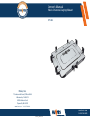
Havis is pleased to provide this Owner’s Manual to aid in the proper installation
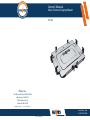
and use of the UT-101 Universal Laptop Mount.
For questions regarding the set-up of your UT-101 Universal Laptop Mount, please
contact Havis at 1-800-524-9900 or visit www.havis.com for additional
product support and information.
This Owner’s Manual applies to the following Part Numbers:
UT-101
Related Products
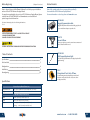
Havis offers a wide variety of accessory products specifically
for use with the UT-101 Universal Laptop Mount.
For more information or to order, please visit www.havis.com.
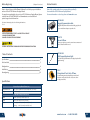
DS-DA-601
Rugged Communication Hub
Rugged USB/Ethernet hub makes adding peripherals
to your mobile workspace easy and safe.
• NEVER STOW OR MOUNT THE UT-101 DIRECTLY IN A VEHICLE
AIRBAG DEPLOYMENT ZONE.
• DO NOT USE COMPUTER WHILE DRIVING.
SS-UT-X
Screen Stiffener
Secure your laptop screen to prevent excess wear and
reduce vibration while in use.
• READ ALL INSTRUCTIONS THOROUGHLY BEFORE BEGINNING INSTALLATION.
DS-DA-102
USB Powered Keyboard Light
Table of Contents
Specifications
2
Parts Included
3
Configuration
4
Installation
9
Reconfiguring
10
Soft red LED light illuminates the laptop keyboard for
night viewing.
CG-X
ChargeGuard® Auto Shut-off Timer
Power management system that prevents dead
batteries and protects mobile electronics from
voltage anomalies.
Specifications
Universal Laptop Mount Dimensions
Overall Dimensions
13.2” ( 33.5 cm) W x 11.2” ( 28.4 cm ) D x 2.2” ( 5.5 cm ) H
Weight
4.2 lbs ( 1.9 kg )
Width
11.472” (29.1 cm) to 14.192” (36.1 cm)
Depth
9.250” (23.5 cm) to 11.000” (27.9 cm)
Height
Short Lugs: 0.665” (1.7 cm) to 1.265” (3.2 cm)
Tall Lugs: 1.265” (3.2 cm) to 1.865” (4.7 cm)
Compatible Computer Dimensions
2
www.havis.com • 1-800-524-9900
11