1
Contents
1Safety
2
2 Your car audio system
3
Introduction3
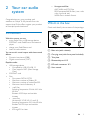
What's in the box
3
4
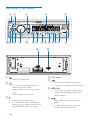
Overview of the system
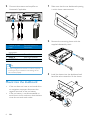
3 Install the car audio system
Connect wires
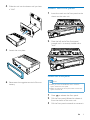
Mount into the dashboard
Attach the front panel
4 Get started
For the first time use
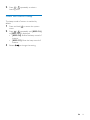
Set the time format
Set the clock
Select a source
Select a listening zone
Mute the button beep
7
7
8
9
10
10
10
10
10
10
11
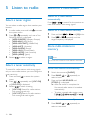
5 Listen to radio
12
12
12
12
12
13
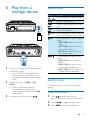
6 Play from a storage device
15
15
15
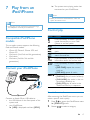
7 Play from an iPod/iPhone
17
17
17
17
18
8 Listen to an external player
19
9 Adjust sound
20
Select a tuner region
Select a tuner sensitivity
Search for a radio station
Store radio stations in memory
Play with RDS
Control play
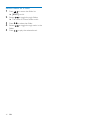
Switch tracks
Compatible iPod/iPhone models
Connect your iPod/iPhone
Control play
Charge your iPod/iPhone
10 Additional information
21
21
21
11 Product Information
22
12Troubleshooting
23
Reset the system
Replace the fuse
13Notice
24
Compliance24
Care of the environment
24
Trademark notice
24
Copyright25
14Glossary
26
EN
1