1
APPENDIX
Controlling the Mini PACS via RS-232
The Mini PACS is generally intended to be controlled via IP, in order to control
RS-232, IR, and trigger-operated devices that are connected to it. Under some
circumstances, it may be useful to control the Mini PACS via an RS-232 port,
such as to use the Mini PACS as an RS-232-to-IR or RS-232-to-trigger converter
or if it is more convenient to use an RS-232 connection than an IP connection for
configuration. To do this, the RS-232 port must be configured to run in “Terminal”
mode.
1.
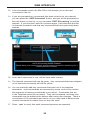
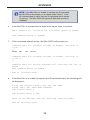
First access the Mini PACS RS-232 Menu via IP. Set the UART Mode to
“Terminal”, then click “Save Settings”
2.
Connect a “null-modem cable” (sold at most computer stores) between the
Mini PACS RS-232 port and the serial port on the computer (an RS-232-toUSB adapter can also be used), and run HyperTerminal or another Terminalemulation program. Default settings are 19200, N, 8, 1.
3.
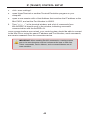
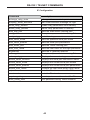
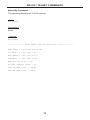
Type “#help” on the terminal emulation program- a list of commands should
display to verify that the connection is working.
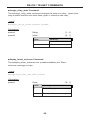
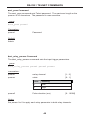
The Telnet commands starting on page 43 provide the same functionality as the
Web Server interface
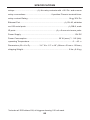
Default Serial Port Settings
Bits per second ............................................................................................ 19200
Data bits ............................................................................................................... 8
Parity ............................................................................................................. None
Stop bits ................................................................................................................1
Flow Control .................................................................................................. None
77