1
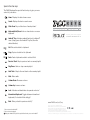
Special function keys
The ZAGG Keyboard has special function keys to give you more
control of your device.
Home Displays the device home screen
Search Displays the device search screen
Slide-Show Plays a slide-show of saved pictures*
Keyboard Hide/Show Hides or shows device on-screen
keyboard*
A STATE OF THE ART TABLET ACCESSORY
> FOR iPAD® 2 AND GALAXY TAB™ 10.1
Android™ Key Activates marked functions for Android™
users. (Simply press the Android™ Key first, then the
desired function)
Cut Cuts selected text to clipboard
Copy Copies selected text to clipboard
Paste Pastes clipboard content in selected field
Previous Track Skips to previous track on current playlist
Play/Pause Starts or stops current playlist
Next Track Skips to the next track on the current playlist
Mute Mutes audio
Volume Down Decreases volume
Volume Up Increases volume
Lock Activates and deactivates sleep mode on device*
International Keyboard Toggles between international
keyboards (if selected in iPad settings)*
Back Takes you back to previous activity**
* Does not work on Android™
** Does not work on Apple®
Must press Android™ Key before special function key to use on Android™.
www.ZAGG.com/solo/faq
©2005 - 2011 ZAGG Inc. All Rights Reserved.
PATENT PENDING | NASDAQ: ZAGG | MADE IN CHINA
iPad® 2 and Apple® are registered trademarks of Apple, Inc.
Android™ and the Android™ logo are trademarks of Google Inc.
Samsung™ and Galaxy Tab™ 10.1 are trademarks of Samsung Group.
ZAGG, and ZAGGKeys Solo, are trademarks or registered trademarks of ZAGG, Inc.
The Bluetooth word mark and logos are owned by the Bluetooth SIG, Inc. and any use of such marks by ZAGG is under license.