1
1 Important
Safety
7 Adjust sound
4
4
19
19
19
19
Adjust volume level
Select a sound effect
Mute sound
8 Adjust settings
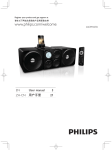
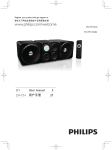
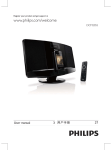
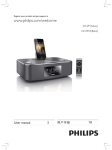
2 Your DVD Micro Theater
Introduction
What's in the box
Overview of the main unit
Overview of the remote control
6
6
6
7
8
20
20
20
21
22
General setup
Audio setup
Video setup
Preference setup
9 Other features
3 Connect
Place the unit
Connect speakers
Connect FM antenna
Connect video/audio cables
Connect power
10
10
10
10
11
12
23
23
23
23
24
24
Adjust brightness of display panel
Set the sleep timer
Set the alarm timer
Listen to an audio player
Listen through headphone
10 Product information
4 Get started
Prepare the remote control
Set clock
Activate demonstration mode
Turn on
Find the correct viewing channel
Select the correct TV system
Change system menu language
5 Play
Play a disc
Play from USB or recored discs
Play a slideshow
Play control
Play options
Picture view options
Play audio from an external device
6 Listen to radio
Store radio stations automatically
Tune to a radio station
Program radio stations
Tune to a preset radio station
12
12
13
13
13
13
14
14
25
26
26
Supported disc formats
USB playability information
11 Troubleshooting
27
12 Notice
29
14
14
15
16
16
16
17
17
18
18
18
19
19
EN
MCD780_93_UM_V1.0.indb 3
Eng l i s h
Contents
3
2012/3/13 11:06:47