1
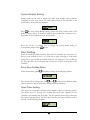
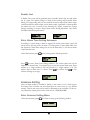
On the EFC-02, readers can be allocated to different doors, and can be set as
ENTER only or EXIT only. So set these properties following the system
access control plan.
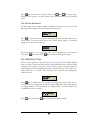
Keypad Settings define whether the reader is a keypad reader.
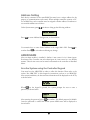
The System Reader can be used to acquire the card’s serial number easily and
conveniently.
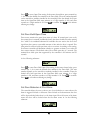
4. Configure the alarm settings
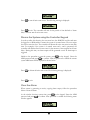
All of the alarm inputs can be assigned to the different alarm outputs. Also
users can set the events that can trigger alarm outputs.
Configure the Holidays, Access Group and Door Control Schedule
At this step, users will configure the holidays, access groups and the door control
schedule.
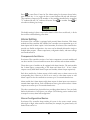
1. Configure the holidays
Users can add or delete holidays in the software. Beside holidays, two
additional types of dates are supplied in the system. Different access rules can
be applied to different dates.
2. Configure the access groups
An access group defines a group of cardholders who share the same access
rules at the associated access points and at specified times. Set the access rules
for the access group here. And assign the cardholder to a certain access group
in the next step.
3. Configure the door control schedule
On the Flex series controller, the door can be configured as normally open,
with card, with PIN and card, which means, respectively, the door will be
remain open, a valid card has to be presented, and both a valid card and a
PIN have to be presented to require the access.
Please refer to the software manual for the details.
Enroll Cards
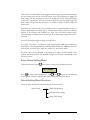
This will explain the steps to enroll cards in the system. There are two ways to enroll a
card:
1. Enter the card number manually.
2. Present a card at the desktop reader and the card number will be added into
the system automatically.
The properties for each card should be input at this time. The primary properties are
card holder name, PIN, forced PIN, and access group. Users can configure the
63