1
Reading on your eReader What’s in this section •
Reading a book •
Navigating a book •
Changing the way text looks •
Closing and bookmarking your page Reading a book •
To open a book, just tap the title or cover. Navigating a book Moving around while reading is easy. To turn pages in a book, just tap the sides of the page. If you want to jump forward by more than a page or two, you can: •
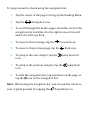
Use the navigation bar to change pages or chapters. •
Use the Table of Contents to browse a list of chapters and change chapters. Kobo Touch eReader User Guide 21