1
Thank you for purchasing your new OWC SuperSlim External
Optical Enclosure! This assembly guide will explain how to
install your own optical drive mechanism in just a few easy
steps.
Overview of included items:
• Enclosure (comprised of top case, bottom case, and bridge card)
• USB 2.0 “Y” cable
• 3 collared Phillips machine thread screw to attach the drive to the bottom
case
• 1 standard Phillips machine thread screw to attach the top case to the
bottom case
• 1 Rubber foot w/ adhesive
You will need to provide your own 9.5mm slimline optical drive, such as the
mechanism found in many Apple MacBook or MacBook Pro models.
Assembly Instructions:
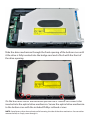
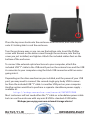
Remove the top cover of the enclosure by sliding it towards the front- it will
unlock and lift off.