1
Icons & symbols
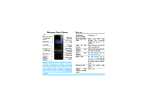
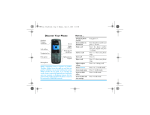
Learn about the icons and symbols on the screen.
Icons
Definition
Function
Ringtone
Your phone will not ring when receiving a call.
Battery
The bars indicate the battery level.
SMS
You have a new message.
MMS
You have a new multimedia message.
Wap
message
You have received a Wap push message.
Missed
call
You have missed a call.
Call
diverts
All your incoming voice calls are being
forwarded to a number.
Bluetooth
Bluetooth is activated.
Headset
The headset is plugged into the phone.
Alarm
The alarm clock is activated.
Roaming
Displayed when your phone is registered to a
network other than your own (especially when
you’re abroad).
Home
zone
A zone designated by your network operator.
Contact your service provider for details.
GSM
network
your phone is connected to a GSM network.
The more bars are shown the better the
reception is.
GPRS
attach
Your phone is connected to the GPRS
network.
Blacklist
Indicates that blacklist feature is activated.
Memory
card
The memory card is in use.
3