1
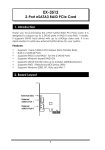
eSATA3 Express Card /34mm
3. Installing the Express Card
This Express Card can be hot-plugged to your notebook PC due to
the specifications of ExpressCard. It supports the following operating
systems:
Windows XP
Windows 2000
Vista
Windows 7
Please follow the following steps to install your Express card:
1.
Use static electricity discharge precautions.
Remove possible static discharge potential from any objects that
the Express Card may come in contact with before installation.
This can be accomplished by touching a bare metal chassis rail
after you have turned off the power.
2.
Locate an unused ExpressCard slot, insert Express Card into
Notebook PC (please note the direction of the Express Card
should match the direction of the ExpressCard slot)
3.
The “Add New Hardware Wizard” in the Operating Systems will
be invoked, insert the Driver CD, browse to the correct location
and then Windows will guide you to complete the whole driver
installations.
2