1
4
Caller Display and the calls list
Using the answering machine
Caller Display
24
Using the answering machine at the base
30
Calls list
24
Set the answer mode/switch on or off
30
View the Calls list
25
Message counter
30
Dial a number in the Calls list
25
Recording memory full
31
Message playback
31
Adjust the base speaker volume
31
Delete all old messages
31
Call screening
31
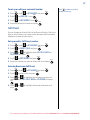
Copy a number from the Calls list
to the phonebook
25
Delete an entry in the Calls list
25
Delete the entire Calls list
25
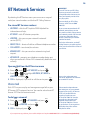
BT Network Services
Using the answer machine from the handset 32
Pre-stored BT service numbers
26
Set answer mode and switch on/off
32
Open and dial from the BT services menu
26
Outgoing messages
32
Voicemail
26
Record your own outgoing message
32
To dial your voicemail
26
To set up or edit your voicemail number
27
Select male or female pre-recorded
outgoing message voice
33
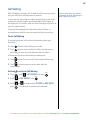
Call Divert
27
Play the current outgoing message
33
Set-up or edit a Call Divert number
27
Delete your outgoing message
33
Activate/deactivate a Call Divert number
27
Message playback
34
Call Waiting
28
Delete all old messages
34
To use Call Waiting
28
Record a memo
34
Activate/deactivate Call Waiting
28
Ring delay & Time saver
35
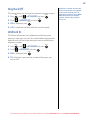
Ring Back Off
29
Switch call screening at the base
or handset on or off
35
Withhold ID
29
Call screening at the handset
35
Remote access
36
Remote access on/off
36
If you forget to switch on your answering
machine base before leaving home
36
Operating your answering machine remotely 36
If you experience any problems, please call the Helpline on Freephone 0808 100 6556* or visit www.bt.com/producthelp