1
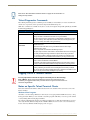
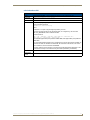
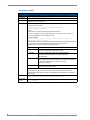
Terminal (Program Port/Telnet) Commands
Terminal Commands (Cont.)
Command
Description
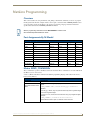
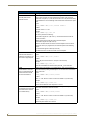
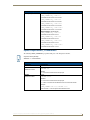
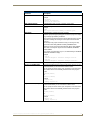
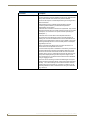
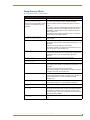
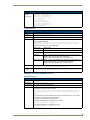
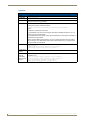
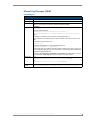
PASS [D:P:S or NAME]
Sets up a pass through mode to a device. In pass through mode, any
string received by the device is displayed on the screen, and anything
typed is sent as a string to the device.
The device can be on any system that the Master you are connected to is
able to reach.
You can specify the device number, port, and system, or the name of the
device that is defined in the DEFINE_DEVICE section of the program.
• Mode is exited by ++ ESC ESC.
• Display Format is set by ++ ESC n
Where n =
A, format = ASCII
D, format = Decimal
H = Hex
Note: Refer to the ESC Pass Codes section on page 115 for detailed
descriptions of the supported pass codes.
Example:
>pass[5001:7:4]
Entering pass mode.
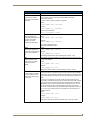
PHYSICAL STATUS
Retrieve the current LED states.
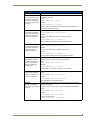
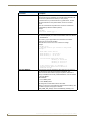
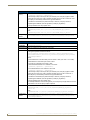
PING [ADDRESS]
Pings an address (IP or URL), to test network connectivity to and confirms
the presence of another networked device. The syntax is just like the
PING application in Windows or Linux.
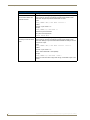
Example:
>ping 192.168.29.209
192.168.29.209 is alive.
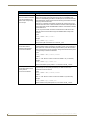
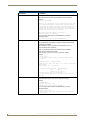
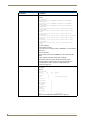
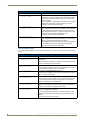
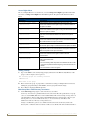
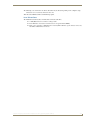
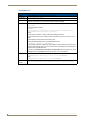
PROGRAM INFO
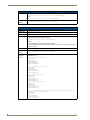
Displays a list of program files and modules residing on the Master.
Example:
>PROGRAM INFO
-- Program Name Info
-- Module Count = 1
1
Name is i!-PCLinkPowerPointTest
-- File Names = 2
1 = C:\Program Files\AMX Applications\i!PCLinkPowerPoint
2 = C:\Program Files\Common
Files\AMXShare\AXIs\NetLinx.axi
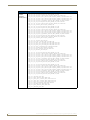
2 = Name is MDLPP
-- File Names = 2
1 C:\AppDev\i!-PCLink-PowerPoint\i!PCLinkPowerPointMod.axs
2 C:\Program files\Common
Files\AMXShare\AXIs\NetLinx.axi
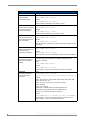
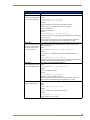
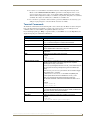
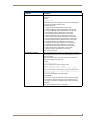
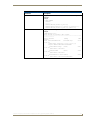
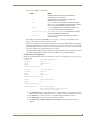
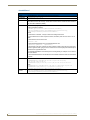
PULSE [D:P:S or NAME,CHAN]
Pulses a specified channel on a device on and off. The device can be on
any system the Master you are connected to can reach.
You can specify the device number, port, and system; or the name of the
device that is defined in the DEFINE_DEVICE section of the program.
Example:
>PULSE[50001:8:50,1]
Sending Pulse[50001:8:50,1]
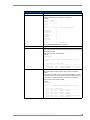
PWD
Displays the name of the current directory.
Example:
pwd
The current directory is doc:
100
NetLinx Integrated Controllers- WebConsole & Programming Guide (FMv3)