1
Picture resolution
Disc audio
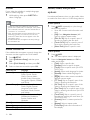
To enjoy high definition HDMI video output, set
the HDMI video settings that best match up with
your TV capability.
Press SETUP.
Select [Video Setup], and then press OK.
Select [HDMI Setup], and then press OK.
Change the following settings, and then press
OK:
• [Wide Screen Format]: For 16:9 wide
screen TV display setting.
• [HDMI Video]: HDMI resolution.
1
2
1
2
3
4
High definition picture
Support high definition JPEG pictures.
Press SETUP.
Select [Video Setup], and then press OK.
Select [HD JPEG] > [On], and then press OK.
1
2
3
Sound
Change the sound settings to suit your preference.
HDMI audio
HDMI audio is automatically down-mixed to two
channel for TV speakers. If you do not want to output
audio through your TV, disable the HDMI audio.
Press SETUP.
Select [Audio Setup], and then press OK.
Select [HDMI Audio] > [Off], and then press OK.
1
2
3
Language
Select a language for the home menu, audio, and
subtitles.
Home menu
1
2
3
4
16
Press SETUP.
Select [General Setup], and then press OK.
Select [OSD Language], and then press OK.
Select a menu language for your home
theater, and then press OK.
EN
3
4
Press SETUP.
Select [Preference Setup], and then press
OK.
Select [Audio], and then press OK.
Select an audio language for discs, and then
press OK.
Note
•• If your preferred disc language is not available,
select [Others] from the list, and enter the
4-digit language code found at the end of this
user manual.
•• If you select a language that is not available on a
disc, the home theater uses the default language
of the disc.
Disc subtitle
1
2
3
4
Press SETUP.
Select [Preference Setup], and then press
OK.
Select [Subtitle], and then press OK.
Select a subtitle language for discs, and then
press OK.
Disc menu
1
2
3
4
Press SETUP.
Select [Preference Setup], and then press
OK.
Select [Disc Menu], and then press OK.
Select a menu language for discs, and then
press OK.
Note
•• If your preferred disc language is not available,
select [Others] from the list, and enter the
4-digit language code found at the end of this
user manual.
•• If you select a language that is not available on a
disc, the home theater uses the default language
of the disc.