1
Contents
3
Notations Used in This Guide . . . . . . . . . . . . . . . . . . . . . . . . 2
Connecting External Equipment . . . . . . . . . . . . . . . . . . . . . . . . . . . . . . . . . . . 24
Connecting a LAN Cable . . . . . . . . . . . . . . . . . . . . . . . . . . . . . . . . . . . . . . . . . 24
Installing the Optional Wireless LAN Unit . . . . . . . . . . . . . . . . . . . . . . . . . . . . . 26
Introduction
Projector Features . . . . . . . . . . . . . . . . . . . . . . . . . . . . . . . . . . . . . . . . . . 7
Projection Functions . . . . . . . . . . . . . . . . . . . . . . . . . . . . . . . . . . . . . . . .
Enabling projection from a short distance . . . . . . . . . . . . . . . . . . . . . . . .
Easy writing on a whiteboard or blackboard using the pattern function . . . .
Connecting with a USB cable and projecting (USB Display) . . . . . . . . . . . .
Connecting to a network and projecting images from the computer's screen
.....................................................
Enhanced security functions . . . . . . . . . . . . . . . . . . . . . . . . . . . . . . . . .
Optional Functions . . . . . . . . . . . . . . . . . . . . . . . . . . . . . . . . . . . . . . . . .
Enlarge and project your files with the Document Camera . . . . . . . . . . . . .
Easy connection to a computer with Quick Wireless . . . . . . . . . . . . . . . . .
.
.
.
.
.
.
.
.
.
.
.
.
.
.
.
.
7
7
7
7
.
.
.
.
.
.
.
.
.
.
.
.
.
.
.
.
.
.
.
.
7
7
7
7
7
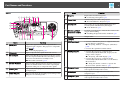
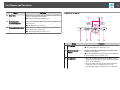
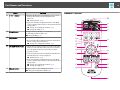
Part Names and Functions . . . . . . . . . . . . . . . . . . . . . . . . . . . . . . . . . . . 8
Front/Top . . . . . . . . . . . . . . . . . . . . . . . . . . . . . . . . . . . . . . . . . . . . . . . . . .
Rear . . . . . . . . . . . . . . . . . . . . . . . . . . . . . . . . . . . . . . . . . . . . . . . . . . . . . .
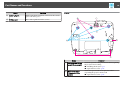
Base . . . . . . . . . . . . . . . . . . . . . . . . . . . . . . . . . . . . . . . . . . . . . . . . . . . . . .
Control Panel . . . . . . . . . . . . . . . . . . . . . . . . . . . . . . . . . . . . . . . . . . . . . . . .
Remote Control . . . . . . . . . . . . . . . . . . . . . . . . . . . . . . . . . . . . . . . . . . . . . . .
Replacing the remote control batteries . . . . . . . . . . . . . . . . . . . . . . . . . . . . .
Remote control operating range . . . . . . . . . . . . . . . . . . . . . . . . . . . . . . . . .
. 8
. 9
10
11
12
15
15
Preparing the Projector
Installing the Projector . . . . . . . . . . . . . . . . . . . . . . . . . . . . . . . . . . . . . 17
Installation Methods . . . . . . . . . . . . . . . . . . . . . . . . . . . . . . . . . . . . . . . . . . . 17
Basic Usage
Projecting images . . . . . . . . . . . . . . . . . . . . . . . . . . . . . . . . . . . . . . . . . 28
From Installation to Projection . . . . . . . . . . . . . . . . . . . . . . . . . . . . . . . . . . . . .
Automatically Detect Input Signals and Change the Projected Image (Source Search)
... ....... ......... ... ....... ......... ... ....... ..........
Switching to the Target Image Using the Remote Control . . . . . . . . . . . . . . . . . .
Projecting with USB Display . . . . . . . . . . . . . . . . . . . . . . . . . . . . . . . . . . . . . .
System requirements . . . . . . . . . . . . . . . . . . . . . . . . . . . . . . . . . . . . . . . . .
Connecting for the first time . . . . . . . . . . . . . . . . . . . . . . . . . . . . . . . . . . . .
Uninstalling . . . . . . . . . . . . . . . . . . . . . . . . . . . . . . . . . . . . . . . . . . . . . . .
28
29
30
30
30
31
32
Adjusting Projected Images . . . . . . . . . . . . . . . . . . . . . . . . . . . . . . . . 34
Correcting Keystone Distortion . . . . . . . . . . . . . . . . . . . . . . . . . . . . . . . . .
H/V-Keystone . . . . . . . . . . . . . . . . . . . . . . . . . . . . . . . . . . . . . . . . . . .
Quick Corner . . . . . . . . . . . . . . . . . . . . . . . . . . . . . . . . . . . . . . . . . . . .
Adjusting the Image Size . . . . . . . . . . . . . . . . . . . . . . . . . . . . . . . . . . . . .
Adjusting the Image Position . . . . . . . . . . . . . . . . . . . . . . . . . . . . . . . . . .
Adjusting the Horizontal Tilt . . . . . . . . . . . . . . . . . . . . . . . . . . . . . . . . . . .
Correcting the Focus . . . . . . . . . . . . . . . . . . . . . . . . . . . . . . . . . . . . . . . .
Adjusting the Volume . . . . . . . . . . . . . . . . . . . . . . . . . . . . . . . . . . . . . . .
Selecting the Projection Quality (Selecting Color Mode) . . . . . . . . . . . . . . . .
Setting Auto Iris . . . . . . . . . . . . . . . . . . . . . . . . . . . . . . . . . . . . . . . . . . .
Changing the Aspect Ratio of the Projected Image . . . . . . . . . . . . . . . . . . . .
Changing methods . . . . . . . . . . . . . . . . . . . . . . . . . . . . . . . . . . . . . . .
Changing the aspect mode (EB-435W/EB-425W only) . . . . . . . . . . . . . . . .
Changing the aspect mode (EB-430/EB-420 only) . . . . . . . . . . . . . . . . . . .
.
.
.
.
.
.
.
.
.
.
.
.
.
.
.
.
.
.
.
.
.
.
.
.
.
.
.
.
.
.
.
.
.
.
.
.
.
.
.
.
.
.
34
34
35
37
37
37
38
38
38
39
40
40
40
41
Connecting Equipment . . . . . . . . . . . . . . . . . . . . . . . . . . . . . . . . . . . . . 18
Connecting a Computer . . . . . . . . . . . . . . . . . . . . . . . . . . . . . . . . .
Connecting Image Sources . . . . . . . . . . . . . . . . . . . . . . . . . . . . . . .
Connecting USB Devices . . . . . . . . . . . . . . . . . . . . . . . . . . . . . . . . .
Connecting a microphone . . . . . . . . . . . . . . . . . . . . . . . . . . . . . . .
.
.
.
.
.
.
.
.
.
.
.
.
.
.
.
.
.
.
.
.
.
.
.
.
.
.
.
.
.
.
.
.
18
19
22
23
Useful Functions
Projection Functions . . . . . . . . . . . . . . . . . . . . . . . . . . . . . . . . . . . . . . . 44
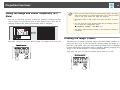
Hiding the Image and Sound Temporarily (A/V Mute) . . . . . . . . . . . . . . . . . . . . . 44










































![Epson EB-460 [240v] Enhanced Warranty Education](http://vs1.manualzilla.com/store/data/007232844_1-494e9cd377264c6fcf7922b0cc777270-150x150.png)