1
3 Play
2
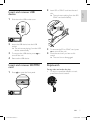
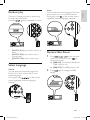
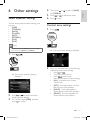
Insert the disc into the disc slot with label
side facing up.
» Play resumes from the point where it
was last stopped.
3
To remove the disc, press the button.
» When the disc is ejected, the
unit switches to TUNER mode
automatically.
4
Close the front panel.
» After a few seconds, the screen
illuminates.
•
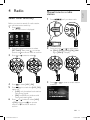
For video discs, press
or
to select
an item, then press
to start playing.
For discs that contain MP3s, WMAs, or
JPEGs, press
or
to select a folder,
track or picture. Press
to start playing.
Make sure that the disc or device contains
playable music or video.
Note
• For CDs recorded in multiple sessions, only the first
session is played.
• Does not support MP3 Pro audio format.
• It may not support and display special characters
track name (ID3) or album name properly.
• It cannot play some WMA is protected by Digital
•
Rights Management (DRM).
The system does not display or play the folders or
files that exceed the supporting limit.
Warning
• To reduce the risk of traffic accident, do not watch
video during driving.
Load and eject discs
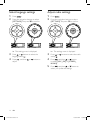
1
Press
to open the front panel.
•
Tip
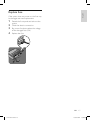
• If the disc is blocked in the disc compartment, press
and hold the
6
button until the disc comes out.
EN
ce229 um 55.indd 6
24/05/2011 17:59:55
21:45:50
25/05/2011
ce22