1
Intro
duc
tion
Batt
e
Cha ry Insta
rgin
ll &
g
Squeeze clip on battery pack
and remove.
20
Med
ia Lo
adin
g
21
19
22
18.
19.
20.
21.
22.
23.
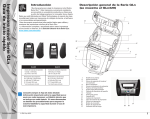
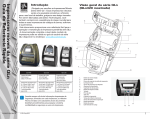
Belt Clip
Battery
USB/RS232 Comm Ports
MAC Address Label
Docking Contacts
DC Input
Clea
n
Trou ing an
d
bles
hoo
ting
Con
n
Print ect Prin
te
er Co
ntro r/
ls
Removing the Battery
Rotate the Belt Clip out of the
way of the Battery
18
Acce
s
Con sories a
tact
n
Info d
QLn Series Mobile Printers
Quick Start Guide
QLn Series Overview continued
Installing the Battery
QLn Series Smart
Battery
23
2