1
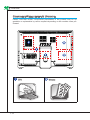
MS-AC31
5
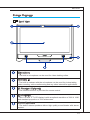
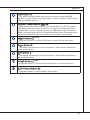
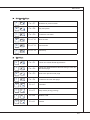
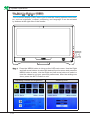
USB Ports
6
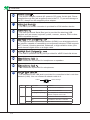
System Power Button/ LED
7
MENU Button
- The USB (Universal Serial Bus) port is provided for attaching USB
devices such as mouse, keyboard, printer, scanner, camera, PDA or other
USB-compatible devices.
- Press the system power button to turn the system on or off. The power
LED glows when the system is turned on and goes off when the system
is shut down. In terms of power saving, the LED blinks in S3 (Suspend to
RAM) mode and goes off in S4 (Suspend to Disk) mode. Pressing the system power button will wake the system up from power saving mode.
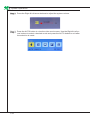
- Press this button to view the OSD menu or enter into the sub menu.
8
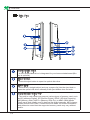
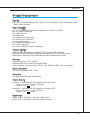
Right Button
9
Left Button
10
AUTO Button
- This button indicates the cursor movement or OSD manual selection in
incremental values.
- This button indicates the cursor movement or OSD manual selection in
decremental values.
- Press this button to view the video mode menu or exit the submenu.
11
LCD Power Button
- Press this button to power ON/OFF the monitor.
1-9