1
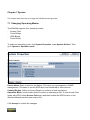
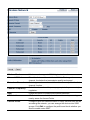
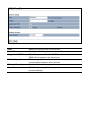
8.4 Wireless Advanced Settings
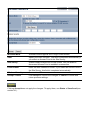
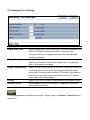
Data Rate
Select a data rate from the drop-down list. The data rate affects
throughput. If you select a low data rate value, for example, the
throughput is reduced but the transmission distance increases.
Transmit Power
Lets you increase or decrease transmit power. Higher transmit
power may prevent connections to the network, while the lower
transmit power can prevent clients from connecting to the device.
RTS/CTS Threshold
Specify the threshold package size for RTC/CTS. A small number
causes RTS/CTS packets to be sent more often and consumes
more bandwidth.
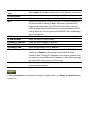
Distance
Specify the distance between Access Points and clients. Longer
distances may drop high-speed connections.
Antenna Selection
Specify the internal antenna type.
Short GI
Sets the time that the receiver waits for RF reflections to settle
out before sampling data. Using a short (400ns) guard interval
can increase throughput, but can also increase error rate in some
installations due to increased sensitivity to radio-frequency