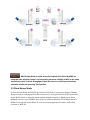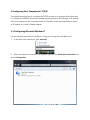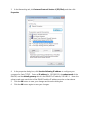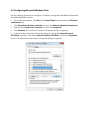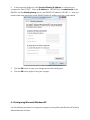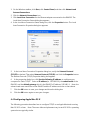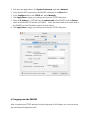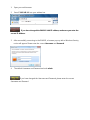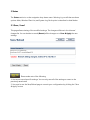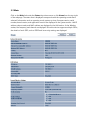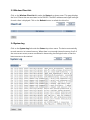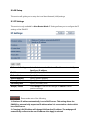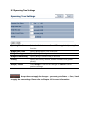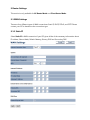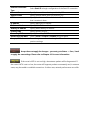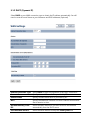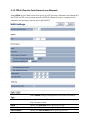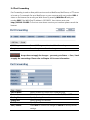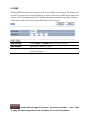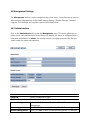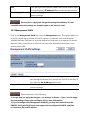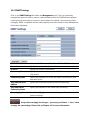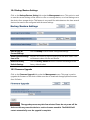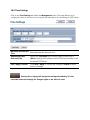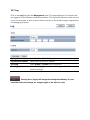
1
WIRELESS ACCESS POINT / CLIENT BRIDGE Model: ENH202 User Manual Version: 1.0 Table of Contents 1 PRODUCT OVERVIEW ......................................................................................................................................................... 6 1.1 FEATURES.......................................................................................................................................................................... 6 1.2 BENEFITS .......................................................................................................................................................................... 8 1.3 PACKAGE CONTENTS ......................................................................................................................................................... 9 1.4 SYSTEM REQUIREMENT...................................................................................................................................................... 9 1.5 HARDWARE OVERVIEW ..................................................................................................................................................... 9 1.6 UNDERSTANDING THE ENH202 LEDS ............................................................................................................................ 10 2 INSTALLATION.....................................................................................................................................................................11 2.1 PRE-INSTALLATION GUIDELINES ........................................................................................................................................11 2.2 INSTALLING THE ENH202 ................................................................................................................................................11 3 WIRELESS NETWORK MODES ........................................................................................................................................ 12 3.1 ACCESS POINT MODE ..................................................................................................................................................... 12 3.2 ACCESS POINT WITH WDS FUNCTION MODE.................................................................................................................. 13 3.3 CLIENT BRIDGE MODE .................................................................................................................................................... 14 3.4 WDS BRIDGE MODE ...................................................................................................................................................... 15 3.5 CLIENT ROUTER MODE ................................................................................................................................................... 16 4 CONFIGURING YOUR COMPUTER FOR TCP/IP.......................................................................................................... 18 4.1 CONFIGURING MICROSOFT WINDOWS 7......................................................................................................................... 18 4.2 CONFIGURING MICROSOFT WINDOWS VISTA .................................................................................................................. 20 4.3 CONFIGURING MICROSOFT WINDOWS XP ...................................................................................................................... 21 4.4 CONFIGURING APPLE MAC OS X .................................................................................................................................... 22 4.5 LOGGING INTO THE ENH202.......................................................................................................................................... 23 5 STATUS.................................................................................................................................................................................. 25 5.1 SAVE / LOAD................................................................................................................................................................... 25 5.2 MAIN ............................................................................................................................................................................. 26 5.3 WIRELESS CLIENT LIST ..................................................................................................................................................... 27 5.4 SYSTEM LOG ................................................................................................................................................................... 27 5.5 CONNECTION STATUS ..................................................................................................................................................... 28 5.6 DHCP CLIENT TABLE ...................................................................................................................................................... 28 6 SYSTEM................................................................................................................................................................................. 29 6.1 SWITCHING THE OPERATION MODE ................................................................................................................................. 29 7 WIRELESS CONFIGURATION ........................................................................................................................................... 30 7.1 WIRELESS SETTINGS ........................................................................................................................................................ 30 7.1.1 Access Point Mode ........................................................................................................................................... 30 7.1.2 Client Bridge Mode .......................................................................................................................................... 33 7.1.3 WDS Bridge Mode............................................................................................................................................ 35 7.1.4 Client Router Mode .......................................................................................................................................... 37 7.2 WIRELESS SECURITY SETTINGS ......................................................................................................................................... 39 7.2.1 WEP.................................................................................................................................................................... 39 7.2.2 WPA-PSK........................................................................................................................................................... 40 7.2.3 WPA2-PSK......................................................................................................................................................... 41 7.2.4 WPA-PSK Mixed ............................................................................................................................................... 42 7.2.5 WPA ................................................................................................................................................................... 43 7.2.6 WPA2 ................................................................................................................................................................. 44 7.2.7 WPA Mixed........................................................................................................................................................ 45 7.3 WIRELESS ADVANCED SETTINGS ...................................................................................................................................... 46 7.4 WIRELESS MAC FILTER ................................................................................................................................................... 48 7.5 WDS LINK SETTINGS ...................................................................................................................................................... 49 8 LAN SETUP........................................................................................................................................................................... 50 8.1 IP SETTINGS ................................................................................................................................................................... 50 8.2 SPANNING TREE SETTINGS .............................................................................................................................................. 51 9 ROUTER SETTINGS ............................................................................................................................................................ 52 9.1 WAN SETTINGS.............................................................................................................................................................. 52 9.1.1 Static IP ............................................................................................................................................................. 52 9.1.2 DHCP (Dynamic IP) ......................................................................................................................................... 54 9.1.3 PPPoE (Point-to-Point Protocol over Ethernet) ............................................................................................ 56 9.1.4 PPTP (Point-to-Point Tunneling Protocol) .................................................................................................... 58 9.2 LAN SETTINGS (ROUTER MODE)..................................................................................................................................... 60 9.3 VPN PASS THROUGH...................................................................................................................................................... 61 9.4 PORT FORWARDING ........................................................................................................................................................ 62 9.5 DMZ ............................................................................................................................................................................. 63 10 MANAGEMENT SETTINGS ............................................................................................................................................ 64 10.1 ADMINISTRATION ......................................................................................................................................................... 64 10.2 MANAGEMENT VLAN .................................................................................................................................................. 65 10.3 SNMP SETTINGS.......................................................................................................................................................... 66 10.4 BACKUP/RESTORE SETTINGS ......................................................................................................................................... 67 10.5 FIRMWARE UPGRADE .................................................................................................................................................... 67 10.6 TIME SETTINGS ............................................................................................................................................................. 68 10.7 LOG .............................................................................................................................................................................. 69 10.8 DIAGNOSTICS ............................................................................................................................................................... 70 11 NETWORK CONFIGURATION EXAMPLES.................................................................................................................. 71 11.1 ACCESS POINT .............................................................................................................................................................. 71 11.2 CLIENT BRIDGE MODE .................................................................................................................................................. 72 11.3 WDS BRIDGE MODE .................................................................................................................................................... 73 11.4 CLIENT ROUTER MODE ................................................................................................................................................. 74 APPENDIX A – TROUBLESHOOTING ................................................................................................................................ 75 A.1 PROBLEM SOLVING ......................................................................................................................................................... 75 A.2 CONTACTING TECHNICAL SUPPORT ................................................................................................................................. 76 APPENDIX B – SPECIFICATIONS ........................................................................................................................................ 77 APPENDIX C – GLOSSARY ................................................................................................................................................... 78 APPENDIX D – STATEMENTS OF CONFORMITY............................................................................................................ 84 D.1 – FEDERAL COMMUNICATION COMMISSION INTERFERENCE STATEMENT ........................................................................... 84 D.2 – INDUSTRY CANADA STATEMENT ................................................................................................................................... 85 D.3 – EUROPE DECLARATION OF CONFORMITY ...................................................................................................................... 86 About This Document This document is written by EnGenius Inc. EnGenius Inc. the reserves the right to change this document without notice and all rights are reserved. This document can only be used for the configuration of EnGenius products. This document is to characterize the EnGenius ENH202 Wireless Access Point & Client Bridge. Please read the document carefully before setting up the ENH202. Any damage which is caused by inappropriate use will not be covered under the warranty. Formats This document uses following symbols to indicate and highlight special messages. Caution: This symbol represents a vital message and it is critical for the device or settings. Note: This symbol represents an important message for the settings. Tip: This symbol represents an alternative choice that can save time or resources. Before you start__________________________________________________ The following equipment is required to setup the ENH202: 1. (1) Computer/Notebook and Internet access. 2. (2) Ethernet cables. 3. (1) EnGenius ENH202. The equipment listed above is only for configuration of the ENH202, you will need additional equipment to connect to the Internet and configuration will depend on your current network infrastructure. Please refer to Chapter 2 for more information. 1 Product Overview Thank you for using the ENH202. It is a powerful and enhanced business-class product with 4 multi-functions: Access Point, Client Bridge, WDS, and Client Router. EnGenius’ ENH202 uses the latest wireless standard, 802.11n, which allows for faster wireless throughput. The ENH202 affords a great advantage to minimize the time and cost which is required to expand your network. It operates at 2.4GHz and is also backwards compatible with 802.11a networking equipment. The ENH202 is easy to install almost anywhere with included proprietary Power over Ethernet adapter for quick outdoor installation. In addition, the ENH202 can manage power level control, and it features narrow bandwidth selection, traffic shaping and real-time RSSI indication. The ENH202 fully supports wireless encryption including Wi-Fi Protected Access (WPA-PSK/WPA2-PSK), (64/128/152)-bit WEP Encryption, and IEEE 802.1x with RADIUS. Additionally, the ENH202 is an ideal choice to pair with the ENH202 in a Access Point – Client Bridge or WDS Bridge – WDS Bridge topology. The ENH202 utilizes a proprietary PoE adapter. Only use the supplied PoE adapter. Damage may occur if another PoE adapter is used. 1.1 Features The following list describes the design and scope of the ENH202 made possible through the power and flexibility of wireless LANs: a) Difficult-to-wire environments There are many situations where wires cannot be laid easily. For example, historic and older buildings as well as open areas and cross-street architectures make the installation of LANs either impossible or very expensive. b) Temporary workgroups Consider situations in parks, athletic arenas, exhibition centers, disaster-recovery, temporary offices and construction sites where one wants a temporary WLAN established and removed at a future date. The ENH202 is easy to place into and remove from production. c) The ability to access real-time information Doctors and nurses, point-of-sale employees, and warehouse workers can access real-time information while dealing with patients, serving customers, and processing information. d) Frequently altered environments Show rooms, meeting rooms, retail stores, and manufacturing sites are prime examples where frequently rearranged workplaces are suited for wireless LANs. e) Wireless extensions of Ethernet networks Network managers in dynamic environments can minimize the overhead caused by moves, extensions to networks, and other changes by utilizing wireless LANs. f) Wired LAN backup Network managers may implement wireless LANs to provide redundancy for mission-critical applications which are implemented on wired networks. g) Training and educational facilities Training sites at corporations and students at universities use wireless connectivity to afford access to information, information exchanges, and learning. Features High Speed Data Rate Up to 300 Mbps High Output Power up to 29 dBm IEEE 802.11a/n Compliant Multi-Function Support RSSI Indicator (CB mode) Power-over-Ethernet Support Multi-SSID function (4 SSID) in AP mode WPA2/WPA/ WEP/ IEEE 802.1x support MAC address filtering in AP mode PPPoE/PPTP function support (AP Router/CR mode) SNMP Remote Configuration Management QoS (WMM) support Capable of handling heavy data payloads such as HD video streaming Extended range and excellent coverage Fully interoperable with IEEE 802.11 a/n compliant devices Users can use different modes in various environments Users can select the best signal to connect with AP efficiently Flexible Access Point locations and cost savings (Note: The ENH202 includes a proprietary PoE adapter.) Allow clients to access different networks through a single access point and assign different policies and functions for each SSID Full support for all types of current wireless security standards Ensure secure network by enforcing network access control lists Easy to access Internet via ISP service authentication Allow administrators to remotely configure or manage the Access Point. Enhance user performance and density 1.2 Benefits Access Point Mode Use this feature to setup the access point’s configuration information. It supports transmit power and channel adjustments. Clients can access the network with different regulatory settings and automatically change to the local regulations. Client Bridge Mode Use this feature to connect to an Access Point, enabling WAN sharing. WDS Mode Use this feature to link multiple APs in a network; All associated clients from any AP can communicate with each other like in ad-hoc mode. Client Router Mode Clients connect wirelessly to an AP and transmit data through AP to access the Internet. Multiple SSIDs ENH202 supports up to 4 SSIDs on your access point. The following options can be set to each SSID: - Public or private SSID Authentication VLAN identifier RADIUS accounting identifier - Profile isolation for infrastructure network VLAN Specify a VLAN number for each SSID to separate the services among clients. QoS Use this feature to limit the incoming or outgoing throughput. Wi-Fi Protected Access Wi-Fi Protect Access is a standard-based interoperable security enhancement that increases the level of data protection and access control for existing and future wireless LAN systems. It is compatible with IEEE 802.11i standard. WPA leverages TKIP and 802.1X for authenticated key management. 1.3 Package Contents Open the package carefully, and make sure that none of the items listed below are missing. Do not discard the packing materials; in case of return, the unit must be shipped in its original packaging. (1) Wireless Access Point / Client Bridge (ENH202) (1) 24V/1.0A Power Adapter (1) PoE Injector (EPE-24R) (1) Mounting Kit with Mast-Mount Strap Special Screw Set (1) QIG (1) CD (User Manual) Using a power adapter other than the one included with the ENH202 may cause damage to the device. 1.4 System Requirement The following conditions are the minimum system requirements. A computer with an Ethernet interface and operating under Windows XP, Vista, 7 or Linux. An Internet browser that supports HTTP and JavaScript. 1.5 Hardware Overview Physical Interface - 1 x 10/100 LAN Port with PoE support - 1 x 10/100 LAN port - 1 x Reset button Maximum Wireless Data rate - 300 Mbps LEDs status - Power Status - LAN (10/100Mbps) - WLAN (Wireless is enabled) - 3 x Link Quality (Client Bridge mode) 1.6 Understanding the ENH202 LEDs The rear of the ENH202 has two groups of LEDs. One group, labeled INDICATORS, shows the status of the device. The second group, LINK QUALITY, shows the strength of the link between the ENH202 and the network. The following table describes the ENH202 LEDs. LED Color Mode Status Power Green OFF= ENH202 is not receiving power. ON= ENH202 is receiving power. LAN Green OFF = ENH202 is not connected to the network. ON = ENH202 is connected to the network, but not sending or receiving data. Blink = ENH202 is sending or receiving data. WLAN Green Access Point OFF = ENH202 radio is off and the device is not or Client sending or receiving data over the wireless LAN. Bridge ON = ENH202 radio is on, and the device is not Mode sending or receiving data over the wireless LAN. Blink = ENH202 radio is on, and the device is sending or receiving data over the wireless LAN. Link Quality See Status column Access Point Shows the strength of the link between the or Client ENH202 and the network. Bridge G = good quality (green). Mode Y = medium quality (yellow). R = poor or no link (red). 2 Installation This chapter describes how to install the ENH202. Only experienced installation professionals who are familiar with local building and safety codes and, wherever applicable, are licensed by the appropriate government regulatory authorities should install the ENH202. 2.1 Pre-installation Guidelines Select the optimal locations for the equipment using the following guidelines: - The ENH202 should be mounted on a 1"- 4" pole. Its location should enable easy access to the unit and its connectors for installation and testing. The higher the placement of the antenna, the better the achievable link quality. The antenna should be installed to provide a direct or near line of sight link with the base station antenna. The antenna should be aligned to face the general direction of the base station. 2.2 Installing the ENH202 To install the ENH202, use the following procedure to mount the device on a pole and refer to the figure below. 1. The bottom of the ENH202 is a removable cover. Grab the cover and push down slightly while pulling it backward to remove the cover. 2. Insert a standard Ethernet cable into the RJ-45 port labeled MAIN LAN. 3. Slide the cover back to seal the bottom of the ENH202. 4. Remove the power cord and PoE injector from the box and plug the power cord into the DC port of the PoE injector. Only use the power adapter supplied with the ENH202. Using a different power adapter might damage the ENH202. 5. Plug the other side of the Ethernet cable in Step 3 into the PoE port of the PoE injector. When you finish Step 5, the installation will resemble the following picture. 6. Turn over the ENH202. Then insert the mast strap through the middle hole of the ENH202. Use a screwdriver to unlock the pole-mounting ring putting it through the ENH202. 7. Mount the ENH202 securely to the pole by locking the strap tightly. This completes the installation procedure. 3 Wireless Network Modes 3.1 Access Point Mode In the Access Point Mode, the ENH202 functions like a central connection for any stations or clients that support the IEEE 802.11a/n standards. Stations and clients must utilize the same SSID and Security Password to associate while within range. The most suitable topology for this mode is to have one ENH202 as an AP and the second one as a Client-Bridge – when necessary a third Client-Bridge can be place within the directional antenna’s path. One advantage of using the ENH202 to create point-to-point outdoor wireless links is when the environment is prone to radio interference on 2.4GHz band. Running the network on 2.4GHz can avoid the interference, thus providing higher stability to the network. 3.2 Access Point with WDS Function Mode The ENH202 also supports WDS functionality while in Access Point Mode. Simply configure other Access Points and the associated MAC addresses in order to enlarge the wireless area by enabling WDS Link Settings. WDS functionality can support up to 8 different AP MAC addresses. Please note that this mode is rarely used due to the nature of directional antennae. Consequently, the wireless clients need to be located in the path of the ENH202’s directional antenna and be within in the range to send signal back to the ENH202. Not every Access Point supports WDS in Access Point Mode. It is recommended to use ENH202 if you would like to utilize this functionality. 3.3 Client Bridge Mode In the Client Bridge Mode, the ENH202 functions like a wireless client, connecting to an Access Point wirelessly and enabling Internet connectivity wherever you want. Use Site Survey function to scan all of the Access Points within range and configure the SSID and Security Password to associate with it. With Client Bridge Mode, the ENH202 works as long range 2.4GHz wireless-Ethernet Bridge in order to provide a 2.4GHz link between the access point and networked clients. 3.4 WDS Bridge Mode In the WDS Bridge Mode, the ENH202 can wirelessly connect different local area networks by configuring each device’s MAC address and security settings. The WDS Bridge Mode can bridge up to four local wired networks together as one logical network. Every computer on this logical network can see each other, sharing files as if they are in the same location. With 600mW output power and MIMO antenna technology, the connection distance can extend beyond 1000 feet with good performance, assuming the antenna are within line of sight. The WDS bridge network is a MAC-based network that provides transparent bridging. WDS Bridge Mode is unlike Access Point Mode. APs linked by WDS are using the same wireless channel, and connecting excessive numbers of APs on the same channel may result in lower throughput. Please be aware to avoid loop connections; otherwise enable the Spanning Tree Function. 3.5 Client Router Mode In Client Router Mode, the ENH202 provides two functions: 1) acting as a wireless-Ethernet Bridge in order to relay signal from the access point; 2) acting as an active DHCP server that allows WLAN clients to share the same wireless network connection. Ideally, have clients wirelessly connect to an AP/WISP and connect to LANs via Ethernet. Client Router Mode is different from the AP Router Mode. It is not a common application however useful when connects to WISP AP. 4 Configuring Your Computer for TCP/IP This chapter describes how to configure the TCP/IP settings on a computer that will be used to configure the ENH202. Because the default operating mode is Client Bridge, an IP address will not be assigned to the computer/notebook. Therefore, follow the steps below to assign an IP address to a client’s Ethernet adapter. 4.1 Configuring Microsoft Windows 7 Use the following procedure to configure a computer running Microsoft Windows 7. 1. In the Start menu search box, type: ncpa.cpl 2. When the Network Connections List appears, right-click the Local Area Connection icon and click Properties. 3. In the Networking tab, click Internet Protocol Version 4 (TCP/IPv4), and then click Properties. 4. In the properties dialog box, click Use the following IP address: to configure your computer for Static TCP/IP. Enter an IP address (i.e. 192.168.1.10), the subnet mask of the ENH202, and the default gateway which is the ENH202’s IP address, 192.168.1.1. Note: the subnet mask must match that of the ENH202 and the IP address must be on that subnet. 5. Click the OK button to save your changes and close the dialog box. 6. Click the OK button again to save your changes. 4.2 Configuring Microsoft Windows Vista Use the following procedure to configure a computer running Microsoft Windows Vista with the default Windows interface. 1. On the Windows taskbar, click Start, click Control Panel, and then select the Network and Internet icon. 2. 3. 4. 5. Click View Network Status and tasks and then click Manage Networks Connections. Right-click the Local Area Connection icon and click Properties. Click Continue. The Local Area Connection Properties dialog box appears. In the Local Area Connection Properties dialog box, verify that Internet Protocol (TCP/IPv4) is checked. Then select Internet Protocol (TCP/IPv4) and click the Properties button. The Internet Protocol Version 4 Properties dialog box appears. 6. In the properties dialog box, click Use the following IP address: to configure your computer for Static TCP/IP. Enter an IP address (i.e. 192.168.1.10), the subnet mask of the ENH202, and the default gateway which is the ENH202’s IP address, 192.168.1.1. Note: the subnet mask must match that of the ENH202 and the IP address must be on that subnet. 7. 8. Click the OK button to save your changes and close the dialog box. Click the OK button again to save your changes. 4.3 Configuring Microsoft Windows XP Use the following procedure to configure a computer running Microsoft Windows XP with the default Windows interface. 1. On the Windows taskbar, click Start, click Control Panel, and then click Network and Internet Connections. 2. Click the Network Connections icon. 3. Click Local Area Connection for the Ethernet adapter connected to the ENH202. The Local Area Connection Status dialog box appears. 4. In the Local Area Connection Status dialog box, click the Properties button. The Local Area Connection Properties dialog box appears. 5. In the Local Area Connection Properties dialog box, verify that Internet Protocol (TCP/IP) is checked. Then select Internet Protocol (TCP/IP) and click the Properties button. The Internet Protocol (TCP/IP) Properties dialog box appears. 6. In the properties dialog box, click Use the following IP address: to configure your computer for Static TCP/IP. Enter an IP address (i.e. 192.168.1.10), the subnet mask of the ENH202, and the default gateway which is the ENH202’s IP address, 192.168.1.1. Note: the subnet mask must match that of the ENH202 and the IP address must be on that subnet. 7. Click the OK button to save your changes and close the dialog box. 8. Click the OK button again to save your changes. 4.4 Configuring Apple Mac OS X The following procedure describes how to configure TCP/IP on an Apple Macintosh running Mac OS 10.2 or later. Note: The menu titles and placement vary in each OS X 10.x operating system but are typically similar. 1. Pull down the Apple Menu, click System Preferences, and select Network. 2. Verify that the NIC connected to the ENH202 is selected in the Show field. 3. In the Configure field on the TCP/IP tab, select Manually. 4. Click Apply Now to apply your settings and close the TCP/IP dialog box. 5. Enter an IP address (i.e. 192.168.1.10), the subnet mask of the ENH202, and the Router which is the ENH202’s IP address, 192.168.1.1. Note: the subnet mask must match that of the ENH202 and the IP address must be on that subnet. 6. Click Apply Now to apply your settings and close the TCP/IP dialog box. 4.5 Logging into the ENH202 After completing the TCP/IP settings from the beginning of the Chapter, you can now access the web-based configuration menu. 1. Open your web browser. 2. Enter IP 192.168.1.1 into your address bar. If you have changed the ENH202 LAN IP address, make sure you enter the correct IP Address. 3. After successfully connecting to the ENH202, a browser pop-up with a Windows Security notice will appear. Please enter the correct Username and Password. 4. The default Username and Password are both admin. If you have changed the Username and Password, please enter the correct Username and Password. 5 Status The Status section is on the navigation drop-down menu. Selecting it, you will then see three options: Main, Wireless Client List, and System Log. Each option is described in detail below. 5.1 Save / Load This page allows viewing of the modified settings. The changes will show in the Unsaved changes list. You can decide to cancel (Revert) all the changes or to Save & Apply the new settings. Please make note of the following: 1. You cannot cancel specific settings. You can only save all of the settings or revert to the previously saved state. 2. You need to use the Save/Reload page to commit your configurations by clicking the “Save & Apply” button. 5.2 Main Click on the Main link under the Status drop-down menu or click Home from the top-right of the webpage. The status that is displayed corresponds with the operating mode that is selected. Information such as operating mode, system up-time, firmware version, serial number, kernel version, and application version are displayed in the System section. LAN IP address, subnet mask, and MAC address are displayed in the LAN section. In the Wireless section, the frequency and channel are displayed. Since this device supports multiple-SSIDs, the details of each SSID, such as ESSID and its security settings are displayed. 5.3 Wireless Client List Click on the Wireless Client List link under the Status drop-down menu. This page displays the list of Clients that are associated to the ENH202. The MAC addresses and signal strength for each client is displayed. Click on the Refresh button to refresh the client list. 5.4 System Log Click on the System Log link under the Status drop-down menu. The device automatically records events in its internal memory. When there is not enough internal memory for all of the most recent events, events are deleted in descending chronological order so that the latest events may be retained. 5.5 Connection Status Click on the Connection Status link under the Status drop-down menu. This page displays the current status of the network, including Network Type, SSID, BSSID, Connection Status, Wireless Mode, Current Channel, Security, Data Rate, Current noise level, and Signal strength. 5.6 DHCP Client Table Click on the DHCP Client List link under the Status drop-down menu. This page displays the list of Clients that are associated to the ENH202 through DHCP. The MAC addresses and signal strength for each client is displayed. Click on the Refresh button to refresh the client list. 6 System 6.1 Switching the Operation Mode The ENH202 supports 4 modes: Access Point, Client Bridge, WDS Bridge, and Client Router. In order to switch between the operating modes, please go to System -> Operation mode. To begin, click System Properties under System Section. Device Name: Specify a name for the device. It is not the broadcast SSID; this will be shown in SNMP management. Country/Region: Select a Country/Region to conform to local regulations. Operation Mode: Select an operation mode via a Radio Button. Click Accept to confirm the changes. Accept does not apply the changes – you must go to Status -> Save / Load to apply the new settings. Please refer to Chapter 4.1 for more information. If you would like to use Access Point with WDS Function mode, please select Access Point Mode and then enable WDS function in the Wireless Network section. The scenario requiring this functionality, WDS and AP, is rare. 7 Wireless Configuration This section will guide you through all of the wireless settings. Please read the instructions carefully. Inappropriate settings could lower the performance or affect the stability of your network. Before continuing, please make sure you have chosen the correct operating mode. 7.1 Wireless Settings This section contains the basic wireless settings. Please read the description carefully and consult Chapter 10 for more detailed information. 7.1.1 Access Point Mode Wireless Mode The wireless mode supports 802.11a/n mixed operation. It is compatible with the most common wireless bands. Channel HT Mode The default channel bandwidth is 40 MHz. A larger channel can provide better transmit quality and speed. Extension Channel Specify the upper channel or lower channel selection. It may influence the Auto channel function. Channel / Frequency The channel availability is determined by the country’s regulations. The device operates in the 2.4GHz spectrum. Auto Place a check mark to enable Auto channel selection. AP Detection AP Detection can help to select a best channel by scanning the nearby area. Current Profile Configure up to four different SSIDs; it allows for the division of clients into separate groups to access the network. Press Edit to configure the profile and place a check to enable an additional SSID. Profile Isolation Restrict client communications with different VID by selecting the Radio button. Accept / Cancel Press Accept to confirm the changes or Cancel to return to the previous settings. Accept does not apply the changes – you must go to Status -> Save / Load to apply the new settings. Please refer to Chapter 4.1 for more information. SSID Specify the SSID for current profile. VLAN ID Specify the VLAN tag for current profile. Suppressed SSID Place a check to hide the SSID. Clients will not be able to see the broadcast SSID in Site Survey. Station Separation Select the Radio button to allow / deny clients to communicate with one another. Wireless Security Please refer to the Wireless Security section. Save / Cancel Press Save to save the changes or Cancel to return previous settings. 7.1.2 Client Bridge Mode Wireless Mode The wireless mode supports 802.11a/n mixed operation. It is compatible with the most common known wireless bands. SSID Specify the SSID if known. The SSID text box will be automatically filled in when an AP in the Site Survey is selected. Site Survey Use Site Survey to scan nearby APs, and then select the AP to establish a connection. Prefer BSSID Specify the MAC address, if known. The Prefer BSSID check box will be automatically filled in when an AP in the Site Survey is selected. WDS Client Select a Radio button to Enable / Disable WDS Client. Wireless Security Please refer to Chapter 6.2 for details. Accept / Cancel Press Accept to confirm the changes or Cancel to return previous settings. Accept does not apply the changes – you must go to Status -> Save / Load to apply the new settings. Please refer to Chapter 4.1 for more information. Profile After Site Survey, the webpage will display all of the nearby Access Points. Click the BSSID if you would like to connect with it. Wireless Security Please refer to the Wireless Security section. Refresh Press Refresh to scan again. If the Access Point is suppressing its own SSID, the SSID section will be blank; the SSID must be entered manually. 7.1.3 WDS Bridge Mode Wireless Mode The wireless mode supports 802.11a/n mixed modes. It is compatible with the most common wireless bands. Channel HT Mode The default channel bandwidth is 40 MHz. A larger channel can provide better transmit quality and speed. Extension Channel Specify the upper channel or lower channel selection. It may influence the Auto channel function Channel / Frequency The channel availability is determined by the country’s regulations. Accept / Cancel Press Accept to confirm the changes or Cancel to return to the previous settings. Accept does not apply the changes – you must go to Status -> Save / Load to apply the new settings. Please refer to Chapter 4.1 for more information. MAC Address Enter the Access Point’s MAC address that you would like to extend the wireless coverage of into the MAC address filter. Mode Select Disable or Enable from the drop down list. Accept / Cancel Press Accept to confirm the changes or Cancel to return to the previous settings. Please make note of the following: 1. Accept does not apply the changes – you must go to Status -> Save / Load to apply the new settings. Please refer to Chapter 4.1 for more information. 2. You must enter the MAC address of the Access Point whose wireless coverage you would like to extend. Not all Access Point supports this feature. 7.1.4 Client Router Mode Wireless Mode The wireless mode supports 802.11a/n mixed operation. It is compatible with the most common wireless bands. SSID Specify the SSID, if known. The SSID text box will be automatically filled in if an AP in the Site Survey is selected. Site Survey Use Site Survey to scan nearby APs, and then select the AP to establish a connection. Prefer BSSID Specify the MAC address, if known. Prefer BSSID text box will be automatically filled in when an AP in the Site Survey is selected. Wireless Security Please refer to Chapter 6.2 for details. Accept / Cancel Press Accept to confirm the changes or Cancel to return to the previous settings. Accept does not apply the changes – you must go to Status -> Save / Load to apply the new settings. Please refer to Chapter 4.1 for more information. Profile After Site Survey, the webpage will display all nearby Access Points. Click the BSSID if you would like to connect with an AP. Wireless Security Please refer to the Wireless Security section. Refresh Press Refresh to scan again. If the Access Point is suppressing its own SSID, the SSID section will be blank; the SSID must be entered manually. 7.2 Wireless Security Settings Wireless Security Settings section will guide you through the Security configurations: WEP, WPA-PSK, WPA2-PSK, WPA-PSK Mixed, WPA, WPA2, and WPA Mixed. We strongly recommend the use of WPA2-PSK as your security setting. 7.2.1 WEP Security Mode Select WEP from the drop down list. Auth Type Select Auth Type in Open System or Shared. Input Type Select Input Type in Hex or ASCII. Key Length Select Key Length in 64/128/152 bit password length. Default Key Select the default index key for wireless security. Key1 Specify password for security key index No.1. Key2 Specify password for security key index No.2. Key3 Specify password for security key index No.3. Key4 Specify password for security key index No.4. The IEEE 802.11n standard does not include WEP/WPA-PSK/WPA-PSK TKIP security mode. To comply with the standard, when you use the above encryptions, the wireless transmit mode will drop from 802.11n to 802.11a. 7.2.2 WPA-PSK Security Mode Select WPA-PSK from the drop down list. Encryption Select Both, TKIP or AES for encryption type. Passphrase Specify the security password. Group Key Update Interval Specify Group Key Update Interval time. The IEEE 802.11n standard does not include WEP/WPA-PSK/WPA-PSK TKIP security mode. To comply with the standard, when you use the above encryptions, the wireless transmit mode will drop from 802.11n to 802.11a. 7.2.3 WPA2-PSK Security Mode Select WPA2-PSK from the drop down list. Encryption Select Both, TKIP or AES for encryption type. Passphrase Specify the security password. Group Key Update Interval Specify Group Key Update Interval time. The IEEE 802.11n standard does not include WEP/WPA-PSK/WPA-PSK TKIP security mode. To comply with the standard, when you use the above encryptions, the wireless transmit mode will drop from 802.11n to 802.11a. 7.2.4 WPA-PSK Mixed Security Mode Select WPA-PSK Mixed from the drop down list. Encryption Select Both, TKIP or AES for encryption type. Passphrase Specify the security password. Group Key Update Interval Specify Group Key Update Interval time. Using WPA-PSK Mixed can allow multiple security modes at the same time. The IEEE 802.11n standard does not include WEP/WPA-PSK/WPA-PSK TKIP security mode. To comply with the standard, when you use the above encryptions, the wireless transmit mode will drop from 802.11n to 802.11a. 7.2.5 WPA Security Mode Select WPA from the drop down list. Encryption Select Both, TKIP or AES for Encryption type. Radius Server Specify Radius Server IP address. Radius Port Specify Radius Port number, the default port is 1812. Radius Secret Specify Radius Secret that is given by the Radius Server. Group Key Update Interval Specify Group Key Update Interval time. The IEEE 802.11n standard does not include WEP/WPA-PSK/WPA-PSK TKIP security mode. To comply with the standard, when you use the above encryptions, the wireless transmit mode will drop from 802.11n to 802.11a. 7.2.6 WPA2 Security Mode Select WPA2 from the drop down list. Encryption Select Both, TKIP or AES for encryption type. Radius Server Specify Radius Server IP Address. Radius Port Specify Radius Port number, the default port is 1812. Radius Secret Specify Radius Secret that is given by the Radius Server. Group Key Update Interval Specify Group Key Update Interval time. The IEEE 802.11n standard does not include WEP/WPA-PSK/WPA-PSK TKIP security mode. To comply with the standard, when you use the above encryptions, the wireless transmit mode will drop from 802.11n to 802.11a. 7.2.7 WPA Mixed Security Mode Select WPA Mixed from the drop down list. Encryption Select Both, TKIP or AES for encryption type. Radius Server Specify Radius Server IP Address. Radius Port Specify Radius Port number, the default port is 1812. Radius Secret Specify Radius Secret that is given by the Radius Server. Group Key Update Interval Specify Group Key Update Interval time. The IEEE 802.11n standard does not include WEP/WPA-PSK/WPA-PSK TKIP security mode. To comply with the standard, when you use the above encryptions, the wireless transmit mode will drop from 802.11n to 802.11a. 7.3 Wireless Advanced Settings Data Rate Select Data Rate from the drop down list. Data rate will affect the efficiency of the throughput. A lower data rate will allow for transmissions to travel longer distances. Transmit Power Select Transmit Power to increase or decrease the transmit power. Altering the transmit power will change the wireless coverage area correspondingly; however, setting the Transmit Power to an extreme level may cause issues for wireless connectivity. RTS/CTS Threshold Specify Threshold package size for RTC/CTS. Smaller thresholds will cause RTS/CTS packets to be sent more often, consuming more of the available bandwidth. In addition, if heavy traffic occurs, the wireless network is more robust in the event of interference or collisions. Distance Specify distance range between AP and Clients. Farther distances may utilize lower connection speeds. Short GI Short GI is an improvement of 802.11n and 802.11a/g. It can increase performance by 10% during the data transmission. For example, if the 802.11a/g’s GI is 800μs, the short GI will be 400μs. The shorter guard interval results in a higher packet collision rate when the delay-spread of the channel exceeds the guard interval or if timing synchronization between the transmitter and receiver is not precise. Aggregation Aggregation is to merge the typical size of data’s header to one data. It is useful for the small size but more packets. Wireless Traffic Shaping Place a check to enable Wireless Traffic Shaping function. Incoming Traffic Limit Specify the wireless transmission speed for incoming traffic. Outgoing Traffic Limit Specify the wireless transmission speed for outgoing traffic. Accept / Cancel Press Accept to confirm the changes or Cancel to return previous settings. Please make note of the following: 1. Accept does not apply the changes – you must go to Status -> Save / Load to apply the new settings. Please refer to Chapter 4.1 for more information. 2. Changing Wireless Advanced Settings may lower the wireless connection quality. Please keep all settings as default unless you understand the modifications which you have made. 7.4 Wireless MAC Filter Wireless MAC Filter is used to Allow or Deny wireless clients, by their MAC addresses, from accessing the network. You can manually add a MAC address to restrict the access permission’s of the client. The default setting is Disable Wireless MAC Filters. 0. ACL Mode ACL Mode can deny or allow specific clients to access the network. Select Disable, Deny MAC in the list, or Allow MAC in the list from the drop down list. MAC Address Filter Specify the MAC address, manually. Add Press Add to add the MAC address in the table. Apply Press Apply to apply the changes. 7.5 WDS Link Settings WDS Link Settings is used to establish a connection between Access Points without forgoing Access Point functionality. APs with WDS functionality can extend the wireless coverage and allow LANs to communicate with each other. MAC Address Enter the Access Point’s MAC address that you would like to extend the wireless coverage of into the MAC address filter. Mode Select Disable or Enable from the drop down list. Accept / Cancel Press Accept to confirm the changes or Cancel to return previous settings. Accept does not apply the changes – you must go to Status -> Save / Load to apply the new settings. Please refer to Chapter 4.1 for more information. The MAC address of the AP that you would like to extend the wireless coverage of must be entered. Not all Access Points supports this feature. 8 LAN Setup This section will guide you to setup the Local Area Network (LAN) settings 8.1 IP Settings This section is only available for Non-Router Mode. IP Settings allows you to configure the IP settings of the ENH202. IP Network Setting Select Radio button for Obtain an IP address automatically or Specify an IP address. IP Address Specify LAN port IP address. IP Suet Mask Specify Subnet Mask. Default Gateway Specify Default Gateway. Primary DNS Specify Primary DNS. Secondary DNS Specify Secondary DNS. Accept / Cancel Press Accept to confirm the changes or Cancel to return previous settings. Please make note of the following: 1. Obtain an IP address automatically is not a DHCP server. This setting allows the ENH202 to automatically request an IP address when it is connected to a device which has a DHCP server. 2. Changing LAN IP Address will change LAN Interface IP address. The webpage will automatically redirect to the new IP address after Apply is selected. 8.2 Spanning Tree Settings Spanning Tree Status Select the Radio button to On or Off to toggle the Spanning Tree function. Bridge Hello Time Specify Bridge Hello Time in seconds. Bridge Max Age Specify Bridge Max Age in seconds. Bridge Forward Delay Specify Bridge Forward Delay in seconds. Priority Specify the Priority number; smaller numbers have greater priority. Accept / Cancel Press Accept to confirm the changes or Cancel to return previous settings. Accept does not apply the changes – you must go to Status -> Save / Load to apply the new settings. Please refer to Chapter 4.1 for more information. 9 Router Settings This section is only available for AP Router Mode and Client Router Mode. 9.1 WAN Settings There are four different types of WAN connections: Static IP, DHCP, PPPoE, and PPTP. Please contact your ISP to determine the connection type. 9.1.1 Static IP Select Static IP in WAN connection if your ISP gives all the of the necessary information about IP address, Subnet Mask, Default Gateway, Primary DNS and Secondary DNS. Internet Connection Type Select Static IP to begin configuration of the Static IP connection. Account Name Specify Account Name that is provided by ISP. Domain Name Specify Domain Name that is provided by ISP. MTU Specify the Maximum Transmit Unit size. EnGenius recommends that it remains in Auto. IP Address Specify WAN port IP address. IP Subnet Mask Specify WAN IP Subnet Mask. Gateway IP Address Specify WAN Gateway IP address. Primary DNS Specify Primary DNS IP. Secondary DNS Specify Secondary DNS IP. Discard Ping on WAN Place a check to Enable or Disable ping from WAN. Accept / Cancel Press Accept to confirm the changes or Cancel to return previous settings. Accept does not apply the changes – you must go to Status -> Save / Load to apply the new settings. Please refer to Chapter 4.1 for more information. If the router's MTU is set too high, downstream packets will be fragmented. If the router's MTU is set too low, the router will fragment packets unnecessarily and, in extreme cases, may be unable to establish connections. In either case, network performance can suffer. 9.1.2 DHCP (Dynamic IP) Select DHCP as your WAN connection type to obtain the IP address automatically. You will need to enter Account Name as your hostname and DNS addresses (Optional). Internet Connection Type Select DHCP to begin configuration of the DHCP connection. Account Name Specify Account Name which is provided by ISP. Domain Name Specify Domain Name which is provided by ISP. MTU Specify the Maximum Transmit Unit size. EnGenius recommends that it remains in Auto. Get Automatically From ISP Select the Radio button for the DNS servers to be obtained automatically from the DHCP server. Use These DNS Servers Select the Radio button to setup the Primary DNS and Secondary DNS servers manually. Discard Ping on WAN Place a check to Enable or Disable ping from WAN. Accept / Cancel Press Accept to confirm the changes or Cancel to return previous settings. Accept does not apply the changes – you must go to Status -> Save / Load to apply the new settings. Please refer to Chapter 4.1 for more information. If the router's MTU is set too high, downstream packets will be fragmented. If the router's MTU is set too low, the router will fragment packets unnecessarily and, in extreme cases, may be unable to establish connections. In either case, network performance can suffer. 9.1.3 PPPoE (Point-to-Point Protocol over Ethernet) Select PPPoE as your WAN connection type if your ISP provides a Username and Password. If the PPPoE is a DSL service, please remove the PPPoE software from your computer as the software is not necessary with the use of the ENH202. Internet Connection Type Select PPPoE to begin configuration of the PPPoE connection. MTU Specify the Maximum Transmit Unit size. EnGenius recommends that it remains in Auto. Login Specify the Username that is given by your ISP. Password Specify the Password that is given by your ISP. Service Name Specify the Service Name that is given by your ISP. Connect on Demand Select the Radio button to specify the maximum idle time. The Internet will disconnect when it reaches the maximum idle time; however, it will automatically connect when a client tries to access the network. Keep Alive Select the Radio button to keep internet connection always on. Specify the redial period for once the Internet connection is lost. Get Automatically From ISP Select the Radio button for the DNS servers to be obtained automatically from the DHCP server. Use These DNS Servers Select the Radio button for setup the Primary DNS and Secondary DNS servers manually. Discard Ping on WAN Place a check to Enable or Disable ping from WAN. Accept / Cancel Press Accept to confirm the changes or Cancel to return previous settings. Accept does not apply the changes – you must go to Status -> Save / Load to apply the new settings. Please refer to Chapter 4.1 for more information. If the router's MTU is set too high, downstream packets will be fragmented. If the router's MTU is set too low, the router will fragment packets unnecessarily and, in extreme cases, may be unable to establish connections. In either case, network performance can suffer. 9.1.4 PPTP (Point-to-Point Tunneling Protocol) Select PPTP as your WAN connection type if your ISP provides information regarding: IP Address, Subnet Mask, Default Gateway (Optional), DNS (Optional), Server IP, Username, and Password. Internet Connection Type MTU Select PPTP to begin configuration of the PPTP connection. Specify the Maximum Transmit Unit size. EnGenius recommends that it remains in Auto. IP Address Specify WAN port IP address. IP Subnet Mask Specify WAN IP Subnet Mask. Gateway IP Address Specify WAN Gateway IP address. PPTP Server Specify PPTP Server IP address. Username Specify the Username that is given by your ISP. Password Specify the Password that is given by your ISP. Connect on Demand Select the Radio button to specify the maximum idle time. The Internet will disconnect when it reaches the maximum idle time; however, it will automatically connect when a client tries to access the network. Keep Alive Select the Radio button to keep internet connection always on. Specify the redial period once the internet lose connection. Get Automatically From ISP Select the Radio button for the DNS servers to be obtained automatically from the DHCP server. Use These DNS Servers Select the Radio button for setup the Primary DNS and Secondary DNS servers manually. Discard Ping on WAN Place a check to Enable or Disable ping from WAN. Accept / Cancel Press Accept to confirm the changes or Cancel to return previous settings. Accept does not apply the changes – you must go to Status -> Save / Load to apply the new settings. Please refer to Chapter 4.1 for more information. If the router's MTU is set too high, downstream packets will be fragmented. If the router's MTU is set too low, the router will fragment packets unnecessarily and, in extreme cases, may be unable to establish connections. In either case, network performance can suffer. 9.2 LAN Settings (Router Mode) IP Address Specify LAN port IP address. IP Subnet Mask Specify LAN IP Subnet Mask. WINS Server IP Specify WINS Server IP. Use Router As DHCP Server Place a check to enable the DHCP server. Starting IP Address Specify DHCP server starting IP address. Ending IP Address Specify DHCP server ending IP address. WINS Server IP Specify the WINS Server IP address. Accept / Cancel Press Accept to confirm the changes or Cancel to return previous settings. Accept does not apply the changes – you must go to Status -> Save / Load to apply the new settings. Please refer to Chapter 4.1 for more information. 9.3 VPN Pass Through VPN Pass Through is used to allow certain protocols to be tunneled through an IP network such as PPTP and L2TP, or to implement a secure exchange of packets at the IP Layer such as IPSec. PPTP Pass Through Place a check to enable PPTP protocol passes through WAN. L2TP Pass Through Place a check to enable L2TP protocol passes through WAN. IPSec Pass Through Place a check to enable IPSec protocol passes through WAN. Accept / Cancel Press Accept to confirm the changes or Cancel to return previous settings. Accept does not apply the changes – you must go to Status -> Save / Load to apply the new settings. Please refer to Chapter 4.1 for more information. 9.4 Port Forwarding Port Forwarding is used to allow public services such as Web Server, Mail Server, or FTP server to be set up. For example: Set up a Web Server on your computer with port number 8080. A visitor on the Internet can access your Web Server by entering WAN Port IP with port number 8080. If the WAN Port IP address is 192.168.5.1, then visitors must enter http://192.168.5.1:8080. To find out more about common port numbers please consult the Internet. Add Entry Press Add Entry to add a rule of Port Forwarding. Accept Press Accept to confirm the changes. Accept does not apply the changes – you must go to Status -> Save / Load to apply the new settings. Please refer to Chapter 4.1 for more information. Service Name Specify a name for current Port Forwarding rule. Protocol Select a protocol from drop down list: Both, TCP, or UDP. Starting Port Specify Starting Port number. Ending Port Specify Ending Port number. IP Address Specify IP address. Save / Cancel Press Save to confirm the changes or Cancel to return previous settings. 9.5 DMZ Enabling DMZ will expose the computer which is in the DMZ to the Internet. This feature may be used in scenarios such as Internet Gaming or Video Conferencing. DMZ will forward all the ports to one PC simultaneously. This PC will be vulnerable to any incoming traffic, including unsolicited or malicious traffic, because DMZ opens all of the ports. DMZ Hosting Select Enable or Disable DMZ from drop down list. DMZ Address Specify an IP address of DMZ. Accept / Cancel Press Accept to confirm the changes or Cancel to return previous settings. Accept does not apply the changes – you must go to Status -> Save / Load to apply the new settings. Please refer to Chapter 4.1 for more information. 10 Management Settings The Management section is on the navigation drop-down menu. You will see seven options: Administration, Management VLAN, SNMP Settings, Backup / Restore Settings, Firmware Upgrade, Time Settings, and Log. Each option is described below. 10.1 Administration Click on the Administration link under the Management menu. This option allows you to create a user name and password for the device. By default, this device is configured with a username and password of admin. For security reasons it is highly recommended that you create a new user name and password. Name Specify Username for login. Password Specify a Password for login Confirm Password Re-enter the Password for confirmation. Remote Management Select the Radio button to Enable or Disable Remote Management. Remote Upgrade Select the Radio button to Enable or Disable Remote Upgrade. Remote Management Specify the Port number for Remote Management. For example: Port if you specify the Port number is 8080, then you will need to enter the following http://IP address:8080 to access the web interface. Save / Apply / Cancel Press Save / Apply to confirm the changes or Cancel to return previous settings. Pressing Save / Apply will change the settings immediately. It is not reversible unless the settings are changed again or the device is reset. 10.2 Management VLAN Click on the Management VLAN link under the Management menu. This option allows you to assign a VLAN tag to packets. A VLAN is a group of computers on a network whose software has been configured so that they behave as if they were on a separate Local Area Network (LAN). Computers on a VLAN do not have to be physically located next to one another on the LAN. Management VLAN ID If your network includes VLANs and if tagged packets need to pass through the Access Point, specify the VLAN ID in this field. If not, select the No VLAN tag radio button. Accept / Cancel Press Accept to confirm the changes or Cancel to return previous settings. Please make note of the following: 1. Accept does not apply the changes – you must go to Status -> Save / Load to apply the new settings. Please refer to Chapter 4.1 for more information. 2. If you reconfigure the Management VLAN ID, you may lose connection to the ENH202. Verify the DHCP server can support the reconfigured VLAN ID, and then re-connect to the new IP address. 10.3 SNMP Settings Click on the SNMP Settings link under the Management menu. This is a networking management protocol used to monitor network-attached devices. SNMP allows messages [called protocol data units] to be sent to various parts of a network. Upon receiving these messages, SNMP-compatible devices [called agents] return data stored in their Management Information Databases. SNMP Enable/Disable Select the Radio button to Enable or Disable SNMP function. Contact Specify the contact details of the device. Location Specify the location of the device. Community Name Specify the password for access the SNMP community for read only access. Community Name Specify the password for access the SNMP community for read and write access. Trap Destination IP Address Specify the IP address that will receive the SNMP trap. Trap Destination Community Name Specify the password of the SNMP trap community. Save / Apply / Cancel Press Save / Apply to confirm the changes or Cancel to return previous settings. Accept does not apply the changes – you must go to Status -> Save / Load to apply the new settings. Please refer to Chapter 4.1 for more information. 10.4 Backup/Restore Settings Click on the Backup/Restore Setting link under the Management menu. This option is used to save the current settings of the device in a file on a storage device, or to load settings on to the device from storage device. This feature is very useful for administrators who have several devices that need to be configured with the same settings. Save A Copy of Current Settings Click on Backup to save current configured settings. Restore Saved Settings ENH202 can restore a previous setting that has been saved. Click from a File on Browse to select the file and Restore. Revert to Factory Default Settings Click on Factory Default button to reset all the settings to the factory default values. 10.5 Firmware Upgrade Click on the Firmware Upgrade link under the Management menu. This page is used to upgrade the firmware of the device. Make sure that to download the appropriate firmware from EnGenius. The upgrade process may take few minutes. Please do not power off the device as this may cause the device to crash or become unusable. The ENH202 will restart automatically once the upgrade is complete. 10.6 Time Settings Click on the Time Settings link under the Management menu. This page allows you to configure the time on the device. You may do this manually or by connecting to a NTP server. Manually Set Date and Time Manually setup the date and time. Automatically Get Date and Time Specify the Time Zone from the drop down list and Place a check to specify the IP address of the NTP Server manually or use the default NTP Server. Save / Apply / Cancel Press Save / Apply to confirm the changes or Cancel to return previous settings. Pressing Save / Apply will change the settings immediately. It is not reversible unless the settings are changed again or the device is reset. 10.7 Log Click on the Log link under the Management menu. This page displays a list of events that are triggered on the Ethernet and Wireless interface. This log can be referred to when an error occurs on the system or when a report needs to be sent to the technical support department for debugging purposes. Syslog Select Enable or Disable Syslog function from the drop down list. Log Server IP Address Specify the Log Server IP address. Local Log Select Enable or Disable Local Log service. Save/Apply / Cancel Press Save / Apply to confirm the changes or Cancel to return previous settings. Pressing Save / Apply will change the settings immediately. It is not reversible unless the settings are changed again or the device is reset. 10.8 Diagnostics Click on the Diagnostics link under the Management menu. This function allows you to detect connection quality and trace the routing table to the target. Target IP Specify the IP address you would like to search. Ping Packet Size Specify the packet size of each ping. Number of Pings Specify the number of pings. Start Ping Press Start Ping to begin. Traceroute Target Specify an IP address or Domain name that you want to trace. Start Traceroute Press Start Traceroute to begin. 11 Network Configuration Examples This chapter describes the role of the ENH202 with 4 modes. The Access Point mode’s default configuration is a central unit of the wireless network or as a root device of the wired environment. Repeater Mode and Mesh Network Mode need additional configuration. 11.1 Access Point 192.168.1.11 SSID2 Client 192.168.1.1 SSID1 192.168.1.12 192.168.1.10 ENH202 Ethernet Client Client Access Point Step 1 Login to the web-based configuration interface with default IP 192.168.1.1 Step 2 Select your country or region’s regulation. Step 3 Use site survey to scan channels of the nearby area. Step 4 Select a channel with less interference. Step 5 Specify the SSID for your broadcast SSID and you can also configure multiple SSID at the same time. Step 6 Verify VLAN identifier in order to separate services among clients Step 7 Setup the authentication settings. Step 8 Select Apply to process all of the configurations. For more advanced settings, please refer to the previous chapters. Wireless Client Step 1 Select the Wireless Mode you would like to associate with. Step 2 Use Site Survey to scan for nearby Access Points and select the AP that you would like to connect with or enter the SSID manually. Step 3 Configure VLAN ID in your wireless device if available. Step 4 Select the correct authentication type and password. The ENH202’s Access Point Mode does not provide a DHCP server so the Wireless Client IP address must be configured manually in Local Area Network Settings. 11.2 Client Bridge Mode Client Bridge Mode functions like a wireless dongle. It must connect to an Access Point/AP Router to join the network. 192.168.1.10 192.168.1.1 ENH202 Client 192.168.1.2 Access Point / Wireless Router Internet Please refer to the last section to check the Access Point’s configuration. Client Bridge Step 1 Login to the web-based configuration interface with the default IP: 192.168.1.1 Step 2 Select your country or region’s regulation. Step 3 Select Operation Mode to Client Bridge from System Properties. Step 4 Use site survey to scan channels of the nearby area. Step 5 Select the AP that you would like to associate with. Step 6 Setup the authentication settings that match to the Access Point’s settings. Step 7 Select Apply to process all of the configurations. The Client-Bridge’s IP settings must match the Access Point’s settings. 11.3 WDS Bridge Mode Use this feature to link multiple APs together in a network. All clients associated with any of the APs can communicate with each other similar to an ad-hoc mode. The following configuration shows four ENH202’s running on WDS Bridge Mode, which are connected to a main ENH202 that is providing Internet access, also running on WDS Bridge Mode. This is a bridged network; therefore, all nodes on the network can be in the same network IP block. All computers are viewable as if they are in the same location and on the same Ethernet network. 192.168.1.2 Client ENH202 WDS WDS 192.168.1.4 ENH202 Client 192.168.1.1 ENH202 192.168.1.5 192.168.1.3 Client ENH202 WDS WDS ENH202 Client WDS Bridge Step 1 Login to the web-based configuration interface with default IP 192.168.1.1 Step 2 Select your country or region’s regulation. Step 3 Change Operation Mode to WDS Bridge under System Properties. Step 4 Set the device’s IP settings under System -> IP Settings Step 5 Set the WLAN settings under Wireless Network. Step 6 Configure WDS Link Settings under Wireless. Step 7 Specify the MAC address of the AP which you would like to connect with. Step 8 Press Apply under Save / Reload to process all of the configurations. Step 9 Verify the device’s settings by browsing to Status -> Main. View the WDS link status. Each WDS bridge device must use the same Subnet, Wireless Mode, Wireless Channel, and Security Setting. 11.4 Client Router Mode In the Client Router Mode, the ENH202 has a DHCP Server that allows multiple devices to share the same Internet connection. Connect to an AP/WISP wirelessly and connect to LANs via wired. Client Router Mode is functionally opposite to the AP Router Mode. 192.168.1.10 PC AP / WISP 192.168.1.1 192.168.1.11 ENH202 PC 192.168.1.12 PC Please refer to the last section to check Access point’s configuration. Client Router Step 1 Login to the web-based configuration interface with default IP 192.168.1.1 Step 2 Select your country or region’s regulation. Step 3 Select Operation Mode to Client Router from System Properties. Step 4 Change your Local Area Network setting to Obtain an IP Address Automatically. Step 5 Use site survey to scan channels of the nearby area. Step 6 Select the AP that you would like to associate with. Step 7 Setup the authentication settings that match the Access Point’s settings. Step 8 Configure your WAN connection type which is given by your Internet Service Provider on the WAN Settings. Step 9 Press Apply to process all of the configurations. The Client Router’s IP settings must match those of the Access Point’s. Appendix A – Troubleshooting This appendix provides problem-solving information you may find useful in case you need to troubleshoot your ENH202. It also includes information about contacting technical support. A.1 Problem Solving Question Answer How do I reset the ENH202? There are two ways to reset the ENH202, a hardware method and a software method. Both methods return the ENH202 to its factory default configuration. To use the hardware method, press reset button behind the hole of the PoE injector for 10 seconds; open the cover on the bottom panel of the ENH202 and find the Reset button (see section 2.1). Using a flat object such as a pencil, press the Reset button for approximately 10 seconds and then stop pressing. To use the software method, click Restore to Factory Default in the Management menu. Why do I not see traffic pass after I connect the ENH202 to a PoE switch? The ENH202 uses a proprietary PoE injector and will not work with standard 802.3af-compliant PoE switches. What is the default IP address of the ENH202? The default IP address is 192.168.1.1 I plugged the PoE to the Ethernet port on the back of ENH202 but the unit is not on, how come? You need to plug the Ethernet cable connect to PoE injector, and connect the power adapter comes with the package to the “DC IN” port on the PoE injector When I install the PoE connection to the The ENH202 uses a proprietary PoE injector ENH202, what kind of PoE should I use? and will not work with standard 802.3af-compliant PoE switches. A.2 Contacting Technical Support If you encounter issues that cannot be resolved using this manual, please contact your vendor where you purchase the device. If you cannot contact your vendor, you may also contact EnGenius Customer Service department in the region where you purchased the device. Before you contact your local EnGenius office, please prepare the following information: Product model name and serial number The place where you purchased the product Warranty information The date when you received the product A brief description about the issue and the attempts you tried to resolve it To contact EnGenius Customer Service office in the United States, please use either of the following methods: Email: [email protected] Telephone: 1-888-735-7888 Appendix B – Specifications MCU: Atheros AR7240 RF: Atheros AR9283 Memory: 32 MB Flash: 8 MB Standard: 802.11 a/n Physical Interface: - 1x LAN Port with PoE support - 1x LAN Port - 1x Reset button Max. Data rate: 300 Mbps LEDs status: - Power Status - LAN1/LAN2 (10/100Mbps) - WLAN (Wireless is up) - 3 x Link Quality (Client Bridge mode) Security: - WEP Encryption-64/128/152 bit - WPA/WPA2 Personal (WPA-PSK using TKIP or AES) - WPA/WPA2 Enterprise (WPA-EAP using TKIP) - 802.1x Authenticator - Hide SSID in beacons - MAC address filtering, up to 50 field - Wireless STA (Client) connected list Power Requirements: - Active Ethernet (Power over Ethernet) - Proprietary PoE design - Power Adapter 24VAC / 1.0A Antenna: - Internal Directional 13dBi with dual polarization Package Contents: - Wireless Long Range 11N AP/CB (ENH202) - PoE Injector (EPE-24R) - Power Adaptor - CD with User’s Manual - QIG - Mounting Set - Special Screw Set Certifications: FCC, CE, IC RADIO FREQUENCY BAND Tx Avg. Power Optimal (dBm) Channel Rx Sensitivity Optimal (dBm) 802.11b(2.412 ~ 2.472GHz) 802.11b(2.412 ~ 2.472GHz) 1Mbps 28 2Mbps 28 5.5Mbps 28 11Mbps 28 9Mbps 28 12Mbps 28 18Mbps 28 24Mbps 27 36Mbps 26 48Mbps 25 54Mbps 24 MCS0 / MCS8 29 802.11g(2.412 ~ 2.472GHz) 802.11n(2.412 ~ 2.472GHz) ENVIRONMENT & MECHANICAL Temperature Range: Operating -20°C ~ 70°C (-4°F to 158° F) Storage -30°C ~ 80°C (-22° F to 176°F) Humidity (non-condensing): 0%~90% typical Waterproof: IP65 Appendix C – Glossary Access Point A base station in a WLAN that act as a central transmitter and receiver of WLAN radio signals. Ad Hoc Network A short-term WLAN framework created between two or more WLAN adapters, without going through an Access Point. An ad hoc network lets computers send data directly to and from one another. For an ad hoc network to work, each computer on the network needs a WLAN card installed configured for Ad Hoc mode. Antenna A device that sends and receives radio-frequency (RF) signals. Often camouflaged on existing buildings, trees, water towers or other tall structures, the size and shape of antennas are generally determined by the frequency of the signal they manage. Authentication A process that verifies the identity of a wireless device or end-user. A common form of authentication is to verify identities by checking a user name and password to allow network access. Backbone A high-speed line or series of connections that form a major pathway within a network. Bandwidth The part of the frequency spectrum required to transmit desired information. Each radio channel has a center frequency and additional frequencies above and below this carrier frequency that carry the transmitted information. The range of frequencies from the lowest to the highest used is called the bandwidth. Bridge A wireless device that connects multiple networks that are physically separate or use different media, but which use similar standards. Bridge Mode An Access Pointy in bridge mode can operate as a WLAN bridge that connects two wired network segments. The peer device also must be in bridge mode. This wireless bridge connection is equivalent to a Wireless Distribution System (WDS). CHAP Challenge Handshake Authentication Protocol. An alternative protocol that uses a challenge/response technique instead of sending passwords over the wire. Collision Interference resulting from two network devices sending data at the same time. The network detects the collision of the two transmitted packets and discards both of them. Coverage The region within which a paging receiver can reliably receive the transmission of paging signals. Coverage Area The geographical area that can be served by a mobile communications network or system. Coverage Hole An area within the radio coverage footprint of a wireless system where the RF signal level is below the design threshold. Physical obstructions such as buildings, foliage, hills, tunnels, and indoor parking garages are usually the cause of coverage holes. Cyclic Redundancy Check (CRC) A common technique for detecting data transmission errors. Dynamic Host Configuration Protocol (DHCP) A protocol that assigns temporary IP addresses automatically to client stations logging onto an IP network, so the IP addresses do not have to be assigned manually. The ENH202 contains an internal DHCP server that automatically allocates IP address using a user-defined range of IP addresses. Dead Spot An area within the coverage area of a WLAN where there is no coverage or transmission falling off. Electronic interference or physical barriers such as hills, tunnels, and indoor parking garages are usually the cause of dead spots. See also coverage area. 802.11 A category of WLAN standards defined by the Institute of Electrical and Electronics Engineers (IEEE). 802.11a An IEEE standard for WLANs that operate at 5 GHz, with data rates up to 54 Mbps. 802.11n An IEEE standard for WLANs that operates at 5 GHz, with data rate of 300 Mbps. The new standard also raises the encryption bar to WPA2. The 40 HT option can be added to increase the data rate. Encryption Translates data into a secret code to achieve data security. To read an encrypted file, you must have a secret key or password for decryption. Unencrypted data is referred to as plain text; encrypted data is referred to as cipher text ESS ID The unique identifier for an ESS. All Access Points and their associated wireless stations in the same group must have the same ESSID. Footprint Geographical areas where an entity is licensed to broadcast its signal. Gateway A computer system or other device that acts as a translator between two systems that use different communication protocols, data formatting structures, languages, and/or architecture. HT mode In the 802.11n system, two new formats, called High Throughput (HT), are defined for the Physical Layer, Mixed Mode, and Green Field. If a system runs 40 HT, two adjacent 20 MHz channels are used. The larger 40 MHz bandwidth can provide better transmit quality and speed. Keys Like passwords, keys open (decrypt) and close (encrypt) messages. While many encryption algorithms are commonly known and public, the key must be kept secret. Local-Area Network (LAN) A small data network covering a limited area, such as a building or group of buildings. Most LANs connect workstations or personal computers. LANs let many users share devices such as printers as well as data. LANs also facilitate communication through e-mail or chat sessions. Media Access Control (MAC) Address Address associated with every hardware device on the network. Every 802.11 wireless device has its own specific MAC address. This unique identifier is hard-coded into the device and can be used to provide security for WLANs. When a network uses a MAC table, only the 802.11 radios that have their MAC addresses added to that network's MAC table can access the network. Network Address Translation (NAT) An Internet standard that lets a LAN use one set of IP addresses for internal traffic and a second set of addresses for external traffic. Network Time Protocol (NTP) A protocol that lets devices synchronize their time with a time server. NTP uses TCP or UDP port 123 by default. Passphrase A text string that automatically generates WEP keys on wireless client adapters. Power Over Ethernet (PoE) A PoE provides power to PoE-enabled devices using an 8-pin CAT 5 Ethernet cable, eliminating the need for a power source. Preamble Synchronizes transmissions in a WLAN. The preamble type defines the length of the Cyclic Redundancy Check block for communication between a device and roaming wireless stations. Protected Extensible Authentication Protocol (PEAP) Authentication protocol of IEEE 802.1x used to send authentication data and passwords over 802.11 WLANs. Quality of Service (QoS) A network’s ability to deliver data with minimum delay. QoS also refers to the networking methods used to provide bandwidth for real-time multimedia applications. Remote Authentication Dial-In User Service (RADIUS) Networking protocol that provides centralized authentication, authorization, and accounting management for computers to connect and use a network service. Because of its broad support and ubiquitous nature, the RADIUS protocol is often used by ISPs and enterprises to manage access to the Internet or internal networks, WLANs, and integrated e-mail services. Service Set Identifier (SSID) Name of a WLAN. All wireless devices on a WLAN must use the same SSID to communicate with each other. Simple Network Management Protocol (SNMP) An Internet-standard protocol for managing devices on IP networks. Snooping Passively watching a network for data, such as passwords, that can be used to benefit a hacker. Temporal Key Integrity Protocol (TKIP) An encryption protocol that uses 128-bit keys. Keys are dynamically generated and distributed by the authentication server. TKIP regularly changes and rotates encryption keys, with an encryption key never being used twice. Transmission Control Protocol/Internet Protocol (TCP/IP) A protocol that allows communications over and between networks. TCP/IP is the basis for Internet communications. Weighted Fair Queuing (WFQ) WFQ services queues are based on priority and queue weight. Queues with larger weights get more service than queues with smaller weights. This highly efficient queuing mechanism divides available bandwidth across different traffic queues. Wired Equivalent Privacy (WEP) Security protocol that provides a WLAN with a level of security and privacy comparable to that of a wired LAN. WEP encrypts data sent between wired and WLANs to keep transmissions private. Wireless Local-Area Network (WLAN) WLANs use RF technology to send and receive data wirelessly in a certain area. This lets users in a small zone send data and share resources such as printers without using cables to physically connect each computer. Wi-Fi Protected Access (WPA ) A subset of the IEEE 802.11i standard. WPA applies IEEE 802.1x and Extensible Authentication Protocol (EAP) to authenticate wireless clients using an external RADIUS database. WPA uses Temporal Key Integrity Protocol (TKIP), Message Integrity Check (MIC), and IEEE 802.1x to encrypt data. See also WPA-PSK (WPA -Pre-Shared Key). Wi-Fi MultiMedia (WMM) Part of the IEEE 802.11e QoS enhancement to the Wi-Fi standard that ensures quality of service for multimedia applications in WLANs. Wireless Client Supplicants Software that runs on an operating system, instructing the wireless client how to use WPA. WPA -Pre-Shared Key (WPA-PSK) WPA-PSK requires a single (identical) password entered into each Access Point, wireless gateway, and wireless client. A client is granted access to a WLAN if the passwords match. WPA2 A wireless security standard that defines stronger encryption, authentication, and key management than WPA. It includes two data encryption algorithms, Temporal Key Integrity Protocol (TKIP) and Advanced Encryption Standard (AES), in the Counter mode with Cipher block chaining Message authentication Code Protocol (CCMP). Wireless Distribution System (WDS) A technology that lets Access Points communicate with one another to extend the range of a WLAN. Appendix D – Statements of Conformity D.1 – Federal Communication Commission Interference Statement This equipment has been tested and found to comply with the limits for a Class B digital device, pursuant to Part 15 of the FCC Rules. These limits are designed to provide reasonable protection against harmful interference in a residential installation. This equipment generates, uses and can radiate radio frequency energy and, if not installed and used in accordance with the instructions, may cause harmful interference to radio communications. However, there is no guarantee that interference will not occur in a particular installation. If this equipment does cause harmful interference to radio or television reception, which can be determined by turning the equipment off and on, the user is encouraged to try to correct the interference by one of the following measures: - Reorient or relocate the receiving antenna. Increase the separation between the equipment and receiver. Connect the equipment into an outlet on a circuit different from that to which the receiver is connected. - Consult the dealer or an experienced radio/TV technician for help. FCC Caution: Any changes or modifications not expressly approved by the party responsible for compliance could void the user's authority to operate this equipment. This device complies with Part 15 of the FCC Rules. Operation is subject to the following two conditions: (1) This device may not cause harmful interference, and (2) this device must accept any interference received, including interference that may cause undesired operation. IMPORTANT NOTE: Radiation Exposure Statement: This equipment complies with FCC radiation exposure limits set forth for an uncontrolled environment. This equipment should be installed and operated with minimum distance 20cm between the radiator & your body. This transmitter must not be co-located or operating in conjunction with any other antenna or transmitter. Note: Country selection is not available in the US model. D.2 – Industry Canada Statement This device complies with RSS-210 of the Industry Canada Rules. Operation is subject to the following two conditions: (1) This device may not cause harmful interference, and (2) this device must accept any interference received, including interference that may cause undesired operation. Ce dispositif est conforme à la norme CNR-210 d'Industrie Canada applicable aux appareils radio exempts de licence. Son fonctionnement est sujet aux deux conditions suivantes: (1) le dispositif ne doit pas produire de brouillage préjudiciable, et (2) ce dispositif doit accepter tout brouillage reçu, y compris un brouillage susceptible de provoquer un fonctionnement indésirable. IMPORTANT NOTE: Radiation Exposure Statement: This equipment complies with IC radiation exposure limits set forth for an uncontrolled environment. This equipment should be installed and operated with minimum distance 20cm between the radiator & your body. NOTE IMPORTANTE: (Pour l'utilisation de dispositifs mobiles): Déclaration d'exposition aux radiations: Cet équipement est conforme aux limites d'exposition aux rayonnements IC établies pour un environnement non contrôlé. Cet équipement doit être installé et utilisé avec un minimum de 20 cm de distance entre la source de rayonnement et votre corps. D.3 – Europe Declaration of Conformity This device complies with the essential requirements of the R&TTE Directive 1999/5/EC. The following test methods have been applied in order to prove presumption of conformity with the essential requirements of the R&TTE Directive 1999/5/EC: - EN60950-1:2006 A11:2009 Safety of Information Technology Equipment - EN50385 : 2002 - Generic standard to demonstrate the compliance of electronic and electrical apparatus with the basic restrictions related to human exposure to electromagnetic fields (0 Hz - 300 GHz) - EN 300 328 V1.7.1: 2006-10 - Electromagnetic compatibility and Radio spectrum Matters (ERM); Wideband Transmission systems; Data transmission equipment operating in the 2,4 GHz ISM band and using spread spectrum modulation techniques; Harmonized EN covering essential requirements under article 3.2 of the R&TTE Directive EN 301 489-1 V1.8.1: 2008-04 Electromagnetic compatibility and Radio Spectrum Matters (ERM); ElectroMagnetic Compatibility (EMC) standard for radio equipment and services; Part 1: Common technical requirements - EN 301 489-17 V2.1.1 2009-05 - Electromagnetic compatibility and Radio spectrum Matters (ERM); ElectroMagnetic Compatibility (EMC) standard for radio equipment and services; Part 17: Specific conditions for 2,4 GHz wideband transmission systems and 5 GHz high performance RLAN equipment This device is a 5 GHz wideband transmission system (transceiver), intended for use in all EU member states and EFTA countries, except in France and Italy where restrictive use applies. In Italy the end-user should apply for a license at the national spectrum authorities in order to obtain authorization to use the device for setting up outdoor radio links and/or for supplying public access to telecommunications and/or network services. This device may not be used for setting up outdoor radio links in France and in some areas the RF output power may be limited to 10 mW EIRP in the frequency range of 2454 – 2483.5 MHz. For detailed information the end-user should contact the national spectrum authority in France. 0560 Česky [Czech] Dansk [Danish] Deutsch [German] [Jméno výrobce] tímto prohlašuje, že tento [typ zařízení] je ve shodě se základními požadavky a dalšími příslušnými ustanoveními směrnice 1999/5/ES. Undertegnede [fabrikantens navn] erklærer herved, at følgende udstyr [udstyrets typebetegnelse] overholder de væsentlige krav og øvrige relevante krav i direktiv 1999/5/EF. Hiermit erklärt [Name des Herstellers], dass sich das Gerät [Gerätetyp] in Übereinstimmung mit den grundlegenden Anforderungen und den übrigen einschlägigen Bestimmungen der Richtlinie 1999/5/EG befindet. Eesti [Estonian] Käesolevaga kinnitab [tootja nimi = name of manufacturer] seadme [seadme tüüp = type of equipment] vastavust direktiivi 1999/5/EÜ põhinõuetele ja nimetatud direktiivist tulenevatele teistele asjakohastele sätetele. English Hereby, [name of manufacturer], declares that this [type of equipment] is in compliance with the essential requirements and other relevant provisions of Directive 1999/5/EC. Español [Spanish] Por medio de la presente [nombre del fabricante] declara que el [clase de equipo] cumple con los requisitos esenciales y cualesquiera otras disposiciones aplicables o exigibles de la Directiva 1999/5/CE. Ελληνική [Greek] Français [French] Italiano [Italian] Latviski [Latvian] Lietuvių [Lithuanian] Nederlands [Dutch] Malti [Maltese] Magyar [Hungarian] Polski [Polish] Português [Portuguese] ΜΕ ΤΗΝ ΠΑΡΟΥΣΑ [name of manufacturer] ∆ΗΛΩΝΕΙ ΟΤΙ [type of equipment] ΣΥΜΜΟΡΦΩΝΕΤΑΙ ΠΡΟΣ ΤΙΣ ΟΥΣΙΩ∆ΕΙΣ ΑΠΑΙΤΗΣΕΙΣ ΚΑΙ ΤΙΣ ΛΟΙΠΕΣ ΣΧΕΤΙΚΕΣ ∆ΙΑΤΑΞΕΙΣ ΤΗΣ Ο∆ΗΓΙΑΣ 1999/5/ΕΚ. Par la présente [nom du fabricant] déclare que l'appareil [type d'appareil] est conforme aux exigences essentielles et aux autres dispositions pertinentes de la directive 1999/5/CE. Con la presente [nome del costruttore] dichiara che questo [tipo di apparecchio] è conforme ai requisiti essenziali ed alle altre disposizioni pertinenti stabilite dalla direttiva 1999/5/CE. Ar šo [name of manufacturer / izgatavotāja nosaukums] deklarē, ka [type of equipment / iekārtas tips] atbilst Direktīvas 1999/5/EK būtiskajām prasībām un citiem ar to saistītajiem noteikumiem. Šiuo [manufacturer name] deklaruoja, kad šis [equipment type] atitinka esminius reikalavimus ir kitas 1999/5/EB Direktyvos nuostatas. Hierbij verklaart [naam van de fabrikant] dat het toestel [type van toestel] in overeenstemming is met de essentiële eisen en de andere relevante bepalingen van richtlijn 1999/5/EG. Hawnhekk, [isem tal-manifattur], jiddikjara li dan [il-mudel tal-prodott] jikkonforma mal-ħtiġijiet essenzjali u ma provvedimenti oħrajn relevanti li hemm fid-Dirrettiva 1999/5/EC. Alulírott, [gyártó neve] nyilatkozom, hogy a [... típus] megfelel a vonatkozó alapvetõ követelményeknek és az 1999/5/EC irányelv egyéb elõírásainak. Niniejszym [nazwa producenta] oświadcza, że [nazwa wyrobu] jest zgodny z zasadniczymi wymogami oraz pozostałymi stosownymi postanowieniami Dyrektywy 1999/5/EC. [Nome do fabricante] declara que este [tipo de equipamento] está conforme com os requisitos essenciais e outras disposições da Directiva 1999/5/CE. Slovensko [Slovenian] Slovensky [Slovak] Suomi [Finnish] [Ime proizvajalca] izjavlja, da je ta [tip opreme] v skladu z bistvenimi zahtevami in ostalimi relevantnimi določili direktive 1999/5/ES. [Meno výrobcu] týmto vyhlasuje, že [typ zariadenia] spĺňa základné požiadavky a všetky príslušné ustanovenia Smernice 1999/5/ES. [Valmistaja = manufacturer] vakuuttaa täten että [type of equipment = laitteen tyyppimerkintä] tyyppinen laite on direktiivin 1999/5/EY oleellisten vaatimusten ja sitä koskevien direktiivin muiden ehtojen mukainen. Svenska [Swedish] Härmed intygar [företag] att denna [utrustningstyp] står I överensstämmelse med de väsentliga egenskapskrav och övriga relevanta bestämmelser som framgår av direktiv 1999/5/EG.