1
Troubleshooting
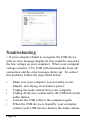
> If your computer failed to recognize the USB device
with an error message displayed, this could be caused by
the low voltage on your computer. When your computer
voltage is below 3.3V, USB will automatically close all
connection and the error message shows up. To correct
this problem, follow the steps listed below:
•
•
•
•
•
Make sure your computer is powered by its AC
adapter, not relying on its battery power.
Unplug the audio station from your computer.
Unplug all devices connected to the USB hub on the
audio station.
Connect the USB cable to the computer again.
When the USB device is found by your computer,
connect your USB devices back to the audio station.
Page 10