1
WWW.TURTLEBEACH.COM
Contents
INTRODUCING RIVIERA ........................................1
RIVIERA CD ...............................................2
Riviera Program Suite
2
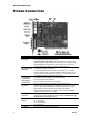
RIVIERA CONNECTORS .........................................3
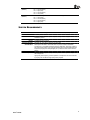
System Requirements
4
INSTALLING THE RIVIERA SOUND CARD ............................5
Installing the Riviera
5
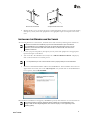
Installing the Drivers and Software
6
To uninstall Riviera
7
Optimizing Playback Performance in Windows 2000 and XP
7
CHECKING RIVIERA AFTER INSTALLATION ...........................8
Launching the Riviera Control Panel
8
Checking the Speaker Configuration
8
No Speaker Sound
9
USING THE RIVIERA..........................................9
Playing digital music with Windows Media Player
10
Listening to Digital Music
10
Using the Equalizer
10
Using Environment Effects
10
Listening to Stereo Music in Surround Sound
10
Speaker Positioning & Multi-Speaker settings under Vista/7
11
Listening to DVDs in Surround Sound
12
Listening with the Analog Audio Outputs
12
Listening with the Digital Audio Output
12
Using the Digital Output in Vista/7
12
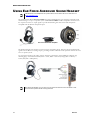
USING EAR FORCE® SURROUND SOUND HEADPHONES ....................13
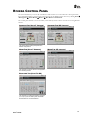
RIVIERA CONTROL PANEL .....................................14
Using the Control Panel Presets
15
Saving and Restoring Presets
15
Importing and Exporting Presets
15
SPEAKERS TAB.............................................16
Speaker Options Button (…)
16
Speaker Configurations
17
Testing the Speaker Configuration
18
Volume Section
19
Individual Speaker Volumes
19
Settings Summary
19
S/PDIF Settings
19
„Speaker Mix Tuned For‟ drop-down menu (Vista/7 only)
20
GRAPHIC EQUALIZER TAB .....................................21
Graphic Equalizer
21
User Defined Presets
21
Environments
21
MIXER TAB ...............................................22
Playback Settings
22
Selecting Record Source in Windows Vista/7
23
HARDWARE WARRANTY.........................................24
FCC Declaration of Conformity
24
iii
Riviera