1
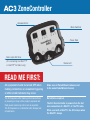
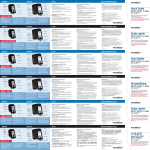
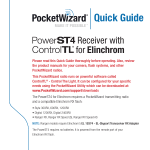
ZoneController
Release Button
Mode Switches
Power Dials
Nikon-style Hot Shoe
(for connecting to a MiniTT1®
or FlexTT5® for Nikon only)
Status LED
READ ME FIRST:
All equipment should be turned OFF when
making connections or unwanted triggering
or other erratic behavior may occur.
Make sure all PocketWizard radios are set
to the same PocketWizard channel.
The first exposure after making initial connections
or powering on may not be properly exposed and
flash power levels may not be set as expected.
The first exposure is a calibration shot. Always test
at least twice.
No batteries required.
The AC3 ZoneController is powered via the hot
shoe connection of a MiniTT1 or FlexTT5 radio.
When used with a MiniTT1, the AC3 sleeps when
the MiniTT1 sleeps.