1
WIRELESS POWER SYSTEM 320SY
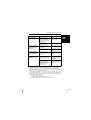
Problem
Cause
Solution
The switch responds
poorly.
Other strong frequency
signals (of a wireless
telephone, loudspeakers, for
example) may interfere with
the operation of the
switching system
Move one of the
interfering transmitters or
move the switch.
Transmission range is
obstructed by walls.
Move the switch.
The device connected has
its own switch, which is in
the off position.
Make sure the devices
connected are switched
on.
The device connected is
defective.
Check or have checked
whether the device
functions
The switch does not
switch on, the red
signal light remains
on.
The device code of your
remote control and the
switch are not set to the
same code.
Set the device code for
both devices to the same
number.
The device connected
switches on by itself.
A similar system with the
same home codes is being
used in your vicinity.
Change the home codes
of your switch and the
other wireless devices in
your system.
Other strong frequency
signals (of a wireless
telephone, loudspeakers, for
example) may interfere with
the operation of the
switching system
Move one of the
interfering transmitters or
move the switch.
The green signal light
goes on but the device
connected does not
switch on.
UK
Register your product via www.trust.com so that you are able to receive optimal
guarantee and service support such as up-to-date FAQ. You will be automatically
informed of developments to your product and of other Trust products. You will also
have the chance to win some spectacular prizes.
If you still have any problems after trying these solutions, please contact one of the
Trust Customer Care Centres. You can find more information on the last page of this
electronic manual, as well as at the back of the quick installation manual. Please have
the following information available:
•
The article number. This is: 12561;
•
A good description of what precisely does not work;
•
A good description of when precisely the problem takes place.
5