1
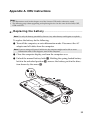
Appendix A. CRU instructions
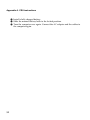
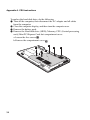
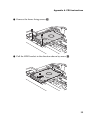
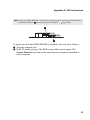
7 Take out the hard disk drive secured in a metal frame e .
5
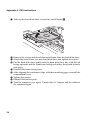
8 Remove the screws and detach the metal frame from the hard disk drive.
9 Attach the metal frame to a new hard disk drive and tighten the screws.
0 Put the hard disk drive gently into the hard disk drive bay with the tab
facing upwards and the connectors facing each other; then push it firmly
into space.
A Reinstall the frame fixing screw.
B After aligning the attachment clips with their matching gaps, reinstall the
compartment cover.
C Tighten the screws.
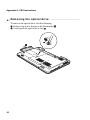
D Reinstall the battery pack.
E Turn the computer over again. Connect the AC adapter and the cables to
the computer again.
36