1
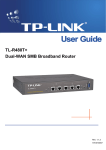
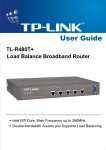
TL-R470T+
Load Balance Broadband Router User Guide
Chapter 1. Introduction
Thank you for choosing TL-R470T+ Load Balance Broadband Router!
1.1
Overview of the Router
The TL-R470T+ Load Balance Broadband Router possesses excellent throughput and driving
load capability, which consumedly meets the requirements from Internet cafe and small office with
volumes of users, making a more expedite communication. The superior performance will bring
you full-new experience of a non-bottle-neck network.
TL-R470T+ Load Balance Broadband Router provides three adjustable WAN/LAN ports which
can work as WAN port or LAN port. By the factory defaults, TL-R470T+ is set to work in the dual
WAN ports mode with port 1 and port 2 as WAN ports, while port 3~5 are LAN ports. The Router
features fully automatically load balance policy, no need for any manually work, it works with
backup and load balancing functions. The connection will furbish when one line is broken down,
while the streaming will part automatically.
TL-R470T+ makes plenty of applications become a reality. It can be used for constructing intranet
FTP, WEB, and Mail server, etc. Inaccessibly, it features network game ports opened, MSN audio
conversation and special application setting, providing much more additional value to your
network.
Featuring firewall and VPN Pass-through, the TL-R470T+ Load Balance Broadband Router
resists most common Internet attacks and ensures secure data connectivity and transmission
over the Internet.
TL-R470T+ Load Balance Broadband Router is easy-to-manage. Quick Setup is supported and
friendly help messages are provided for every step. So you can configure it quickly and share
Internet access, files and fun comfortably.
1.2
Features
¾
Complies with IEEE 802.3, 802.3u , 802.3x standards
¾
1 fixed WAN port (port 1), 1 fixed LAN port (port 5), and 3 adjustable WAN/LAN ports (By
defaults, port 2 is WAN port, port 3~4 are LAN ports), backup connections automatically for
each other
¾
Supports Port Bandwidth Control, Port Mirror for LAN ports
¾
Supports IP address-based QoS
¾
Built-in NAT and DHCP server supporting static IP address distributing
¾
Supports Virtual Server, Port Triggering, and DMZ host
¾
Built-in firewall supporting IP address filtering, Domain Name filtering, and MAC address filtering
¾
Supports connecting/disconnecting Internet at a specified time of day
¾
Supports access control, allowing parents and network administrators to establish restricted
access policies based on the time of day for children or staff
1