1
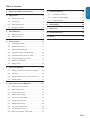
2. Important . . . . . . . . . . . . . . . . . . . . . . . . . 6
2.1
Product information. . . . . . . . . . . . . . . . . . . . . . . 6
2.2
Screen care. . . . . . . . . . . . . . . . . . . . . . . . . . . . . . 6
2.3
Environmental care. . . . . . . . . . . . . . . . . . . . . . . . 6
2.4
Regulatory notices . . . . . . . . . . . . . . . . . . . . . . . . 6
7. Connect devices . . . . . . . . . . . . . . . . . . . 20
7.1
Connection overview. . . . . . . . . . . . . . . . . . . . . 20
7.2
Select connection quality . . . . . . . . . . . . . . . . . . 21
7.3
Connect devices. . . . . . . . . . . . . . . . . . . . . . . . . 22
8. Pixel policy . . . . . . . . . . . . . . . . . . . . . . . 24
9. Glossary. . . . . . . . . . . . . . . . . . . . . . . . . . 25
FRANÇAISE
1. Important safety instructions . . . . . . . . . 4
ENGLISH
Table of contents
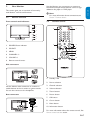
3. Your Monitor. . . . . . . . . . . . . . . . . . . . . . . 7
Monitor overview . . . . . . . . . . . . . . . . . . . . . . . . 7
3.2
Remote control . . . . . . . . . . . . . . . . . . . . . . . . . . 7
10. Troubleshooting . . . . . . . . . . . . . . . . . . . 26
11. Index . . . . . . . . . . . . . . . . . . . . . . . . . . . . 27
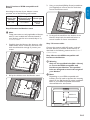
4. Get started . . . . . . . . . . . . . . . . . . . . . . . . 8
4.1
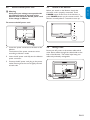
Mounting the stand . . . . . . . . . . . . . . . . . . . . . . . 8
4.2
Position the Monitor . . . . . . . . . . . . . . . . . . . . . . 8
4.3
Wall mount the Monitor . . . . . . . . . . . . . . . . . . . 8
4.4
Install the remote control batteries . . . . . . . . . 10
4.5
Connect the PC, antenna or cable . . . . . . . . . . 10
4.6
Connect the AC power cord. . . . . . . . . . . . . . . 11
4.7
Switch on the Monitor. . . . . . . . . . . . . . . . . . . . 11
4.8
Manage cable . . . . . . . . . . . . . . . . . . . . . . . . . . . 11
5. Use your Monitor . . . . . . . . . . . . . . . . . . 12
5.1
Switch your Monitor on/off or to standby . . . . 12
5.2
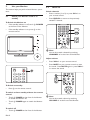
Watch TV . . . . . . . . . . . . . . . . . . . . . . . . . . . . . . 12
5.3
Watch channels from a cable receiver box . . . . 13
5.4
Watch a DVD. . . . . . . . . . . . . . . . . . . . . . . . . . . 13
6. Use more of your Monitor. . . . . . . . . . . 13
6.1
Remote control overview . . . . . . . . . . . . . . . . . 13
6.2
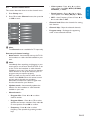
Enter setup menu. . . . . . . . . . . . . . . . . . . . . . . . 14
6.3
Set the channel menu. . . . . . . . . . . . . . . . . . . . . 15
6.4
Adjust video settings . . . . . . . . . . . . . . . . . . . . . 16
6.5
Use preset picture mode . . . . . . . . . . . . . . . . . . 16
6.6
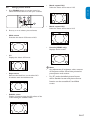
Change picture format . . . . . . . . . . . . . . . . . . . . 17
6.7
Adjust audio settings . . . . . . . . . . . . . . . . . . . . . 18
6.8
Use preset sound mode. . . . . . . . . . . . . . . . . . . 18
6.9
Set the feature menu . . . . . . . . . . . . . . . . . . . . . 18
6.10
Select your Monitor in PC mode . . . . . . . . . . . 19
EN-3
ESPAÑOL
3.1