1
5. MUSIC MODE
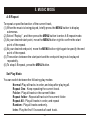
To select play mode:
(1) When the music is being played, briefly press the MENU button to display
the submenu.
(2) Select "Repeat ", and then press the MENU key to show the provided options.
(3) Move the MENU key left or right to select the desired repeat mode, and press
the MENU key to confirm, or press the PLAY key to cancel and return.
l
Set EQ Mode
You can play the tracks with different sound effects. The device provides 7 preset
EQ modes: Normal, Rock, Pop, Classic, Soft, Jazz, and Bass.
To set the EQ mode:
(1) When the music is being played, briefly press the MENU button to display the
submenu.
(2) Select "Equalizer" , and then press the MENU key to show options.
(3) Move the MENU key left or right to select the desired mode, and press the
MENU key to confirm, or press the PLAY key to cancel and return.
l
Set SRS and WOW Sound Effect
This device provides vivid sound effect SRS and WOW to enhance your music
enjoyment. These steps can guide you in enabling the SRS and WOW settings:
(1) When the music is being played, briefly press the MENU button to display the
submenu.
-7-