1
OPEN
LOCK
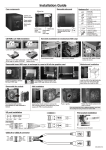
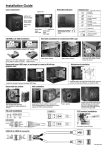
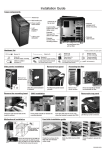
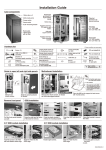
CD-ROM installation guide
Loosen thumb screws
Slide it out to release
Loosing two screws to remove the
5.25" mounting bracket
Insert the CD-ROM, fasten
thumb screws to secure.
Fasten two screws to the 5.25"
mounting bracket
Fasten two screws.
Adding the rubber pad to ODD's
eject bottom, when 5.25" ODD
bezel couldn't reach to the ODD.
NOTE:
5.25” mounting bracket can be placed
either on right or left side.
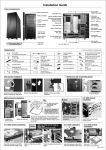
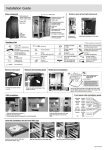
PSU unit extender
installation
PSU tray installation
for mount longer PSU
Assembling the power supply with PSU
mounting bracket, and push in gently.
Loosing four thumb screws to
remove the PSU mounting bracket.
Fasten four thumb screws onto the case
to secure.
PSU installation
Assembling the PSU to PSU unit
extender.
Place the PSU on the stand, and
push again the rear panel.
Place the PSU bracket into
according slot as shown.
Lock the PSU bracket to secure the PSU.
* For transportation, please place screw
to secure the PSU
Fasten four screws.
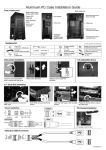
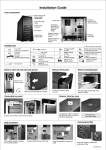
Front panel cable
installation guide
PCI Add-on card installation
1
2
GROUND
PWR
WHITE
GRAY
GROUND
Reset
PLED-
WHITE
BLUE
WHITE
NC
GREEN
PLED+
POWER SW
RESET SW
POWER
LED
IDE_LED- WHITE H.D.D LED
IDE_LED+ ORANGE
Open the aluminum latch to
remove the PCI slot bracket.
Push the card into the PCI slot,
close the aluminum latch to secure
the card.
Finish.
Speaker
+5V
VGA Card Pillar Installation Guide
1
2
3
4
BLACK
NC
NC
RED
SPEAKER