1
ALM key in normal mode display. The alarm icon will
disappear, the alarm is now off.
SNOOZE SETTING
The snooze can only be activated during alarm time for a
snooze duration of 10 minutes by pressing the SNZ key on the
back of the clock.
POSITIONING
Before permanently mounting ensure that the solar wall clock is
able to receive DCF signals from the desired location. Also,
extreme and sudden changes in temperature will decrease the
accuracy of the solar wall clock.
There are two possible ways to mount the solar clock:
•
use of the foldable table stands, or
•
wall mounting
FOLDABLE TABLE STANDS
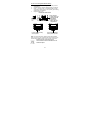
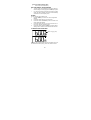
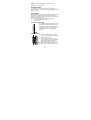
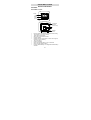
The foldable table stands legs are located on
the backside. Unfold the stands out, below
the battery compartment. Once the foldout
table stands are extended, place the radiocontrolled solar clock in an appropriate
location.
WALL MOUNTING
1.
2.
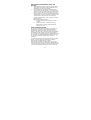
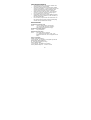
Install a mounting screw (not included)
into a wall—leaving approximately 5mm
extended from the wall.
Place the solar clock onto the screw,
using the hanging hole on the backside.
Gently pull the radio-controlled clock
down to lock the screw into place.
Note: Always ensure that the radio-controlled
clock locks onto the screw before releasing.
26