1
Adjusting the Timer
For operating the functions “Rice”, “Baby Food”, “Steam cook” or “Soup” the timer function
(preset) can be used to pre-select the start time of operation. The period of timing lies within
1 to 15 hours.
1.Prepare the appliance for use and connect the appliance to the power supply
(See: Preparing the Cooker for Operation).
2.Press the START button to switch on the appliance.
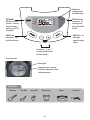
3.Press the MENU button to select the desired function.
4.Press the PRESET button to enter the setting mode of the timer. On the display the minimum time delay for the start of cooking in hours and minutes (HR and MIN) flashes: 1 hour.
5.Select the desired time by pressing the Timer buttons “+” and “–”.
Any time you press one of these buttons, the time will increase (“+”) or decrease (“–”) in predefined steps.
6.Press the START button.
The PRESET indicator will illuminate, and the display will still show the selected time.
Until entering the cooking process, the display will show the remaining time until starting the
function as a count-down in steps of 30 minutes.
As soon as the multi-functional cooker starts the cooking process automatically, the PRESET
indicator goes out and the usual information of the selected function is shown.
7.You can stop the timer at any time. Simply press the KEEP WARM/OFF button to switch
OFF the appliance.
Troubleshooting
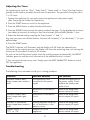
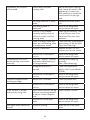
The following hints are meant to aid you in solving problems.
Problem
Possible Reasons
The solution
Indicator remains dark,
oven compartment remains
cold
The appliance is not
connected to the power
supply.
Connect the appliance to
the power supply. Check
whether the used power
outlet is live.
Malfunction in the electric
circuit.
Send to the designated
service centre for repair.
Indicator remains dark,
oven compartment gets
warm
Malfunction in the electric
circuit.
Send to the designated
service centre for repair.
Indicator is illuminated,
oven compartment remains
cold
Heating elements are burnt
out, or malfunction in the
electric circuits.
Send to the designated
service centre for repair.
Display shows “C1”, “C2”,
“C3”, or “C4”.
Malfunction of the
appliance.
Send to the designated
service centre for repair.
57