1
Table of Contents
1. Introduction .............................................................. 3
Overview ....................................................................................................... 3
Features................................................................................................ 3
Physical Details.............................................................................................. 4
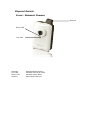
Front - Network Camera .......................................................................... 4
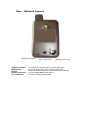
Rear - Network Camera........................................................................... 5
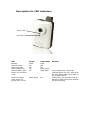
Description for LED indicators .................................................................. 6
Package Contents .......................................................................................... 7
Camera Installation ....................................................................................... 8
2. Using the surveillance software ................................. 9
2.1 Admin utility ............................................................................................ 9
2.2 Viewer Utility ......................................................................................... 11
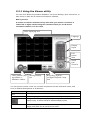
2.2.1 Using the Viewer utility ................................................................... 12
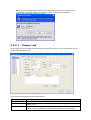
2.2.2 Configure camera in viewer utility .................................................... 13
2.2.3 General Options ............................................................................. 19
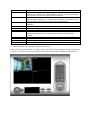
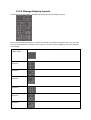
2.2.4 Change Display Layout.................................................................... 23
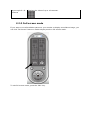
2.2.5 Full-screen mode ........................................................................... 24
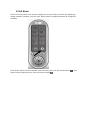
2.2.6 Scan............................................................................................. 25
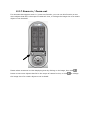
2.2.7 Zoom-in / Zoom-out ....................................................................... 26
2.2.8 Snapshot ...................................................................................... 27
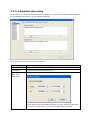
2.2.9 Recording...................................................................................... 27
2.2.10 Video Playback............................................................................. 28
Locate the IP Address of this IP Camera .................................................... 29
Log On to Web Management Interface....................................................... 30
3. Using Web Management Interface ........................... 32
3.1 Camera Settings..................................................................................... 32
3.1.1 About ........................................................................................... 33
3.2 Status .................................................................................................... 34
3.3 Log......................................................................................................... 35
3.4 Video Setup............................................................................................ 36
3.4.1 Dual Mode..................................................................................... 36
3.4.2 MPEG4................................................................................................. 36
3.4.3 MJPEG ................................................................................................. 37
3.6 Motion Detection................................................................................. 38
3.6.1Basic Settings................................................................................. 38
3.6.2 Setup Motion Detection Regions ....................................................... 39
3.7 Network Setup ....................................................................................... 41
3.7.1 LAN .............................................................................................. 41
3.7.2 RTSP ............................................................................................ 42
3.7.3 Dynamic DNS ................................................................................ 42
3.7.4 UPNP ............................................................................................ 43
3.7.5 LoginFree ...................................................................................... 44
3.8 Wireless Settings ................................................................................... 45
3.9 FTP and E-Mail Settings ......................................................................... 48
3.9.1 E-Mail settings ............................................................................... 48
3.9.2 FTP Settings .................................................................................. 49
3.10 System Settings ................................................................................... 50
3.11 User Settings ...................................................................................... 51
3.12 Firmware Update............................................................................. 52
4. Appendix ................................................................. 53
4.1 Specification .......................................................................................... 53
4.2 Troubleshooting..................................................................................... 54