1
1 Important
Safety
Notice
2 Your car audio system
Introduction
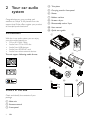
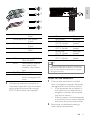
What’s in the box
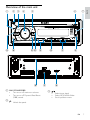
Overview of the main unit
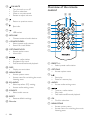
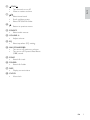
Overview of the remote control
3 Get started
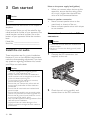
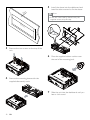
Install the car audio
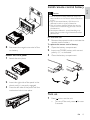
Install remote control battery
Turn on
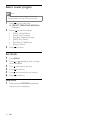
Select country/region
Set clock
4 Listen to radio
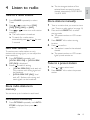
Tune to a radio station
Store radio stations in memory
Store stations manually
Tune to a preset station
5 Play audio files
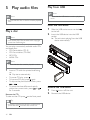
Play a disc
Play from USB
Insert a card
Search for an MP3/WMA track
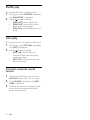
View play information
Repeat play
Shuffle play
Intro play
Connect external sound source
4
4
4
6
6
6
7
8
10
10
13
13
14
14
15
15
15
15
15
19
19
19
19
19
19
19
19
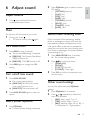
Adjust volume
Mute
Turn DBB on/off
Tunr on/off max sound
Select preset equalizer
Switch music listening zone
Other sound settings
7 Adjust system settings
21
21
21
21
21
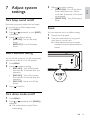
Turn beep sound on/off
Select blackout setting
Turn demo mode on/off
Reset
8 Additional information
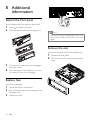
Detach the front panel
Replace fuse
Remove the unit
22
22
22
22
9 Product information
23
10 Troubleshooting
24
11 Glossary
25
16
16
16
17
17
17
17
18
18
18
EN
3
English
6 Adjust sound
Contents