1
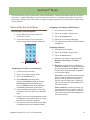
Magellan eXplorist Settings
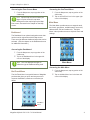
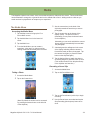
3. Tap the Distance drop-down menu and select
the desired units of measure.
Setting Speed Units of Measure
1. Access the Settings Menu.
2. Tap on the Map Options button.
3. Tap the Speed drop-down menu and select the
desired units of measure.
Setting Elevation Units of Measure
1. Access the Settings Menu.
2. Tap on the Map Options button.
3. Tap the Elevation drop-down menu and select
the desired units of measure.
Setting Area Units of Measure
1. Access the Settings Menu.
2. Tap on the Map Options button.
3. Tap the Area Units drop-down menu and select
the desired units of measure.
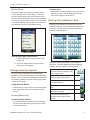
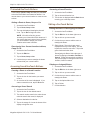
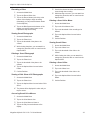
Toggling the Barometer Sensor (On/Off)
1. Access the Settings Menu.
2. Tap on the Sensors button.
3. Tap the Barometer drop-down menu and select
on or off.
Switching to GPS Compass
1. Access the Settings Menu.
2. Tap on the Sensors button.
3. Tap the Switch to GPS Compass drop-down
menu and define the speed being travelled as
the point to switch from the compass sensor to
GPS to compute heading.
Calibrate Barometer/Altimeter (eXplorist
610/710)
Calibrating the Barometer/Altimeter
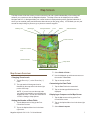
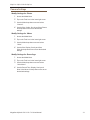
1. Access the Settings Menu.
2. Tap on the Calibrate Barometer/Altimeter
button.
Tracks
3. Tap on the Sea Level Pressure field to enter
This setting sets the interval that track points will be
saved. Auto uses an internal formula that increases
the number of track points saved during turns and
decreases the number of points saved when travelling
in a straight line.
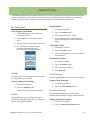
Setting Track Logging Mode
1. Access the Settings Menu.
2. Tap on the Tracks button.
3. Tap the Logging Mode drop-down menu and
your known sea level pressure. (Use the dropdown menu to define the units of measure.)
4. Tap on the Current Elevation field to enter your
known elevation. (Use the drop-down menu to
define the units of measure.)
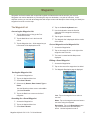
Alarms
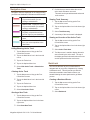
Setting the Off Course Alarm
1. Access the Settings Menu.
set the interval for recording track points.
2. Tap on the Alarms button.
Note if you select “Time” or “Distance” you will
need to set the time or distance intervals from
the additional drop-down menu.
3. Tap the Off Course drop-down menu and
Sensors (eXplorist 610/710)
Toggling the Electronic Compass Sensor
(On/Off)
1. Access the Settings Menu.
2. Tap on the Sensors button.
define the distance that when off course that
an alarm will sound.
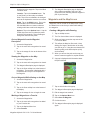
Toggling Arrival Alarm
1. Access the Settings Menu.
2. Tap on the Alarms button.
3. Tap the Arrival drop-down menu and select
if the arrival alarm will sound when you have
reached your destination.
3. Tap the Electronic compass drop-down menu
and select on or off.
Magellan eXplorist 510 / 610 / 710 User Manual
40