1
ENGLISH
RECORDING & PLAYING
Recording CDs, DVDs & BDs
To record CDs, DVDs & BDs, ensure that you have installed the proper software (see
previous page).
Playing DVDs & BDs
To play commercially released movies on DVD or BD on this drive, you must have BD
playback software installed on your PC. If you do not have BD playback software on your PC,
or if you want to replace your BD playback software, install the appropriate application from
the enclosed software CD (see previous page).
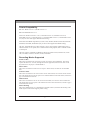
Playing Regionally Encoded BDs and DVDs
Some BDs and DVDs are encoded to be played in a certain region, such as North America
or Europe. Your drive must be set to the correct region code to play these discs.
No region code is preset when the BD drive is shipped. Instead, the first time a DVD with a
region setting is inserted into the BD drive, the act of inserting the DVD sets the drive to that
region code.
If you later insert a DVD with a different region code, you are prompted to accept a region
code change. If you do not accept the change, the DVD will not play. If you do accept the
change, the BD drive’s region code setting is changed.
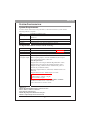
NOTE: You may change the BD drive’s region code only 5 times. After that, you will not
be able to change your drive’s code setting. (Your DVD playback software will warn you if
you approach the 5-change limit.)
About Software & Manuals
The detailed user’s manual for the recording and playback software is automatically installed
on your computer when you install the software itself.
14