1
Charging the Batteries
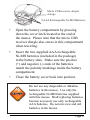
Power Indicator
(Power Low: Green
LED flashing;
Fully Charged: LED
turns to solid green)
•
It’s recommended that you fully charge the
batteries before initial use; nevertheless the
mouse is functional anytime during charging.
•
Plug the USB connector of the charging cable
(included in the box) into the computer’s
available USB port.
•
Connect the barrel-tip end of the USB
chargimg cable to the mouse’s charge port
located at the front end of the mouse.
•
The power-indicator LED flashes green
indicating the battery power is low and turns to
solid green when fully charged.
•
The initial charging process may take up to 4
hours. Subsequent recharge may require less
time depending on the level of residual power
Page