1
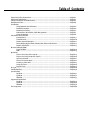
Table of Contents
Important Safety Instructions ..............................................................................................................English-1
Important Information ...........................................................................................................................English-2
Safety Precautions and Maintenance ...................................................................................................English-3
Recommended Use ....................................................................................................................................English-4
Installation
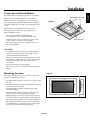
Using Optional Stands/Mounts ...............................................................................................English-6
Mounting Location ....................................................................................................................English-6
Mounting on Ceiling ..................................................................................................................English-7
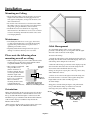
Maintenance, Orientation, Cable Management ..................................................................English-7
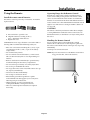
Using the Remote ......................................................................................................................English-8
Part Names and Functions
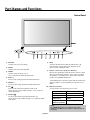
Control Panel ..............................................................................................................................English-9
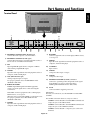
Terminal Panel ............................................................................................................................English-10
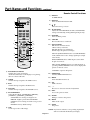
Remote Control Functions .......................................................................................................English-11
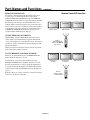
Power, Display, Digital Zoom, Pointer, Main Power Switch Cover .....................................English-12
Remote Control ID .....................................................................................................................English-13
On-Screen Display (OSD)
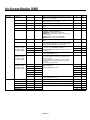
Using the OSD .............................................................................................................................English-14
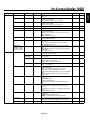
OSD................................................................................................................................................English-15
Operation
Picture Size Using Video Signals ............................................................................................English-19
Picture Size Using Computer Signals ....................................................................................English-20
Split Screen Mode .....................................................................................................................English-21
Picture in Picture Mode...........................................................................................................English-22
Creating a Video Wall ................................................................................................................English-23
Using the Timer..........................................................................................................................English-24
Repeat Timer ..............................................................................................................................English-25
RS-232C .......................................................................................................................................................English-26
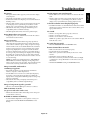
Troubleshooting.........................................................................................................................................English-30
Specifications
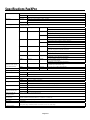
P42XP10 .......................................................................................................................................English-31
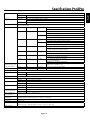
P50XP10 .......................................................................................................................................English-32
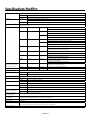
P60XP10 .......................................................................................................................................English-33
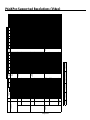
Supported Resolutions
P42XP10 .......................................................................................................................................English-34
P50XP10 .......................................................................................................................................English-36
P60XP10 .......................................................................................................................................English-38
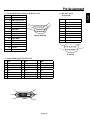
Pin Assignment ..........................................................................................................................................English-40