1
English version
Windows 7
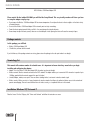
1 Click the start button at the bottom right of your screen and click “Control Panel”
2 In the Control Panel, click “View network status and tasks”. If your Control Panel is in icon view, open the “Network and Sharing Center” icon:
3 T he Network and Sharing Center window should now open.
In the Network and Sharing Center, click “Change adapter settings” in the bar on the left side:
11