1
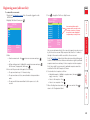
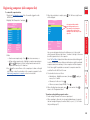
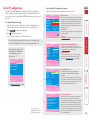
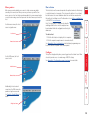
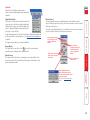
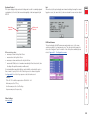
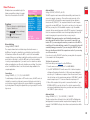
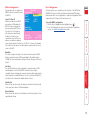
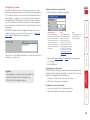
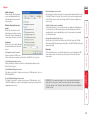
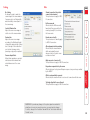
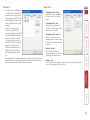
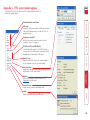
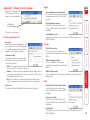
Customise Allows you to select which data can be transferred between server and viewer. Send pointer events to server When un-ticked, the VNC viewer will not send mouse movement or click data to the MC5-IP or host system. Pass special keys directly to server When ticked, ‘special’ keys (the Windows key, the Print Screen key, Alt+Tab, Alt+Escape and Ctrl+Escape) are passed directly to the MC5-IP rather than being interpreted locally. Menu key This feature allows you to select which function key is used to display the VNC viewer options menu. The menu key is only way to exit from the full screen viewer mode. Send keyboard events to server When un-ticked, the VNC viewer will not send keyboard information to the MC5-IP or host system. Send clipboard changes to server This feature is restricted to software server versions of VNC and has no effect on MC5-IP installations. Accept clipboard changes from server This feature is restricted to software server versions of VNC and has no effect on MC5-IP installations, except for retreiving the activity log as described in the logging and status section. IMPORTANT: If you make any changes to the options given here and wish to retain them for successive connection sessions, you must save the changes. To do this, change to the ‘Load/Save’ tab and click the ‘Save’ button within the ‘Default’ section. Enable 3-button mouse emulation This feature allows you to use a 2-button mouse to emulate the middle button of a 3-button mouse. When enabled, press the left and right mouse buttons simultaneously to create a middle button action. You are advised to generally use a 3-button mouse. Disable all inputs (view-only mode) When selected, prevents control data being passed between server and viewer. Viewer can display the server output, but cannot control it. Rate-limit mouse move events When ticked, this feature reduces the mouse movement information that is sent to the MC5-IP and host system. This is useful for slow connections and you will notice that the remote cursor will catch up with the local cursor roughly once every second. Enable all inputs When selected, allows keyboard, mouse and clipboard data to be transferred between server and viewer systems. Inputs 91