1
Troubleshooting
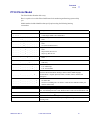
Troubleshooting Procedures
Example • Printing shows blurry printed image.
Possible Cause:
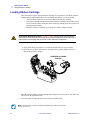
• Ribbon cartridge may not be correctly positioned.
Solution:
•
Check that the ribbon is properly rolled onto the
ribbon cores of the cartridge, with no wrinkles.
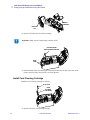
• Replace ribbon cartridge, making sure it locks in
place, and print again.
Possible Cause:
• Ribbon may not be synchronized on the correct color panel position.
Solution:
• Open lid, then close lid to synchronize ribbon.
Possible Cause:
• Cards may not meet specifications.
Solution:
• Use a different supply of cards.
Possible Cause:
• Dust or embedded contamination inside the printer and/or dirty Cleaning Roller.
Solution:
•
•
Clean the Print Head.
Replace Cleaning Roller
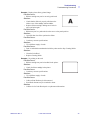
Example • No printing on the card.
Possible Cause:
• Ribbon cartridge may not be installed in the printer.
Solution:
• Check for ribbon cartridge in the printer
Possible Cause
• Cards may not meet specifications.
Solution:
• Use a different supply of cards
Possible Cause
• Cable on Print Head may be disconnected
• Print Head elements may be scratched or burnt.
Solution
•
980515-001 Rev. A
Call Service for Print Head repair or replacement information.
P110i User’s Manual
33