1
Operation:
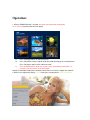
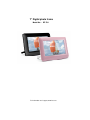
1. When a SD/MMC/MS card is inserted, the frame would slideshow automatically.
Press “Exit” and a photo thumbnail shall appear
1.1
1.2
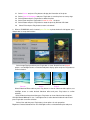
Press Left/Right Buttons to select the picture
Press Play button to enter single photo display mode and display the selected picture,
Press Play button again to enter slideshow mode
1.3
Press”On&Off”button for about 2-3 seconds to turn off the frame and another 2--3
seconds if you want to turn on the frame again.
Remark: It would take longer time to load the picture when its resolution is bigger than 480*234
2. When in the single photo display (Pause) mode, press Setup button to access utility menu.