1
Getting Started
Charging Your Headset
To use your i.Oval 303 Bluetooth headset (“headset”), please follow the steps
below:
1. Ensure your headset is fully charged.
2. Pair your charged headset with a Bluetooth-enabled mobile phone.
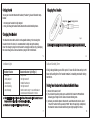
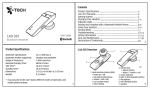
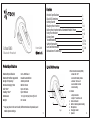
Charge Plug
Charging Socket
Charging Your Headset
fig.2
The headset comes with a built-in rechargeable battery. Prior to using the
headset for the first time, it is recommended to fully charge the battery.
Insert the charger’s plug into the headset’s charging socket (see fig.2) and plug
the mains charger to an AC wall outlet or plug to the PC/notebook.
Use only the supplied charger / USB charging cable to charge the headset.
5
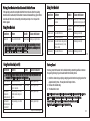
Indicator Light
Talk and Standby Time
Headset Status
Status Indicator Light (fig.1)
•
•
•
•
•
•
•
•
•
•
Charging
Fully charged
Low battery
Out of battery
Out of Range
6
A fully charged battery can offer up to 4.5 hours of talk time and up to 90
hours of standby time. The headset remains in standby mode after being
turned on.
Long Green
The light turns off
Double flash Green
The light turns off
Flash 4 Green every 15 sec until headset
reconnect and timeout after 10 mins
Pairing Your Headset with a Bluetooth Mobile Phone
1) Ensure the headset is off.
2) To activate the pairing mode, press and hold the headset’s MFB without
releasing your finger until its status indicator blinks green.
3) Activate your mobile phone’s Bluetooth, search Bluetooth devices, select
“i.Oval 303” and enter the passcode “0000”. When the pairing is completed,
the headset’s status indicator will flash green light rapidly five times.
♦ Charging indication will be delayed for a few seconds if the headset has not
been used for a long time or the battery is drained.
♦ 3 hours are required to fully charge the headset.
7
8